To avoid online scams, you first need to slow down, verify who’s contacting you, and protect your accounts. Pause when a message creates urgency, verify it on an official website or by calling a phone number you find yourself, and never share passwords or verification codes. Strong, unique passwords, multi-factor authentication, and up-to-date devices add extra layers of security if someone does target you.
Below, you’ll find the warning signs to spot, 10 practical tips, and what to do if you’ve already shared information.
How to recognize an online scam
Most online scams share a few warning signs. Spotting one is a reason to be cautious, but not definite proof of fraud, since legitimate businesses also send urgent reminders and run big sales. Watch for a combination of:
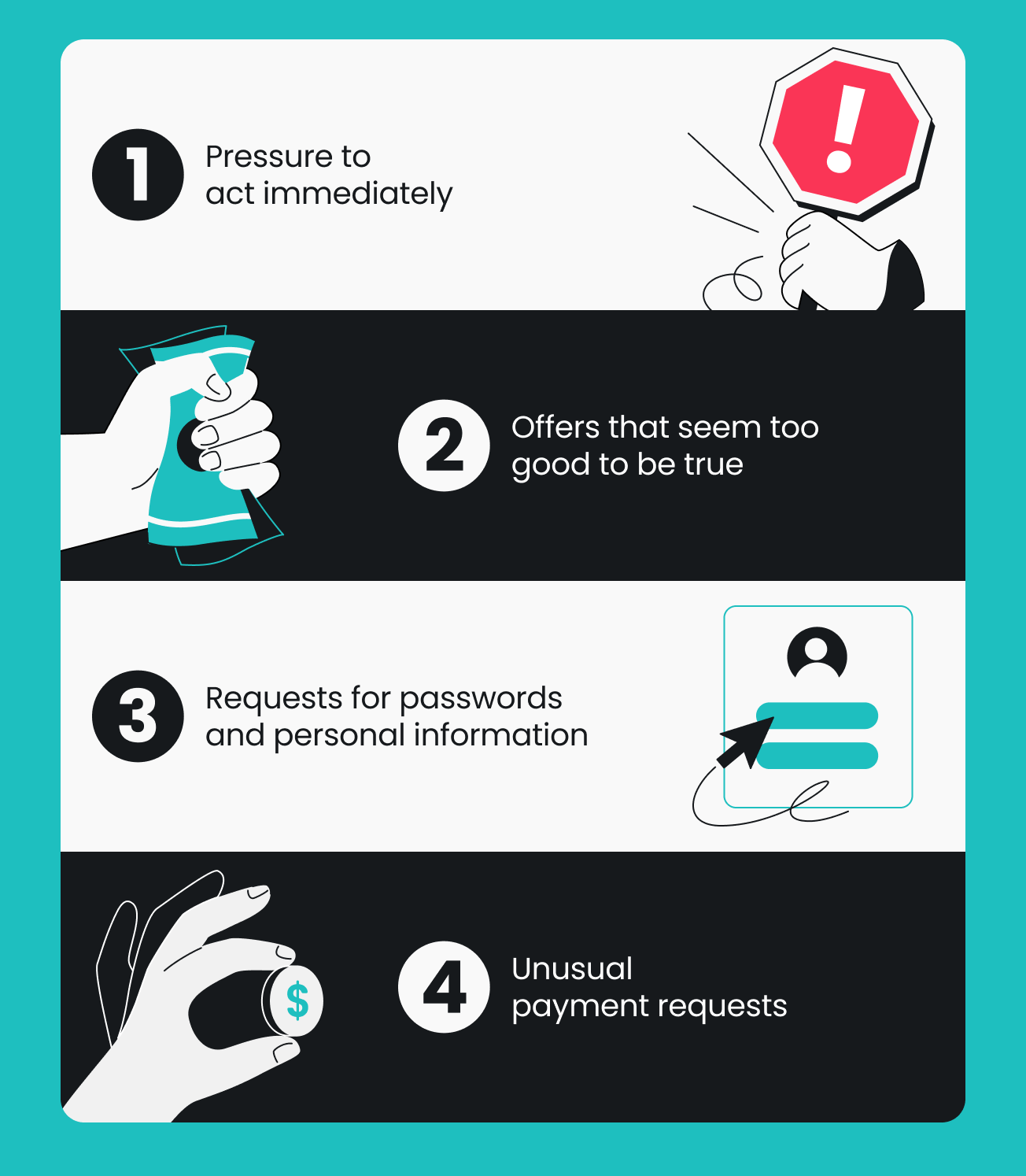
- Pressure to act immediately, such as “your account will be closed today”;
- Offers that seem too good to be true;
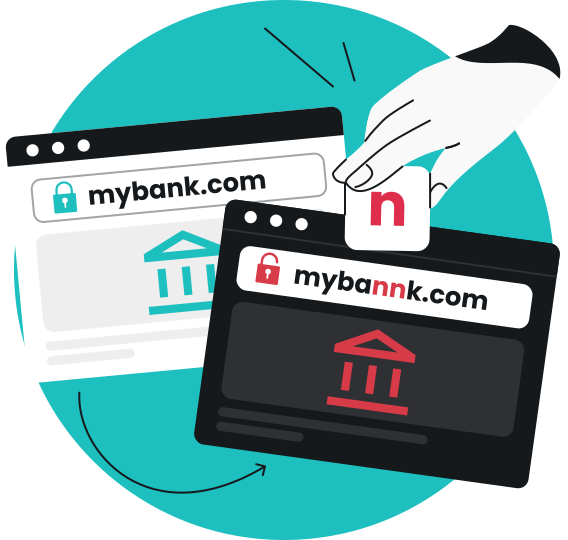
- Suspicious links, websites, or sender details, like a slightly misspelled domain;
- Requests for passwords, verification codes, payment information, or other personally identifiable information;
- Unusual payment requests, or someone pretending to be a bank, company, or person you know.
Here’s how to identify those signs in everyday life:
- A fake delivery notification. A text says your package is on hold and asks for a small fee through a link. You aren’t expecting a parcel, and the web address doesn’t match the courier’s
- A fraudulent bank alert. An email warns about a suspicious charge and asks you to “verify” your login through a button. Your bank’s app would show any real alert, so check there instead
- A suspicious online store. A shop you’ve never heard of sells a popular gadget at half price, lists no contact details, and accepts only bank transfers.
10 practical tips to avoid online scams
These tips help you spot scams early and respond if one reaches you, reducing the risk of online fraud and identity theft.
1. Verify who you’re dealing with
Confirm who’s contacting you through a trustworthy channel. Search for the company’s official website yourself, then use the contact details listed there rather than the ones in the message.
A personal touch isn’t proof, either. In a Surfshark survey conducted in June 2026, 31% of the 172 US respondents who lost money said the scammer’s use of their real name or purchase history made the scam believable. Another 35% pointed to convincing photos or voices generated with AI (Artificial Intelligence).
2. Stop before clicking suspicious links
Links are how many scams move from a message to a fake website, and one click can make you download malware. Don’t open the link — instead, go to the official website or app yourself. Say a text claims a delivery failed and asks for a redelivery fee. Its URL may mimic the courier’s, so instead of tapping, open the courier’s app and enter your tracking number there.
Even links from friends can be risky if their accounts were hacked. Our guide to fake website links explains how to check a web address before you click.
3. Use strong, unique passwords
Reusing a password turns one leaked login into an open door to your other accounts. If scammers get one set of credentials, they often try it on email, banking, and other accounts. A reputable password manager creates and stores strong passwords for every account, so you only have to remember one. Use different passwords everywhere, and change passwords on any leaked account.
4. Enable multi-factor authentication
MFA (Multi-factor Authentication) or 2FA (Two-factor Authentication) adds a second check, such as a code from an authenticator app, so a stolen password alone isn’t enough to get into your account. Turn it on for email, banking, and all other accounts that offer it.
Verification codes are meant for you alone. If anyone asks you to read one out or send it back, even someone claiming to be from your bank, stop and verify.
5. Keep your devices and software updated
Updates fix security flaws that scammers and malware rely on, so turn on automatic updates for your devices, operating system, browser, and apps.
Reputable protection software adds another layer. Surfshark Antivirus scans files before you download or open them and helps detect and remove malicious software on Windows, macOS, and Android. It can’t stop you from paying a fake seller or sharing a code, though.
6. Research unfamiliar online stores
A shop that’s new to you deserves a quick background check. When shopping online, search the store’s name with words like “reviews” or “complaints,” read what other customers say, look for a physical address and a clear return policy, and be wary of prices far below everywhere else. Be especially careful during the holiday season, when you’re expecting more deliveries.
Online shopping was the most reported scam type on social media (about one-third of reports) and on websites and apps (42%) in 2025, according to Surfshark’s analysis. Remember that a post offering sneakers at half price is an ad, not a review.
7. Choose safer payment methods
Pay with a method that lets you dispute the charge. Credit cards typically come with dispute options, though rules vary by provider, while gift cards, wire transfers, and cryptocurrency are much harder to recover.
That’s why fraudsters often ask for gift cards, cryptocurrency, cash transfers, or payments outside the platform. Treat these as warning signs, and be careful entering credit card information on public Wi-Fi.
8. Limit the personal information you share online
The less scammers know about you, the harder it is to make a message sound personal. Keep phone numbers, email addresses, and birthdates out of public profiles, and skip optional fields in sign-up forms. Personal data masking lets you use a masked email and identity instead of your regular details, so they’re less likely to reach scammers. Data brokers also collect and sell personal details, which can make scam messages more convincing (see how scammers get your info).
Incogni, which is included in Surfshark One+, sends removal requests to supported data brokers on your behalf in selected regions. It can reduce how much of your information is out there, but it can’t prevent scams, and removal depends on each broker.
9. Be cautious of unexpected emails and text messages
Phishing emails and smishing (phishing by text message) mimic messages you’d expect to receive, like a bank notification or a delivery update. Don’t reply to unsolicited emails or texts, call numbers, or tap links in the message itself. Instead, contact the company or person directly through an official app, website, or number you already have.
Scam text protection in the Surfshark app flags suspicious texts, and the email scam checker in the Surfshark Chrome extension checks Gmail on demand. No tool catches every scam, so verify any unexpected messages through official channels.
10. Don’t act hastily under pressure
Online scammers rely on speed and stress, usually wrapped in a convincing story. Pause before fulfilling any request involving money, account access, or sensitive information.
Imagine a message or call from a “family member” who urgently needs money. It may sound exactly like them, since scammers can imitate voices with AI, and caller ID can be faked. Treat urgent money requests with extreme caution: hang up, then call them back on the number you already have. If it’s really them, they’ll still be there in a few minutes.
What are the most common types of online scams?
Here’s a quick overview; our guide to types of scams covers each in more detail.
|
Scam type
|
Realistic example
|
Main warning sign
|
|
Phishing
|
A message from your “bank” asks you to confirm your login
|
An unexpected message that pushes you to click a link and log in
|
|
Online shopping
|
A sponsored post offers a popular product at a steep discount; the order never arrives
|
Unusually low prices, no seller details
|
|
Impersonation
|
Someone posing as a company, agency, or relative asks for urgent payment
|
Pressure to pay immediately or in unusual ways
|
|
Investment
|
A social media contact promises steady, high returns
|
Guaranteed returns, pressure to deposit quickly
|
|
Romance
|
Someone you met online builds trust, then asks for emergency money
|
Avoiding video calls, requesting money
|
|
Marketplace fraud
|
A “buyer” overpays and asks you to refund the difference
|
Requests to move the deal off the platform
|
What to do if you’ve been scammed online
If you think you’ve fallen victim to a scam, remember that being targeted isn’t a personal failure, and acting early helps. Work through these steps in order, adjusting as needed:
- Stop communicating with the suspected scammer, and don’t send anything further.
- Contact your bank or payment provider if you shared financial information or sent money, and ask about freezing your card or disputing the payment.
- Change the passwords on any affected accounts, starting with email and banking accounts, turn on MFA, and check your accounts for fraudulent activity.
- Check your device if you clicked a link or downloaded a file: update your security software, run a full scan, and remove anything it finds.
- Keep evidence, such as screenshots and receipts, and report the incident to the FTC at ReportFraud.ftc.gov. You can also forward scam texts to 7726 (SPAM). If you shared a Social Security number, IdentityTheft.gov lays out recovery steps.
For example, if you entered credit card information on a fake store, call your card issuer first; if you read a verification code to a fake “bank agent,” secure that account first. For more details, see what to do if you clicked on a phishing link.
Stay safer online with Surfshark
Staying aware, verifying independently, securing your accounts, and using the right tools work well together. No single habit or product stops every scam, but they cover each other’s gaps. Scam text protection helps flag suspicious texts, Surfshark Antivirus helps detect and remove malicious software, personal data masking can replace your details at sign-ups, and Incogni can request data removal from supported brokers. See how they fit together on our scam protection page.

Frequently asked questions
How can I tell if someone is trying to scam me?
Most scams tend to share some common signs: pressure to act fast, requests for codes or payment, and details that don’t match the official source. Warning signs aren’t proof, so confirm through an official website or number you find yourself. Also, scams keep evolving and developing new tactics, so if something feels off, stay on the side of caution, even if you cannot pinpoint exactly what is wrong.
What should you never share with an online scammer?
Never share passwords, verification codes, or full card and bank details with someone who contacted you first. Those details can give direct access to your accounts or money, so enter them only on official sites or apps you opened yourself.
Can a scammer access my bank account with my phone number?
Not with the number alone, since your bank account still needs your login details or a verification code. But scammers can use your number to send messages that trick you into sharing those details, so never give out codes and contact your bank directly if something seems off.
How can I avoid online shopping scams?
A few quick checks lower your risk. Search for independent reviews of the store, confirm clear seller and return details, and pay with a method that offers dispute options rather than gift cards or wire transfers.