Scam text protection: stop SMS fraud in its tracks
One tap on the wrong text can hand your identity straight to a scammer. Surfshark’s SMS protection flags suspicious messages before you ever interact with them.
- Catch scam texts before you tap a single link
- Spot phishing across texts, emails, and the web
- Stay protected on both Android and iPhone
$470M
lost to text message scams
(FTC)
5x
increase in text scams since 2020
(FTC)
30%
share of reported scams that start with a text
(Consumer Reports)
Why does SMS protection matter?
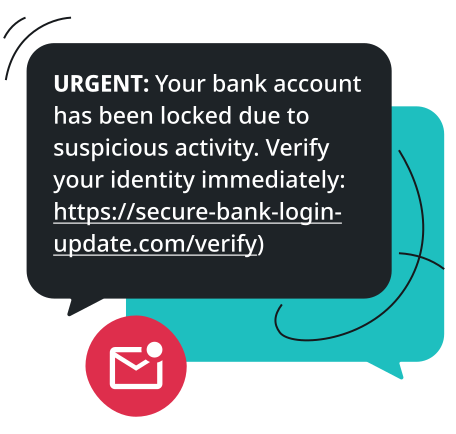
The problem: SMS phishing, or smishing, is one of the fastest-growing cyberthreats, and it’s only getting harder to spot. Attackers spoof real phone numbers, fake sender names, and impersonate banks, delivery services, and people you trust to get you to hand over sensitive information.
The risk: One tap on the wrong link is all it takes. Drained funds, hijacked accounts, a stolen identity — the damage from a single text can follow you for months.
The solution: Surfshark’s scam text protection flags suspicious messages before you ever interact with them. The one text that could cost you never gets the chance.
How scam message protection works
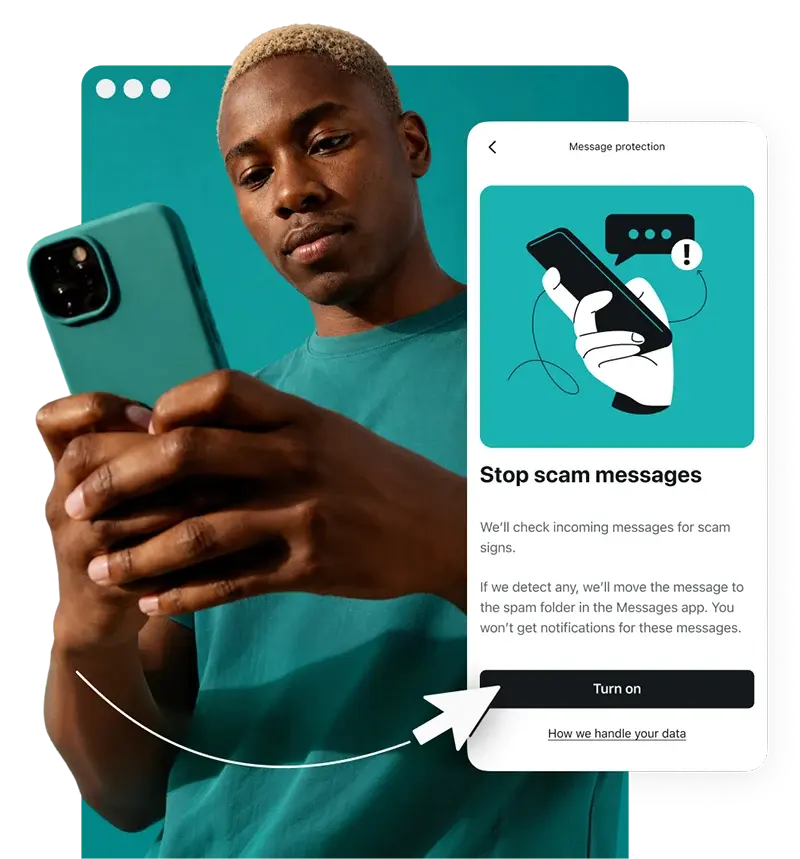
Scam text protection works quietly in the background, checking incoming texts for scam and phishing indicators so you don’t have to screen every message yourself.
Surfshark’s scam text protection checks incoming SMS for known phishing indicators, helping you recognize potential scams before they put your personal information or finances at risk. Here’s how user experience is optimized depending on your operating system:
1. Detection
Every SMS delivered to your phone is checked for signs commonly associated with scams and phishing attempts, such as malicious links, urgency in language, and sender info.
2. Alert
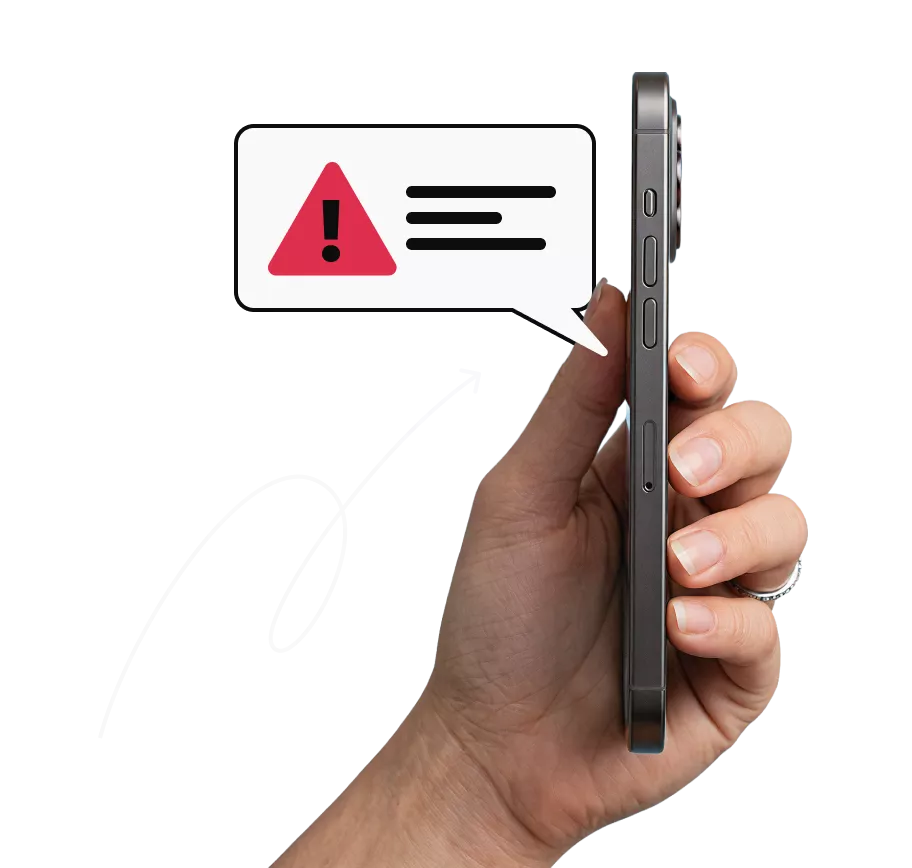
If a message looks suspicious, scam text protection sends you a warning notification. In the Surfshark app, you can safely review the message and the indicators explaining why it was flagged.

3. Scam prevention
Use the warning to decide your next step with confidence — whether that’s ignoring the message, deleting it, or opening and reading it safely.
1. Detection
Sender information and incoming SMS are checked for signs commonly associated with scams and phishing attempts, such as malicious links and urgent phrasing.

2. Filtering
If a message is flagged as suspicious, it’s automatically moved to a dedicated spam folder inside your default Messages app rather than appearing in your main inbox.
3. Clean inbox
Your primary inbox remains focused on real conversations, while flagged messages remain accessible in your spam folder if you ever need to verify them.
Don’t be the next target
Get scam text protection from Surfshark before it’s too late
Protect yourself from the most common SMS scams
Scam texts are built to look real and have one goal: to make you panic first and think later. Knowing the scam patterns is your best defense. Here’s what to watch for.
Banking scams
Criminals impersonate your bank, sending links to convincing copycat sites designed to steal your login credentials, card details, or one-time verification codes.

Delivery scams
A fake delivery alert, spoofed to look like UPS, FedEx, or the USPS, can be all it takes. One tap on the link, and your personal or payment information could be gone.
Payment scams
A fake “failed payment” or “unauthorized charge” message creates a false sense of urgency, prompting you to give your card details or send money straight to a scammer.
Identity verification scams
Fraudulent messages to verify your account can pose as the government, social media platforms, or your email provider, trying to trick you into sharing passwords and account access.
Prize and giveaway scams
On the internet, “You’ve won!” is rarely true. These messages bait you into giving up personal information, entering payment details, or downloading malware disguised as an app.

Job and investment scams
Scam messages promising easy money, high pay for minimal work, or guaranteed crypto returns are crafted to extract upfront fees, sensitive information, or your financial savings.
Why choose Surfshark’s scam text protection?
Your phone’s built-in settings catch some spam, but scammers often know how to slip past them. Here’s how Surfshark closes the gap and keeps you a step ahead of SMS scams — without changing the way you use your phone.

Early suspicious text identification
Surfshark flags messages commonly linked to scams and phishing attempts and catches malicious link structures before you ever tap.
Privacy-first protection
Created with privacy in mind, Surfshark never reads your texts, tracks your general phone activity, accesses your contacts, or uses your data to train AI.

Android and iPhone compatibility
Get full protection on both major operating systems. Surfshark is tailored to Android’s notification system and iOS’s message filtering.
Quiet operation in the background
Catch scam SMSes without ever interrupting your everyday messaging, thanks to seamless protection that runs silently while you text.
How to set up Surfshark’s scam text protection
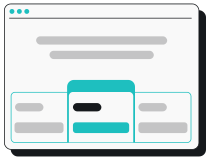
1. Choose a Surfshark plan
Subscribe to a Surfshark plan that includes scam text protection, such as Surfshark One or One+.
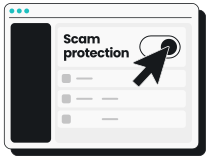
2. Enable scam text protection
Turn on the feature in the Surfshark app and grant the required permissions for your device.
3. Stay protected from scams
Surfshark will now quietly check every text message you receive for scams, keeping your inbox safer.
Explore Surfshark’s scam protection solutions
Scammers don’t stop at texts — calls, emails, and malicious websites are all fair game.
Surfshark’s scam protection system offers all-around coverage, so closing one door doesn’t leave the others open.
Surfshark’s scam call protection identifies suspicious incoming calls and blocks flagged scam numbers before they reach your device.

Unknown call detection
Get context about calls from unrecognized numbers before you decide to answer.

Automatic call blocking
Block flagged scam and telemarketing calls so they never ring through.

Real-time alerts
See warnings about suspicious callers and choose how to respond.

Customizable settings
Switch between automatic blocking and on-screen warnings to fit how you use your phone.
Surfshark’s web content blocker lets you control which websites can be accessed by blocking categories associated with risky or unwanted content.
Category-based website blocking
Automatically block malicious, adult, or unwanted content.
Family-friendly browsing
Keep harmful content off of every compatible household device.
Reduced exposure to harmful content
Stop connections to dangerous sites before the page even has a chance to load.
Customizable protection
You decide what’s allowed and what gets blocked on your devices.
Detect phishing emails with AI. The email scam checker analyzes suspicious Gmail messages for phishing signs, malicious links, and impersonation attempts before you interact with them.
AI-powered phishing detection
Integrated AI helps detect manipulation tactics in your emails.
Suspicious Gmail emails analysis
Checks content, sender information, and other scam signs in your Gmail inbox.

Malicious link and impersonation detection
Flags suspicious links and signs of impersonation.
Privacy-first scanning
Handles your personal correspondence responsibly and securely.
One subscription. Multiple layers of protection.
Surfshark combines privacy, security, and identity protection in a single cybersecurity suite.
Secure connection
Browse with greater privacy using Surfshark VPN to encrypt your web traffic, mask your IP address, protect sensitive data on public Wi-Fi, and block ads and malicious domains.

Device protection
Protect your devices from malware, spyware, and other online threats with Surfshark Antivirus — real-time protection, scheduled scans, and more.
Scam detection
Stay one step ahead of scams with our scam text protection, email scam checker, and web content blocker working together to help you spot threats before you interact with them.
Identity protection
Shield your digital identity with personal data masking, monitor for data leaks, reduce your online exposure with Incogni, and get support for identity theft recovery.

Choose your level of protection
Starter
Comes with a VPN & Alternative ID — essentials for your daily browsing.
From
/mo.
- VPN: surf safely online
- Alt ID: protect your identity
- Clean Web: block ads & pop-ups
- Antivirus: armor your devices
- Alert: monitor data breaches
- Identity theft coverage: up to $1M
- Incogni: reclaim your data
We had an issue loading prices
We’re having a technical issue with fetching our prices. Try refreshing this page in a few minutes.
One
Perfect if you seek all-round security for your browsing, devices, and identity.
From
/mo.
- VPN: surf safely online
- Alt ID: protect your identity
- Clean Web: block ads & pop-ups
- Antivirus: armor your devices
- Alert: monitor data breaches
- Identity theft coverage: up to $1M
- Incogni: reclaim your data
We had an issue loading prices
We’re having a technical issue with fetching our prices. Try refreshing this page in a few minutes.
One+
Keeps your online activities & devices safe, with extra focus on identity protection.
From
/mo.
- VPN: surf safely online
- Alt ID: protect your identity
- Clean Web: block ads & pop-ups
- Antivirus: armor your devices
- Alert: monitor data breaches
- Identity theft coverage: up to $1M
- Incogni: reclaim your data
We had an issue loading prices
We’re having a technical issue with fetching our prices. Try refreshing this page in a few minutes.
See why millions trust Surfshark
Check out what users and tech experts around the world have to say about Surfshark.



The reviews highlighted in this section were selected from publicly available posts on social media platforms. They reflect the opinions of individual users at the time of posting and may not represent the full range of our product features and qualities.
The reviews quoted on this page have been published by media outlets associated with Surfshark through affiliate partnerships. Their recommendations are based on their own independent research and insights to ensure value for the readers.
I have been using Surfshark since I got it and I love it!

When I am traveling, I use Surfshark to access the internet quickly and securely, works like a treat in China.

We love Surfshark because it is an easy-to-use app that you can download on all your devices.

The reviews quoted on this page have been published by media outlets associated with Surfshark through affiliate partnerships. Their recommendations are based on their own independent research and insights to ensure value for the readers.
“This is my first year and I absolutely love it. The fact I can have a good antivirus, great VPN, and incognito for like $120 a year is great.”
“I’ve been using Surfshark for 4 years on Android and ChromeOS with zero issues, it’s an absolute bargain”
“I’ve had it for 3 years and just renewed it for the next 2 years. I never have any issues with it and get my full internet speed…”
The reviews highlighted in this section were selected from publicly available posts on social media platforms. They reflect the opinions of individual users at the time of posting and may not represent the full range of our product features and qualities.




Catch the scam before it catches you
The next scam may already be on its way — stay ahead with Surfshark’s scam text protection
Frequently asked questions
What is smishing?
Smishing (SMS + phishing) is a type of social engineering that uses fraudulent text messages to trick you into revealing sensitive information, clicking malicious links, or downloading harmful applications.
What’s the difference between phishing and smishing?
Phishing is an umbrella term for malicious communications intended to steal personal data or money. While traditional phishing typically occurs via email, smishing specifically targets victims via SMS on mobile devices.
Do I need SMS protection?
Text message protection is highly recommended if you use a mobile phone. Smishing attacks have increased significantly, and scammers often use localized phone numbers and sophisticated wording that can bypass native operating system filters.
Is scam text protection an SMS security app?
Scam text protection is a feature built directly into the Surfshark app ecosystem. Rather than requiring you to install a standalone, single-purpose SMS security app, Surfshark includes SMS protection functionality alongside VPN, Antivirus, and identity protection in a single application.
Can scam text protection stop all SMS scams?
No security tool can promise 100% detection of all threats because scam tactics constantly evolve. However, Surfshark reduces your exposure significantly by detecting known scam signatures, suspicious link structures, and phishing tactics before you interact with them.
Does scam text protection read or store my text messages?
No. Surfshark prioritizes user privacy above all else and doesn’t read or store your sent messages, monitor your phone, or use your data to train AI.
When you receive a message, its copy is temporarily processed on our secure servers to check for scams. The message is immediately and permanently deleted from our servers as soon as the check is complete. For more information, please visit our Privacy Policy.
Is my personal information kept private?
Yes. Surfshark operates under a strict privacy-first architecture. The text scam protection feature only evaluates a message’s sender information, urgency indicators in text, and links, ensuring your personal information remains private.
Is my phone’s built-in spam protection enough?
Built-in OS protections provide a helpful baseline, but they often rely on basic blocklists or simple rules. Surfshark adds an additional layer of security by providing detailed indicator context on Android and distraction-free filtering on iOS, helping you evaluate questionable messages safely.
Can I review messages that were flagged as suspicious?
Yes. On Android, you can view flagged messages and their specific threat indicators directly within the Surfshark app window. On iOS, flagged texts are moved to your default Messages app’s Spam folder, where you can safely review or restore them at any time. After that, you can report it directly to your mobile carrier or fraud reporting hotline.
Do I need to change my messaging app to use scam text protection?
No. Surfshark works alongside your phone’s native messaging application (such as Apple Messages or Android Messages). You do not need to switch to a third-party SMS client or change your default texting habits.
Is scam text protection included with Surfshark One?
Yes. Scam text protection is included as part of Surfshark’s comprehensive security bundles, including Surfshark One and Surfshark One+.