There’s no official way to confirm that someone blocked your number, but certain call and message behaviors can point in that direction. If your calls consistently go straight to voicemail after one ring, or your texts aren’t showing a “Delivered” status, those could be signs that your number is blocked.
In this article, I’ll walk you through the most common signs to look for, how calls and messages behave when you’ve been blocked, what iPhone and Android users can each check, and what other explanations might be behind these signs.
Common signs someone blocked your number
Here’s a quick overview of what to look for to know whether someone blocked your number and what else these signs might explain other than blocking you:
|
Possible sign
|
Other possible explanation
|
|
Calls go straight to voicemail after one ring
|
Phone is off Do Not Disturb is on Poor signal
|
|
Text messages don’t show “Delivered”
|
Network issues iMessage disabled Phone offline
|
|
iMessage bubbles switch from blue to green
|
iMessage turned off Recipient switched to Android
|
|
WhatsApp shows only one gray checkmark
|
Recipient’s phone is off No internet connection
|
|
A call from a different number goes through normally
|
Strong indicator that your original number may be blocked
|
If several of these signs appear together and consistently with one specific contact, while everything else on your phone works normally, it may suggest that someone blocked your number.
But no single sign is conclusive on its own.
Your calls go straight to voicemail
One of the more noticeable signs is your call going to voicemail after just one ring, or with no ring at all.
Normally, a phone rings several times before redirecting you to voicemail. If it consistently goes straight to voicemail after one ring every time you call the same person, that’s a pattern worth paying attention to.
But this doesn’t automatically mean your number has been blocked.
A phone that is powered off may cause calls to go straight to voicemail. So will Do Not Disturb mode, airplane mode, or a weak signal. These are all common, everyday situations.
What matters is the pattern over time.
One instance means very little. If your calls repeatedly go to voicemail after one ring across multiple days, and only with this one contact, that’s when it’s time to think about this.
Your text messages are not delivered
If you’re sending text messages and they don’t show a “Delivered” status or appear as failed, something may be preventing them from reaching the recipient’s phone.
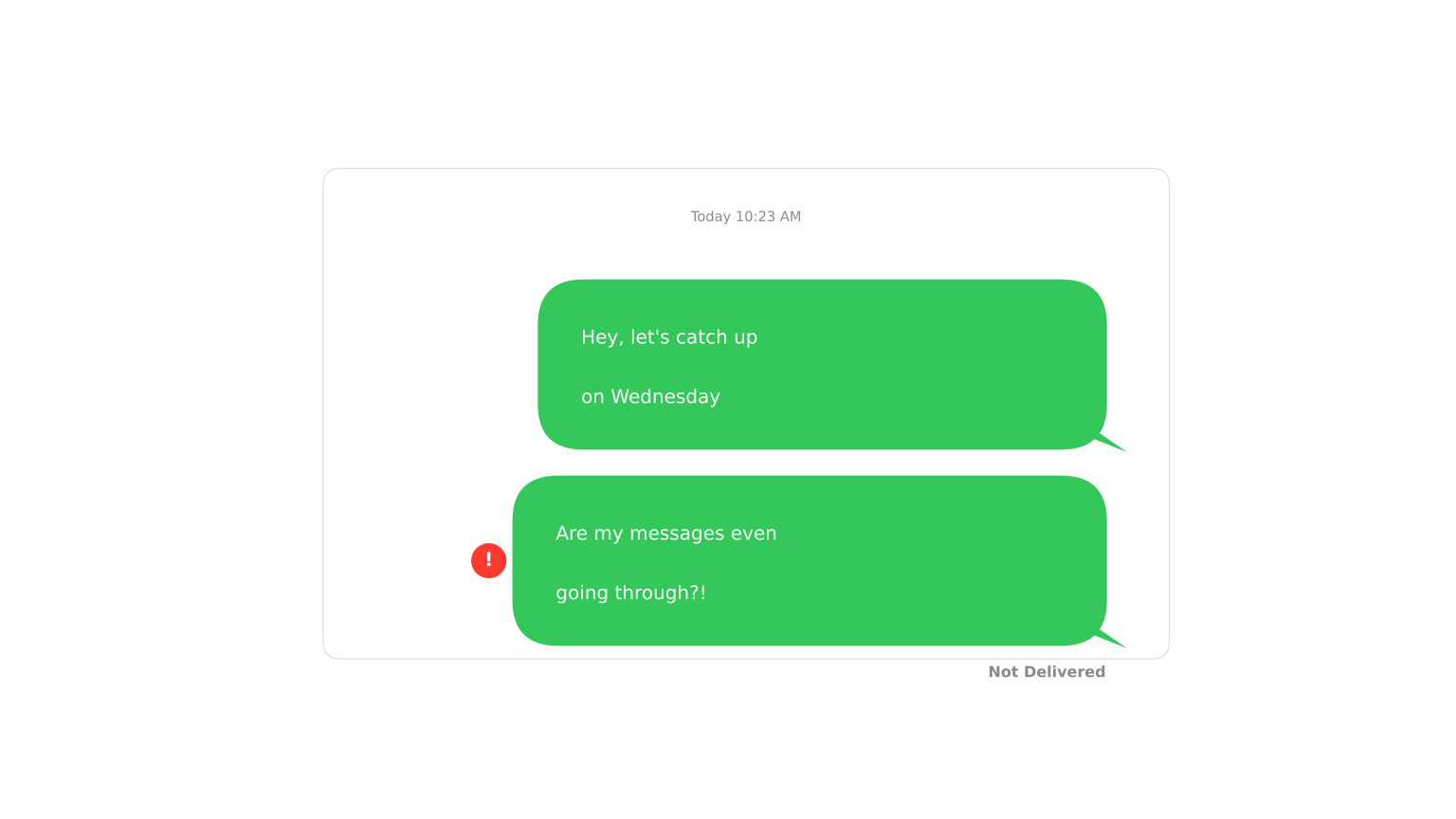
On standard SMS messages, delivery failures can happen for many reasons, including:
- Network issues;
- The recipient’s phone is offline;
- A disruption in SMS service.
But if this only happens consistently with one contact while your messages app works fine for everyone else, that’s worth noting.
On messaging platforms that show delivery status, a persistent absence of “Delivered” confirmation, especially when combined with other signs, may indicate that your number is blocked.
How to tell if someone blocked your number on iPhone
For iPhone users, iMessage behavior offers some of the more helpful clues, though they’re still not definitive.
Here’s what to look for in the Messages app:
- Blue vs. green text bubble: iMessages appear in blue and SMS messages appear in a green text bubble. If your messages suddenly switch from blue to green, iMessage may no longer be reaching the recipient. This can also happen if they switched to an Android phone or turned iMessage off;
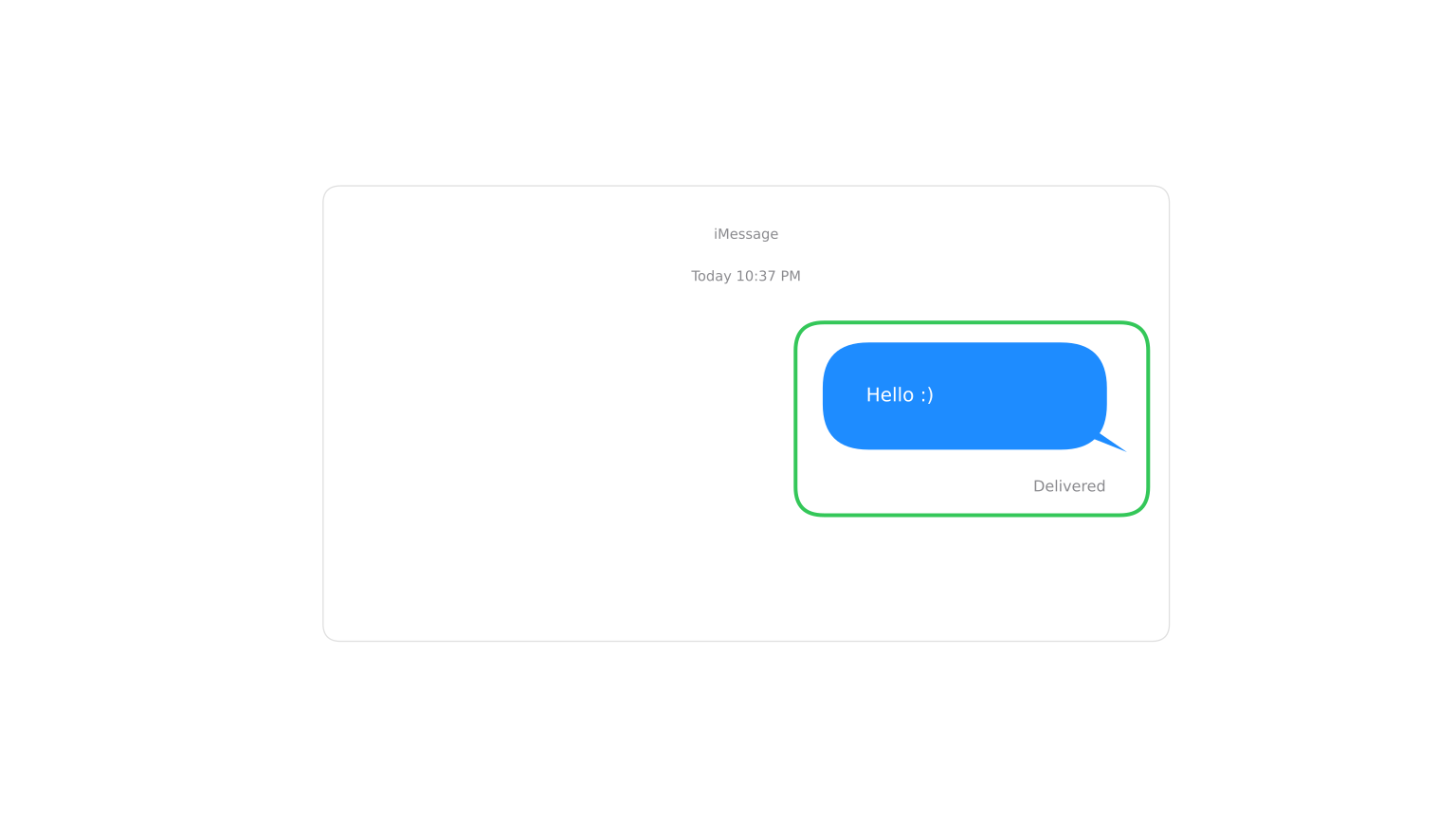
- Missing “Delivered” status: when you send an iMessage, it normally shows “Delivered” below your message once it reaches the recipient’s phone. If that status stops appearing where it used to, it may suggest something has changed;
- Read receipts: if the person previously had read receipts turned on and they’ve now disappeared, that could be a sign, though many people turn read receipts off for their own privacy reasons.
A green bubble alone does not confirm that your number has been blocked. It’s just one piece of a larger picture.
How to tell if someone blocked your number on Android
Android phones don’t have a universal messaging system like iMessage, so the signs of being blocked are less standardized and vary by app and carrier.
Here’s what to look for on Android devices:
- SMS delivery status: some Android messaging apps show a double tick, which is a delivery indicator. If your SMS messages show as sent but consistently not delivered to one contact, it may be a sign;
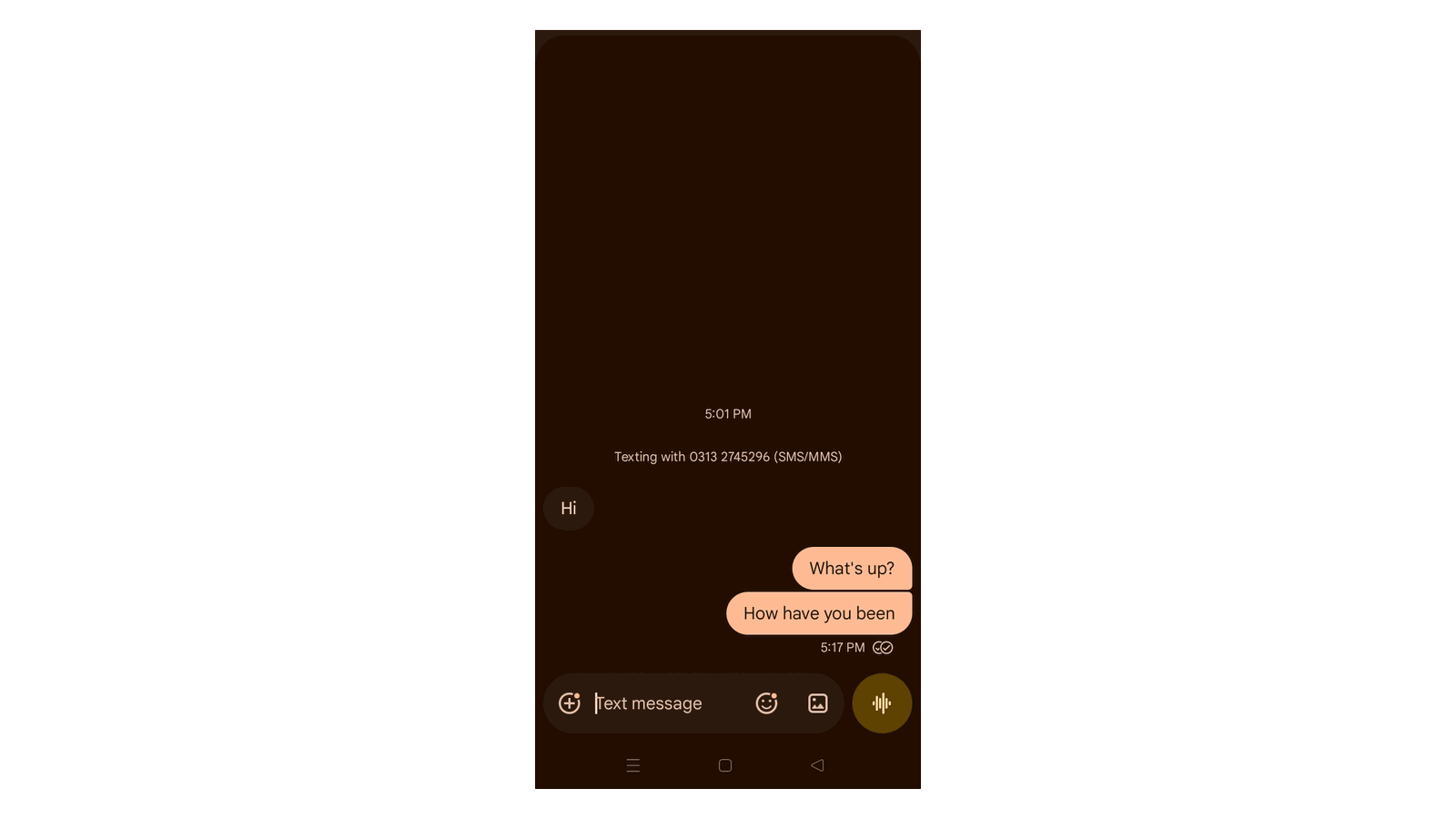
- Variations by device: whether someone’s trying to block annoying calls or stop spam texts on Android, behavior varies across phones. Google Messages, Samsung Messages, and third-party apps all handle delivery indicators differently, so there’s no single rule that applies to all Android devices;
- Voicemail behavior: as with iPhones, if your call goes straight to voicemail after one ring, and does so repeatedly, that’s worth noting alongside other signs.
The lack of reliable delivery indicators on many Android phones makes it harder to tell whether someone blocked your number than on iPhones, which makes the voicemail test more important.
Signs you may be blocked on WhatsApp
WhatsApp offers a few clues to identify whether someone blocked you, though none are conclusive either.
Here’s what to look for:
- One gray checkmark: a sent WhatsApp message shows one gray checkmark (sent), then two gray checkmarks (delivered to the recipient’s phone). Two blue checkmarks mean the message was read. If your messages consistently show only one gray checkmark — never progressing to two — it may mean delivery isn’t reaching the recipient’s phone;
- Profile picture: if you can no longer see someone’s profile picture in WhatsApp when you could before, it may indicate you’ve been blocked;
- “Last seen” information: if you previously saw their last seen timestamp and it’s now gone, that can be a sign.
WhatsApp’s user privacy settings allow people to hide their last seen, profile picture, and status from specific contacts or from everyone. So these signs on their own are not proof of blocking. They’re worth factoring in when they appear alongside the other signs.
Can you tell if someone blocked your number without calling?
You can get a fairly good idea whether your number has been blocked without trying to call someone, but you won’t be able to tell for sure.
Check your messages app for missing “Delivered” confirmations, a green text bubble where blue used to appear, or a single WhatsApp checkmark. None of these requires you to make a call, and together they can paint a clear picture.
Ultimately, however, text-based clues won’t give you a definitive answer. They point in a direction; they don’t confirm it.
Can you know for sure if someone blocked you?
No, there’s no official confirmation method for a blocked phone number. Phone carriers and messaging platforms don’t notify you when your number has been blocked. There’s no system alert and no entry in your Contacts or Messages app that says so.
What you’re working with are indirect indicators.
They become more meaningful when several appear together: calls going to voicemail after one ring, text messages without a “Delivered” status, no visible activity in WhatsApp, all happening consistently with one specific contact, while your phone functions normally with everyone else.
Even then, it’s a reasonable suggestion, not a certainty, since almost all of these can happen due to technical issues.
What else could cause these signs?
Many of the signs described above have perfectly ordinary explanations unrelated to being blocked.
Here are some common reasons that can mimic blocking behavior:
- Do Not Disturb: when active on the recipient’s phone, calls go to voicemail immediately, and notifications are silenced;
- Phone turned off: a dead or powered-off phone causes calls to go straight to voicemail and messages to go undelivered;
- Airplane mode: no calls or messages reach the phone;
- Poor signal or no internet connection: a weak or absent internet connection can cause iMessages and WhatsApp messages to fail delivery;
- Focus modes (iPhone): iOS Focus modes silence notifications and may redirect calls to voicemail;
- Disabled iMessage: if the recipient turns off iMessage, your messages switch to SMS (green bubble) and delivery behavior changes;
- “Silence unknown callers” setting: both iPhone and Android phones can automatically make calls from unknown numbers go silent;
- App privacy settings: on platforms like WhatsApp and other social media apps, users can hide profile pictures, last seen status, and group chat activity without blocking.
Before concluding, consider whether any of these explanations might apply. Repeated attempts to reach someone when these factors haven’t been ruled out can look like a pattern that isn’t really there.
What these signs actually tell you
No single sign proves someone blocked your number. What you’re looking at is a collection of indirect clues. If you’ve factored out the technical explanations and the pattern still holds, it may be reasonable to conclude you’ve been blocked.
That said, if you’re frequently sharing your own number across social media or online, you’re allowing others to contact or block you in the first place. Instead, use a virtual phone number or alternative number to keep your personal info separate from your digital life and reduce that exposure.
You can also look into how to remove your information from the internet if you’re concerned about broader data exposure.
Keep your main number private
Use Surfshark’s alternative number for online accounts, listings, and sign-ups.
Get SurfsharkDisclaimer: Alternative number is a paid add-on that can be used to receive calls, messages, and verification codes. At this time, only virtual numbers from the USA are available.
FAQ
Does *82 unblock your number?
*82 temporarily unblocks your outgoing caller ID if you’ve previously hidden it using *67. It does not remove you from someone else’s block list.
What is the * code to unblock a number?
If someone blocked your number, no star code overrides it. The decision to unblock is entirely up to the other person.
What will my text look like if I’m blocked?
On your end, texts still look completely normal if you’re blocked. Your messaging app shows the message as sent, and you won’t see any error or warning.
Will I know immediately if I’m blocked?
You usually won’t know immediately whether your phone number is blocked. There’s no instant notification, and the signs take a little time to become clear. A single unanswered call or one undelivered message tells you very little on its own, as those things happen for plenty of ordinary reasons.