• Get Surfshark
  1. Home
  2. Use cases
  3. VPN for travel
A smiling man wearing a backpack and looking up with a checkmarked shield behind him.

Get the best VPN for travel

  • Save up on flights, bookings, and rentals
  • Keep your data safe on public Wi-Fi
  • Block ads to save roaming data
Surfshark plans
30-day money-back guarantee

Do I need a VPN for international travel?

Yes! When traveling internationally, a Virtual Private Network (VPN) helps protect your data on public Wi-Fi, secure your online transactions, avoid surveillance, and maintain access to essential services and subscriptions. Ultimately, it provides privacy, security, and uninterrupted access to the internet. 

To learn more, take a look at what a VPN can do for you.

Do I need a VPN for international travel?

The best VPNs for travel: quick comparison

Surfshark
Connection speed* 460Mbps 220Mbps 165Mbps 176Mbps
Number of devices Unlimited 10 7 12 5
Ad and tracker blocking
Complete antivirus solution
Data leak monitoring
Get Surfshark
Date of comparison: 2025-11-21.

*VPN speeds are based on Techradar research. Find the full report here.

Why use a VPN abroad?

A VPN service makes your travel experience easier. When everything around you is new, there’s nothing like having a piece of home in your pocket.

Get cheaper flights and hotels

Airlines and hotels are known for having separate pricing policies for different regions. With a VPN, you can change your virtual location to find better deals and save money on bookings.

Connect to public Wi-Fi networks securely

When roaming is involved, Wi-Fi hotspots can be a godsend. However, public networks are notorious for being easy targets for hackers. In comes VPN, providing connection encryption and protection against security breaches.

Stay connected wherever you go

While traveling, you may encounter regions where access to familiar news sites or social platforms is limited. A VPN helps you maintain a secure connection and stay connected to the services you rely on, while protecting your personal data.

Stream buffer-free on the road

Hotel and airport networks often have data caps that limit your speed and cause buffering issues while streaming. A VPN can help by masking your data usage, allowing for smoother, uninterrupted performance without bandwidth throttling.

Access your bank accounts safely and freely

Some banking apps only work with your native IP (Internet Protocol) address. So, if you’re traveling abroad, you could find yourself locked out of your banking service. With a travel VPN, this becomes a non-issue — you can use your bank as if you never left home.

Keep your accounts unbanned

Some websites can flag or block users’ accounts when accessed from unusual locations. With a travel VPN, you can stay connected to your home country. Or, take advantage of Surfshark’s dedicated IP feature, which will also provide you with a static IP address exclusive to you.

How to set up a travel VPN

Remember that in some countries, you won’t be able to access a VPN through an app store. Be sure to download and set up your VPN app before you board the plane.

Create your account

1. Create your account

Sign up for a Surfshark account and choose your subscription plan.

Download the app

2. Download the app

Download Surfshark to your device or add our extension to your browser.

Sign in and connect

3. Sign in and connect

Open the app, log in, and connect to one of our 4,500+ servers in 100 countries.

Benefits of using a VPN for international travel

Using a VPN while traveling internationally increases both your security and your convenience. Surfshark lets you take your online experience on the road with you.

Save mobile data by blocking ads

Did you know that ads consume a significant portion of your data plan? Surfshark’s Clean Web feature blocks malicious ads and pop-ups, helping you save bandwidth and avoid annoying interruptions while browsing.

Access home servers abroad

A VPN allows you to connect to your country’s server securely from anywhere in the world. This way, you can access files, stream privately, and use services only available in your home country.

Exclude data-heavy
apps

You can choose which applications run over a VPN, even in the background. By excluding data-intensive services, you can conserve your mobile data and keep essential apps running smoothly.

Stay free in restrictive regions

Surfshark’s No Borders feature detects when you’ve entered a region with network restrictions and tries to work around them, saving you plenty of time and effort. The app then provides a list of servers that work best under your current conditions and automatically connects you to the closest viable location.

Keep your private data private

Encrypting your communications when you travel helps keep your data away from prying eyes. A VPN ensures that your messages, browsing history, and personal information remain private, even on potentially unprotected networks abroad.

Share security with fellow travelers

With a Surfshark account, you get unlimited simultaneous connections. That means you can stay logged in on multiple devices at the same time. Now, when you travel with friends and family, the information you share with each other remains protected.

Disclaimer: Please note that using Surfshark services for any illegal activities is strictly forbidden and violates our Terms of Service. Make sure that any use of Surfshark services for your particular activities conforms to all relevant laws and regulations, including those of any service providers and websites you access using Surfshark.

Countries with new internet restrictions in 2025

Surfshark recorded 81 new cases of government internet restrictions across 21 countries in 2025, impacting 2.54 billion people worldwide. 

India was the source of the most restrictions, imposing 24 new restrictions amid political turmoil and civil protests in various regions. Other Asian countries like Iraq and Afghanistan also saw multiple blackouts.

Of the eight African countries whose governments cut internet access in 2025, Cameroon had the most cases. In North America, Panama and Venezuela imposed internet restrictions, while in Europe, only Albania faced them.

As you can see, staying connected abroad is far from guaranteed for international travelers and journalists. A VPN is essential for securing a free and reliable internet connection.

Source: Surfshark’s research hub

Surfshark VPN vs. free VPNs

While there are a few reputable VPN providers that offer limited free plans, most free VPN services come with significant downsides.

In the best-case scenario, using a free VPN for traveling abroad means slow connection speeds, data caps, and an overwhelming number of ads.

In the worst-case scenario, some free VPNs may sell your data to third parties or even distribute malware or malvertising.

Generally, you will be better off with a paid VPN provider like Surfshark, both in terms of the quality of service and your online privacy.

Surfshark VPN vs. free VPNs

Try Surfshark VPN risk-free

We care about security across the board — that’s why we offer a 30-day money-back guarantee. Take your time with Surfshark and all its features, and if within 30 days you don’t think it’s the right fit, cancel and request a full refund.

Get Surfshark
Try Surfshark VPN risk-free

Save money on accommodation with a VPN

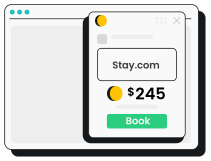
For most trips, accommodation takes up a significant portion of the budget. Thankfully, by combining Surfshark with RatePunk’s free browser extension, you can find and secure the best accommodation deals online. 

Here’s how in three easy steps:

Get the RatePunk extension

Get the RatePunk extension

Install the free RatePunk extension on your browser and look for the best accommodation deals.

Connect to a Surfshark VPN server

Connect to a Surfshark VPN server

Connect to a Surfshark server in the country that offers the cheapest accommodation option.

Book your stay for less

Spend less on your bookings

Book your stay and save on accommodation without extra effort.

Try these additional ways to stay safe while traveling

Create strong passwords

Ensure that each of your online accounts has a strong, unique password, and avoid reusing them across multiple sites. Consider using a password manager to help you generate and store complex passwords securely.

Enable Two-Factor Authentication (2FA)

Wherever possible, enable two-factor authentication. Adding a second form of verification, such as a code sent to your phone, adds an extra layer of security to your accounts.

Keep software and apps updated

Regularly update your devices, software, and apps to protect against the latest security vulnerabilities. Turn on automatic updates to ensure you always have the latest security patches.

Secure your devices physically

Keep your devices with you at all times, and use physical locks if necessary. Consider using a laptop lock for extra security when working in public places like cafes or libraries.

Get Surfshark for all devices

Surfshark not only works everywhere — it works on almost everything:

Plus, you can download Surfshark VPN for your smart TV, get it on your Xbox or PlayStation, or even set it up directly on your router and protect your entire home network.

Keep your data safe no matter where you go

Get a VPN for travel

Try Surfshark
30-day money-back guarantee
Keep your data safe no matter where you go

FAQ

No, a VPN doesn’t use additional roaming data, and VPN connections don’t use roaming between servers. Roaming charges depend on your physical location, so a VPN connection won’t impact them at all.

Surfshark can actually help you save roaming data by blocking ads and banners with its Clean Web feature.

Even with a travel VPN, you still use your ISP’s (Internet Service Provider’s) network to connect, which leaves roaming charges unaffected. Still, Surfshark VPN’s Clean Web feature can help limit roaming charges by blocking malicious ads and banners.

Very few countries block VPN connections, but they do exist. Don’t take any chances remember to always check the legal status of VPNs in your area before using one.

You can use free VPNs while traveling, but we advise against it. Most free VPN providers limit your data usage, have a small and limited server pool, and are likely to sell your data to third parties.

Using a VPN for flights can help you find cheaper tickets. With a VPN, you can change your virtual location and potentially access better fares. VPNs also provide added security when entering personal and payment information, especially on public Wi-Fi networks.

Surfshark is the best VPN for travel to Europe. It offers a wide range of servers across most European countries, ensuring fast and stable connections. All in all, Surfshark provides robust security features, unlimited simultaneous connections, and easy-to-use apps.

For international travel, look for a VPN that offers:

  • Strong security and privacy protections, with a clear no-logs policy;
  • Fast, reliable connections in many countries;
  • Good customer support and easy setup on your devices;
  • Wide app compatibility (Windows, macOS, iOS, Android, etc.);
  • Consistent performance on public and mobile networks.

VPN deal that Rocks

Get % off + mo. EXTRA
Get VPN Deal