Yes, Airbnb is generally a reliable and trustworthy platform, with built-in protections for payments, identity, and communications. That said, like any peer-to-peer marketplace, it carries specific risks that every traveler should understand before booking their next trip.
Let’s learn how Airbnb’s safety systems work, what risks to watch for, how to tell if a listing is trustworthy, and the practical steps you can take to protect yourself before and during your stay.
Is Airbnb actually safe?
Yes, Airbnb is generally safe to use for guests and hosts. It has several built-in protections to reduce risk:
- Secure payments: all transactions are processed through Airbnb’s own system, which means your card details are never shared directly with a host, and every payment is traceable and disputable through the platform;
- Host and guest verification: Airbnb requires identity verification from both hosts and guests, including government-issued ID in many cases, which adds a layer of accountability on both sides of a booking;
- Structured review system: both past guests and hosts leave reviews after every stay, creating a public track record that makes it harder for bad actors to operate undetected across multiple bookings;
- Secure in-app messaging: all communication between hosts and guests is kept within Airbnb’s encrypted messaging system, which means conversations are logged and protected from external interception.
That said, Airbnb is a peer-to-peer marketplace for short-term rentals, not a hotel chain. Listings are private homes, which means quality, safety standards, and host reliability can vary. No platform-wide verification system can guarantee that every listing matches its photos, that every host is completely above board, or that every neighborhood is what it appears online.
Airbnb safety depends partly on the platform’s protections and partly on how carefully you use it.
What are the main safety risks on Airbnb?
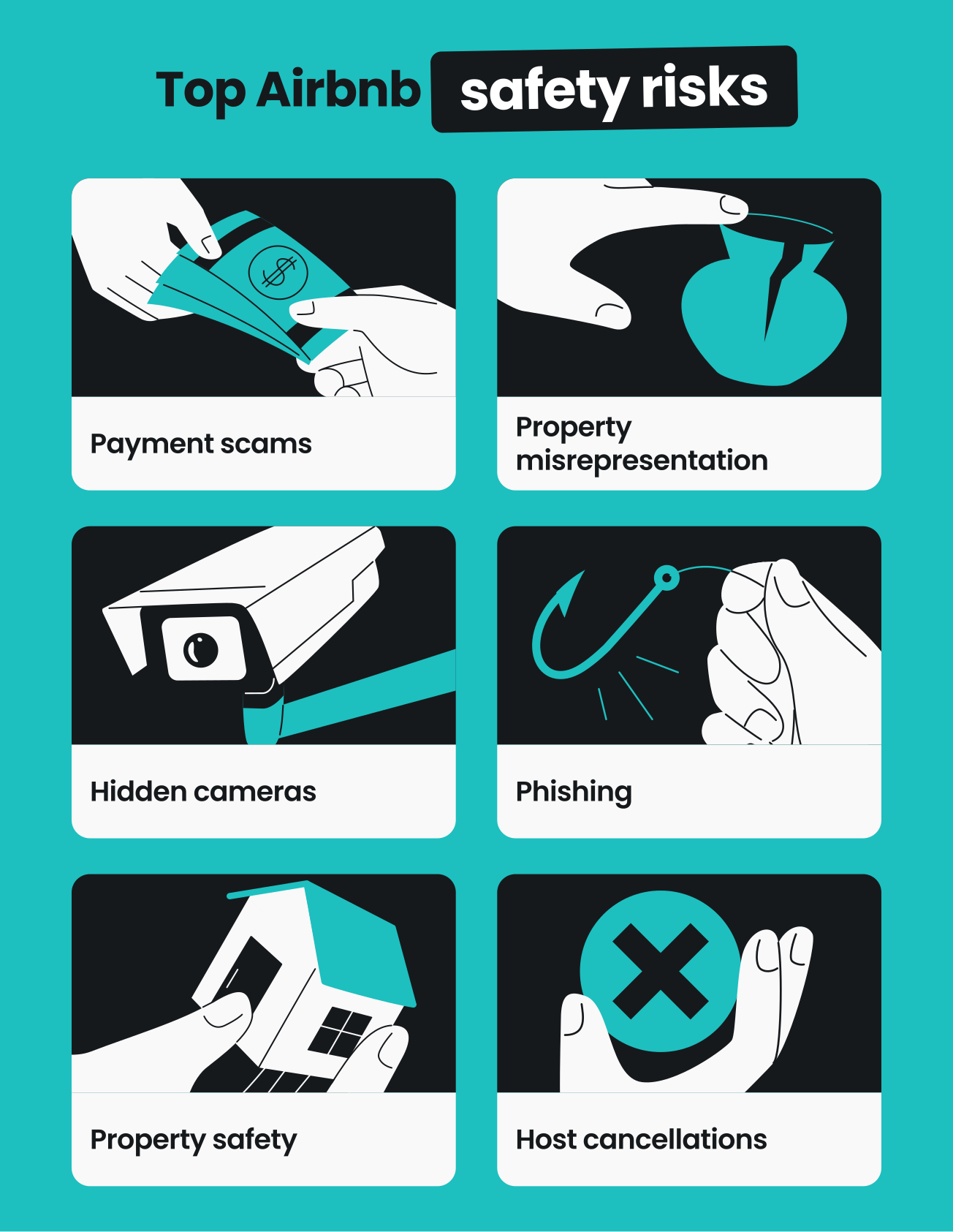
Airbnb has invested heavily in fraud detection and personal safety features, but the following risks are worth understanding before you book:
Payment scams and fake listings
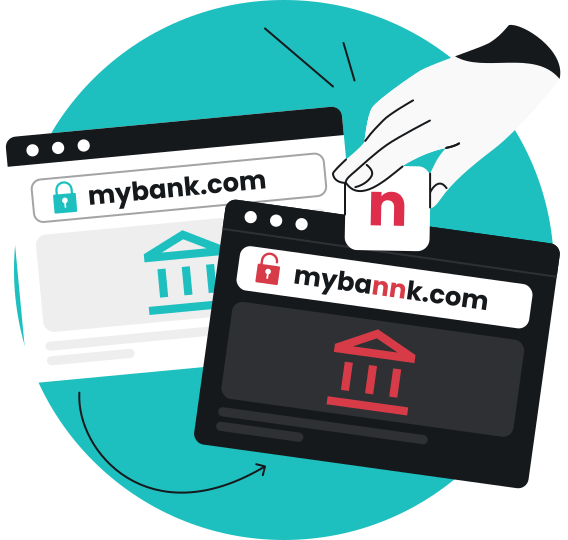
Off-platform payment requests are the clearest warning sign of an Airbnb scam. Scammers may pose as hosts and attempt to redirect payments via bank transfers, third-party apps, or phishing websites that mimic Airbnb’s interface — all outside the platform’s payment protection.
This is a documented, widespread problem.
For example, two fraudsters were federally indicted for running an $8.5 million scam across 10 states involving more than 10,000 fake reservations on Airbnb and other platforms.
Airbnb has responded by removing tens of thousands of fraudulent listings and deploying AI-based fraud detection, but scams continue to evolve. In 2023, the platform removed or blocked over 215,000 fraudulent listings, which would have represented nearly 3% of all listings had they gone live.
Rule of thumb: Any request for money or communication outside Airbnb is a red flag. Legitimate hosts never need to go off-platform.
Property misrepresentation
A frequent complaint among Airbnb guests is that a property doesn’t fully match its listing. This can range from minor discrepancies (different furniture, a smaller room) to significant misrepresentation (missing amenities, poor maintenance, or a completely different property).
Airbnb’s review system and host verification reduce this risk, but they don’t eliminate it, especially for newer listings with fewer reviews from other guests. The most reliable way to judge a current listing’s accuracy is to read recent guest reviews that mention specific details.
Hidden cameras and privacy concerns
Airbnb’s official policy bans all indoor cameras in listings globally, including in common areas like living rooms and hallways. This applies whether cameras are disclosed or not, and whether they are on or off. Only exterior cameras are permitted, and these must be disclosed to guests before booking.
Despite this policy, enforcement is largely reactive to such safety issues. 55% of Airbnb hosts admitted they still use indoor surveillance cameras even after the ban, and 47% of guests reported finding a camera in a rental property.
Phishing and account breaches
Airbnb accounts may be targeted by phishing attempts such as fake login pages, spoofed emails, or fraudulent customer support contacts to steal login credentials. In 2024, Airbnb detected and removed more than 3,200 third-party phishing domains.
Weak or reused passwords and clicking links in unofficial emails are among the most common ways accounts become compromised.
Once attackers gain access to an account, they may be able to view booking details, change account settings, send messages while impersonating the account owner, or attempt unauthorized transactions.
Airbnb encrypts user data and offers account verification features, but these protections depend on keeping login credentials secure.
Identity theft risks
Identity theft occurs when someone uses stolen personal information, such as your name, identification documents, phone number, or payment details, to impersonate you or commit fraud.
Unlike an account breach, identity theft can have consequences beyond Airbnb and may affect other financial accounts or services tied to your identity.
Because Airbnb requires identity verification in many situations, travelers may share more personal information than they would on some other online platforms. If this information is exposed through phishing scams, data breaches on unrelated services, or other forms of fraud, criminals may attempt to misuse it for identity theft.
To reduce the risk, only submit personal information through official Airbnb channels, enable 2FA (Two-factor Authentication), use unique passwords, and avoid sharing sensitive documents outside Airbnb’s verified verification process.
Property safety and neighborhood conditions
Airbnb listings are private homes on short-term rentals, not standardized hotel environments. That’s why fire safety equipment, door locks, emergency exits, and general maintenance standards can vary considerably between properties.
A listing may also be in a neighborhood that doesn’t match travelers’ expectations, whether for personal safety, noise, or accessibility. Airbnb provides neighborhood and community information, but you should research locations — including how to contact local authorities and emergency services — before booking to avoid any danger.
Host cancellations and disputes
Last-minute cancellations by hosts can disrupt travel plans, particularly when they occur days before a trip.
Airbnb provides rebooking assistance and refunds in these cases, but outcomes in disputes, including those involving damage claims or cleanliness issues, often depend on having clear documentation.
How to tell if an Airbnb listing is trustworthy
These are the signals that reliably distinguish legitimate listings from risky ones:
|
Signs of a trustworthy listing
|
Red flags
|
|
Superhost badge
|
Payment requests outside Airbnb
|
|
Recent reviews (last 3–6 months)
|
Off-platform communication requests
|
|
Verified host ID
|
Few or no reviews
|
|
Detailed property photos
|
Vague listing description
|
|
Clear house rules
|
Stock photos
|
|
Fast, helpful responses
|
Pressure to book quickly
|
|
Consistent review comments
|
Missing cancellation policy
|
Check the Superhost badge and recent reviews
The Superhost badge indicates a host with consistently high ratings, low cancellation rates, and a track record of positive guest experiences. It is a meaningful signal, though not a guarantee.
In addition to this badge, prioritize customer reviews from the last three to six months. Since property conditions change with use and ownership, recent feedback would help you better understand the listing and provide more safety information than an overall star rating inflated by older stays.
Read for specific details
Trustworthy listings attract reviews that mention specific details such as:
- The check-in process;
- Cleanliness of a particular room;
- Proximity to transport;
- How the host handled an issue.
So prioritize listings with specific details over vague phrases like “great place!” or “loved it!” If multiple reviewers mention the same strengths or problems independently, that pattern is far more reliable than any single review.
Look for verified ID and profile history
A verified host profile with a long booking history and consistent positive feedback is meaningfully safer than a newly created account with minimal information.
Hosts who have been active for over a year and have dozens of verified stays carry far less risk than first-time hosts with no history.
Cross-check photos against Google Maps
Compare the listing’s exterior photos with the property’s real-world surroundings using Google Maps or Street View.
While you can’t verify interiors this way, you can confirm whether the neighborhood, building type, and street environment match what the listing claims.
Message the host before booking
Send a specific question to your host directly before you commit. It could be about check-in logistics, parking, the Wi-Fi setup, or any amenity that matters to you.
Reliable hosts respond clearly and promptly. If you get vague answers or pressure to book quickly, know that it’s a red flag.
Watch for off-platform communication requests
If a host asks to move the conversation to WhatsApp or any external channel before booking is completed, be aware. Legitimate hosts use Airbnb’s messaging system.
If you move off-platform, you lose access to Airbnb’s dispute resolution and most platform protections.
Scrutinize the listing photos
Authentic listings include multiple varied photos showing different angles, lighting conditions, and areas of the space. If every photo looks studio-perfect or uses obviously stock imagery, read the reviews more carefully and consider whether the listing feels real.
Verify the cancellation policy and house rules
A trustworthy listing clearly outlines cancellation terms, house rules, and check-in instructions. If none of these is present without explanation, it shows poor listing management or could even be an attempt to avoid accountability later.
Airbnb safety tips before and during your stay
Here are some tips to give you a more secure Airbnb experience:
Use a unique password and enable two-factor authentication
Your Airbnb account holds booking history, personal information, and saved payment methods.
Treat it like a financial account:
- Use a password you haven’t used elsewhere;
- Turn on 2FA so a verification code is required at login.
Once you have these measures in place, even if your password is exposed in an unrelated breach, 2FA prevents unauthorized access.
Keep all payments inside Airbnb
All transactions must go through Airbnb’s payment system. Sending money by bank transfer, cryptocurrency, or any method outside the platform bypasses Airbnb’s fraud protections and makes you ineligible for dispute resolution.
Use a VPN on host-provided or public Wi-Fi
Many travelers connect to their rental property’s Wi-Fi during their stay without considering what that means for their data. A host-provided network is not a private network. It is owned and configured by someone you’ve just met.
But a VPN (Virtual Private Network) encrypts your internet connection, shielding your browsing, login sessions, and account activity from interception on any network you don’t control.
This is especially important if you access your banking, email, or Airbnb account while connected to an unfamiliar network. Using a VPN for travel adds an extra layer of protection when connecting to host-provided or public Wi-Fi.
Be cautious about what personal information you share on your profile
Airbnb encourages profile completeness to build trust, but oversharing isn’t necessary. Avoid adding sensitive identifiers or contact details beyond what the platform specifically requires to keep your personal information safe.
Document the property’s condition when you arrive
Take photos or short videos of every room within the first 30 minutes of arrival. This protects you against damage disputes where the host may claim you caused pre-existing issues.
Make sure to upload time-stamped photos immediately after arrival as they are hard to dispute.
Ready to travel smarter and safer?
Most Airbnb stays go smoothly, but the ones that don’t often come down to a detail that was easy to overlook: a listing that wasn’t quite what it seemed or a moment of trust extended to the wrong person.
One habit that doesn’t get enough attention is what happens after you check in.
The moment you connect to a host’s Wi-Fi, you’re on a network you know nothing about: who configured it, what else is connected to it, or whether your data is visible to anyone else on it.
That’s why we suggest using a safe VPN, as it encrypts that connection before anything leaves your device, so your browsing, logins, and account activity stay private regardless of what network you’re on. It’s a small step that most travelers skip, and one of the easiest to add.
FAQ
What should you avoid on Airbnb?
On Airbnb, avoid listings with few or generic reviews, hosts who request money or communication outside the platform, listings with inconsistent or suspiciously polished photos, and any host who pressures you to book urgently. Also, avoid reusing passwords across accounts and connecting to host Wi-Fi without a VPN.
Is Airbnb safe from scams?
Airbnb has strong fraud detection systems, but scams do occur, particularly in the form of fake listings, phishing websites mimicking Airbnb, and off-platform money requests. Use a VPN on any shared Wi-Fi to help shield you from these threats.
Is Airbnb as safe as hotels?
With careful booking and safe travel practices, Airbnb can be comparably safe to hotels for most travelers. Hotels provide standardized security infrastructure, including staffed reception, fire codes, and daily maintenance. On the contrary, Airbnb relies on host verification, platform policies, and community reviews.
Is Airbnb safe for hosts?
Airbnb offers hosts guest identity verification, payment protection, and AirCover for Hosts in many regions. These protections reduce financial and property risk, though outcomes in disputes can depend on the documentation a host provides.
How do you check if an Airbnb host is legitimate?
Look for verified ID on the profile, Superhost status, a long history of recent reviews with specific detail, and prompt responses to your pre-booking questions. Cross-check the property location on Google Maps and watch for any requests to communicate or pay outside of Airbnb.
Can solo female travelers use Airbnb safely?
Yes, many solo female travelers use Airbnb worldwide without personal safety issues. But make sure to read recent reviews carefully, choose properties with verified Superhosts, and communicate with the host before booking to reduce any risks and increase confidence.