
WeTransfer is generally safe to use for casual, non-sensitive file sharing. That said, it’s not entirely free from some very real risks.
Since your data privacy is on the line, it’s worth taking a closer look at the risks involved and the steps you can take to minimize them. But first, let’s peel back the layers and see how WeTransfer works and how safe it really is.
What is WeTransfer?
WeTransfer is a cloud-based file-sharing service that lets you send large files over the internet. Most people turn to the platform when email can’t handle bulky attachments, such as high-resolution images, videos, audio files, design work, and other oversized documents.
Playing up the convenience factor, WeTransfer takes the hassle out of file sharing. Just upload what you want to share, and the platform generates a unique link your recipient can use to download it.
WeTransfer offers both free and paid plans. Free users can send and receive up to 3 GB per month across 10 transfers. If you need more, the paid plans lift these limits, with its Ultimate plan throwing in extras like custom branding and expired transfer recovery. Business options — Teams and Enterprise — are also available for larger organizations.
How does WeTransfer work?
WeTransfer makes large file sharing quick and intuitive. The process is straightforward:
- Go to wetransfer.com and upload your file by selecting Add files or Add folders.
- Select the three horizontal dots and choose Send email or Create link.
- Adjust settings like access controls or viewing options if needed.
- Fill in the relevant details, including the recipient’s email address (for the email option), your email, and a title. You can also add a message.
- Set how long the link stays valid. On the free plan, it remains active for up to three days.
- Select Transfer to send your file or generate a download link. If you chose Create link earlier, copy and share the link with your recipient.
- Your recipient will be directed to a WeTransfer page where they can download the file when they click the link.
Is WeTransfer safe to use?
Yes, WeTransfer is a legitimate file-transfer platform and is generally safe to use. It has 80 million monthly active users in 190 countries and handles over 2 billion files each month.
But just because it’s popular doesn’t mean it’s entirely risk-free.
With file-sharing services, safety often comes down to how files and links are shared, stored, and accessed. In WeTransfer’s case, it provides a few basic safeguards to help minimize the risks that come with sharing files online.
How secure is WeTransfer?
WeTransfer has several built-in measures to help protect your files. Here are the main ones to know:
Encryption during transfer and storage
WeTransfer uses two types of encryption to keep your files secure. During upload and download, TLS (Transport Layer Security) scrambles your data so it remains indecipherable even if someone intercepts it.
Once your files reach WeTransfer’s servers, 256-bit AES (Advanced Encryption Standard) encryption kicks in. This means that if someone somehow gains unauthorized access to the platform’s storage, they still won’t be able to read your files.
Temporary storage
WeTransfer limits how long your files stay available. On the Free and Starter plans, recipients get up to three days of free access, while the Ultimate plan gives you more flexibility over expiry options. WeTransfer’s privacy policy also states that it removes your content from its servers within 48 hours after expiry, unless you enable the Recoverable option.
This ensures your files don’t sit on WeTransfer’s servers indefinitely or longer than needed and prevents old links from being accessed long after you’ve shared them. Together, these measures minimize exposure in case of data breaches or other security incidents.
Optional protections
For extra security, there are a few optional WeTransfer features you can turn on. One of the most helpful is password protection, which requires recipients to enter a password before they can download your files. So even if someone gets hold of your download link, they still can’t view your files without the password.
WeTransfer supports 2FA (Two-factor Authentication), too. When enabled, you’ll need a one-time verification code from an authenticator app like Google Authenticator to log in. This adds another layer of protection, making it much harder for anyone to gain access to your account — and sensitive data — without permission.
Potential risks when using WeTransfer
As with most file-sharing tools, there’s usually a trade-off between convenience and online security when you’re using WeTransfer. Let’s go over a few possible risks to keep in mind.
Public download links
WeTransfer uses a single transfer link to share files, and there’s no identity check or other authentication measures required for access. If that link gets forwarded, leaked, or intercepted, your files could end up in the hands of random strangers or even malicious actors.
And this isn’t just a hypothetical risk. Back in 2019, WeTransfer experienced a system error that caused files to be sent to the wrong people. Because access only required a link, it was possible for them to open the files even though they weren’t the intended recipient.
Sensitive data exposure
When it comes to confidential data like financial records, WeTransfer might not be the best tool for the job because it doesn’t offer E2EE (End-to-End Encryption). Instead, it encrypts files in transit using TLS, decrypts and re-encrypts them for storage using AES-256, and decrypts them again for download. Since encryption isn’t continuous, your files are handled in unencrypted form at certain points.
Additionally, WeTransfer controls the encryption keys. What this means is that, technically, it can decrypt your files and access their content. This creates a risk where your sensitive data could be exposed if employees misuse their access or attackers compromise WeTransfer’s systems.
Malware
Above all else, WeTransfer’s job is to move files from one person to another. It doesn’t really check, filter, or clean what’s inside those files. Even if someone — whether intentionally or otherwise — uploads a file that contains malicious code, WeTransfer still sends it straight to the recipient as-is.
That said, you do get automatic malware scanning on its higher-tier paid plans. When you click a download link, WeTransfer scans the content against known malicious signatures. However, this safeguard only goes so far — it mainly catches known threats, not new or disguised malware. So it’s still best to stay cautious and only open files from trusted senders.
Phishing emails
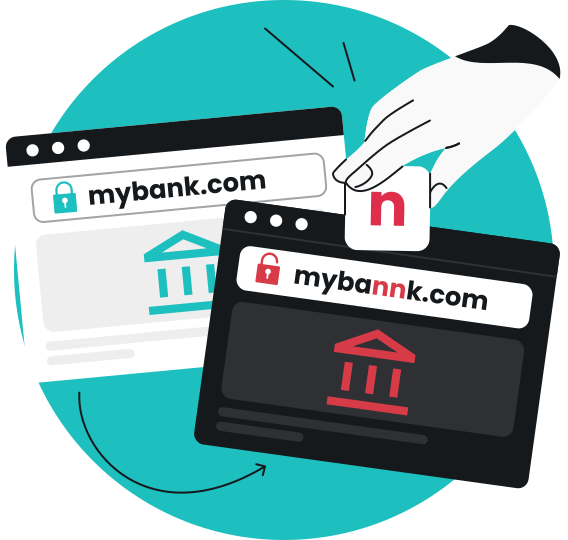
A common security concern to watch out for when using any online service, including WeTransfer, is phishing scams. In these attacks, bad actors send spoofed emails that look nearly identical to the real thing, closely mimicking the service’s branding, layout, and language.
For instance, they may impersonate WeTransfer and send a bogus transfer notification, claiming that someone has sent you a file and urging you to click a link or log in to view it.
Since these messages look legitimate and appear to come from a trusted platform, you might drop your guard and interact with them. From there, attackers could send you to a malicious website, deliver malware to your device, or redirect you to a fake login page that captures your personal or payment information.
Is WeTransfer more secure than email?
No, WeTransfer isn’t necessarily more secure than email, and vice versa. Instead, security depends more on how the file is shared.
With WeTransfer, you upload a file and share a download link. The file stays on WeTransfer’s servers for a set time, and the recipient downloads it through that link. This means it isn’t sitting in someone’s inbox indefinitely, and there aren’t multiple copies stored in different systems, which helps limit exposure.
However, that link is essentially the key to the file. Whoever has it can download your file unless you opt for additional protection, like a password. So if the WeTransfer link is forwarded, leaked, or intercepted, others can access the content.
As for email, you send files directly as attachments through providers like Gmail or Outlook. On the surface, this might sound safer since you’re cutting out third-party service providers like WeTransfer altogether.
But in practice, attachments are usually stored in multiple places, such as your sent folder, the recipient’s inbox, and sometimes even cloud storage. That’s more copies out there, and more chances for exposure. Additionally, once the file is sent, it’s pretty much out of your control. The recipient can keep it, forward it, whatever they want.
In short, both methods have their pros and cons. If you’re careful, either can be reasonably safe for casual, everyday file sharing. Otherwise, both can be risky in their own ways.
|
|
WeTransfer
|
Email
|
|
File transfer method
|
Upload file and share download link
|
Send file directly as an attachment
|
|
File storage
|
Stored on WeTransfer’s servers temporarily
|
Stored in different places
|
|
Exposure risk
|
Link can be forwarded, leaked, or intercepted
|
Multiple file copies scattered across different places; can be forwarded or stored indefinitely
|
How to send files safely with WeTransfer
No file-sharing service can guarantee complete safety. Here are some practical ways to protect yourself and your data when you’re using WeTransfer:
Skip confidential files
WeTransfer is for casual file-sharing. Keep sensitive documents like financial records, medical information, and personal IDs off the platform and send them through more secure channels instead.
Limit link access
Only send your WeTransfer download link to people you trust. Keeping the circle small and contained helps prevent unwanted access. Avoid posting the link in group chats, forums, or anywhere public where it’s hard to control who can see — and access — it.
Set a password
Where possible, add a password to your transfer. This helps ensure only your intended recipient can open your files. Just be sure to keep your password safe, as WeTransfer can’t recover it if you lose or forget it.
Verify sender details
If you receive an unexpected WeTransfer email or link, make sure it actually comes from someone you recognize and trust. Check the sender’s address carefully, and if anything feels off, it’s worth confirming before you click, open, or download anything.
Use a secure internet connection
Stick to trusted networks when uploading and downloading files on WeTransfer. If you’re on public Wi-Fi in places like cafés, hotels, or airports, it’s a good idea to use a VPN (Virtual Private Network) to encrypt your connection. A service like Surfshark VPN makes it a lot harder for others on the same network to intercept your data.
Pro tip: A VPN is also a good idea for anyone using WeTransfer professionally. Consider a B2B solution like Surfshark for teams that combines VPN protection with antivirus software, data leak alerts, and more.
Protecting your personal information online
A name here, an email there — you might not think too much about sharing these little tidbits when using a tool like WeTransfer or creating an account online. However, every piece of personal data you give out actually adds to your digital footprint.
If you share too much personal data online, you risk:
- Identity theft and fraud: cybercriminals can impersonate you, hijack your accounts, or run scams using your information;
- Targeted scams and phishing: your exposed data can help scammers create personalized messages designed to trick you into clicking or interacting;
- Spam and unwanted contact: companies, marketers, or data brokers may sell or share your details, leading to spam and unsolicited messages.
How Alternative ID can help protect your privacy
Most online services require an account and collect your personal details during sign-up. For instance, WeTransfer has required all users to create an account before sending transfers since November 2024.
To limit how much personal information you share, you can use Surfshark’s Alternative ID to create an alternative persona with its own email address.
With it, you can sign up for online accounts while keeping your primary information private. This reduces the risk of your personal data ending up in a data leak or being shared more widely than intended since your identity isn’t directly tied to your online activity.
Practice safe file sharing
Generally, WeTransfer is a safe and legitimate platform for sharing files. That said, it’s not completely free from security vulnerabilities. Link-based access, lack of E2EE, malware, and phishing emails can all put your online privacy at risk when using the service.
To stay safe, avoid sharing sensitive files through WeTransfer and only send your download link to people you trust. You can also make full use of privacy tools for extra protection. For an all-in-one cybersecurity solution that includes a VPN, Alternative ID, and more, check out the Surfshark One bundle.
FAQ
What are the risks of using WeTransfer?
The main risks of using WeTransfer are exposed download links, no end-to-end encryption, malware in shared files, and phishing emails that mimic legitimate transfer notifications.
Anyone with the download link could access your file. Your stored files could also be compromised if WeTransfer’s systems are breached or misused because it doesn’t use end-to-end encryption. Additionally, since files are sent as-is, you need to watch out for hidden malware. Bad actors often spoof WeTransfer emails in phishing emails as well.
Is WeTransfer a legitimate site?
Yes, WeTransfer is a legitimate file-sharing site with headquarters in Amsterdam. It currently has 80 million monthly active users.
What is the WeTransfer controversy?
The WeTransfer controversy usually refers to its 2019 security incident. Here, a system glitch caused files to be sent to the wrong people for two days. Once discovered, WeTransfer blocked all the links to the affected files.