
Tubi is generally considered a safe and legitimate streaming platform that lets you watch movies and TV shows without a subscription or credit card. However, since it’s free and ad-supported, it comes with a few trade-offs you should be aware of — data collection and privacy being among the most important.
Read on to find out what the potential risks of using Tubi are and how you can minimize them. But before that, let’s start with what Tubi is.
What is Tubi?
Tubi is a popular free streaming platform owned by Fox Corporation, with over 100 million monthly active users. It lets you watch movies, TV shows, live TV channels, and even original content over the internet.
The platform is completely free to use. You don’t need to pay for a subscription or enter your credit card details. In fact, you don’t even need to create an account to start watching, although signing up offers a few extra features.
Instead, Tubi is fully ad-supported, which means it makes money by showing ads during playback.
Tubi works across a wide range of devices. You can use it on smartphones, tablets, web browsers, smart TVs, streaming devices like Roku, and gaming consoles such as Sony PlayStation.
Is Tubi legit or a scam?
Tubi is a legitimate streaming service owned by Fox Corporation — the same company behind Fox News Media, Fox Sports, and Fox Entertainment.
The platform has been around since its launch in 2014 and is now one of the biggest AVOD (Ad-Supported Video-on-Demand) services out there. It’s available in regions like the US, Canada, Mexico, parts of Latin America, the UK, and Australia.
Like other legitimate streaming platforms, Tubi shows licensed movies and TV shows from major studios such as Paramount Pictures, Warner Bros. Discovery, Sony Pictures Entertainment, and Lionsgate. So everything you’re watching is officially distributed content.
Is Tubi safe to use?
Yes, Tubi is generally safe to use when you access it through official sources. After all, it’s widely used, with users streaming over a billion hours every month.
Make sure you download the app from trusted platforms like the App Store, Google Play, or your smart TV’s official app marketplace. You shouldn’t run into malware or scams as long as you stick to these official sources and stay away from suspicious third-party websites. If you’re using a browser to stream, double-check that you’re on Tubi’s actual website.
Is Tubi legal?
Tubi is fully legal. It’s not a piracy site, and you’re not watching random, stolen, or unofficial uploads.
Instead, the streaming platform grows its library through licensing agreements and distribution partnerships with major studios, distributors, and content owners. These partners either license specific movies and TV shows to Tubi or make parts of their catalog available on Tubi through official deals.
In short, Tubi has all the necessary permissions and rights to stream the movies, TV shows, and other content available on the platform.
Why is Tubi free? What is the catch with Tubi?
You can watch Tubi entirely free because it runs on an AVOD streaming model. Put simply, Tubi is free because it makes money from ads rather than subscriptions.
Instead of charging you a monthly fee like Netflix or Hulu, Tubi generates revenue by showing ads. This advertising income is what funds the platform, including content licensing, streaming infrastructure, and maintenance costs.
The setup isn’t too different from traditional TV — just streamed online. When you watch something on Tubi, you’ll see short commercial breaks before and during movies and TV shows.
According to Tubi, these ads typically account for about 4–6 minutes per hour of viewing. They usually pop up every 12–15 minutes with 3–5 ads per break. So while you’re not paying with cash, you’re essentially paying with your attention.
And like many other free ad-supported streaming services, Tubi may also use some of your viewing and usage data to personalize ads. For example, it may look at what you watch or your general viewing patterns to help advertisers show more relevant and targeted ads.
Potential risks of using Tubi
Tubi might be easy on your wallet, but it’s worth remembering that nothing free comes without some form of trade-off — even when it’s a legit platform. Here are a few possible risks to keep in mind when you’re using Tubi:
Ads and tracking
Like most ad-supported platforms, Tubi may collect certain viewing and usage data to help make ads more effective and relevant. According to its privacy policy, this can include things like what you watch, how long you watch, device type, approximate location, and general activity on the platform.
This type of tracking is pretty common for free streaming platforms, but you may still find it uncomfortable or invasive. After all, your viewing habits and personal activity are still being monitored and processed in the background.
Additionally, ad companies can combine this data with information collected from other apps and websites to build a profile of you over time.
Malicious ads
Since Tubi relies on ads to keep the platform running, you’ll regularly come across third-party ads while using it. Most of the time, these are harmless ads from legitimate brands.
However, there’s always a chance you might run into malicious or misleading ads that slip through Tubi’s moderation.
For example, some of these ads might:
- Redirect you to sketchy external websites;
- Push shady downloads or apps;
- Imitate system warnings like fake virus alerts;
- Use exaggerated claims to draw clicks;
- Promote fake giveaways or prize scams.
This doesn’t mean Tubi itself is harmful or unsafe. It just means you should stay alert and avoid clicking anything that feels off or suspicious.
Fake apps and phishing
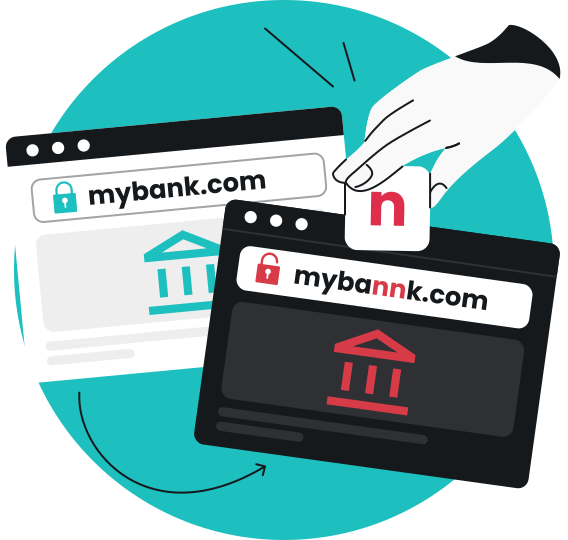
One of the bigger risks linked to Tubi actually comes from outside the platform itself. Sometimes, cybercriminals can create fake Tubi apps, phishing emails, or cloned websites that look just like the real thing.
In most cases, these are designed to trick you into handing over sensitive information like personal data, login credentials, email addresses, or payment-related details.
That’s why it’s important to:
- Download the Tubi app only from official app stores;
- Access Tubi directly through its official website;
- Avoid any “premium,” “ad-free,” or modified versions of Tubi.
How to use Tubi safely
No streaming app — free or otherwise — is completely free from risk. That said, there are a few things you should keep in mind so you can use Tubi more safely:
Download from official sources
Always download the Tubi app from trusted platforms like the Apple App Store, Google Play Store, or your smart TV’s official app store. If you’re streaming on a browser, go straight to Tubi’s official website. Steer clear of third-party sites as unofficial versions are often modified or come bundled with malware, adware, or other unwanted software.
Avoid suspicious ads
Most ads on Tubi are normal, but you should never let your guard down. If you see things like fake virus alerts, prize pop-ups, scare tactics, or suspicious download requests, don’t click them. Just close the ads immediately and continue watching.
Watch out for scams and phishing
Tubi doesn’t usually ask for sensitive info like your payment or personal details just for streaming. In fact, you can even watch movies and shows without an account. So if you’re asked to enter these details, especially outside of the official sign-up or login process, it’s likely a scam.
Keep the app updated
Make sure you’re using the latest version of the Tubi app. Updates don’t just add new features, but often also include bug fixes and patches for vulnerabilities that could be exploited. If possible, turn on automatic updates so you don’t have to worry about checking manually or missing anything.
Pro tip: If you’re streaming Tubi on unsecured public Wi-Fi networks — like those in cafés, hotels, malls, or airports — use a VPN (Virtual Private Network) to encrypt your connection and mask your IP (Internet Protocol) address. A VPN for streaming helps keep your activity and location more private, especially when you’re using shared networks.
Disclaimer: Please note that using Surfshark services for any illegal activities is strictly forbidden and violates our Terms of Service. Make sure that any use of Surfshark services for your particular activities conforms to all relevant laws and regulations, including those of any service providers and websites you access using Surfshark.
Does Tubi need Wi-Fi?
Yes, Tubi needs Wi-Fi since it requires an internet connection to work.
If you’re using Tubi on your phone or tablet, you can also stream using mobile data. Just keep in mind that streaming can use up a fair amount of data, especially if you’re watching in higher quality or for longer periods.
Protecting your privacy while streaming
The average user spends 5.2 hours per day streaming content. As we spend more time on these platforms, we end up sharing more personal data without really thinking about it.
To keep things more private while you stream, adopt these simple habits:
- Stick to a trusted streaming app or site, and keep both your device and the streaming app updated;
- Check app permissions and privacy settings regularly so you can limit unnecessary access;
- Use a VPN to encrypt your connection if you’re using public Wi-Fi or stream only when you’re on a secure Wi-Fi network;
- Log out of shared devices like TVs or public computers after use, so others can’t access your account or viewing history;
- Opt for a strong, unique password for your account and enable 2FA (Two-factor Authentication) if it’s available;
- Watch content without signing in if possible, so there’s less stored information linked to your viewing activity.
Keep your Tubi streaming more private
All things considered, Tubi is generally a safe, legal, and legitimate platform to stream movies and TV shows for free. But it’s not without its trade-offs. The biggest one is that Tubi is ad-supported, which means some of your data is used to serve and personalize ads.
Even so, it’s still safe to use as long as you take a few basic precautions. Stick to official download sources, avoid suspicious ads, and watch out for scams or phishing attempts that try to impersonate the platform. For extra privacy and protection, you can also use a VPN on your smart TV and other devices to encrypt your connection, especially when streaming on public Wi-Fi.

FAQ
What is the downside of Tubi?
The main downside of Tubi is that it’s ad-supported. Instead of paying a subscription fee, you watch short commercials before and during movies and TV shows. And like most free streaming services, Tubi collects certain viewing and usage data to help show you more targeted ads.
Is Tubi charging $9.99 a month?
No, Tubi isn’t charging $9.99 a month — it’s completely free to use. According to the platform’s Help Center, its app is free to install, and all content is always free to watch.
Does Tubi track what you watch?
Yes, Tubi does track what you watch. Since it’s an ad-supported streaming platform, it collects data to help make ads more relevant to you.
That said, this type of tracking is fairly common for free streaming services, and Tubi isn’t considered any more intrusive than other platforms.
Is Tubi safe for kids?
Yes, Tubi is generally safe for kids as long as parents or guardians stay involved. Make sure your kids stay in the Tubi Kids section, which only shows cartoons and other family-friendly content. You can also enable Kids Mode to help automatically filter out mature content, and set up parental controls with PIN protection and content restrictions for peace of mind.