
Keylogging is the practice of secretly recording what you type on a keyboard, including passwords, messages, and card numbers, usually without the user’s knowledge. Attackers use a keylogger to capture that information and gain access to accounts, steal money, or commit identity theft.
Software and hardware keyloggers can reach your computer or mobile device through phishing emails, malicious downloads, compromised websites, or physical access. However, good security habits and layered protection can significantly reduce your risk.
What is keylogging?
Keylogging, also called keystroke logging, is the act of recording every key you press, often without your knowledge. The tool that does this, whether it’s software or a physical device, is called a keylogger or a keystroke logger.
Attackers target keyboards because that’s how people typically enter their most sensitive information, like usernames, passwords, and banking details. If a keylogger records keystrokes before they’re encrypted by your browser, it captures login credentials and other sensitive data in plain, readable form, which is what makes keylogging so effective for credential theft.
How does keylogging work?
A keylogging attack usually progresses in three stages: device infection, activity recording, and data theft. Let’s see how each works:
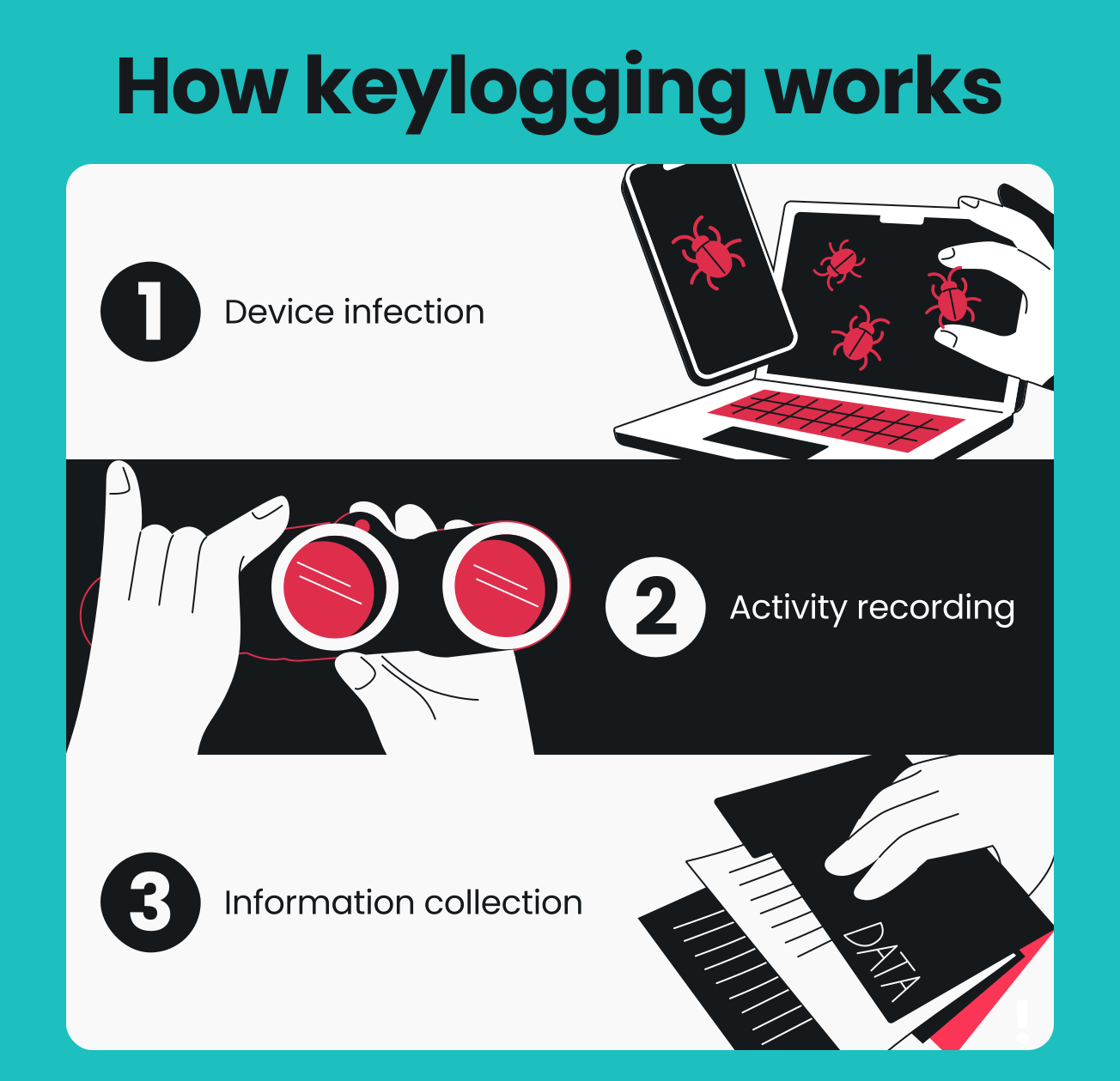
Step 1: The device becomes infected
An attacker presents something to you, such as a phishing email or a link to a compromised website. Inside that email, the keylogger may be disguised as a software update, a legitimate-looking download, pirated software, or a browser extension.
Once you click the link or install the file, the keylogger installs itself in the background without any pop-up or warning.
Step 2: The keylogger records activity
Once installed, the keylogger runs quietly in the background and records keystrokes across the operating system, capturing usernames, passwords, credit card numbers, messages, and authentication codes typed during login.
Some software keyloggers use form grabbing to pull data directly from web forms before it’s submitted, while others monitor keyboard input at a deeper, system-wide level so they can record keystrokes no matter which app or browser you’re using.
Step 3: Stolen information reaches attackers
Captured data rarely stays on your device for long. Many software keyloggers send their recordings to a remote server controlled by an attacker, sometimes over encrypted channels that make it harder for security tools to catch.
Once a keylogger captures your login details, attackers can use them for account takeover, financial fraud, or identity theft. Worse still, that same information can fuel more convincing phishing scams later on.
Types of keyloggers
Keyloggers fall into two broad categories: software-based and hardware-based.
Software keyloggers
Software keyloggers are malicious programs, often bundled with Trojans or other malware. They install directly on your operating system and run invisibly in the background.
Some of the most common software keyloggers include:
- Remote keyloggers: controlled by an attacker who retrieves data without needing physical access to your device;
- Kernel-level keyloggers: operate deep within the OS with root access, making them hard for standard antivirus software to detect and remove;
- API-based keyloggers: exploit APIs (Application Programming Interfaces) to monitor and record keystrokes sent to an application;
- Browser-based keyloggers: malicious scripts or browser extensions that reside within the web browser;
- Form-grabbing keyloggers: rather than recording individual keystrokes, these intercept the entire contents of a web form, like login or credit card fields.
Hardware keyloggers
Instead of relying on malicious code, hardware keyloggers are physical devices that capture keystrokes directly from the keyboard.
Common examples include:
- Inline keyboard devices: hidden inside a cable;
- Modified keyboards: come with a keylogger built into the hardware itself;
- USB devices: small connectors plugged in between the keyboard and the computer.
Because these devices require physical access to install, hardware keyloggers are usually seen in targeted attacks, such as on a shared office computer.
|
|
Software keyloggers
|
Hardware keyloggers
|
|
Installation
|
Remote
|
Require physical access
|
|
Detection
|
Detectable with antivirus software
|
Need physical inspection
|
|
Data storage
|
Sent to remote server
|
Stored locally until retrieved
|
|
Common targets
|
Any connected device
|
Shared, public, or workplace computers
|
|
Usage
|
Cybercrime or phishing campaigns
|
Targeted attacks or corporate espionage
|
What are keyloggers used for?
Keyloggers can be used for both malicious and legitimate purposes.
Malicious uses
Cybercriminals use keylogging software to steal login credentials and financial data. They then use this information for:
- Account takeover: log into your email, banking, or social accounts using the stolen credentials;
- Financial fraud: use credit card numbers or banking logins to make unauthorized transactions;
- Network intrusion: use one stolen password as an entry point to access a company’s wider network;
- Corporate espionage: expose confidential business data, such as internal documents or trade secrets, leading to further data theft;
- Impersonation scams: get access to your accounts and pose as you to trick your contacts into sending money or data.
Information captured by keyloggers can also make subsequent scams more convincing. Stolen credentials open doors, and what attackers find behind those doors fuels later attacks.
Legitimate uses
Legitimate uses of keyloggers include:
- Parental control: apps that use keystroke logging to monitor a child’s online activity;
- Employee monitoring: tools that track productivity or activity on company-owned devices;
- Accessibility: software that relies on keyboard input tracking to help people with disabilities use a computer;
- Authorized investigations: used by law enforcement or security teams to check for criminal activity.
Whether these uses are legal depends on jurisdiction and user consent. Laws around employee monitoring, parental control, and other surveillance software vary widely, so it’s best to check local regulations before installing monitoring software on a device you don’t own.
How to detect a keylogger
Here are the biggest warning signs that can help you spot a keylogger:
- Unusual device slowdown, especially when you’re not running power-intensive apps;
- Suspicious background processes in Task Manager on Windows or Activity Monitor on Mac;
- Antivirus alerts flagging suspicious software or unauthorized software you don’t recognize;
- Unexpected browser changes, like a new toolbar or extension you didn’t add;
- Unexplained network traffic, which can indicate data being sent to a remote server;
- Unknown programs on your device that you don’t remember downloading.
Note: Remember that none of the above signs confirm the presence of a keylogger. Other kinds of malware or unrelated issues can be responsible as well.
How to protect yourself from keylogging
Here are the best ways to protect yourself against keylogging:
Watch out for phishing and online scams
Attackers often disguise keylogging malware as one of the following:
- Malicious attachments;
- Software downloads;
- Fake updates;
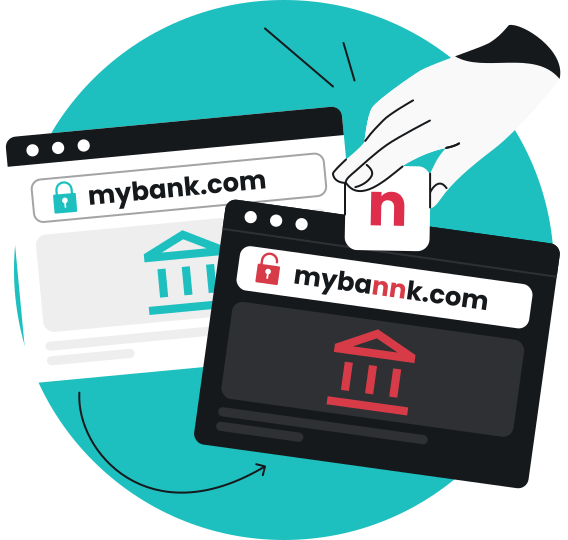
- Malicious websites that mimic login pages;
- Messages that look like they’re from a trusted organization.
Avoid opening unexpected attachments or downloads, even from someone you know, and double-check suspicious messages and websites before entering sensitive login credentials. Once a keylogger captures those details, there’s often little time to react.
Keep your software up to date
Monitor for new versions of your operating system, apps, and browser extensions. Update them as soon as they’re available.
Security updates patch vulnerabilities that attackers exploit to install malicious code, including keyloggers. If you keep running outdated software, those vulnerabilities stay open, and attackers get an easy way in.
Use strong passwords and MFA
Some common-sense steps can go a long way in limiting the impact of a keylogging attack. Keep these in mind:
- Avoid password reuse: a strong password doesn’t stop a keylogger from capturing it, but a unique one restricts what the attacker can do with it. If you reuse passwords or don’t change them regularly, one stolen credential can unlock every account tied to it. If it’s unique to one account, that’s the only account at risk;
- Use a password manager: a password manager generates and stores strong, unique passwords for you, so you don’t have to memorize dozens of them or risk writing them down anywhere;
- Turn on MFA (Multi-factor Authentication): MFA adds a second layer of protection to your accounts, so a stolen password alone isn’t enough to access them. It’s not foolproof, as some sophisticated malware or phishing attacks can also intercept authentication codes. However, it still blocks most password-only attacks.
Detect suspicious messages and websites
Watch for the usual red flags associated with strange emails or pages:
- Unexpected messages demanding urgent action;
- Links that don’t match the sender’s real domain;
- Websites that mimic a login page but are live on an unfamiliar URL.
If something feels off, don’t click or enter your login credentials until you’ve verified it.
Surfshark’s scam protection can do a lot of this checking for you, flagging things like:
- Scam text messages;
- Phishing emails;
- Malicious links;
- Deceptive or malicious websites;
- Impersonation attempts.
The email checker can flag suspicious messages for signs of phishing or malicious links, while the web content blocker can filter website categories based on criteria like malware or phishing. Instead of detecting a keylogger that’s already installed on your device, this protection helps you avoid the phishing vectors that commonly lead to a malware infection in the first place.
Protect your device against malware
Because software-based keyloggers are ultimately a form of malware, it’s vital to protect your device against malicious software.
Surfshark Antivirus detects and blocks malicious software before it can install a keylogger on your device, using real-time protection to scan files as you download or open them. It also runs scheduled or on-demand scans to catch suspicious programs, and its ransomware shield guards sensitive files against similar attacks.
Antivirus pairs naturally with Surfshark’s scam protection. Scam protection helps you avoid suspicious messages, links, and websites before you interact with them, while Antivirus catches malicious software that reaches your device anyway.
Monitor exposed personal information
Credentials or personal information stolen via a keylogger can be exploited later, sometimes long after the initial infection. Here’s how:
- Account takeover: attackers may use your stolen login to access your email, banking, or social accounts directly;
- Identity theft: malicious actors combine your stolen details with other leaked data to open accounts or take out loans in your name;
- Scams: attackers can use your stolen information to impersonate you and trick your contacts into sending money or data.
To prevent such attacks, you can track your exposed details with data leak monitoring from Surfshark. It monitors your personal information for exposure in known data leaks, so you can respond faster if something is compromised by changing a password before an exposed account is misused and taking other corrective actions.
Protect your internet connection
An unsecured connection is another way attackers can intercept your data. A VPN (Virtual Private Network) helps by encrypting your online traffic and hiding your IP (Internet Protocol) address.
While they can’t detect or remove keyloggers already on your device, tools like Surfshark VPN help protect your connection by making sure your data isn’t exposed to others on the same network while it transmits.
VPN protection is particularly helpful on public Wi-Fi. That said, since it protects your connection and not your device itself, consider it a secondary layer rather than your main defense against keylogging.
Pro tip: Even though many tools can help out in our fight against keylogging, you don’t have to visit several providers to get them. The Surfshark One bundle offers scam protection, Antivirus, data leak monitoring, VPN coverage, and much more — all in a single app.
What should you do if you find a keylogger?
If you suspect or confirm a keylogger on your device, work through this checklist:
- Disconnect the affected device from the internet if data may be reaching a remote server;
- Run a full scan with reliable antivirus software to find malicious programs;
- Remove the malicious software or keylogger, along with any other suspicious programs it installed;
- Update the operating system and apps to patch the vulnerabilities that let in the keylogger in the first place;
- Change your passwords from a separate, clean device rather than the infected one;
- Turn on MFA on your important accounts if you haven’t already;
- Review your important accounts for unauthorized transactions or other unauthorized activity;
- Stay alert for follow-up phishing emails or impersonation attempts, since stolen data can fuel further attacks.
Removing the keylogger isn’t necessarily the end of the incident. Any sensitive information it has already captured could still be used for account takeover or further scams. That’s why it’s worth staying cautious afterward.
Implement layered protection against keylogging
Keyloggers can silently capture passwords and other sensitive information. These often reach devices through phishing scams, malicious downloads, or compromised websites, and stolen data can lead to financial fraud or further scams.
Layered protection addresses each stage of the keylogging threat. Surfshark One brings several of these layers together, including scam protection, antivirus software, data leak monitoring, and more.

Level up your keylogging defenses
Enjoy all-in-one cybersecurity protection from a single app
Get SurfsharkFAQ
How can I tell if someone is keylogging me?
You can check for keylogging by watching for device slowdowns, suspicious background processes, unexpected browser changes, or unexplained network traffic. These aren’t definitive proof on their own, so run a scan with antivirus software if you notice several together.
Can a keylogger be removed?
Yes, a keylogger can be removed in most cases. A reputable antivirus tool can detect and remove many software keyloggers. However, hardware keyloggers need to be physically located and unplugged, since antivirus software can’t detect physical devices.
Can smartphones get keyloggers?
Yes, mobile devices can be infected by keyloggers. Mobile keyloggers are usually disguised as malicious apps downloaded outside official app stores. They capture keystrokes on a phone much like software keyloggers do on a computer.
Can antivirus software detect keyloggers?
Antivirus software can detect many types of keyloggers, especially known software keyloggers and other keylogging tools. However, it generally can’t detect hardware keyloggers, since they’re physical devices rather than malicious code.
Can a VPN stop a keylogger?
No, a VPN encrypts your internet traffic and hides your IP address. It can’t detect, block, or remove a keylogger already on your device. It can only serve as a helpful privacy layer.