Surf the web safely on unlimited devices with Surfshark’s advanced privacy and security features.
Surfshark VPN features
-
Connect to 4,500+ VPN servers worldwide
-
Get a unique IP address
-
Protect your traffic with industry-leading encryption
-
Unlimited simultaneous connections to secure all your devices
Protect your privacy with advanced cybersecurity features

Double VPN
Route your internet traffic through two different VPN (Virtual Private Network) servers with Surfshark’s Dynamic MultiHop (double VPN) — manually choose entry and exit points for double encryption, anonymity, and data security.
Obfuscated servers
Hide your data and the fact you’re using a VPN with obfuscated servers, like Surfshark’s — even your ISP (Internet Service Provider) won’t know you’re using a VPN.
Split tunneling
Exclude apps and websites from VPN encryption with the split tunneling feature, also called Bypasser on the Surfshark app — choose which traffic remains under VPN protection and which doesn’t get routed through the VPN server.
Kill Switch
Boost your online security and keep your data protected at all times with the VPN Kill Switch — if your VPN connection drops, this feature cuts off your internet access so that your data doesn’t get exposed.
NoBorders
Use Surfshark VPN through network restrictions with NoBorders — this feature detects restricted networks and provides you with a list of servers that work best under those network restrictions.
CleanWeb
Surf the web without distractions — Surfshark’s CleanWeb blocks ads, banners, and pop-ups, as well as trackers and access to malicious websites, so you can browse online safely and ad-free.
Cookie pop-up Blocker
Improve your browsing experience by eliminating cookie pop-ups — Surfshark’s Cookie pop-up Blocker will reject all possible cookies on Chrome, Firefox, or Edge, so you don’t have to deal with annoying pop-ups.

Static IP
Access applications remotely, host a website, or create a game server with Surfshark’s Static IP (Internet Protocol) servers — choose from a list of servers and always connect to the same one to keep the same IP address.
Dedicated IP
Get a unique IP address only you can use — the Dedicated IP feature provides you with a designated IP address that helps you access IP-sensitive websites and remote networks and avoid annoying CAPTHAs and IP blocklists.
Safety features to maximize your online protection
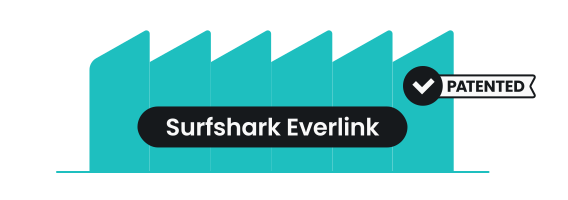
Surfshark Everlink
The industry-first patented self-healing technology Surfshark Everlink keeps your VPN connection stable and secure by instantly restoring dropped connections. This seamless VPN tunnel recovery ensures uninterrupted connectivity, minimizes the risk of IP leaks, and boosts user privacy.
Auto-connect & Quick-connect
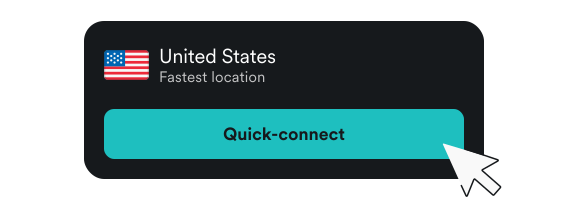
When your device connects to the internet, Auto-connect automatically establishes a VPN connection to keep your data secured every second you spend online, and the Quick-connect button connects you to the fastest or your chosen preferred location.
Rotating IP
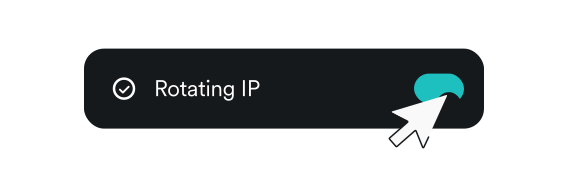
One of Surfshark’s Nexus technology features, Rotating IP, changes your IP address every few minutes without dropping the VPN connection, making it even more difficult to track you.
GPS override
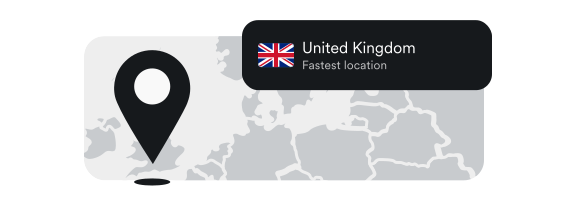
On your Android device, you can override your GPS location, and in your GPS-enabled apps, appear as if you’re in the location that matches the Surfshark server location you’re connected to.
Reverse Bypasser
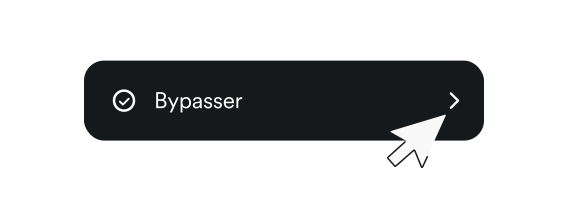
As the name suggests, Reverse Bypasser is the opposite feature of Surfshark’s Bypasser, which means you can manually select apps and websites to send through the VPN tunnel, leaving the rest of your traffic VPN-free.
Pause VPN
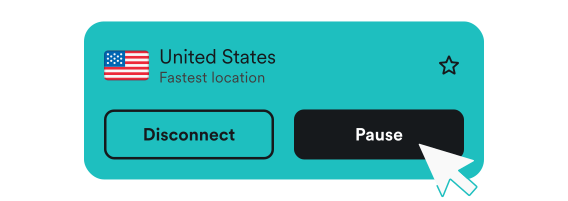
Pause VPN is a convenient feature that allows you to stop VPN use for a limited time. You can put your VPN on hold for 5 minutes, 30 minutes, or 2 hours, and it will automatically resume after the selected time.
Disclaimer: Please note that using Surfshark services for any illegal activities is strictly forbidden and violates our Terms of Service. Make sure that any use of Surfshark services for your particular activities conforms to all relevant laws and regulations, including those of any service providers and websites you access using Surfshark.
Surfshark benefits to be excited about


24/7 customer support
Got any questions? Get help from Surfshark’s customer support via 24/7 live chat or email, or search for an answer in our knowledge base.

See why millions trust Surfshark
Check out what users and tech experts around the world have to say about Surfshark.



The reviews highlighted in this section were selected from publicly available posts on social media platforms. They reflect the opinions of individual users at the time of posting and may not represent the full range of our product features and qualities.
The reviews quoted on this page have been published by media outlets associated with Surfshark through affiliate partnerships. Their recommendations are based on their own independent research and insights to ensure value for the readers.
I have been using Surfshark since I got it and I love it!

When I am traveling, I use Surfshark to access the internet quickly and securely, works like a treat in China.

We love Surfshark because it is an easy-to-use app that you can download on all your devices.

The reviews quoted on this page have been published by media outlets associated with Surfshark through affiliate partnerships. Their recommendations are based on their own independent research and insights to ensure value for the readers.
“This is my first year and I absolutely love it. The fact I can have a good antivirus, great VPN, and incognito for like $120 a year is great.”
“I’ve been using Surfshark for 4 years on Android and ChromeOS with zero issues, it’s an absolute bargain”
“I’ve had it for 3 years and just renewed it for the next 2 years. I never have any issues with it and get my full internet speed…”
The reviews highlighted in this section were selected from publicly available posts on social media platforms. They reflect the opinions of individual users at the time of posting and may not represent the full range of our product features and qualities.






Frequently asked questions
What is the main purpose of a VPN?
A VPN’s main purpose is to provide its users with security and privacy by encrypting their data and masking their IP address. Using a VPN creates a secure connection between your device and the internet and routes your traffic through an encrypted virtual tunnel, keeping your data protected.
How does a VPN work?
A VPN works by sending your network traffic through a VPN server before it reaches the internet. The VPN connection creates a secure tunnel between your device and the internet, where your data gets encrypted, and you get assigned a new IP address. This keeps your online activity secure and private from snoopers and intrusive third parties.
What are the best VPN features?
The best VPN features include strong encryption, secure protocols, a kill switch, split tunneling, worldwide server coverage, no activity logging, multiple simultaneous connections, ad-blockers, wide device and platform compatibility, and great customer support.