• Get Surfshark
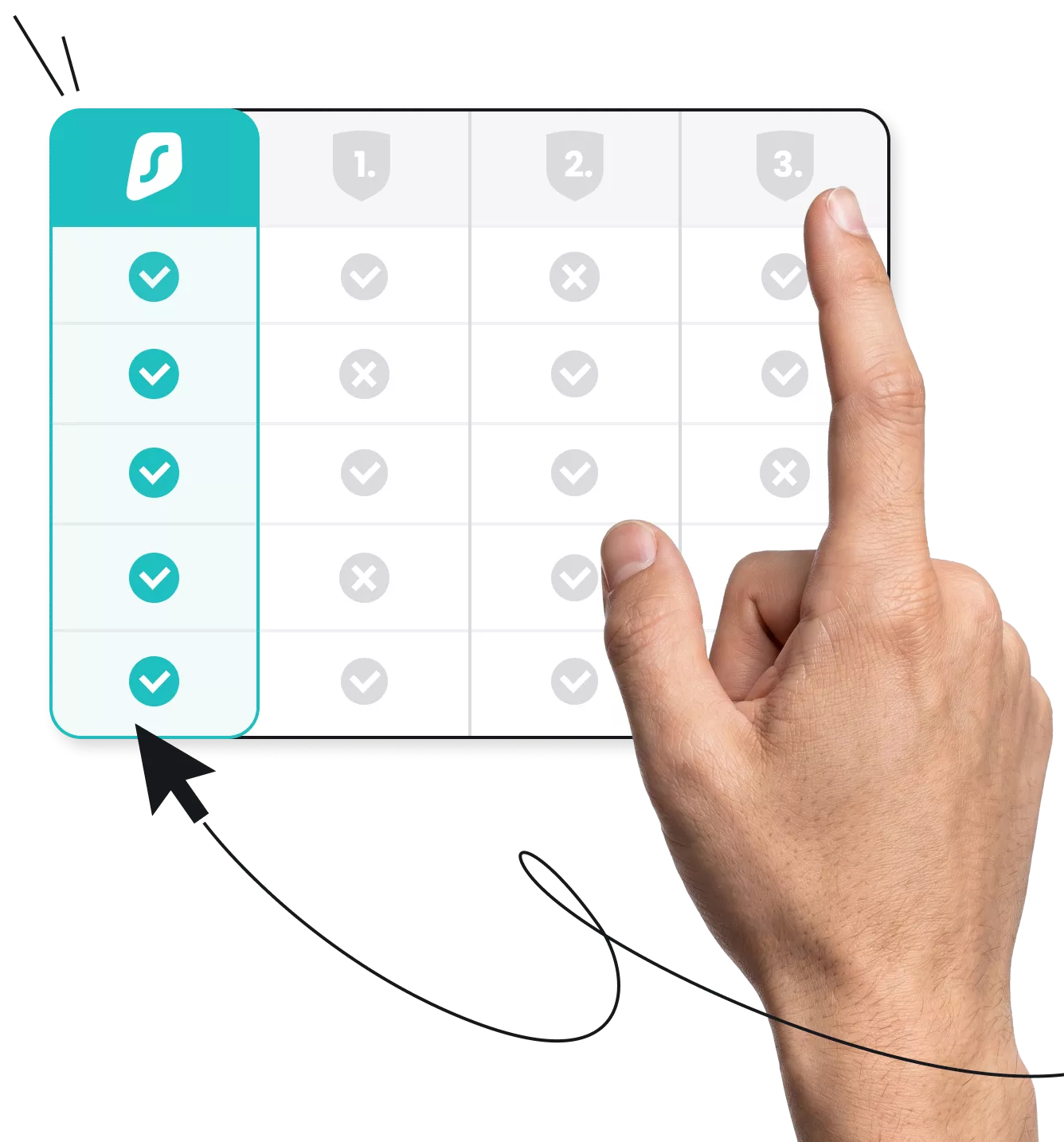
Hand tapping a comparison table with checkmarks and Xs, highlighting a teal column with checkmarks

Compare VPN services and choose the best for 2026

  • Find the price that fits your budget
  • See how different VPNs perform and what features they offer
  • Decide which service is the best VPN for you
Get Surfshark
30-day money-back guarantee

At a glance: VPN provider comparison

While VPN (Virtual Private Network) services share the same basic functionality — hiding your IP (Internet Protocol) address and encrypting your internet traffic — they vary widely in terms of server locations, support for simultaneous connections, and advanced security features.

This VPN comparison chart shows what the most popular VPN apps offer.
Devices
Server countries
Number of servers
Lowest monthly price
Ad blocker
Cookie pop-up blocker
10 Gbps servers
24/7 support
Money-back guarantee
Surfshark
100
4,500+
$1.99
**
30 days
NordVPN
10
167+
9,400+
$3.09
30 days
ProtonVPN
10*
145*
2,300+ (free VPN)
20,000+ (paid plan)
$2.99 (free VPN available)
30 days
ExpressVPN
14
105
3,000+
$3.49
30 days
CyberGhost
 7
100
11,690+
$1.75
45 days
PIA
91
35,000+
$1.59
30 days
IPVanish
113
3,200+
$2.19
30 days
Mullvad
5
50
550+
$5.86
**
14 days
Windscribe
∞*
69
Undisclosed
$5.75 (free VPN available)
*
*
**
7 days***
PureVPN
10
65+
6,000+
$2.15
**
31 days
*Available only on paid plans.
**Windscribe’s 10 Gbps servers are available in specific locations only. Some Mullvad and PureVPN servers offer speeds up to 20 Gbps, while Surfshark has the world’s first 100 Gbps servers in Amsterdam.
***To get a refund, you must have used less than 10 GB on the paid plan, and refunds must be requested within 7 days of your purchase.

Note: The VPN services in the table are compared based on key features and performance indicators. The data in the table is accurate as of May 1, 2026, and is subject to change. Server counts for ExpressVPN, CyberGhost, PIA, and Mullvad are taken from third-party reviews, as these providers don’t disclose this information themselves.

Browse with greater security today

Boost your online privacy with a VPN

Get Surfshark
30-day money-back guarantee
Browse with greater security today

VPN price comparison: what’s the best VPN in terms of value?

VPN companies can offer significantly different service prices depending on security features, server locations, and subscription length. Most VPN apps have lower monthly rates when you commit to a longer plan, often making multi-year subscriptions the best value.

If getting the best VPN means finding one at the right price point, here’s a quick VPN comparison chart that’s focused on price.

VPN
Monthly plan
1-year plan
2-year plan
Surfshark
$15.45
$3.19/mo
$1.99/mo
NordVPN
$12.99
$4.99/mo
$3.09/mo
ProtonVPN
$9.99
$3.99/mo
$2.99/mo
ExpressVPN
$12.99
$4.99/mo
$3.49/mo
CyberGhost
$12.99
*
$1.75/mo
PIA
$11.95
$3.33/mo
**
IPVanish
$12.99
$3.33/mo
$2.19/mo
Mullvad
$5.86
Windscribe
$9.00
$5.75/mo
PureVPN
$12.95
$2.55/mo
$2.15/mo
*CyberGhost offers a six-month plan that costs $6.99/mo.
**PIA offers a three-year plan that costs $1.59/mo.

A VPN beyond compare

Test drive Surfshark for 30 days

Get Surfshark
30-day money-back guarantee
A VPN beyond compare

Exploring the best VPN services

The table above can help you choose a VPN, but some details can’t be put into numbers or checkmarks. To get a better feel of how Surfshark compares with the competition, let’s take a closer look at what each provider has to offer:

Surfshark vs. NordVPN

Surfshark and NordVPN are arguably two of the best VPN providers available today. 

Surfshark offers unlimited simultaneous connections compared to NordVPN’s 10. What’s more, its long-term monthly rates are more affordable than NordVPN’s, starting at $1.99 compared to Nord’s $3.09.

Surfshark subscriptions include an alternative email generator, data leak alerts, and antivirus software, while Nord comes bundled with a password manager and an anti-malware solution.

For an in-depth review, take a look at our Surfshark vs. NordVPN comparison.

Surfshark vs. NordVPN

Surfshark vs. ProtonVPN

Surfshark and Proton VPN offer IP address masking and a wide range of additional features, including a double VPN, kill switch, and browser extension.

Surfshark’s cheapest paid plan costs $1.99/mo compared to $2.99/mo for Proton VPN. Surfshark lets users enjoy unlimited connections, and Proton VPN limits VPN use to 10 devices.

While ProtonVPN offers a free VPN plan, free users have access to fewer server locations and can use the VPN app on only one device.

Dive deeper by reading our Surfshark vs. ProtonVPN comparison.

Surfshark vs. ProtonVPN

Surfshark vs. ExpressVPN

Surfshark and ExpressVPN both offer strong encryption, a kill switch, robust VPN protocols, and a similar number of servers.

However, third-party internet speed tests show that Surfshark offers a faster VPN connection than ExpressVPN and other VPNs. Surfshark also comes bundled with tools that provide antivirus protection and data leak alerts.

On top of that, Surfshark is a better deal, with monthly rates starting at $1.99 as opposed to $3.49 for ExpressVPN.

Check out our VPN comparison of Surfshark vs. ExpressVPN for more detailed information.

Surfshark vs. ExpressVPN

Surfshark vs. CyberGhost

CyberGhost and Surfshark both have servers in 100 countries, but CyberGhost is missing some key privacy and security features. This includes things like a rotating IP address or a double VPN, both of which are available with Surfshark.

What’s more, CyberGhost users can only enjoy a VPN connection on seven devices at a time, while Surfshark allows unlimited simultaneous connections.

Read the full Surfshark vs. CyberGhost review for more details on these two VPN companies.

Surfshark vs. CyberGhost

Surfshark vs. PIA

A Surfshark vs. PIA (Private Internet Access) VPN comparison shows that Surfshark offers more server locations and features, such as a cookie pop-up blocker.

Both offer one of the cheapest monthly VPNs, but PIA requires you to commit to a three-year subscription to unlock its lowest rate. In Surfshark’s case, it’s a two-year plan.

Check out our in-depth Surfshark vs. PIA comparison to learn more about these VPN services.

Surfshark vs. PIA

Surfshark vs. IPVanish

Surfshark and IPVanish offer unlimited simultaneous connections, but Surfshark is the more feature-rich VPN. 

While both can boost your online security with features like a kill switch, double VPN, and DNS (Domain Name System) leak protection, only Surfshark includes tools like a cookie pop-up blocker and the option to use a static IP address.

Read our Surfshark vs. IPVanish comparison to​​ get a better idea of how the two VPN companies match up.

Surfshark vs. IPVanish

Surfshark vs. Mullvad

Compared to VPN providers like Surfshark, Mullvad doesn’t have an extensive server network. Surfshark has no cap on simultaneous connections, while Mullvad limits you to five devices.

Surfshark also offers more competitive pricing on long-term plans and bundles its VPN service with extras like antivirus software and a private search browser.

Nevertheless, both VPN companies have a proven no-logs policy, showing their commitment to protecting your online privacy.      

You can find a much more detailed VPN comparison in our Surfshark vs. Mullvad review.

Surfshark vs. Mullvad

Surfshark vs. Windscribe

Windscribe and Surfshark offer similar features, such as a kill switch, double VPN, and DNS leak protection. Both VPN services also don’t restrict the number of simultaneous connections users can have.

Windscribe, however, has fewer server locations and an undisclosed number of servers. It’s also generally more expensive and lacks a two-year plan and 24/7 customer support.

While a free VPN is available, users face data limits that are likely to affect connection speeds. Many security features are unavailable to free VPN users as well.

Head to our Surfshark vs. Windscribe comparison for a closer look at the two VPN providers.

Surfshark vs. Windscribe

Surfshark vs. PureVPN

Surfshark and PureVPN provide key features like a kill switch, split tunneling, and support against DNS leaks. Both services use reliable VPN protocols and are backed by audited no-logs claims.

Surfshark has more server locations globally, while PureVPN has a more extensive server network. Surfshark comes bundled with antivirus software, a private search engine, an alternative email generator, and more. 

Surfshark also offers unlimited connections, but PureVPN caps VPN use at 10 devices. 

Check out how the two VPN providers stack up against each other by reading our in-depth Surfshark vs. PureVPN comparison.

Surfshark vs. PureVPN
Disclaimer: Please note that using Surfshark services for any illegal activities is strictly forbidden and violates our Terms of Service. Make sure that any use of Surfshark services for your particular activities conforms to all relevant laws and regulations, including those of any service providers and websites you access using Surfshark.

How to choose the best VPN for your needs

Every VPN provider offers a unique package. If you want to find one that best suits your needs, you need to see how they compare. Things like secure encryption, modern VPN protocols, and server network are a must for any good VPN provider, but that’s just part of what the best VPNs offer.

Let’s have a closer look at what you need to know about providers when trying to find the best VPN for your needs.

Privacy and security features

Post-quantum encryption is a must for any VPN service. Modern VPN protocols are also important in keeping your internet traffic secure. Most VPNs offer AES-256 encryption and protocols like WireGuard, IKEv2, and OpenVPN, but Surfshark stands out for its Dausos protocol with AEGIS-256X2 encryption.


On top of this, a no-logs policy, kill switch, and effective IP address masking are key security features you’d expect from a VPN.

Independent audits

The best VPN services undergo regular audits from reputable firms.


Surfshark underwent security infrastructure audits from Cure53 in 2018 and 2021. 


Separate assurance reports from Deloitte in 2022 and 2025 verified Surfshark’s strict no-logs policy.


Top providers also share any data requests they receive concerning VPN users in an easily accessible format, like Surfshark’s Transparency Report.  

All-in-one protection

When comparing VPN providers, it’s vital to check out what else they offer. 


You won’t get complete online protection from a single tool, so the best VPN should bundle extra products like an antivirus, data leak alerts, and an ad blocker to go beyond basic privacy. 


If you find a VPN service that doesn’t include anything else, you might be limiting your online privacy.

Internet speed

To get the fastest VPN connection speed, it’s important to choose a provider that offers high-speed protocols and an extensive server network.


Independent speed tests found Surfshark to be the fastest VPN around.


Still, since you never know what kind of internet speed you’ll get until your VPN connection is active, top providers offer a money-back guarantee, letting you try out their apps risk-free. 

High-speed servers

High-speed VPN servers, like 10 Gbps servers, deliver faster, more reliable connections. 


They can handle large volumes of data, so they’re excellent for downloading large files or accessing streaming services.


High-speed servers also reduce the risk of latency, congestion, and performance drops, ensuring a more consistent VPN experience.

Server infrastructure

A VPN with a large number of servers can offer faster connection speeds, but server quality matters more than server quantity.  


Giving VPN users several server locations to choose from is also important. More options makes it easier to change your IP address with a server that’s close to you, a key factor in getting faster, smoother speeds.

Price

More expensive VPNs don’t always give you better quality. If you want the best VPN deal, look for long-term plans that include essential features beyond a basic VPN.


Using a free VPN can be risky, as these often offer fewer server locations, hurting your internet speed. 


Instead, look for VPN providers that offer a free version of their paid tool for a trial period to test out their software risk-free.

Number of devices

Modern users want VPN protection on multiple devices, from your computer, mobile device, smart TV, and more.


A VPN app that only encrypts traffic and masks your IP address on a single device won’t get you far.


Top VPNs offer multi-device protection with a single account, with the best VPN services allowing unlimited simultaneous connections.

Customer support

Using a VPN doesn’t have to be overly technical. The best providers equip you with many customer support resources if you ever need help.


For instant assistance, find a VPN service that offers 24/7 support via live chat.


Email is helpful for less urgent issues, and so is a vast knowledge base when you want to find answers yourself.

Disclaimer: Please note that using Surfshark services for any illegal activities is strictly forbidden and violates our Terms of Service. Make sure that any use of Surfshark services for your particular activities conforms to all relevant laws and regulations, including those of any service providers and websites you access using Surfshark.

Once you know your priorities, scroll back to the VPN comparison chart above to see which providers match your needs. If you’re looking for a well-rounded option that balances price, high speeds, and advanced security features, Surfshark is an excellent choice.

Send your online security soaring

Get a VPN that’s fast, private, and priced just right

Get Surfshark
30-day money-back guarantee
Send your online security soaring

VPN comparison on Reddit

Reddit has a dedicated VPN comparison thread where users can rate VPNs they’ve tried. It comes complete with a VPN comparison table that’s often updated and cross-posted to other subreddits.

The thread is community-driven, so all users are encouraged to share their experiences and report any errors or outdated information.

There are all kinds of subreddits where users can add their thoughts and compare VPNs, so don’t hesitate to explore Reddit if you’re looking for the best VPN for you.

Note: According to the table, Reddit users rank Surfshark among the top two VPN providers.

VPN comparison on Reddit

Never surf unprotected again

Secure all your devices with a single subscription

Get Surfshark
30-day money-back guarantee
Never surf unprotected again

FAQ

Most paid VPNs are similar in what they do — encrypt online traffic and change your IP address. However, the differences between VPNs come down to VPN pricing, available VPN protocols, encryption quality, the VPN provider’s no-logs policy, and additional security features.

The cost of a VPN depends on the provider and the subscription length you choose. The price of a one-month plan usually exceeds $10, but you can find considerably lower prices if you choose to go with a longer subscription. 

For example, Surfshark’s two-year plans start at $1.99, giving you round-the-clock protection on multiple devices without breaking the bank.

No free VPN is the best, and using a free VPN generally isn’t recommended. While paid VPN providers focus on protecting your privacy online, free VPNs may put it at risk. Research on Android devices, for instance, found that 88% of free VPNs leak user data.

Essentially, while free VPNs have no cost at first, you can end up paying with your privacy.

You can compare VPN providers by looking at factors like encryption, privacy policies, pricing, server infrastructure, customer support, and additional security features. 

Reputable VPN services usually offer a money-back guarantee as well, so you can shop around for the right fit without risking your money.

VPN deal that Rocks

Get % off + mo. EXTRA
Get VPN Deal