Whether you’re exploring the Freedom Trail or watching a Red Sox game on your phone, Surfshark VPN will give you a fast and secure connection. Try it out with a 30-day money-back guarantee.

The best VPN choice for Boston
From
0
0
/mo.
+ mo. EXTRA
-
Get a Boston IP address for fast and secure browsing
-
Connect to Boston servers for optimal speeds
-
Set up a VPN connection on all your devices
20+
Boston VPN servers in Massachusetts
4,500+
Surfshark’s key benefits

Increased online privacy
Connecting to Surfshark VPN (Virtual Private Network) masks your IP (Internet Protocol) address and encrypts your online traffic, making it harder for bad actors to track your virtual location and online activities.
Our VPN app’s ad blocker offers even more peace of mind by stopping ads and trackers and alerting you to past data breaches on sites you visit.
Leave distractions behind and ride the clean wave of uninterrupted browsing.
High-speed internet connection
Boosting your security with a VPN doesn’t mean sacrificing fast speeds.
Surfshark is one of the fastest VPNs on the market, so you’re in good hands.
Our VPN servers offer unlimited bandwidth, bringing you top-notch encryption and the fast speeds you expect.


Vast server network
Surfshark has 4,500+ servers in 100 countries on six continents, making it easy to connect to a nearby VPN server. You can handle your most demanding data needs with 10 Gbps servers across our entire network and ultra-fast 100 Gbps servers in the Netherlands.
Not sure which of our locations is best for you? Select Quick connect to have the VPN app automatically choose the fastest available option.
Unlimited simultaneous connections
The best VPN won’t limit your connection to a single device.
Whether you’re surfing on a Mac, Windows PC, or mobile, our VPN app lets you protect multiple devices at once.
Secure all your gadgets at no extra cost with Surfshark’s simultaneous connections.

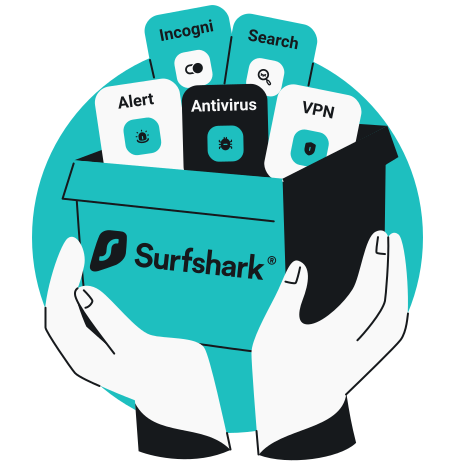
All-in-one cybersecurity suite
Surfshark gives you much more than a VPN connection.
Our Starter plan offers advanced tools like an ad blocker, kill switch, and personal data masking to enhance your web security.
For added protection, higher tiers included Antivirus, data leak monitoring, and our Incogni personal data removal service.
Disclaimer: Please note that using Surfshark services for any illegal activities is strictly forbidden and violates our Terms of Service. Make sure that any use of Surfshark services for your particular activities conforms to all relevant laws and regulations, including those of any service providers and websites you access using Surfshark.
Get a Boston IP address in 2 simple steps
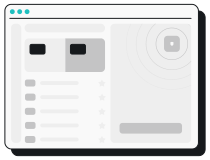
1. Find Boston in the Surfshark app
Open your Surfshark VPN app and type Boston into the search bar.
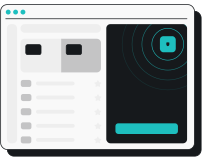
2. Connect to a Boston server
Click on the location to connect to a VPN server, and surf with a Boston IP (Internet Protocol) address.

Surfshark security features
Encryption
Safeguard your data with AES-256-GCM, ChaCha20 and AEGIS-256X2 encryption, the same standards used by cybersecurity experts and governments worldwide.
Post-quantum protection
Future-proof your security online with Surfshark’s advanced post-quantum implementation on WireGuard, designed to resist potential threats from future quantum computers.
No-logs policy
Your browsing habits are your business, which is why Surfshark never tracks, collects, or shares your activity. Our no-logs policy has been independently verified by Deloitte, ensuring total transparency.
Jurisdiction
Based in the Netherlands, Surfshark operates in a favorable legal environment with no mandatory data retention laws. This jurisdiction allows us to uphold our strict no-logs policy with no interference.
Obfuscation
Obfuscation hides your data and makes it much harder to identify that you’re using a VPN. This technology helps you browse freely even in places that highly restrict internet usage.
RAM-only servers
Surfshark’s entire network runs on diskless, RAM-only servers that automatically wipe all data with every reboot. This hardware-level security ensures that no information can ever be physically retrieved from our servers.
Kill switch
Protect your data from accidental exposure with a kill switch — an automatic safety net that cuts your internet if the VPN connection drops. This ensures no unencrypted data leaves your device.
Double VPN
Boost your protection online by routing your traffic through two different VPN servers at once with Multi Hop. This process encrypts your connection twice, making it virtually impossible for anyone to trace your digital footprint.
Everlink
Experience a self-healing connection with Surfshark’s patented Everlink infrastructure that keeps your VPN stable. If a server requires maintenance, Everlink seamlessly switches you to a new one without interrupting your session.
DNS leak protection
Surfshark routes all your DNS (Domain Name System) requests through private, encrypted tunnels. This prevents Wi-Fi eavesdropping and your ISP from seeing which websites you visit, ensuring your browsing history stays private.
Split tunneling
Use Bypasser, Surfshark’s VPN split tunneling, to choose which apps and websites need VPN protection and which can access the internet directly without encryption — perfect for IP-sensitive services.
Rotating IP
Stay ahead of trackers by automatically changing your IP address every few minutes without disconnecting. This constant IP rotation makes it much harder for advertisers and data brokers to profile your online behavior.
More than a VPN
Get a complete cybersecurity suite including a built-in ad blocker, antivirus, and identity masking tools. From blocking malware to generating an alternative persona, Surfshark takes protecting your digital presence to another level.
Technical features
|
Supported devices
|
Works on Windows, macOS, iOS, Android, and more (connect all your smart devices through a router)
|
|
Simultaneous connections
|
Unlimited
|
|
Server infrastructure
|
High-speed, RAM-only
|
|
Activity logging
|
None
|
|
Available VPN protocols
|
Dausos, WireGuard (with post-quantum protection), IKEv2, OpenVPN
|
|
Encryption
|
AEGIS-256X2, AES-256-GCM, ChaCha20
|
|
Additional security features
|
|
|
Network optimization
|
Advanced Nexus network, Multi Hop double VPN, rotating IP, FastTrack
|
|
Customer support
|
24/7 live chat
|
Independently verified Surfshark security:
third-party audits
These independent VPN security audits show that Surfshark’s security claims are backed by evidence. Deloitte provided two assurance reports (in 2023 and again in 2025) verifying that we don’t log user activity, while Cure53 confirmed the security of our server infrastructure. Rather than expecting our users to rely on promises alone, we’ve put our VPN security to the test with the industry’s most respected auditors.
No-logs policy assurance report (2025)
✓ No-activity-logs policy verified
✓ No IP address storage confirmed
✓ Privacy-relevant configuration settings checked
✓ Server infrastructure reviewed
(Available only for Surfshark users)
Security assessment (2025)
✓ Web, desktop, and mobile app security validated
✓ Protection against data leaks and unauthorized access verified
✓ Zero critical vulnerabilities found
✓ Browser extension and account security confirmed
Infrastructure security penetration test (2025)
✓ No critical vulnerabilities found
✓ No high-risk issues impacting user security identified
✓ Zero tested vulnerabilities leading to serious security threats
✓ Strong infrastructure protection against real-world attack scenarios
See why millions trust Surfshark
Check out what users and tech experts around the world have to say about Surfshark.

Teshir Jennifer
@memesfordigital
All the VPNs you mentioned are good. But Surfshark is the one I recommend in person for the best overall.
1:08 PM · Jul 28, 2024

Morgan Leggett
@YouBettaLeggett
I’ve had SurfShark for years. It’s amazing.
12:28 AM · Aug 14, 2024

Eakan
@eakangk
Trialling out @surfshark’s IP rotation. It is doing it pretty well. Seamless in the background.
3:20 PM · Oct 26, 2024
The reviews highlighted in this section were selected from publicly available posts on social media platforms. They reflect the opinions of individual users at the time of posting and may not represent the full range of our product features and qualities.
The reviews quoted on this page have been published by media outlets associated with Surfshark through affiliate partnerships. Their recommendations are based on their own independent research and insights to ensure value for the readers.
I have been using Surfshark since I got it and I love it!

MRWHOSETHEBOSS
20.2M subscribers
When I am traveling, I use Surfshark to access the internet quickly and securely, works like a treat in China.

SAM CHUI
3.61M subscribers
We love Surfshark because it is an easy-to-use app that you can download on all your devices.

MAX & OCCY
265K subscribers
The reviews quoted on this page have been published by media outlets associated with Surfshark through affiliate partnerships. Their recommendations are based on their own independent research and insights to ensure value for the readers.
“This is my first year and I absolutely love it. The fact I can have a good antivirus, great VPN, and incognito for like $120 a year is great.”
“I’ve been using Surfshark for 4 years on Android and ChromeOS with zero issues, it’s an absolute bargain”
“I’ve had it for 3 years and just renewed it for the next 2 years. I never have any issues with it and get my full internet speed..”
The reviews highlighted in this section were selected from publicly available posts on social media platforms. They reflect the opinions of individual users at the time of posting and may not represent the full range of our product features and qualities.