
Most paid VPNs typically cost between $2 and $20 per month, depending on provider, subscription length, and included features. Monthly plans tend to offer more flexibility at a higher price, while one- and two-year subscriptions provide the lowest monthly cost.
Use this guide to explore the top VPN price differences, so you can make a smart choice that protects your online privacy and your wallet.
Note: Prices valid as of October 1, 2026. All prices in USD.
Key takeaways
- Costs for paid VPNs usually range from $2/mo to $20/mo, depending on subscription length, features, and bundle of choice;
- Monthly VPN subscriptions are generally much more expensive than long-term plans;
- Free VPNs typically offer limited server options and may not effectively encrypt your online traffic or mask your IP address. For most users, the best VPN is a paid VPN;
- Surfshark offers excellent value for users who want greater privacy online, high-speed servers, and plenty of advanced features.
How much is a VPN?
Leading VPN (Virtual Private Network) providers typically offer three subscription lengths: one-month, one-year, and two-year plans. In general, monthly plans are more expensive than long-term plans.
Here’s a VPN pricing breakdown from selected top providers for each subscription length.
How much does a VPN cost per month?
The best VPN services charge the following base prices for their one-month plans.
|
VPN provider
|
One-month plan
|
|
Surfshark
|
$16.45
|
|
NordVPN
|
$14.99
|
|
ExpressVPN
|
$16.99
|
|
CyberGhost
|
$12.99
|
|
IPVanish
|
$14.99
|
|
Proton VPN
|
$9.99*
|
|
PureVPN
|
$12.95
|
*A free VPN with limited features is available through Proton VPN.
For monthly subscriptions, paid plans range from $9.99 with Proton VPN to $16.45 with Surfshark. It’s worth noting that Proton VPN offers a free VPN, but it comes with access to fewer servers and lacks security features like an ad blocker, split tunneling, and multi-device protection.
Monthly VPN plans are usually the most expensive because they give the most flexibility. You can end your subscription without making a long-term commitment.
Providers charge a premium for this convenience because there’s a higher risk of cancellations, and it’s harder to predict how many monthly subscribers they’ll retain.
How much does a VPN cost per year?
Here are the base VPN costs from leading providers for users on a yearly plan.
|
VPN provider
|
One-year plan
|
|
Surfshark
|
$3.39/mo
|
|
NordVPN
|
$5.49/mo
|
|
ExpressVPN
|
$5.99/mo
|
|
CyberGhost
|
$6.99/mo*
|
|
IPVanish
|
$3.89/mo
|
|
Proton VPN
|
$4.49/mo
|
|
PureVPN
|
$2.55/mo
|
*CyberGhost offers a six-month plan instead of a traditional one-year plan.
A review of yearly VPN costs shows prices much lower than those for one-month plans. Generally, a VPN has an average monthly cost between $2.55 and $6.99 on a yearly subscription.
Surfshark offers one of the lowest monthly prices for one-year plans: $3.39/mo, or $50.85 total (with three extra months included). This means a VPN user who chooses Surfshark’s one-year plan instead of 12 back-to-back monthly subscriptions can save nearly $150.

Protect your privacy — and your wallet
Choose a VPN that gives you more bang for your buck
Get SurfsharkHow much is a VPN on long-term plans?
VPN providers offer the best value on their long-term plans, usually lasting two years. Here are the base VPN prices for two-year plans.
|
VPN provider
|
Two-year plan
|
|
Surfshark
|
$2.49/mo
|
|
NordVPN
|
$3.39/mo
|
|
ExpressVPN
|
$3.49/mo
|
|
CyberGhost
|
$2.19/mo
|
|
IPVanish
|
$2.19/mo
|
|
Proton VPN
|
$4.49/mo
|
|
PureVPN
|
$2.14/mo
|
When you look at the VPN costs from providers who offer two-year plans, you’ll see that all VPN providers give even lower prices. VPNs typically have average monthly costs between $2.15 and $4.49 on two-year plans.
Surfshark is once again one of the most affordable options. VPN users who choose a two-year plan over Surfshark’s standard monthly subscriptions save over $350.
Longer subscriptions are cheaper due to basic business economics. VPN providers face high customer acquisition costs and prefer the predictable revenue stream from upfront payments. They pass these savings along to users willing to make longer commitments.
What factors influence VPN pricing?
Understanding what drives VPN costs helps explain why prices vary significantly between providers. Several key factors determine how much VPNs charge for their services.
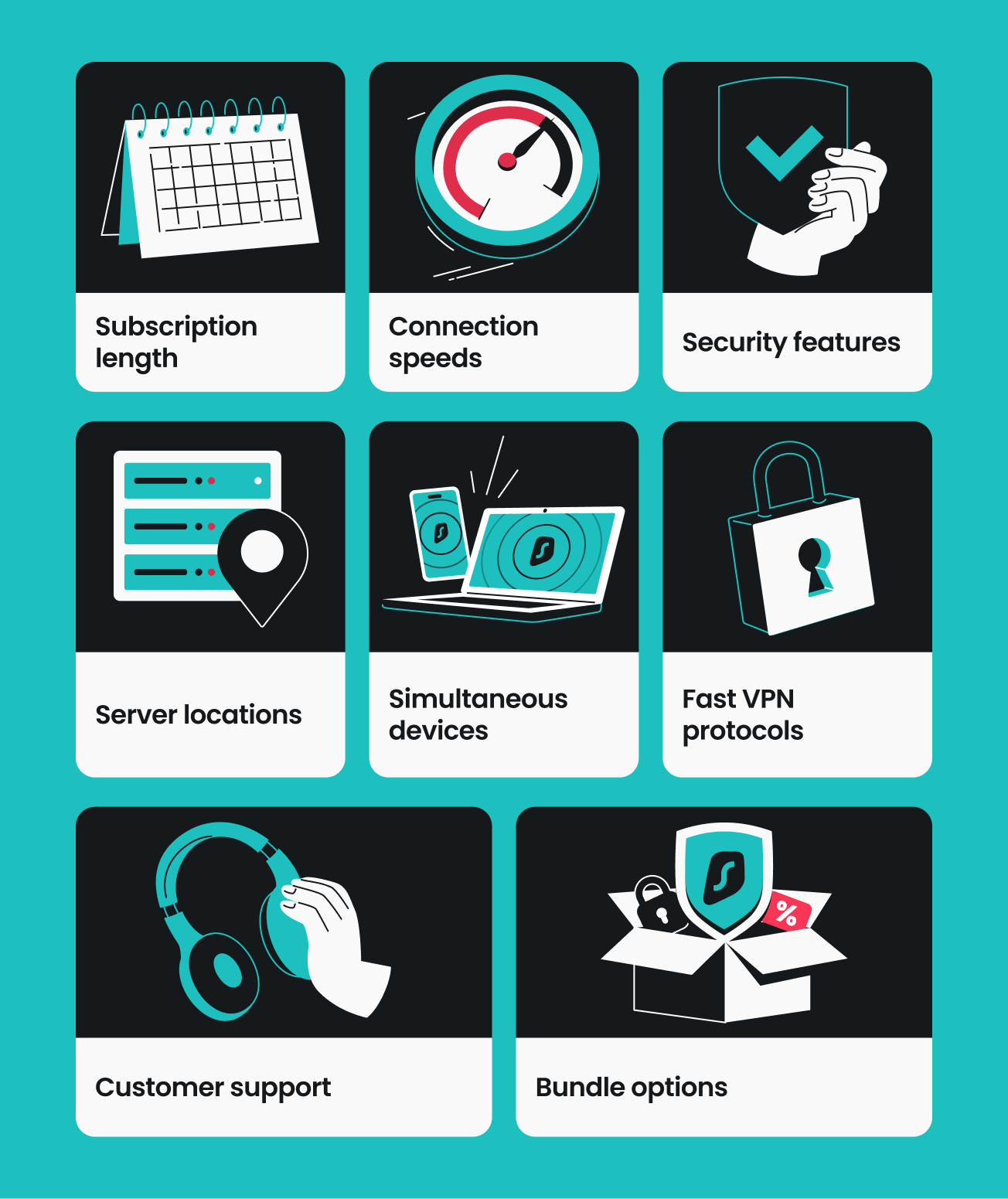
Subscription length
The most important factor affecting your VPN cost is how long you’re willing to commit to a plan. The best VPN services use this pricing strategy for reasons like:
- Lower customer acquisition costs: getting new users through traditional advertising and marketing is expensive;
- Reduced payment processing fees: processing one annual payment costs less than 12 monthly transactions;
- Predictable cash flow: upfront payments help providers plan for growth, invest in infrastructure, and cover operating costs more efficiently;
- Customer retention: users who pay upfront are less likely to switch providers.
Connection speeds
Maintaining fast VPN speeds requires large investments in high-quality servers and a robust network, which can increase providers’ operating costs. Some VPN services may offer a noticeably lower base internet speed, relying on limited resources to minimize expenses.
Surfshark, however, delivers high-speed connections at an affordable price by efficiently managing its network and continually investing in server upgrades and internal improvements, including its proprietary Dausos protocol.
Security features
The security features included in a VPN service can significantly impact pricing. Basic VPN functionality includes encryption and IP (Internet Protocol) address masking, but advanced features that require additional development can increase costs.
Standard security features that are available in most paid VPNs include:
- AES-256 encryption;
- No-logs policy;
- DNS (Domain Name System) leak protection;
- Kill switch functionality that cuts internet access if your VPN connection drops.
Users should expect even cheap VPN services to have these. On the other hand, many VPNs offer extra security features to justify higher costs, including:
- Double VPN routing through two VPN servers;
- Obfuscated servers for avoiding censorship;
- RAM-only servers that don’t store data;
- The option to switch your VPN protocol.
Even though Surfshark is one of the more affordable VPNs available, it still offers all the above features.
Server locations
A VPN’s server network represents one of its largest operational expenses. Providers with widespread server coverage tend to face higher infrastructure costs, which are reflected in the final price.
Here’s what specifically goes into server network expenses:
- Hardware costs: physical servers, networking equipment, and regular updates;
- Data center fees: renting space in secure facilities around the world;
- Bandwidth costs: data transfer fees that scale with user activity;
- Maintenance: technical support, upkeep, and hardware replacements.
Simultaneous device connections
The number of devices you can protect under one VPN subscription may affect pricing.
Proton VPN’s free plan, for example, only lets you cover one device at a time. Choose a paid plan, and you can simultaneously secure multiple devices.
Options like Surfshark and IPVanish boast unlimited simultaneous connections on all their plans without sacrificing competitive prices.
Fast VPN protocols
Maintaining high-performance protocols like Dausos and WireGuard requires significant spending on engineering and R&D.
Top VPN providers invest in these to ensure that strong encryption doesn’t come at the expense of speed or convenience. In contrast, budget services are more likely to stick to older protocols to save on development costs. Not only are these slower, but they can also expose you to security risks.
Customer support
A factor often overlooked in VPN pricing is the cost of 24/7 human assistance.
Keeping a global team of experts available via live chat and email is a major operational expense. Some VPNs might cut costs here, leaving users to rely on outdated forums or bot-only support. On the other hand, other providers include the cost of reliable, round-the-clock technical help in their subscription fees.
Bundle options
Several VPN providers let users choose between bundles of security tools, each with its own price point.
Take NordVPN. Its Basic plan provides a standalone VPN app, while more expensive bundles include features like a password manager, anti-malware protection, and cloud storage.
Likewise, Surfshark has three VPN plans available. The Surfshark Starter plan gives you reliable VPN protection, along with the Clean Web ad blocker and the Alternative ID online persona generator. Users who select a higher tier can unlock antivirus software, personal data leak alerts, scam protection, data removal, and more.
How can I save money on a VPN?
Smart shoppers can drastically reduce their VPN subscription cost with some good planning. It only takes these simple steps.
Look for long-term plans
Long-term plans often come with lower monthly rates than paying month-to-month. Choosing a plan that covers a year or more allows you to lock in these savings and avoid any unexpected price increases for the duration of your subscription.
Use seasonal or promotional discounts
Many VPN providers run regular sales cycles throughout the year, offering substantial discounts during key shopping periods. Look for the following:
- Back-to-school deals (August–September);
- Black Friday deals/Cyber Monday discounts (November–December);
- Winter and New Year holiday sales (December–January).
Apart from discounts off regular pricing, providers can offer extended subscription periods with bonus months, broader bundles, and other limited-time deals during these times.
Choose a bundle
Numerous providers offer additional value by bundling their VPN services with other tools, providing stronger cybersecurity protection at a fraction of the cost of buying each tool separately.
For example, privacy-conscious internet users might want a VPN, antivirus software, data removal service, and more. While buying each individually can be expensive, certain services let you access all of the above straight from your VPN app.
Try a money-back guarantee
The best VPN services let users try their tools risk-free with a money-back guarantee.
A 30-day money-back guarantee has become standard for most major providers. You can test a VPN’s performance, connection speeds, and online privacy protection to see if it fits your needs. If you’re unsatisfied, no-questions-asked refund policies make it easy to walk away worry-free.
Note: For more details on Surfshark’s 30-day money-back guarantee, check our refund guides.
How to choose a VPN
Choosing the right VPN depends on your specific needs and online habits. To find the best VPN for you, look for the items in the checklist below.
Privacy and security
- Strong encryption of internet traffic;
- Effective IP address masking;
- Strict no-logs policy;
- RAM-only servers.
Advanced features
- Protection from DNS leaks;
- Double VPN;
- Kill switch.
Connection quality
- Fast connection speeds;
- Large server network;
- Unlimited bandwidth.
User experience
- Intuitive VPN app;
- Quick and easy setup;
- 24/7 live customer support;
- Unlimited simultaneous connections.
If you’re not sure which VPN is best for you, Surfshark is a great place to start. It ticks all the boxes above and is one of the fastest VPNs around, so you don’t have to compromise security, usability, or performance.
Better still, when you choose one of Surfshark’s two-year bundles, you’re getting one of the most affordable VPNs available. Surfshark provides a comprehensive and hassle-free VPN experience that’s built for every type of user.
Free VPNs vs. paid VPNs
Even the best free VPNs usually won’t perform as well as paid alternatives.
Free VPNs typically offer users fewer servers to choose from and impose bandwidth limits, leading to slower speeds. In addition, using a free VPN can be risky, as these tools have been known to log your data or expose you to malware.
On the other hand, paid VPNs from trusted providers tend to offer more servers, fast speeds, and privacy protections like no-logs policies that keep your data secure.
Here’s a quick free VPN vs. paid VPN comparison, using Surfshark as a paid example:
|
|
Free VPNs
|
Surfshark
|
|
Data collection risk
|
High: free options can track your activity and share data with third parties
|
Low: Surfshark’s strict no-logs policy was independently verified by Deloitte in 2023 and 2025
|
|
Speed and bandwidth
|
Restricted: speed throttling and bandwidth limits are common
|
Unlimited: no bandwidth or speed caps are in place
|
|
Ads and trackers
|
Common: free tools may inject ads or allow trackers
|
Blocked: Clean Web offers built-in ad and tracker blocking
|
|
Customer support
|
Limited: free services often have no live help or slow response times
|
24/7: live chat and email support are available
|
|
VPN servers and locations
|
Few: frequently have overloaded servers that slow your connection
|
Thousands: lets you connect to 4,500+ high-speed servers in 100 countries
|
|
Encryption
|
Unreliable: may lack strong encryption standards
|
Strong: AEGIS-256X2, AES-256, and ChaCha20 encryption standards for increased data and privacy protection
|
Common VPN pricing mistakes
Comparing VPN costs may seem simple, but it’s easy to fall into one of many pricing pitfalls. Here are the most common VPN pricing mistakes prospective buyers may make:
Focusing only on promotional pricing
One thing to watch out for is an attractive introductory rate. Most top providers offer sizable discounts to attract new customers, but these prices are usually only valid for the first billing cycle.
A common mistake is failing to check the renewal price. If a service costs $2.00/mo for the first two years but jumps to $12.00/mo upon renewal, the long-term cost may be much higher than that of a competitor with a slightly higher initial fee but a lower renewal rate.
Comparing monthly prices only
When looking for the best value, many users only consider the month-to-month cost. A monthly plan offers flexibility and no long-term commitment, but it’s almost always the most expensive way to buy a VPN.
Most providers charge between $10.00 and $20.00 for a single month, while committing to a one- or two-year plan can reduce the monthly cost to just a few dollars. If you plan to use a VPN for more than a couple of months, choosing a long-term subscription can be a cost-effective strategy.
Ignoring included security features and bundled products
Getting the cheapest VPN might not be a good deal if the tool lacks essential protections. When comparing costs, look at what you’re getting for your money.
Some lower-priced services offer bare-bones encryption and few server locations. In contrast, slightly more expensive plans may include value-added features like ad blockers, dedicated IP addresses, split tunneling, and a double VPN.
Beyond standard connection features, many top providers offer comprehensive security bundles that provide better value than buying individual tools. A standalone VPN is nice, but look for subscriptions that include antivirus software, scam protection, data leak monitoring, and more.
If you end up paying for different tools separately because your budget VPN doesn’t include them, you haven’t actually saved any money.
Assuming free VPNs provide the same experience
Free VPNs may sound like an attractive option, but these often come with hidden costs to your privacy and performance. Free services may impose data caps or limit you to a handful of slow servers.
More importantly, maintaining a global server network costs money. If you aren’t paying for a VPN, your provider may be monetizing you by selling your browsing data to advertisers or third parties.
For a reliable and secure experience, a paid subscription is almost always the safer investment.
Surfshark pricing: what do you get?
Surfshark structures its pricing into three distinct tiers designed to replace multiple standalone subscriptions.
- Surfshark Starter: starting at $2.49/mo, this foundational tier is ideal for those primarily seeking online privacy and a smooth browsing experience. It includes a VPN with unlimited simultaneous connections, the Clean Web ad blocker, and the Alternative ID tool to generate alternate email addresses and contact information;
- Surfshark One: starting at $2.79/mo, this tier makes the value of bundling more apparent. In addition to everything in Starter, it adds Antivirus, data leak monitoring from Alert, real-time scam protection, and more;
- Surfshark One+: starting at $4.49/mo, this most comprehensive package adds identity theft coverage and data removal from Incogni to the stack.
Disclaimer: Identity theft coverage is available for new Surfshark One+ customers residing in the US, including US territories and the District of Columbia, except for New York State residents. Surfshark is not a licensed insurance producer. Benefits under the Master Policy are issued and covered by HSB Specialty Insurance Company. You can find further details and exclusions in the summary of benefits for the state of Washington and the rest of the US.
These tiers ensure you don’t pay for features you don’t need while offering significant discounts for users who want all-around security.

Take your online privacy to the next level
Get a feature-stacked VPN that doesn’t break the bank
Get SurfsharkFrequently asked questions
Is it worth paying for a VPN?
Yes, paying for a VPN (Virtual Private Network) is often worth it for greater online privacy and security. On top of encrypting your internet traffic and masking your IP address, reliable paid VPNs offer a vast server network, multiple simultaneous connections, and features like a kill switch that enhance the online experience.
Is there a 100% free VPN?
Yes, some providers offer a completely free plan, but these usually come with limitations such as slower speeds or a smaller server network. Some free VPNs may also display ads or collect usage data. If you need better performance and security, even a reputable, cheap VPN will likely be a safer choice.
Is an expensive VPN always better than a cheap one?
No, an expensive tool isn’t always better than a cheap VPN. In general, the cost of a VPN service doesn’t directly reflect the quality of your VPN connection.
Some of the best cheap VPN options offer the same features and high-quality encryption of your browsing data. Cheap VPNs can perform better in speed tests as well.
On the other hand, expensive providers may increase VPN pricing for features most users don’t need. That’s why the best VPN for you could be a more affordable option.
What is the cost of a VPN for iPhone?
VPNs for iPhone typically cost between $2.00 and $20.00 per month, just like on any other device. The price depends on many factors, including the provider and subscription length.
Many VPN options offer money-back guarantees, so you can test out different VPNs risk-free before committing to one.
Which VPN has the best price?
The VPN with the best price is hard to identify, as you’ll likely see providers charging different prices depending on features, seasonal promotions, and subscription length. That said, the cheapest monthly VPNs tend to offer the best VPN deals when you choose long-term subscriptions.
The best cheap VPN should offer advanced security tools, many server locations, and features like a no-logs policy to enhance your internet privacy.
Why do VPN prices vary so much?
VPN prices vary widely because of how each service is packaged and the quality of its underlying technology:
- Introductory discounts: promotional rates are often heavily marketed but only apply to the initial subscription period;
- Renewal pricing: after the initial promotional period ends, plans typically renew at a higher rate;
- Monthly vs. yearly billing: monthly plans are priced higher, while annual or multi-year plans offer deep discounts;
- Bundled security features: higher-priced tiers often include a suite of tools, such as an antivirus, data leak alerts, and an alternative ID generator;
- Provider infrastructure: more expensive providers usually invest more in 10 Gbps server hardware, advanced protocols, and regular independent security audits.