
Google personalizes and localizes results more than most people realize, which can quietly skew analysis, rankings, competitor research, and keyword data if you only ever search from one place. A VPN changes your visible location and encrypts your connection, so SEO teams can see local search results in another country or city rather than the results shaped by their own location.
Below, you’ll find out why and how to use a VPN for SEO, plus the common mistakes to avoid.
What is a VPN and how does it work?
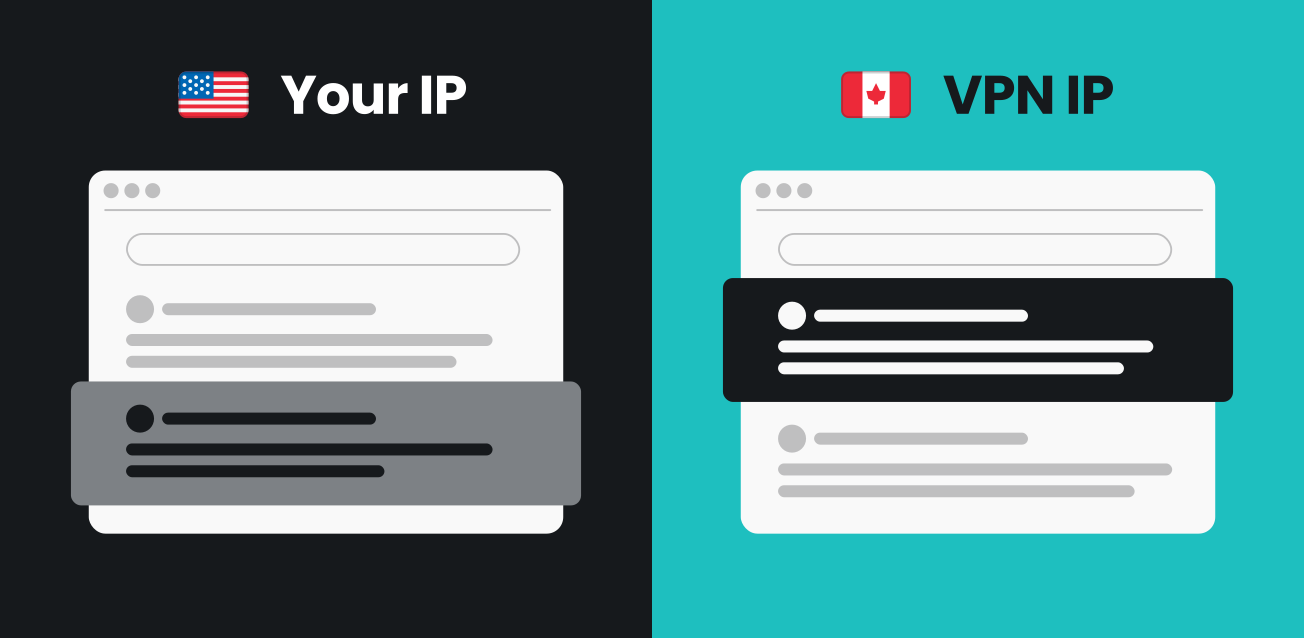
A VPN (Virtual Private Network) reroutes your internet traffic through a server in a location you choose and encrypts it along the way. To Google, or any site you visit, it looks like you’re browsing from wherever that server is, not from your actual location.
For SEO purposes, that means you can pick a server in Berlin and see the German search results for your target keyword, then switch to a server in Chicago and see the US version, all without leaving your desk.
Why should you use a VPN for SEO?
There are several reasons why VPNs earn their place in SEO workflows.
1. Check Google rankings from different locations
Google adjusts what it shows based on where you are searching from. Google’s own representatives confirmed this DOJ antitrust trial testimony, citing weather searches as an example: someone searching for “weather” on a desktop in Washington, D.C. would see their local forecast, not Chicago’s. So the rankings you see from your office might not match what a customer in another city or country actually gets.
A VPN lets you check this directly. Connect to a US server, search “best VPN,” then switch to a German server and run the same search. You’ll often see a noticeably different set of results, shaped by local competition, language, and IP-based filters.
Here’s what that looks like in practice, from someone who does this daily:
“For SEO research, I use a VPN to navigate as a local user and see the live SERP instead of relying only on potentially outdated snapshots from SEO tools. This lets me review AI Overviews to understand how Google structures and summarizes information, sponsored results to gauge commercial value, and other SERP features to see which formats are prioritized. It also helps reveal subtle differences in intent for the same keyword across locales that share a language.” — Alejandro Durán Barreiro, On-site SEO Specialist, Surfshark
Beyond location, Google also utilizes your surfing and search history to personalize results. A VPN, especially when paired with a private or incognito window, strips away much of that bias and gives you a cleaner view of how an average searcher would see the page.
2. Monitor competitors accurately
A VPN removes personalization bias when you check on competitors, letting you view their ads, snippets, and featured results the way someone in their target market actually sees them rather than a version shaped by your own search history.
This pairs well with rank-tracking tools like Ahrefs, Semrush, or AccuRanker. The VPN handles the location change, while the tool handles the tracking.
3. Research local keywords and search intent
Keyword suggestions and SERP features aren’t identical across regions. A phrase that triggers a featured snippet in the UK may return a plain list of links in Australia.
Switching servers lets you gather localized keyword and intent data yourself rather than guessing from a single vantage point. For example, a local server often surfaces different “People also ask” questions and autocomplete suggestions, giving you keyword ideas you wouldn’t see from your home location.
4. Test website localization and international SEO
If your site runs on hreflang tags or region-specific paths like /en/ or /de/, a VPN is the fastest way to confirm they actually work. Connect to a server in each target country and verify that the correct language version, pricing, and currency load correctly without separate testing.
For example, if your site is meant to serve German content at /de/, but a VPN check from a German server still lands on the English homepage, that’s a clear sign your hreflang setup isn’t resolving correctly.
5. Protect privacy while managing multiple accounts
A VPN also gives agencies and freelance SEO specialists managing multiple client accounts a privacy advantage: your real IP address and location stay hidden from every platform you log into. And because that IP isn’t fixed, you’re not stuck with it if it ever gets flagged or blocked as reconnecting typically gives you a different one, so the problem doesn’t follow you around.
How to use a VPN for SEO tasks
Using a VPN for SEO is pretty straightforward.
1. Choose a reliable VPN
The best VPN for SEO work comes down to a few practical criteria: fast, stable connections, a wide choice of server locations, and consistent performance. These features help make location-based testing smoother and more reliable.
2. Select the right server location
Pick a server based on the market you’re analyzing. If you’re checking how a page ranks in Canada, connect to a Canadian server, not the US one a few hundred miles away; results can differ by country even when the physical distance is small. For the US, it is also worth picking state-specific servers.
3. Combine the VPN with SEO tools
A VPN handles location, and your existing SEO stack handles the rest. Connect to your target server first, then run the tools as usual; they will pull results based on your VPN location, not your real one:
- Rank trackers like Ahrefs or Semrush;
- Keyword research tools;
- Browser extensions such as SEO Minion for quick on-page SERP checks.
4. Verify data across multiple locations
Build a simple, repeatable workflow: switch servers, check the SERP, record what you see, then compare across locations before drawing conclusions.
Best VPN features for SEO professionals
There is no single best VPN for SEO, but here’s what to look for:
|
Feature
|
Why it matters for SEO
|
|
Large server network
|
Wider global reach means you can test more markets accurately. Surfshark has 4,500+ servers in 100 countries.
|
|
Fast, stable connections
|
Slow or dropping connections make crawling and repeated SERP checks unreliable
|
|
No-logs policy
|
Keeps research and account activity private
|
|
Dedicated IP
|
Lets you skip the CAPTCHAs that come from sharing a server’s reputation with others, and gives you a consistent IP that banking apps, remote networks, and other whitelisted services expect
|
|
Browser extensions
|
Useful for quick, in-browser SERP checks without extra software
|
|
Multi-device support
|
Lets you test and verify from both desktop and mobile
|
Surfshark VPN fulfills all of these, offering a large global server network and a Dedicated IP add-on for SEOs who need a stable, repeatable connection for daily rank checks.

Common mistakes when using VPNs for SEO
These are some common mistakes you should be aware of so you can get the most out of a VPN for SEO:
- Relying on a single server. One location gives you one data point, not the full picture. Switch servers for the specific markets you actually care about;
- Forgetting to clear cookies. Switching servers changes your IP, but stored cookies and login sessions can still personalize what you see, quietly undoing the whole point of the check;
- Using free VPNs. Free services often route many users through the same shared IP, which can produce throttled speeds and inaccurate or outdated location data. Additionally, free VPNs are often unsafe;
- Expecting hyperlocal precision. A VPN places you in a country or region, not a specific zip code or neighborhood. If you want city-block-level tracking, pair it with a dedicated local-rank tracker;
- Skipping proper SEO tools. A VPN gives you accurate location data, but it doesn’t track rankings over time on its own. Pair it with a rank tracker for the full picture.
VPN vs. proxy for SEO: which is better?
A VPN is the better choice for most SEO work because it adds encryption that a proxy doesn’t. Here’s how they compare:
|
Feature
|
VPN
|
Proxy
|
|
Encryption
|
Yes
|
No
|
|
IP change
|
Yes
|
Yes
|
|
Speed
|
Stable
|
Variable
|
|
Privacy
|
High
|
Moderate
|
|
Ideal for
|
Secure, multi-task SEO use
|
Lightweight, one-off testing
|
A proxy can be enough for a quick, single-site location check. But it skips encryption entirely, which is a real gap if you’re logging into client accounts or handling sensitive research data. That gap is why a VPN is the more reliable pick for anything involving client data, login sessions, or repeated daily testing. Surfshark is easy to set up with one click and takes under 2 minutes.
Conclusion: is a VPN worth adding to your SEO toolkit?
Yes, a VPN is good for SEO and worth adding to your toolkit because it stops your location and personalization from skewing the data you rely on to make decisions. VPNs help SEO specialists collect more accurate location-based data, keep client research private, and catch localization issues before they cost rankings.
If you’re checking rankings across markets, keeping tabs on competitors, or verifying a hreflang setup, a VPN turns guesswork into something you can actually verify.
FAQ
Is using a VPN for SEO legal?
Yes, using a VPN for SEO research is legal in most countries, since it changes your visible location and encrypts your traffic rather than altering any content. A small number of countries restrict or ban VPN use, so check the local rules before connecting.
Does a VPN affect SEO rankings?
No, a VPN doesn’t change your site’s actual rankings; it only changes where Google thinks the search is coming from, so you can see results as another market would. The ranking factors behind your site’s position remain the same, no matter which server you connect through.
What is the best VPN for SEO?
There’s no single best VPN for SEO. It comes down to matching a few practical features, like wide server coverage, stable connections, and a no-logs policy, to your specific workflow, covered in the features section above.
What is the best country to use a VPN for SEO?
There’s no single best country, as it depends entirely on the market you’re analyzing. Connect to a server in each region you target (for example, the UK, Germany, or Australia) rather than picking one country by default.
Can I use a free VPN for SEO tasks?
You can, but free VPNs are often unsafe due to logging or selling your data, or even bundling malware. A paid VPN enhances your cybersecurity rather than compromising it.