Alexa doesn’t spy on you. But if you want to be precise, the answer is a little more nuanced than a simple yes or no. After all, Alexa is built to listen for and process voice commands, which means it can sometimes pick up more than it should.
So before you decide whether to bring Alexa into your home, let’s take a look at how it actually works, which privacy concerns are worth your attention, and what you can do to protect yourself.
What is Amazon Alexa?
Amazon Alexa is a cloud-based voice assistant developed by Amazon. It’s built into thousands of products, from Amazon’s own devices like the Echo Dot and Fire TV to third-party apps, wearables, appliances, and even cars.
Depending on the device, you can use Alexa to:
- Make calls;
- Play music;
- Set reminders;
- Manage to-do lists;
- Check traffic updates;
- Answer everyday questions;
- Control connected smart home devices like lights, security cameras, and thermostats.
How does Alexa work? Most interactions follow these basic steps:
- You say the wake word to activate the device.
- Alexa records your request and sends it to Amazon’s cloud servers.
- Amazon’s systems process your request and find the right response or action.
- The result is sent back to your device.
- Alexa then delivers the answer or executes the task.
Is Alexa always listening?
Yes, Alexa is always listening, but not quite in the way many people imagine.
Alexa-enabled devices like the Echo keep their microphones on because they’re designed to listen for a wake word — usually “Alexa,” though you can change it. This is known as keyword spotting or wake word detection.
This is also where most of the confusion starts. Some people hear that Alexa is “always listening” and assume it means Alexa spies on you. In reality, Alexa is always listening for its wake word, which is very different. Though the microphone is always on, it’s not actively recording or sending everything you say.
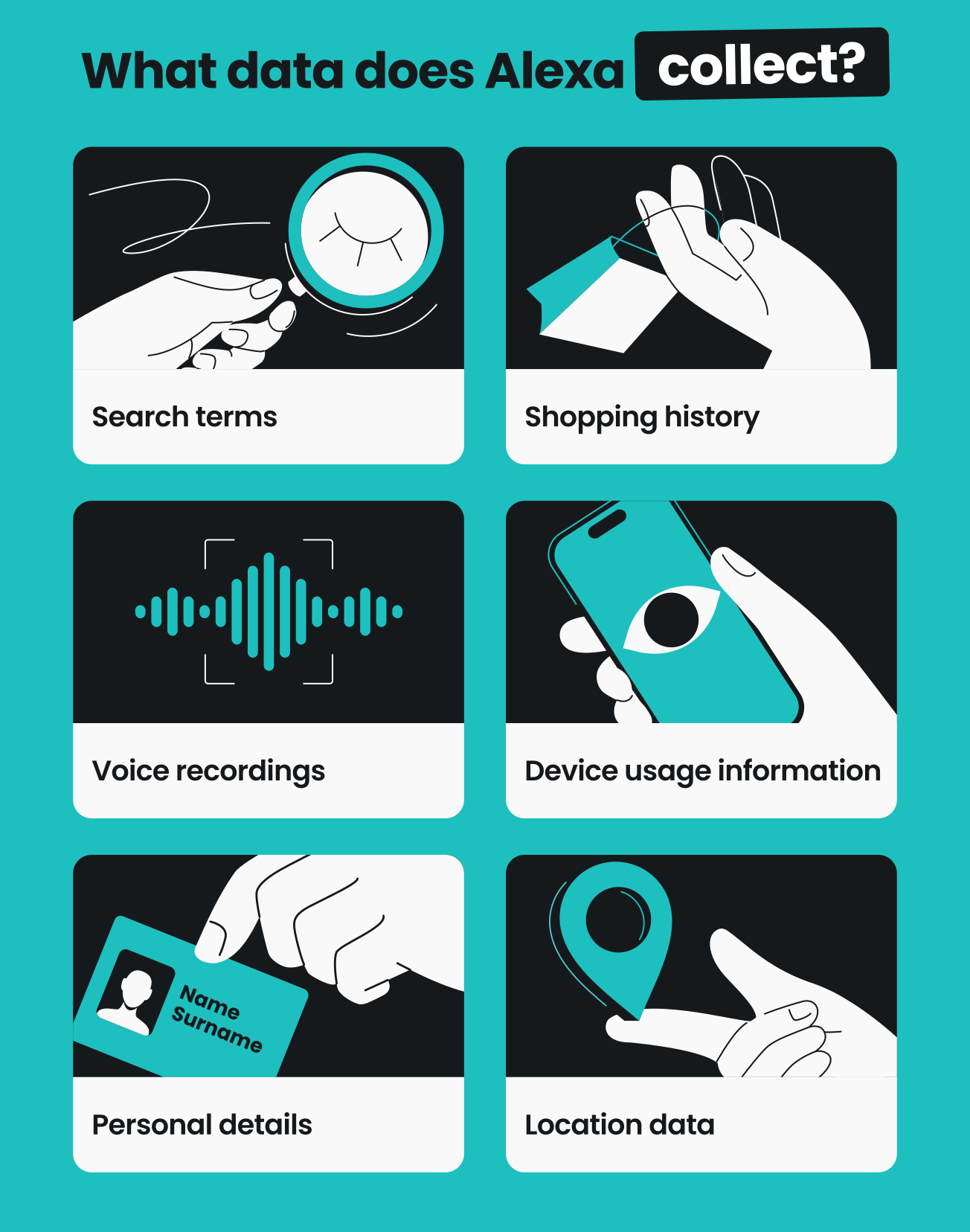
Alexa is designed to only collect audio data like your search terms, shopping requests, and voice history — not everything it hears.
That said, mistakes can and do happen. Sometimes sounds from your TV or your conversation with a friend might sound similar enough to accidentally trigger the device. This isn’t exclusive to Alexa either — other voice assistants like Siri, Google Assistant, and Samsung Bixby can experience similar false activations.
And when that happens, it can further muddle things and make it feel like Alexa is listening more than it actually is.
Does Alexa record conversations?
Alexa doesn’t record or store everything you say throughout the day. Instead, it only captures what you say after it detects your wake word.
Most of these recordings come from instances when you’re actively interacting with Alexa, like when you ask a question or give a command. In some cases, though, it may also record short audio clips unintentionally if Alexa is triggered by mistake.
Whether intentional or accidental, Alexa still sends the snippet to Amazon’s cloud servers for processing. Once the processing is done, these recordings are stored in the cloud and linked to your Amazon account.
That said, you still have some control over the recordings. You can review or delete them at any time, decide how long Amazon keeps them, or turn off voice history storage altogether if you prefer.
Can the Echo Dot be used by hackers to spy on you?
It’s unlikely for hackers to use an Echo Dot to spy on you, though it’s not completely impossible.
While smart speakers like the Echo Dot can be targeted in some situations, you can’t just flip a switch and turn it into a spy device. In reality, attacks like this usually require very specific conditions, such as physical access to your device, access to the same Wi-Fi network, or an already-hijacked Amazon account.
This actually came up at the 2018 DefCon security conference. Here, researchers showed how a modified Amazon Echo could exploit a weakness in how Echo devices communicated over the same Wi-Fi network and potentially take control of nearby speakers. In theory, this could turn them into hidden listening devices.
However, the researchers also highlighted a major catch: the attack required a physically altered device and access to the same network, making it highly complex and impractical for most attackers. Amazon has since patched the vulnerability.
What actually happens when you use Alexa
While Alexa isn’t designed to spy on you, there are still a few privacy risks you should be aware of before you start using it.
Amazon shares a lot of Alexa data with third parties
According to Amazon, it doesn’t sell customers’ personal data, but it does share certain Alexa data with third parties.
These can include:
- Service providers that help run Amazon’s systems, such as cloud infrastructure providers or technical support teams;
- Integrated service partners that connect their services to Alexa, like music streaming platforms, smart home device manufacturers, and navigation apps;
- Developers behind Alexa skills — the apps that extend Alexa’s functionality — such as food delivery services, ride-hailing apps, or smart home systems.
This means parts of your Alexa activity may be processed outside Amazon, and you may not always have full visibility or control over where it’s sent or how it’s stored. What gets shared also depends on how you use Alexa. Since Alexa is used for everything from smart home control to everyday requests, it can reveal patterns about your routines, interests, and household activity.
Amazon might not delete your data when it says it does
Amazon lets you review and delete your data. You can also choose to automatically delete your voice recordings, text transcripts, and typed Alexa requests after a certain period of time, or stop saving voice recordings entirely.
But an official 2023 complaint from the Federal Trade Commission reveals that deleting your data doesn’t always mean it’s removed from all of Amazon’s systems.
According to the complaint, Amazon repeatedly told Alexa users they could delete voice recordings and geolocation data. However, Amazon allegedly retained this data for years and used it to train Alexa’s algorithms. Amazon later agreed to pay a $25 million civil penalty to settle the case.
Today, while you can now manually delete voice recordings through the Alexa app, Amazon’s privacy policy still states:
“We may still retain other records of your Alexa interactions, such as attachments you shared with Alexa, information you provided through your interactions, records of actions Alexa took in response to your requests, records of products you searched for, and other information related to your requests.”
Amazon employees may listen to your voice recordings
A 2019 Bloomberg report revealed that Amazon had thousands of employees and contractors listening to, reviewing, and transcribing samples of Alexa voice recordings to help improve the system. Some of those recordings might have even picked up unintended or sensitive background audio.
The same report also noted that reviewers sometimes used internal chat rooms to share files and help make sense of unclear audio. In some cases, people working on the transcription may have had access to additional information linked to the recording, including location data.
Following the report, Amazon introduced the option to opt out of saving your voice recordings. Nevertheless, as of March 2025, voice data still gets sent to Amazon’s servers by default, even if you have chosen not to store the recordings long-term.
Accidental activations and misinterpretation
In theory, Alexa should only record after hearing its wake words. However, false activations do happen, as they do with other voice assistants.
Here are a few examples of Alexa misfiring or misinterpreting:
- A 2021 class action lawsuit accused Amazon of secretly recording conversations after Alexa devices allegedly misinterpreted words and activated accidentally, even when users didn’t intentionally say the wake word;
- Researchers from Ruhr-Universität Bochum and the Max Planck Institute for Security and Privacy found that more than 1,000 words could incorrectly trigger voice assistants, including Alexa;
- A 2020 study from Northeastern University and Imperial College London found that smart speakers, including the Amazon Echo Dot, could accidentally activate and start recording as many as 19 times per day.
How to stop Alexa from unnecessary listening
You don’t necessarily need to ditch Alexa over privacy worries. Instead, with a few simple changes, you can minimize unnecessary listening and manage your data better. This is how you do it:
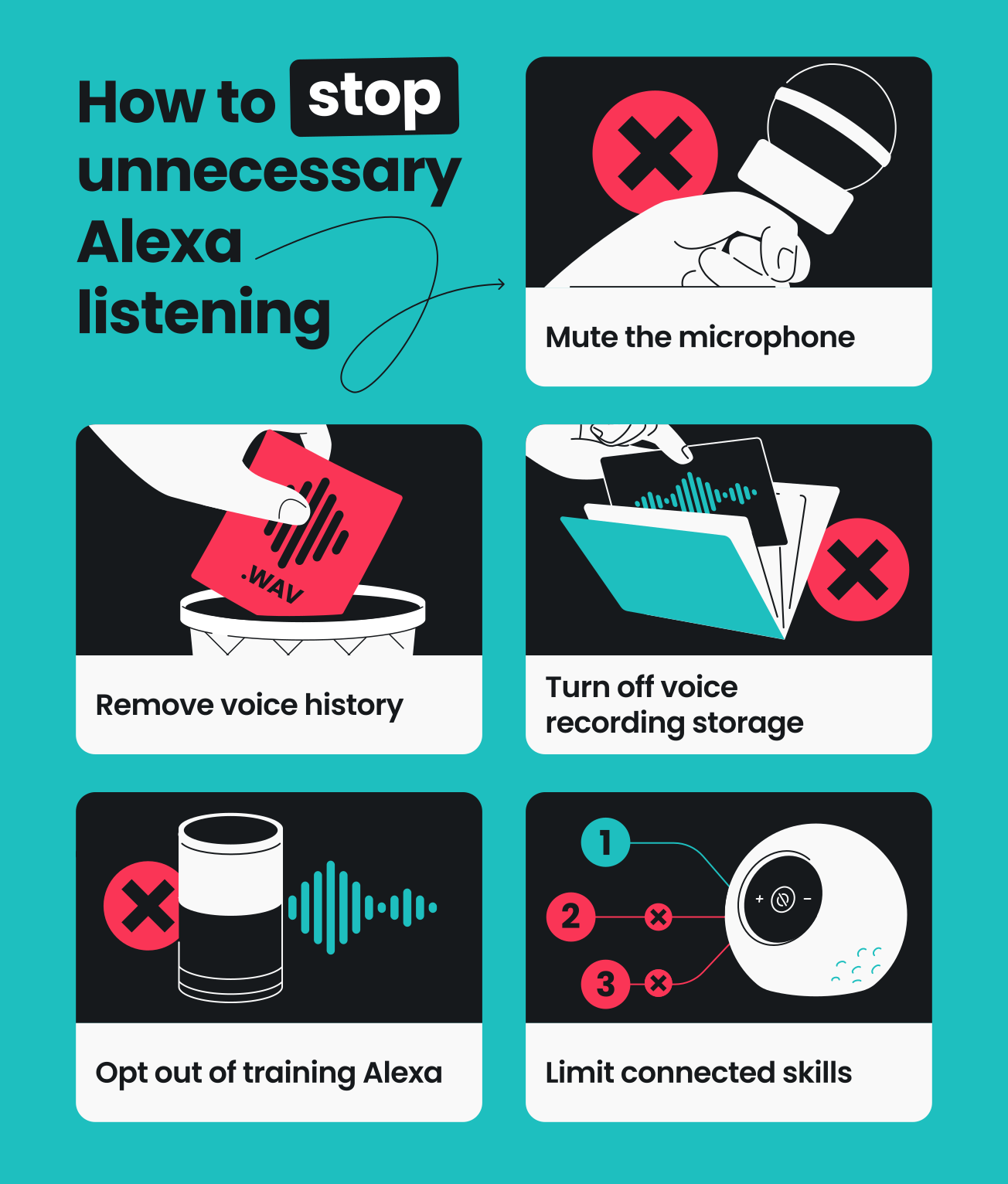
Mute the microphone when you’re not using Alexa
The first and most straightforward step is to mute the microphone.
If you’re using an Echo device, every model has a physical button that turns the microphone off completely. Once it’s switched off, Alexa no longer listens for the wake word. This also means you don’t have to worry about the device capturing anything in the background when you’re not using it.
Remove existing voice history
Clearing your voice history helps you control what Alexa keeps about you. It limits the amount of stored recordings linked to your account, including older interactions you may have forgotten about.
Here’s how:
- Go to Alexa Privacy Settings in your browser.
- Select Review Alexa History.
- Use the drop-down menu to choose a date range, or filter by device or profile.
- Select the recordings you want to delete, or choose Delete all history.
- Select Delete to confirm.
Limit voice recording storage
Once you’ve cleaned up what Alexa has already stored about you, the next step is to tweak your settings so it doesn’t save new recordings, or only keeps them for a short time.
This is how you do it:
- Go to Alexa Privacy Settings in your browser.
- Scroll down to Manage Your Alexa Data and select it.
- Select Choose how long to save.
- Select Don’t retain.
You can also delete recordings using voice commands, such as “Alexa, delete what I just said” or “Alexa, delete everything I said today.” All you need to do is switch on the Enable deletion by voice toggle.
Opt out of training Alexa
The rule of thumb is simple: the less of your data that’s out there, the better. That’s why it’s also a good idea to stop your voice recordings from being used to help train Alexa.
Here’s how:
- Go to Alexa Privacy Settings in your browser.
- Scroll down to Help improve Alexa.
- Toggle off the Use of voice recordings button.
- Select TURN OFF.
Review connected Alexa skills
Managing Amazon’s settings is only part of the picture. To really close the gap, you also need to review third-party skills connected to Alexa. If you’re not using a particular skill, turn it off to minimize unnecessary access to your data.
Here’s how:
- Go to Alexa Privacy Settings in your browser.
- Select Manage Skill Permissions and Ad Preferences.
- Review the skills you’ve enabled and turn off any you no longer use.
Pro tip: A trusted VPN (Virtual Private Network) like Surfshark VPN can add an extra layer of privacy. It masks your IP (Internet Protocol) address, making it harder for third parties to link your Alexa activity to your location or home network. Download and install the VPN on your router to help protect all devices connected to your Alexa setup.
Should you be worried about Alexa spying on you?
You don’t necessarily need to worry about Alexa spying on you, as it isn’t built to listen in on your private conversations or actively monitor you. That said, as with any voice assistant, there are still some privacy risks to keep in mind.
However, rather than avoiding it entirely, it simply means using Alexa more consciously. Review your voice history and adjust your privacy settings. For added protection, you can use Surfshark VPN to make it harder for third parties to trace your Alexa activity back to you or your location.

FAQ
Is it safe to have Alexa in the bedroom?
Yes, it’s generally safe to have Alexa in the bedroom if you’re thinking about physical security. But when it comes to privacy, security and tech experts often suggest keeping voice assistants like Alexa in less personal spaces. Living rooms or kitchens are generally considered better options than more private areas like bedrooms or bathrooms.
This is because accidental activations can happen. And when they do, Alexa may unintentionally capture short recordings of background sounds, private moments, or sensitive conversations.
Does Alexa spy on conversations?
No, Alexa generally doesn’t spy on conversations. It mainly listens for its wake word before it starts recording or processing anything. However, accidental activations can happen if it mistakenly thinks it has heard the wake word and begins recording.
Is Alexa recording at all times?
No, Alexa isn’t recording at all times. Instead, it’s designed to stay in a passive listening mode and only start recording after it detects its wake word.
What color is Alexa when someone is listening?
When someone is listening through Alexa’s Drop In feature (its intercom-like function), the device shows a green light. This indicates that a Drop In or call is currently active, so you can hear and speak through the device.
On the other hand, a circular blue light usually means Alexa is listening to or processing a request.