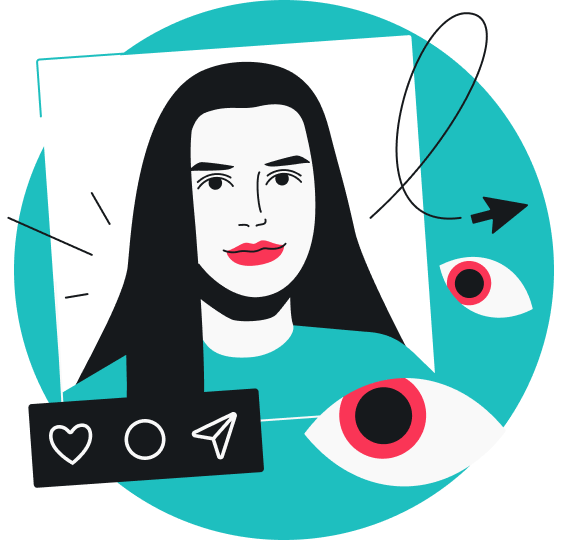
You can’t see who views your Instagram profile, as the platform doesn’t provide a feature to track profile visitors. Any claims to the contrary — especially from third-party apps — aren’t reliable and can be risky.
That said, Instagram doesn’t leave you completely in the dark. There are still other metrics, and you can also infer some information indirectly. Keep reading to learn what you can and can’t see on Instagram, and how to better protect yourself while using the app.
Can you see who views your Instagram profile?
No, Instagram doesn’t provide any feature that shows who views your profile. There are no official ways or legit workarounds to track profile visitors. Instead, you can only see who views your Stories and Lives, along with post engagement such as likes and comments.
Why Instagram doesn’t show profile visitors
Instagram doesn’t show profile visitors for a variety of reasons. All of them are intentional.
The number one reason is privacy. Much of Instagram use is casual — people scroll through the feed, watch Reels, and browse profiles out of curiosity. If every visit were visible, even a quick peek on a whim would feel socially loaded. That added visibility would make people less likely to explore freely, ultimately reducing how much time they spend on the app.
There’s also the risk of misuse. If profile viewers were visible, it could lead to unwanted contact, awkward confrontations, or added social pressure. It could also push businesses, creators, or even bad actors toward more aggressive tactics, like targeting users who viewed their profiles with unsolicited DMs, sales pitches, phishing, or intrusive tracking.
Instagram also doesn’t show profile visitors because profile views don’t say much about real engagement and are harder to interpret — someone might open your profile by chance and leave right away, while another might go through your posts in detail. Instead, the app focuses on more direct metrics such as likes, comments, shares, and Story views.
What you can actually see on Instagram
The Instagram app actually offers a fair bit of visibility into how people interact with your account. However, none of it amounts to profile tracking or tells you exactly who is visiting your profile.
Here’s what you can actually see:
- Story viewers: you can see who watched your Story while it’s live and for up to 48 hours after posting;
- Likes and comments: you can see who liked your posts or Reels, who commented, and what they said;
- Followers: your follower list gives you a view of who has opted to follow your account;
- Insights: with a Business or Creator account, you get additional analytics like views, accounts reached, and total number of profile visits, but not specifically who visited.
Can Story views show who is checking your profile?
No, Story views don’t show who is checking your profile.
When you post an Instagram Story, you can see which accounts watched that specific Story while it’s live and for up to 48 hours after posting. However, that doesn’t reflect general profile visits.
If your account is public, someone — whether they follow you or not — can watch your Story without ever opening your profile, and, conversely, they can check out your profile without viewing your Story at all. And if your account is private, only your followers can view your profile or Story.
The viewer list is also very limited in what it does tell you. It only shows that an account viewed your Story at least once. You won’t see how many times they rewatched it, how often they visited your profile, or why they viewed it.
Apps that claim to show “stalkers”
You’ll see plenty of third-party apps claiming they can show you who’s “stalking” or repeatedly visiting your Instagram profile. In theory, they sound useful. In reality, they usually don’t work the way they claim.
For starters, Instagram’s API (Application Programming Interface) — a set of rules that allows other software to interact with Instagram — doesn’t provide access to this kind of data. That means no external app can actually track who has viewed your profile, how often they’ve done it, or when it happened.
What these apps do instead is rely on guesswork based on engagement signals such as likes, follows, and other interactions. In many cases, the results may even be fabricated.
Inaccuracy aside, a more serious concern is what these apps require you to do. Most will ask you to log in with your Instagram credentials or connect your account directly.
This comes with real security risks, including:
- Data theft: your login details and personal information may be stored, sold, or misused without your knowledge;
- Account compromise: these apps can change your password, lock you out, or use your account to send spam or suspicious messages;
- Phishing: some apps redirect you to phishing websites designed to steal your credentials, personal data, or financial information.
It’s also worth noting that such apps violate Instagram’s Terms of Use since the platform doesn’t allow automated data collection or scraping. So, using them can put your account at risk of suspension or deletion.
Is there any real way to know who checks your profile?
There is no real, direct way to know who checks your Instagram profile.
At best, you can only make indirect assumptions based on visible activity such as likes, comments, Story views, or follows. If you have a Business or Creator account, Instagram Insights provides more detailed analytics, like reach and audience engagement.
However, none of these show actual profile visits, and they aren’t accurate or precise indicators of who has been visiting your profile. Still, they can give a limited, general sense of how people are engaging with your account.
What to do if you’re worried about stalking or unwanted attention
You might not be able to see who visits your Instagram profile, but that doesn’t mean you’re completely powerless. If you’re worried about suspicious activity or unusual engagement on your account, there are a few simple ways to take back control:
Make your account private
The quickest way to limit who can see your content on Instagram is to switch your account to private.
Here’s how to do it:
- Go to your Instagram profile.
- Tap the three horizontal lines in the top right corner to open the menu.
- Go to Who can see your content and select Account privacy.
- Toggle on Private account.
Restrict or block users
Instagram also offers options to restrict or block specific users. Restricting lets you quietly limit interactions. The person won’t see when you’re online and can’t tag or mention you. Blocking takes it a step further — it prevents them from finding your profile, viewing your content, or sending you messages.
To restrict:
- Go to the person’s Instagram profile.
- Tap the three vertical dots in the top right corner.
- Select Restrict.
To block:
- Go to the person’s Instagram profile.
- Tap the three vertical dots in the top right corner.
- Select Block.
- Choose Block or Block and report.
Control story visibility
If you suspect someone has been stalking you on the platform, you can hide your Instagram Stories from them. This is especially useful if you often post Stories in real time, since they reveal what you’re doing in the moment and can include personal, up-to-date details.
Here’s how:
- Go to your Instagram profile.
- Tap the three horizontal lines in the top right corner to open the menu.
- Go to Who can see your content and select Story, live and location.
- Tap Hide story and live from.
- Search for their username and select it.
- Tap Done.
Review followers
If you have followers you don’t trust, or who have crossed a line, you can manually remove them. It’s also a good idea to regularly review your follower list to make sure you’re comfortable with everyone following you.
Here’s how:
- Go to your Instagram profile.
- Tap followers.
- Review the list.
- Tap the X (cross icon) next to the account you want to remove.
- Confirm Remove.
Best practices for a more secure Instagram experience
Like any other social media platform, Instagram comes with its own risks. However, you can greatly reduce them by taking a few simple steps to protect yourself.
Checklist: Instagram security basics
- Avoid suspicious apps
- Keep your login credentials private
- Verify links
- Review account settings
Avoid suspicious apps
Steer clear of sketchy third-party apps that seem too good to be true. These apps often make bold claims like they can show Instagram stalkers, boost user engagement, or increase followers. Most of them aren’t legitimate. As a rule of thumb, it’s best to skip any app that asks for your Instagram password or redirects you to an external login page.
Keep your login credentials private
Never share your Instagram login credentials with anyone. The platform will not ask for your password through DMs, external links, or even emails. If you ever receive a message or land on a page requesting your login information, treat it as fraudulent and avoid interacting with it.
Verify links
Take extra care before clicking on links sent through DMs, messages, emails, or pop-ups. Many malicious actors create fake Instagram login pages to trick you into entering your credentials in phishing attacks. Always double-check the URL and avoid clicking any unfamiliar or unexpected links.
Review account settings
Check your Instagram account settings every now and then. This can help you catch suspicious account activity, unusual engagement, or simply anything unfamiliar. You can then take action before things escalate.
Take the time to:
- Check active login sessions;
- Review connected apps;
- Revoke access for anything you don’t recognize;
- Remove unfamiliar or old devices;
- Enable 2FA (Two-factor Authentication) for added protection.
Pro tip: Unsecured public Wi-Fi networks — like those in cafés, hotels, or airports — can make your connection more vulnerable to interception. Whether you’re scrolling Instagram, shopping online, or sending emails, a trusted VPN (Virtual Private Network) can add an extra layer of protection by encrypting your internet traffic.
Protecting your personal information online
You may not be able to stop people from looking up your Instagram profile or accurately track who visits it, but you can control what they can see and access.
A few simple adjustments can help improve your privacy:
- Limit oversharing: keep sensitive information like your location, daily routine, or other personal details out of your posts and Stories;
- Control visibility: be intentional about who can view your content and adjust your settings so you’re only sharing with people you trust;
- Manage permissions: review the apps, tools, or services that have access to your Instagram account, and remove anything you don’t recognize or no longer use.
Put privacy first on Instagram
You can’t see who views your Instagram profile because the platform doesn’t offer any built-in tool to track profile visitors. And despite what you might see online, there are also no legitimate workarounds. Most third-party apps making that claim are unreliable and can even compromise your privacy.
Ultimately, the best way to limit what others can see on your Instagram is to use the platform safely and intentionally. Switch to a private account, restrict or block any suspicious accounts, and regularly review your followers and account settings. For extra protection, you can also use a VPN to encrypt your connection, especially on public networks.
FAQ
Can I see who stalks me on Instagram?
No, you can’t see who stalks you on Instagram. The platform doesn’t offer any feature to track profile visitors or identify who’s secretly visiting your account.
Be extremely careful with apps or services that claim they can show you who visits your profile. Most of them don’t work, and some can actually put your data at risk.
If you’re worried about someone monitoring your activity, you can take a few precautionary steps, like making your Instagram account private, hiding your Stories, or restricting or blocking the person.
Can you tell who has looked at your Instagram?
No, you can’t tell who has looked at your Instagram profile. The platform does this mainly to protect privacy, prevent misuse, and prioritize measurable engagement.
Instead, you can only see certain interactions, such as who viewed your Stories or liked and commented on your posts.
Can someone know I am stalking them on Instagram?
No, Instagram doesn’t show profile visitors, so they won’t know if you’ve been looking at their profile. They can only see if you view their Stories, send them messages, or like and comment on their posts. That said, it’s always best to use social media respectfully and be mindful of other people’s privacy.
Can I know who is searching for me on Instagram?
No, you won’t know who is searching for you on Instagram. Searches are private, and the platform doesn’t have any feature that shows who looked up your profile or searched for your account.