
Coinbase is one of the largest cryptocurrency exchange platforms in the world, making it a prime target for phishing attacks.
To stay vigilant against Coinbase email scams, both seasoned and new crypto users need to recognize the warning signs.
Read on to learn how to identify fraudulent emails, respond to phishing scams, and secure your Coinbase account.
What are Coinbase email scams?
Coinbase scam emails are malicious messages sent by cybercriminals impersonating Coinbase. They are designed to trick you into revealing sensitive information — like your login credentials or privacy keys — or transferring funds to unauthorized crypto wallets.
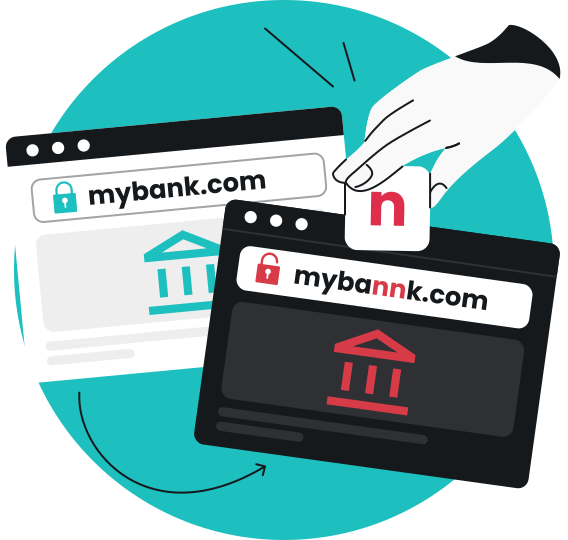
A kind of phishing, Coinbase email scams mimic official communications, often using urgent language to make you act quickly without thinking. Phishing emails often contain links to fake websites that look official but are created to steal details like your passwords.
Examples of Coinbase phishing emails include techniques like spam emails, social engineering, and malicious links.
Common Coinbase phishing scams
Coinbase scams are always evolving, but you can help protect yourself by familiarizing yourself with the most popular methods attackers are known to use.
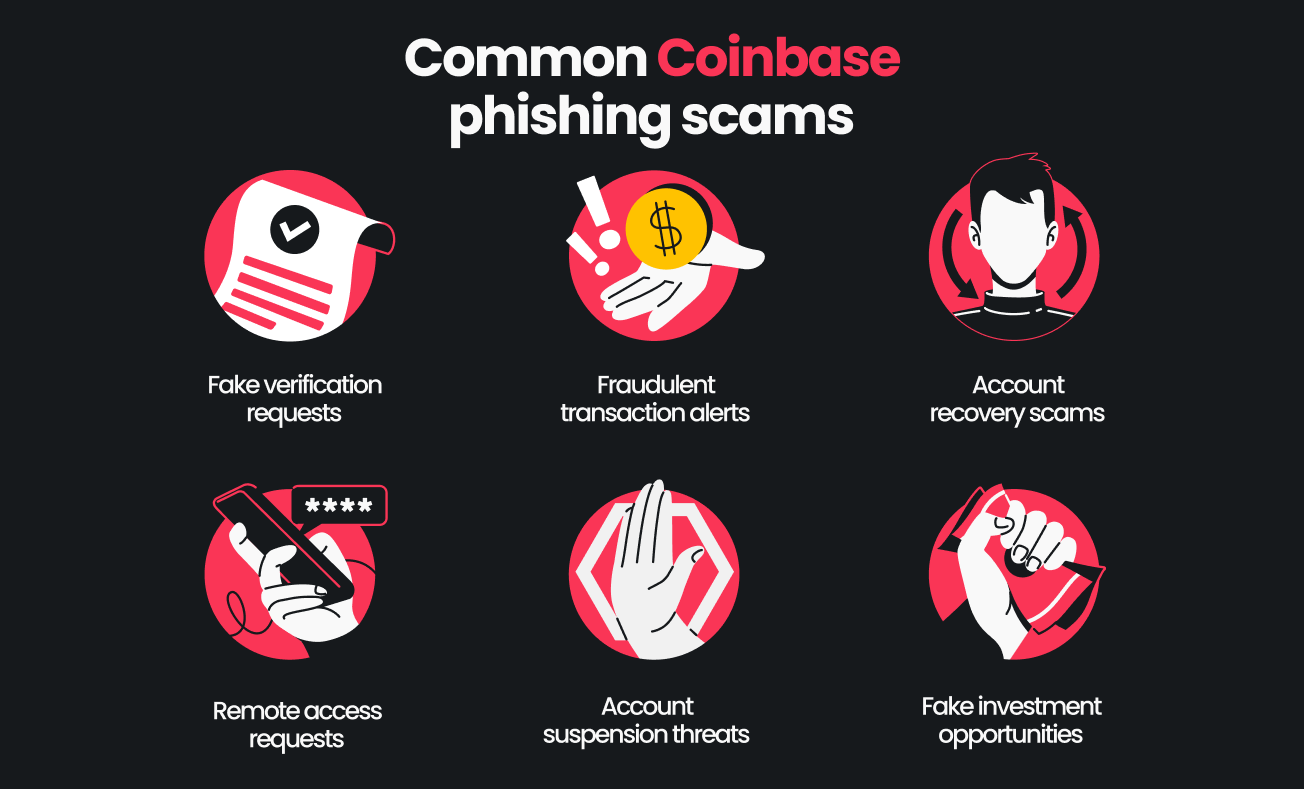
Fake verification requests
Scammers often send emails requesting confirmation of your login details due to suspicious activity. They’ll provide a fraudulent link that leads to a phishing site built to look like an official Coinbase page.
If the victim enters their login credentials here, they’re handing them right to the attacker. These messages often look like:
We’ve spotted suspicious activity on your account. Click here to verify your identity.
Fraudulent transaction alerts
Coinbase users are alerted that their account was used for a transaction when this wasn’t the case. Email messages often include language like:
Your Coinbase account was used for a transaction. If this wasn’t you, click here.
Account recovery scams
Some Coinbase spam emails play on the fear that you’ve forgotten your password.
Bad actors prompt you to enter your current password or other sensitive information and instantly harvest it. These emails usually say something along the lines of:
The password you have entered is incorrect. Update your account credentials now.
Remote access requests
These emails appear to be from a legitimate Coinbase representative, urging you to install software for some unclear reason.
If you actually install anything, it might be a malicious tool that grants attackers remote access to your device. Watch out for messages like the following:
Hi, this is Thomas from Coinbase support. You need to install new software now.
Account suspension threats
These alerts warn users that their actions will result in them losing access to their accounts — and their money. Typical messages look like:
Your Coinbase account will be suspended. Act immediately to keep your funds safe.
Fake investment opportunities
Also known as Coinbase Global emails, these scams involve fraudsters promising abnormally high prices or guaranteed returns on some Coinbase-branded opportunity. The forced — and inaccurate — use of Coinbase’s official corporate name is often a sign that the offer is too good to be true.
Promises commonly resemble this message:
Coinbase Global has an exciting new opportunity for you with guaranteed ROI.
Honorable mention: phishing via SMS messages
Cybercriminals can target much more than just your email address. Coinbase text scam campaigns — known as smishing attacks — send SMS messages that look like they come from Coinbase.
Users may get a text about urgent account issues or 2-step verification codes. They’ll include a URL that redirects you to a phishing site. Look for language like:
We need your password for 2-step verification. Click here to confirm.
How to recognize a Coinbase phishing email
Identifying phishing attempts before they can do any harm is vital to boosting your online security. Here are practical tips for spotting suspicious emails that seem to be sent by Coinbase.
1. Check the sender’s email address
Authentic Coinbase emails come from the official Coinbase domain, @coinbase.com. A message from a misspelled or different domain is a clear sign of a scam.
Domain names to look out for include @coinbase-support.com and @coinbaseglobal.com.
Similarly, sender names can easily be spoofed, so look for mismatches between the email address and the sender’s name in the From field.
2. Examine the email content
Scan the email itself for grammatical errors, poor spelling, or awkward phrasing. All of these are hallmarks of phishing scams that are trying to trick you.
Like any reputable company, Coinbase sends emails that use professional language. If anything looks out of the ordinary, it’s probably a scam.
Also, be cautious when you see messages urging you to act quickly. For example, phishing attacks may warn you that your account will be suspended in 24 hours.
Such language causes readers to bypass their rational thinking and immediately click any link in front of them. Pause and verify the authenticity of the email before clicking.
3. Inspect links and URLs
Hover your mouse over any link or button in the email to preview where they lead. If you see a link that doesn’t take you to a Coinbase domain, there’s a good chance it’s a phishing attempt.
4. Look for unusual requests
Coinbase — or any other business — doesn’t ask for private keys, passwords, or 2-step verification codes via email or text. Messages asking for any of this sensitive data are phishing scams.
5. Review attachments and QR codes
Phishing attacks may make use of email attachments with uncommon file types. For example, .exe files can be used to trick recipients into downloading malware.
Also, pay attention to file names. Don’t open anything with a generic name, like coinbase.pdf, or with a double extension, like payment.doc.exe.
QR codes should also be avoided. Legitimate emails rarely have them, so if you see one, there’s a good chance it’s from a scammer who’s trying to trick you.
What to do if your Coinbase account was compromised
If you suspect you’ve fallen victim to a Coinbase scam email, or if you see unauthorized transactions in your account, take these steps.
- Change your password: phishing attacks often try to steal login credentials, so immediately changing your password is a critical first step. Use a strong, unique password and avoid using old ones;
- Check account activity: review your recent transactions and any account changes. Note anything suspicious to see if there’s evidence of a successful phishing attempt;
- Contact Coinbase support: inform Coinbase’s customer support team that your sensitive information has been compromised. Contact them through the official Coinbase Help page, not through any links in emails or SMS messages. You can also forward suspected phishing emails directly to security@coinbase.com;
- Monitor your financial accounts: stolen login credentials or other sensitive information may impact your accounts outside of Coinbase. Notify your bank or card issuer so they can provide assistance as well;
- Alert your mobile provider: if 2-step verification codes or SMS messages were intercepted, it’s a good idea to talk to your mobile provider to safeguard your phone number.
Ways to secure your Coinbase account
You shouldn’t wait for a phishing attack to boost your defenses. Every Coinbase customer can increase their online safety with the following measures.
- Enable 2FA (Two-factor Authentication): also known as password 2-step verification, 2FA adds another layer of protection to your login process. Use authentication apps like Google Authenticator instead of SMS messages, as these are more susceptible to attacks;
- Verify domain names: before logging in to Coinbase, check the network path in your browser’s address bar to confirm you’re on the official Coinbase domain. Bookmark the real Coinbase website or use the official app;
- Monitor your inbox: regularly check for scam messages pretending to be Coinbase and take steps to stop getting spam emails. If anything looks suspicious, contact Coinbase support for a second opinion;
- Log out when done: log out of your Coinbase account after every session, especially on shared or public devices. Sometimes, scammers don’t need elaborate schemes or attacks — human error is all it takes to steal your data;
- Keep your devices secure: use cybersecurity tools that protect your devices and online information. For instance, Surfshark’s all-in-one suite includes antivirus software, a VPN, and an email scam checker to help detect phishing attacks.
Key takeaway: don’t let phishing scams ruin your Coinbase account
Email scams may sound scary, especially when your sensitive information and funds are involved. Thankfully, you don’t have to sit around waiting to become the next victim.
Solutions like Surfshark arm you with an Antivirus, VPN, email scam checker, and more to boost your security and help keep scammers at bay.
Get all of the above tools in the Surfshark One bundle today.
Don’t let scammers steal your crypto
Take charge of your security with the Surfshark One bundle
Get SurfsharkFAQ
Why am I getting emails from Coinbase when I don’t have an account?
You can get Coinbase spam emails even if you don’t have a Coinbase account. Scammers often use leaked email lists to send phishing emails to as many people as possible.
If you get Coinbase emails and don’t use Coinbase, mark them as spam and don’t click any links.
What is the standard email format used by Coinbase?
Legitimate communications from Coinbase use email addresses ending in @coinbase.com. Many phishing attacks, including the Coinbase Global scam, use other fraudulent domains and variations.
How can I report a Coinbase phishing email?
To report a Coinbase phishing email, forward the suspicious message to security@coinbase.com. Include headers, as these reveal more information about the sender.
Does Coinbase send confirmation emails?
Yes, Coinbase sends confirmation emails for account activity, login attempts, and transactions. These always come from their official domain and should never request passwords, 2FA codes, or private keys.