


Try out the full Surfshark experience before you subscribe
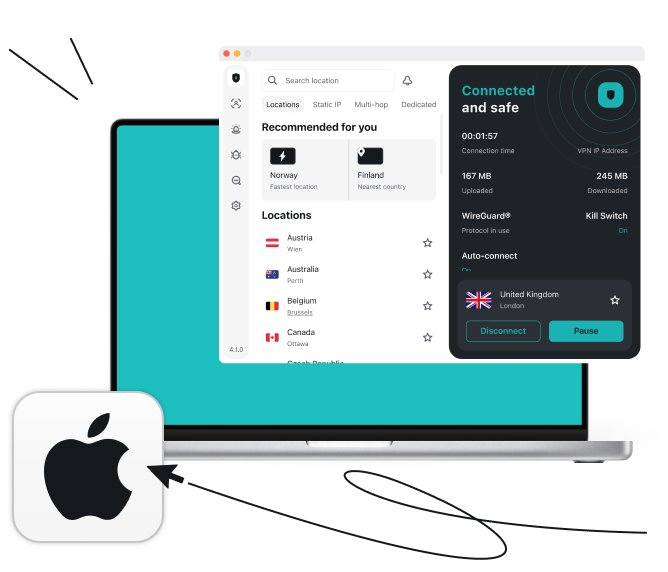
Get a Surfshark VPN free trial for Mac
Try Surfshark’s VPN for Mac free for seven days, with full access to every feature — no scaled-back version to work around. Cancel anytime before the trial ends and you won’t be charged.
- Protect your Mac on public Wi-Fi
- Browse privately with fast encrypted connections
- Try every Surfshark feature before subscribing
Widely trusted with 40M+ global app downloads, rewarded with 30+ recognition awards
Data as of 2026-03-26
Data as of 2026-03-26
Why choose Surfshark's Mac VPN free trial?
Here’s the bigger picture of what the trial gives your macOS.
Proven privacy
Surfshark has an independently verified no-logs policy. Your activity on your Mac stays private from us, hackers, ISPs, and advertisers.
Worry-free safety
The kill switch instantly severs your internet connection if the VPN connection drops, while Everlink helps keep your connection stable.
Ad and malware blocker
Unlike many browser-based ad blockers, Surfshark’s Clean Web provides protection when browsing on your Mac. It blocks ads, trackers, and malicious sites, cleaning up your experience.
Customizable access
Bypasser lets specific apps and websites, like your bank’s, run outside the VPN while everything else on your Mac stays encrypted.
Double security
Add an extra layer of privacy on your Mac with Multi Hop, which routes your traffic through two VPN servers instead of one.
Multiple device protection
During your trial, you can secure your Mac and two other devices simultaneously. Once you subscribe, you’ll unlock unlimited simultaneous connections for your entire household.
Disclaimer: Please note that using Surfshark services for any illegal activities is strictly forbidden and violates our Terms of Service. Make sure that any use of Surfshark services for your particular activities conforms to all relevant laws and regulations, including those of any service providers and websites you access using Surfshark.
Start your Mac VPN free trial in 3 simple steps
Get started with Surfshark’s free trial:

1. Check if you qualify
Enter your email and payment details to confirm you’re a new Surfshark user — you won’t be charged during the trial.

2. Create your account
Set up your Surfshark account and choose a plan — Starter, One, or One+. Your trial activates with everything included in that plan.

3. Download and connect
Download the Surfshark app for macOS, log in, and connect to a server.
Note: Our free trial is available on all 12-month and 24-month plans. Accepted payment methods are by credit card, Apple Pay or PayPal. After the 7-day trial, you will be charged according to the chosen plan, and the subscription will renew automatically.
The complete suite for digital privacy:
Surfshark One+
Enjoy overall protection online and offline with our suite for next-level privacy and security, Surfshark One+.
Secure connection
Browse with greater privacy using Surfshark VPN to encrypt your web traffic, mask your IP address, protect sensitive data on public Wi-Fi, and block ads and malicious domains.

Device protection
Protect your devices from malware, spyware, and other online threats with Surfshark Antivirus — real-time protection, scheduled scans, and more.
Scam detection
Stay one step ahead of scams with our scam text protection, email scam checker, and web content blocker working together to help you spot threats before you interact with them.

Identity protection
Shield your digital identity with personal data masking, monitor for data leaks, reduce your online exposure with Incogni, and get support for identity theft recovery.

Compare Surfshark's plans
Starter
Comes with a VPN & Alternative ID — essentials for your daily browsing.
From
/mo.
- VPN: surf safely online
- Alt ID: protect your identity
- Clean Web: block ads & pop-ups
- Antivirus: armor your devices
- Alert: monitor data breaches
- Identity theft coverage: up to $1M
- Incogni: reclaim your data
We had an issue loading prices
We’re having a technical issue with fetching our prices. Try refreshing this page in a few minutes.
One
Perfect if you seek all-round security for your browsing, devices, and identity.
From
/mo.
- VPN: surf safely online
- Alt ID: protect your identity
- Clean Web: block ads & pop-ups
- Antivirus: armor your devices
- Alert: monitor data breaches
- Identity theft coverage: up to $1M
- Incogni: reclaim your data
We had an issue loading prices
We’re having a technical issue with fetching our prices. Try refreshing this page in a few minutes.
One+
Keeps your online activities & devices safe, with extra focus on identity protection.
From
/mo.
- VPN: surf safely online
- Alt ID: protect your identity
- Clean Web: block ads & pop-ups
- Antivirus: armor your devices
- Alert: monitor data breaches
- Identity theft coverage: up to $1M
- Incogni: reclaim your data
We had an issue loading prices
We’re having a technical issue with fetching our prices. Try refreshing this page in a few minutes.
Surfshark free trial vs. free VPNs for Mac
macOS has a few permanently free VPN options, and it’s a fair question to ask why you’d trial a paid VPN instead of just using one of those. The short answer is that free VPNs typically fund themselves by limiting what you get, or by monetizing your data in ways Surfshark doesn’t need to. Here’s how the two compare:
|
Surfshark
|
Free VPNs
|
|
Fast speeds and unlimited bandwidth
|
Often have slow speeds and data caps
|
|
Strong encryption of internet traffic
|
Usually have weak encryption
|
|
4,500+ VPN servers in 100 countries
|
Typically have a small server network
|
|
Independently verified no-logs policy
|
Can log or sell user data
|
|
Unlimited simultaneous connections
|
Often restricted to one connection
|
|
Easy-to-use apps for all major devices and platforms
|
Apps typically limited to computers
|
For quality performance and better Mac privacy, choose Surfshark and enjoy your risk-free VPN trial.
See why millions trust Surfshark
Check out what users and tech experts around the world have to say about Surfshark.
The reviews highlighted in this section were selected from publicly available posts on social media platforms. They reflect the opinions of individual users at the time of posting and may not represent the full range of our product features and qualities.
The reviews quoted on this page have been published by media outlets associated with Surfshark through affiliate partnerships. Their recommendations are based on their own independent research and insights to ensure value for the readers.
I have been using Surfshark since I got it and I love it!

When I am traveling, I use Surfshark to access the internet quickly and securely, works like a treat in China.

We love Surfshark because it is an easy-to-use app that you can download on all your devices.

The reviews quoted on this page have been published by media outlets associated with Surfshark through affiliate partnerships. Their recommendations are based on their own independent research and insights to ensure value for the readers.
“This is my first year and I absolutely love it. The fact I can have a good antivirus, great VPN, and incognito for like $120 a year is great.”
“I’ve been using Surfshark for 4 years on Android and ChromeOS with zero issues, it’s an absolute bargain”
“I’ve had it for 3 years and just renewed it for the next 2 years. I never have any issues with it and get my full internet speed…”
The reviews highlighted in this section were selected from publicly available posts on social media platforms. They reflect the opinions of individual users at the time of posting and may not represent the full range of our product features and qualities.





Frequently asked questions
Do I need to enter payment details for a free trial?
Yes. Adding payment details confirms you’re eligible for the trial. You won’t be charged unless you keep your subscription active after the seven-day trial ends.
What’s included during the free trial?
Whatever’s included in the plan you pick when you sign up. Choose Starter and your trial covers the VPN, Alternative ID, and Clean Web; choose One or One+ and it also includes Antivirus, Alert, and, on One+, Incogni. The plan comparison above can help you decide which one to trial.
Can I install Surfshark on macOS?
Yes. Surfshark supports macOS 12 (Monterey) and later, including Ventura, Sonoma, and Sequoia. You can download it from the Surfshark website or the App Store.
How do I cancel before I’m charged?
Cancel from your account settings before the seven-day trial ends. Once canceled, you won’t be charged when the trial period is over.
What happens after the free trial ends?
If you don’t cancel, your trial converts to a paid subscription and you’re billed for the price and billing frequency you selected when you signed up. If you cancel before the seven days are up, your access ends and you won’t be charged anything.
Is there a completely free VPN for Mac?
Some VPNs for Mac are permanently free, but they usually limit speed, data, or server choice to keep their costs down, and some rely on selling user data instead of charging for the service. The Surfshark trial gives you full access to a paid VPN’s features — unlimited data, fast servers, and Clean Web — for seven days instead, so you can compare the experience directly.
Can I use the same account on my iPhone and Mac?
Yes. One Surfshark account works across your Mac, iPhone, and other supported devices, so you don’t need to set up separate logins for each. During the trial, you can connect on up to three devices at once; subscribing unlocks unlimited simultaneous connections across every device you own.