Fast and easy-to-use VPN for all your devices
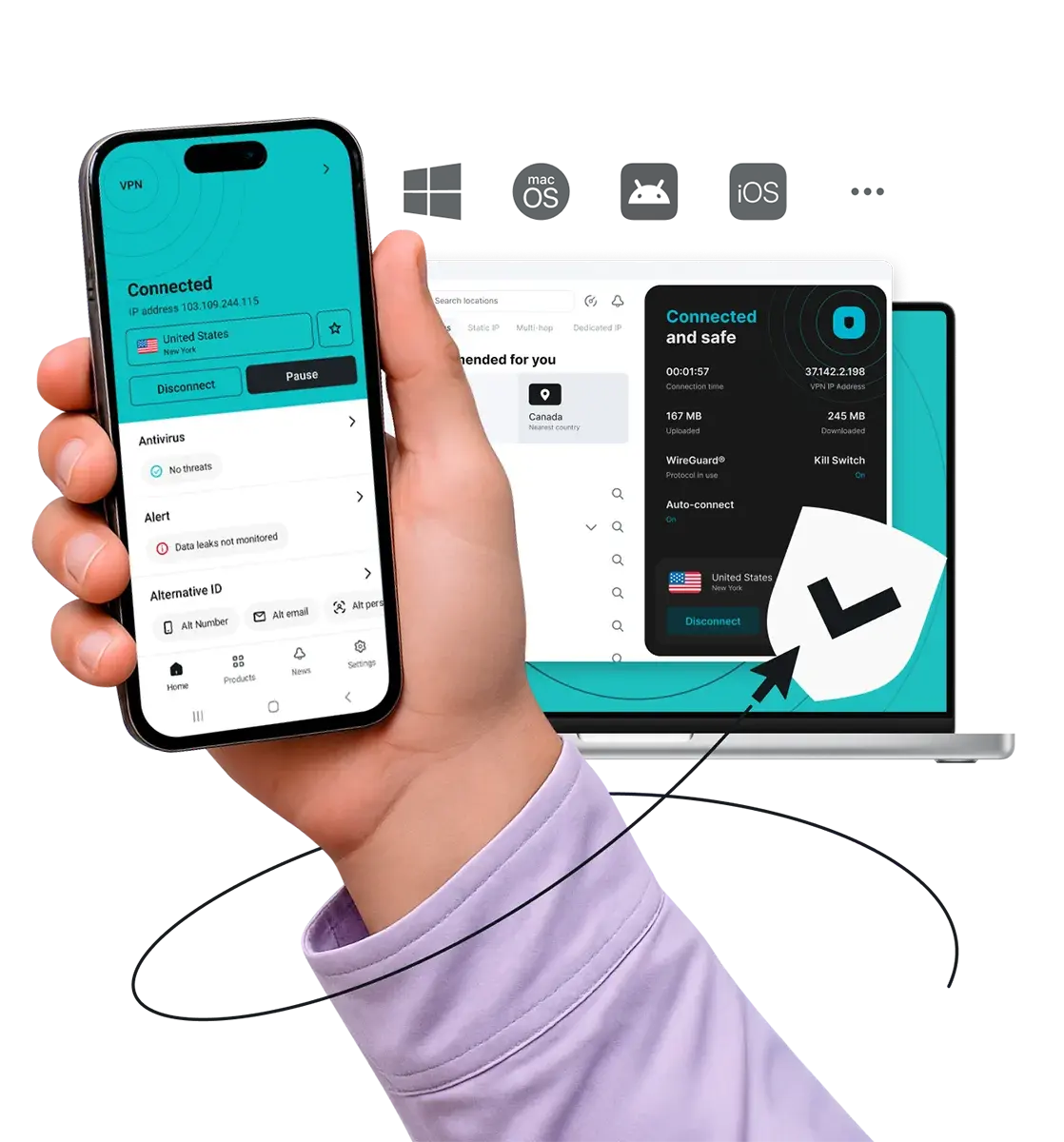
Download the Surfshark VPN app
-
Fastest servers for smooth browsing and streaming
-
Verified no-logs policy for greater privacy
-
Trusted by over 3 million users worldwide
New to VPNs? Try Surfshark free for 7 days on 3 devices.
Widely trusted with 40M+ global app downloads, rewarded with 30+ recognition awards
Data as of 2026-03-26







Data as of 2026-03-26
Get Surfshark for all your devices
Whether you’re looking for a VPN (Virtual Private Network) app download for your smartphone, tablet, or desktop, Surfshark has you covered. Download the latest VPN app and extension versions here:


*You can also download our installer for a Windows ARM-based processor.
How to download a VPN and set it up

Get your VPN
subscription
If you’re a first-time user, choose a plan, enter your email and payment details to activate your 7-day free trial, and create an account.
Download the VPN
app
Download the Surfshark VPN app, browser extension, or installation file from our website.
Sign in to your
account
Sign in, connect to any server, and enjoy safety and privacy online with a VPN.
Note: Our free trial is available on all 12-month and 24-month plans. Accepted payment methods are by credit card, Apple Pay or PayPal.
Learn how to use a VPN
Discover the top Surfshark VPN app benefits
Enjoy greater online privacy
You never know who might be snooping on your online activity. A VPN encrypts your internet connection and hides your IP (Internet Protocol) address, protecting your personal data, concealing your physical location, and keeping your browsing private.
Block ads, pop-ups, and trackers
Forget intrusive ads, pop-ups, and trackers with the Surfshark VPN browser extension. For an even smoother, ad-free surfing experience, open the Surfshark VPN app, connect to a server, and turn Clean Web on.
Connect to the fastest VPN available
Independent speed tests show Surfshark is the fastest VPN on the market. macOS users can choose our proprietary Dausos protocol to unlock greater speeds, minimal latency, and future-proof protection backed by post-quantum encryption.*
Personalize your security
Surfshark’s Bypasser lets you pick specific apps and websites to exclude from the VPN connection. This way, you can use your actual IP address when needed while the rest of your internet traffic stays encrypted and protected.
Protect unlimited devices
Keep all your devices safe from internet dangers. With a single Surfshark account, you get unlimited simultaneous connections. This means you can secure all your household devices at no extra cost.
Get double protection
Surfshark’s Multi Hop feature (double VPN) routes your traffic via two VPN servers instead of one. You can manually select the entry and exit points for double encryption, data protection, and privacy.
Connect to a vast server network
Surfshark has 4,500+ servers in 100 countries — including the US, the UK, Canada, Hong Kong, and many more — making it easy to find a VPN server nearby. With thousands of options available, server congestion is unlikely, ensuring lightning-fast, reliable connections.
Enhance your online security
Surfshark is more than just a VPN — it’s a complete cybersecurity solution that goes beyond protecting your internet traffic. Even the Starter plan includes benefits such as Alternative ID, while higher-tier plans include Antivirus, a data leak monitoring tool, and even Incogni data removal services.
Maintain uninterrupted privacy
If your VPN connection unexpectedly drops, Surfshark’s kill switch will disconnect you from the internet. This minimizes the risk of data leaks and ensures your sensitive information stays private and secure.
*Dausos is currently available to Surfshark users on macOS from the Mac App Store, not the .dmg installer from the Surfshark website. Availability on other platforms is coming soon.
But that’s not all. You can also protect your whole home network at once by setting up a VPN on your router to simultaneously secure every device connected to your Wi-Fi. That includes your smart TVs, Nintendo Switch, Xbox, PlayStation, Oculus Quest 2, Apple Vision Pro, Chromebook, and even Raspberry Pi.
Surfshark vs. free VPNs
Free VPNs often compromise on privacy and performance. Surfshark VPN offers a more secure and reliable browsing experience you can trust.
|
|
Free VPNs
|
Surfshark VPN
|
|
Data collection risk
|
High: free options often track your activity and share data with third parties
|
Low: Surfshark’s strict no-logs policy was independently verified by Deloitte in 2023 and 2025 |
|
Speed and bandwidth
|
Restricted: speed throttling and bandwidth limits are common
|
Unlimited: no bandwidth or speed caps are in place
|
|
Ads and trackers
|
Common: free tools may inject ads or allow trackers
|
Blocked: Clean Web offers built-in ad and tracker blocking
|
|
Customer support
|
Limited: often no live help and slow response times
|
24/7: live chat and email support are available
|
|
VPN servers and locations
|
Few: frequently have overloaded servers that slow your connection
|
Thousands: lets you connect to 4,500+ high-speed servers in 100 countries
|
|
Encryption
|
Unreliable: may lack strong encryption standards
|
Strong: AES-256 and ChaCha20 encryption standards for increased data and privacy protection
|
Independently verified Surfshark security:
third-party audits
These independent VPN security audits show that Surfshark’s security claims are backed by evidence. Deloitte provided two assurance reports (in 2023 and again in 2025) verifying that we don’t log user activity, while Cure53 confirmed the security of our server infrastructure. Rather than expecting our users to rely on promises alone, we’ve put our VPN security to the test with the industry’s most respected auditors.
No-logs policy assurance report (2025)
✓ No-activity-logs policy verified
✓ No IP address storage confirmed
✓ Privacy-relevant configuration settings checked
✓ Server infrastructure reviewed
(Available only for Surfshark users)
Security assessment (2025)
✓ Web, desktop, and mobile app security validated
✓ Protection against data leaks and unauthorized access verified
✓ Zero critical vulnerabilities found
✓ Browser extension and account security confirmed
Infrastructure security penetration test (2025)
✓ No critical vulnerabilities found
✓ No high-risk issues impacting user security identified
✓ Zero tested vulnerabilities leading to serious security threats
✓ Strong infrastructure protection against real-world attack scenarios
Surfshark security features
Encryption
Safeguard your data with AES-256-GCM, ChaCha20 and AEGIS-256X2 encryption, the same standards used by cybersecurity experts and governments worldwide.
Post-quantum protection
Future-proof your security online with Surfshark’s advanced post-quantum implementation on WireGuard, designed to resist potential threats from future quantum computers.
No-logs policy
Your browsing habits are your business, which is why Surfshark never tracks, collects, or shares your activity. Our no-logs policy has been independently verified by Deloitte, ensuring total transparency.
Jurisdiction
Based in the Netherlands, Surfshark operates in a favorable legal environment with no mandatory data retention laws. This jurisdiction allows us to uphold our strict no-logs policy with no interference.
Obfuscation
Obfuscation hides your data and makes it much harder to identify that you’re using a VPN. This technology helps you browse freely even in places that highly restrict internet usage.
RAM-only servers
Surfshark’s entire network runs on diskless, RAM-only servers that automatically wipe all data with every reboot. This hardware-level security ensures that no information can ever be physically retrieved from our servers.
Kill switch
Protect your data from accidental exposure with a kill switch — an automatic safety net that cuts your internet if the VPN connection drops. This ensures no unencrypted data leaves your device.
Double VPN
Boost your protection online by routing your traffic through two different VPN servers at once with Multi Hop. This process encrypts your connection twice, making it virtually impossible for anyone to trace your digital footprint.
Everlink
Experience a self-healing connection with Surfshark’s patented Everlink infrastructure that keeps your VPN stable. If a server requires maintenance, Everlink seamlessly switches you to a new one without interrupting your session.
DNS leak protection
Surfshark routes all your DNS (Domain Name System) requests through private, encrypted tunnels. This prevents Wi-Fi eavesdropping and your ISP from seeing which websites you visit, ensuring your browsing history stays private.
Split tunneling
Use Bypasser, Surfshark’s VPN split tunneling, to choose which apps and websites need VPN protection and which can access the internet directly without encryption — perfect for IP-sensitive services.
Rotating IP
Stay ahead of trackers by automatically changing your IP address every few minutes without disconnecting. This constant IP rotation makes it much harder for advertisers and data brokers to profile your online behavior.
More than a VPN
Get a complete cybersecurity suite including a built-in ad blocker, antivirus, and identity masking tools. From blocking malware to generating an alternative persona, Surfshark takes protecting your digital presence to another level.
See why millions trust Surfshark
Check out what users and tech experts around the world have to say about Surfshark.

Teshir Jennifer
@memesfordigital
All the VPNs you mentioned are good. But Surfshark is the one I recommend in person for the best overall.
1:08 PM · Jul 28, 2024

Morgan Leggett
@YouBettaLeggett
I’ve had SurfShark for years. It’s amazing.
12:28 AM · Aug 14, 2024

Eakan
@eakangk
Trialling out @surfshark’s IP rotation. It is doing it pretty well. Seamless in the background.
3:20 PM · Oct 26, 2024
The reviews highlighted in this section were selected from publicly available posts on social media platforms. They reflect the opinions of individual users at the time of posting and may not represent the full range of our product features and qualities.
The reviews quoted on this page have been published by media outlets associated with Surfshark through affiliate partnerships. Their recommendations are based on their own independent research and insights to ensure value for the readers.
I have been using Surfshark since I got it and I love it!

MRWHOSETHEBOSS
20.2M subscribers
When I am traveling, I use Surfshark to access the internet quickly and securely, works like a treat in China.

SAM CHUI
3.61M subscribers
We love Surfshark because it is an easy-to-use app that you can download on all your devices.

MAX & OCCY
265K subscribers
The reviews quoted on this page have been published by media outlets associated with Surfshark through affiliate partnerships. Their recommendations are based on their own independent research and insights to ensure value for the readers.
“This is my first year and I absolutely love it. The fact I can have a good antivirus, great VPN, and incognito for like $120 a year is great.”
“I’ve been using Surfshark for 4 years on Android and ChromeOS with zero issues, it’s an absolute bargain”
“I’ve had it for 3 years and just renewed it for the next 2 years. I never have any issues with it and get my full internet speed..”
The reviews highlighted in this section were selected from publicly available posts on social media platforms. They reflect the opinions of individual users at the time of posting and may not represent the full range of our product features and qualities.






FAQ
- Open the downloaded file and follow the standard on-screen installation prompts.
- Launch the Surfshark app and log in (or create a new account).
- Click or tap the Quick-connect button to instantly connect to the fastest nearby server. If you need a specific location, pick a country or city from the server list.
Surfshark works on virtually all major platforms, with no limit on simultaneous connections:
- Desktops and laptops: Windows, macOS, Linux;
- Mobile and tablets: iOS, Android;
- TVs and streaming: Fire TV, Apple TV, Android TV, other smart TVs;
- Browsers: Chrome, Firefox, Edge;
- Routers: manual setup supported to protect your entire home network at once.
You can try Surfshark VPN for free for seven days — activate your free trial by subscribing to Surfshark’s 12- or 24-month plan, download Surfshark VPN on up to three compatible devices, sign up, and enjoy trusted VPN protection free of charge.
After your seven-day free trial ends, you’ll be charged based on the subscription plan you selected at sign-up. Standard policies and protections still apply.
- Surfshark app: encrypts all internet traffic entering and leaving your device, protecting every app, browser, system process, and background task;
- Browser extension: only encrypts traffic traveling inside that specific web browser, leaving your other apps using your standard, unencrypted internet connection.