QR codes are everywhere — on restaurant tables, parking meters, delivery notices, and even in work emails. Most people scan them without a second thought. But that convenience is exactly what cyber criminals are counting on.
Quishing is a fast-growing type of cyberattack that uses QR codes to lure unsuspecting victims into handing over passwords, payment details, or personal data. So, let’s take a closer look at what quishing attacks look like and how you can protect yourself against them.
What is quishing?
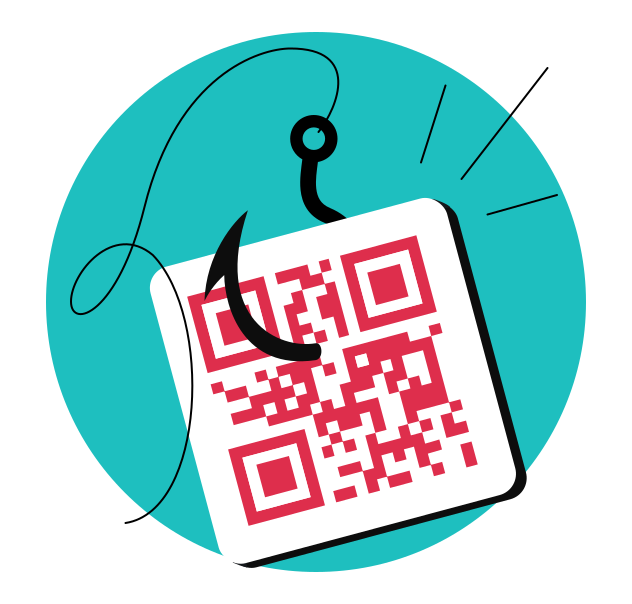
Quishing (QR Code Phishing) is a type of phishing attack where cybercriminals use QR codes that direct victims to fake websites or trick them into downloading malware. You may also see it referred to as QR code phishing, QR phishing, or simply QR code scams.
A QR (Quick Response) code is a two-dimensional barcode that can be scanned with a phone camera. It can store URLs and quick-links to payment instructions, contact info, Wi-Fi credentials, and more. It’s geniously convenient: point your phone, scan, and you’re there. But that same convenience is what makes QR scams so dangerous.
Unlike a regular link, a QR code hides its destination. The trust associated with QR codes and lack of a visible URL before scanning are exactly what cybercriminals exploit in quishing attacks — you can’t see where you’re going until you’ve already arrived.
But what are the attackers really after? Roughly 90% of quishing cases¹ aim to steal sensitive information, such as login credentials, credit card numbers, banking access, and personal details that can be used for identity theft. Some attacks also focus on installing malware for ongoing fraud.
Here’s a simple quishing scam in practice: you see a QR code on a parking sign, scan it to pay, and land on a realistic-looking page that asks for your card details. However, the page is fake, and your money and card data go to scammers.
How does a quishing attack work?
Understanding how quishing attacks work helps you spot them before any damage is done. A typical quishing attack follows a clear sequence:
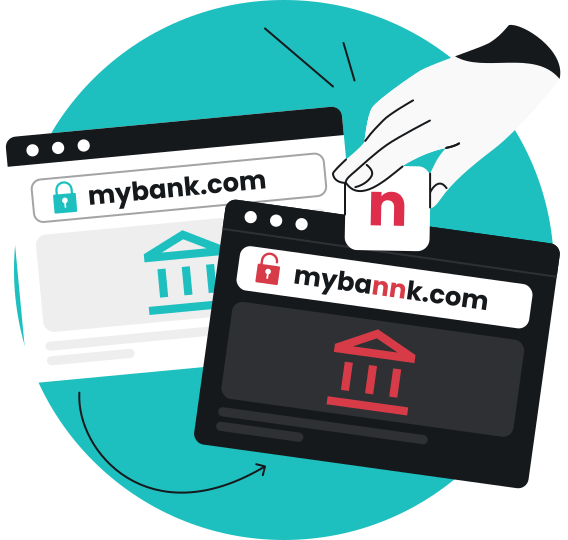
- Creating a trap: the attacker registers a fraudulent domain that mimics a trusted brand like a bank, courier, or corporate login portal, and builds a convincing phishing site.
- Generating the code: the scammer creates a custom QR code, which links to that malicious site. Sometimes it routes through URL shorteners or legitimate redirect services to mask the final destination.
- Distributing the quishing code: the criminal adds the malicious QR code to emails, flyers, social media posts, PDF attachments, or places physical stickers over legitimate QR codes in public.
- Luring the victim: the message around the code uses convenience or emotional manipulation like urgency, fear, or enticing offers, encouraging people to scan the code immediately.
- Harvesting data or deploying malware: once the victim opens the phishing site, it asks for login credentials or payment details. If you comply with what the site asks and provide that information, it can sadly result in credential theft or financial fraud. If the phishing site triggers a file download, you may accidentally install malware onto your device.

“Even privacy-conscious users who routinely scrutinize email headers and SMS links remain completely exposed because quishing exploits physical, spatial trust. You certainly expect to find QR codes at parking meters, electric vehicle charging stations, vending machines, and ATMs; scanning them is simply way more convenient than typing out a 50-character URL.
The issue is that cybercriminals love any feature that obscures, hides, and simplifies an existing process. Physically superimposing fraudulent vinyl stickers over legitimate ones is an excellent (and incredibly cheap) way to bypass your critical thinking and digital spam filters entirely.”
– Miguel Fornes, Information Security Manager at Surfshark
Why QR codes slip past email security
Quishing attacks often bypass traditional email security filters because the URL is embedded in an image rather than in clickable text. Most email security solutions scan for suspicious text-based links and known malicious domains, but they don’t decode QR codes inside images or PDF attachments by default.
Between June and September of 2024, Barracuda Networks found over half a million phishing emails containing QR codes hidden in PDFs. Among brands being impersonated in those quishing attacks, Microsoft accounts for 51% and Docusign for 31%².
Common quishing scams, examples, and what to look out for
QR phishing comes in many forms, but the social engineering patterns repeat: urgency, fear, and convenience. Let’s see how attackers use QR codes in their schemes across both digital channels (emails, text messages, social media) and physical places (parking meters, restaurant tables, delivery notes).
Fake payment/parking QR codes
Scammers use fake parking QR codes to steal payment information. The method is simple — criminals print QR stickers and place them over legitimate QR codes on pay-to-park kiosks or signs in busy areas.
For example, fraudulent QR code stickers were discovered on more than two dozen parking pay stations across Austin, Texas, with similar pay-to-park scams reported in San Antonio³. In the UK, the CFEU (Counter Fraud and Enforcement Unit) warns that scammers are placing fake QR codes on parking signs and machines to mimic legitimate payment platforms, such as PayByPhone, to steal banking details and commit identity theft⁴.
The FBI’s IC3 (Internet Crime Complaint Center) has also seen a rise in scammers using QR codes to direct victims to physical cryptocurrency ATMs to quickly complete payments for romance, lottery, and impersonation scams⁵.
Here’s what our Information Security Manager, Miguel Fornes, advises:
Red flags to watch for:
- Run your thumbnail along the perimeter of the QR code. Legitimate codes are printed directly onto the metal or plastic casing. If you feel a distinct or raised edge, abort the transaction;
- Is the sticker placed in an awkward, non-ergonomic, or off-center location? Legitimate companies design their physical interfaces to be central and intuitive;
- A pristine, brilliantly white, freshly printed QR sticker sitting on a heavily scratched, sunburnt, faded, old parking meter is a massive red flag;
- If you do scan a code and notice the preview URL rapidly bounces to different domains or shorteners (like bit.ly) before landing on the final payment page, close the browser immediately.
Fake package delivery and “reschedule” notices
Delivery alerts often use QR codes to redirect to phishing sites. These arrive as door tags, flyers, or emails claiming a “missed delivery” from a well-known courier. Scanning the QR code leads to a fake portal demanding a small “redelivery fee” plus full card details.
The FBI also warns that criminals are now mailing unsolicited packages without sender information — a variation of a brushing scam — that contain QR codes prompting recipients to provide personal and financial data or unknowingly download malware⁶.
Red flags to watch for:
- Urgency to avoid the return of the parcel;
- Vague tracking numbers;
- Generic carrier names.
If you receive such a notice, go directly to the courier’s official app or website instead of scanning the attached QR code.
Fake invoices and payroll emails
People receive quishing emails at work, often with fake invoices, payroll updates, or supplier payment confirmations that include a QR code “to view the secure document.” These codes lead to spoofed Microsoft or Google login pages designed for credential harvesting. Because the link is hidden within the image, these emails slip past many email security filters.
Red flags to watch for:
- Mismatched or lookalike sender domains;
- High urgency and pressure to take action;
- Unexpected finance or payroll changes without prior communication or authorization.
Tampered restaurant menu QR codes
Fake QR codes can replace legitimate restaurant menu codes. Attackers place subtle sticker codes over the real ones on tables or posters. After scanning, you might be taken to a fraudulent menu site.
Red flags to watch for:
- Social media login;
- Requests for card details to hold a table;
- App installation prompts.
If a restaurant menu QR code asks for personal details, login credentials, or payment data, close the page immediately.
Fake account verification and password reset prompts
QR codes can impersonate account security warnings to steal data. These phishing emails or letters claim urgent account suspension or suspicious activity, then tell you to “verify your account by scanning this QR code,” which opens a spoofed login page.
Legitimate providers rarely require QR codes to fix account problems. Go directly to the official website or app by typing a known and trusted URL.
Red flags to watch for:
- Web address or sender domain mismatches;
- Forced urgency to scan and verify immediately;
- Unusual permission or login requests.
Who is most targeted by quishing?
Quishing scams can affect anyone who scans QR codes, but some groups face a higher risk of falling victim:
- Everyday consumers who use QR codes for making payments, opening menus, purchasing event tickets, and accessing public Wi-Fi — people often trust QR codes as safe conveniences for simple tasks, which makes them less likely to question what they scan;
- Office workers and remote employees who receive quishing emails disguised as IT, HR, or finance notices (according to Abnormal Security, C-suite executives were 42 times more likely to receive QR code attacks than average employees in the first half of 2024⁷);
- Small and medium-sized businesses that rely on QR codes for marketing and invoicing, but often lack mature security awareness training;
- High-value sectors like finance, healthcare, and government, where a breach can expose financial data, patient records, or classified information;
- Tech-savvy users aren’t immune either — quishing exploits trust in physical context and convenience, not technical ignorance.
How to spot a quishing attack
Spotting a quishing attack requires noticing multiple clues around the QR code — urgency language, unknown sender, odd domain, and what happens right after you scan.
Suspicious or unexpected QR codes
Be wary of QR codes that arrive unexpectedly via email, messaging apps, or printed flyers left on your car or mailbox. Indicators of a quishing attack include messages that urge immediate scanning. Legitimate organizations rarely send QR codes as the only way to resolve an issue or access their services.
Avoid scanning QR codes from an unknown sender, and if in doubt, contact the supposed sender through an official channel.
Physical signs of tampering or being out of place
Attacks can involve physical tampering, where attackers place fake QR stickers over legitimate codes. Before you scan the QR code on any public sign or table, pay attention to:
- Stickers covering existing codes or peeling edges;
- Mismatched fonts, colors, or branding compared to nearby signage;
- Codes placed on random surfaces like lampposts or elevator walls.
Check for tampered QR codes before scanning — official venues typically have consistent branding and clear instructions next to legitimate QR codes.
Strange URLs, shortened links, or permission prompts
Always check the URL preview shown by your phone after scanning before tapping open. Be cautious of QR codes in messages that create a sense of urgency or show:
- Misspellings, random characters, or unfamiliar domains;
- URL shorteners from unknown senders;
- Immediate requests for login credentials, credit card information, or app permissions.
If your browser or security software shows a warning, or anything feels off about the site, close the page instantly.
How to protect yourself from quishing
You don’t need to avoid QR codes entirely — just treat each one like an unknown link until proven otherwise. Most quishing attacks can be stopped by combining cautious habits with basic security tools:
Safer scanning habits
- Avoid scanning QR codes in unsolicited emails, text messages, or social posts — go directly to official web pages or apps for payments, deliveries, and account issues;
- In physical locations, verify QR codes by asking staff or comparing with printed URLs on the same poster or receipt;
- Use QR code reader apps that preview URLs before opening — this gives you a chance to verify the destination is a trusted URL;
- Verify the URL before entering personal information — when logging in or making payments, manually type a known and trusted URL rather than scanning.
Technical protections and tools
- Keep your operating systems, browsers, and apps updated so known exploits and malicious websites are more likely to be blocked;
- Enable MFA (Multi-factor Authentication) on important accounts — even if a password is stolen, MFA makes it harder for attackers to get in;
- Use reputable security software on mobile devices to help block malicious websites and downloads;
- Add an extra layer of protection against phishing emails before you ever scan with tools like Surfshark’s email scam checker — it flags emails for urgency language, checks included links, and analyzes sender information, informing you about signs of potential scam (available for your Gmail inbox on the Chrome extension).
What to do if you scanned a malicious QR code
Quick action limits damage. The most important step is to stop interacting with the suspicious site immediately. What you do next depends on how far the interaction went.
If you only scanned but didn’t enter data
Simply visiting a phishing site without interacting is less dangerous, but stay alert.
- Close the browser tab right away.
- Don’t tap any buttons or download prompts.
- Clear your browser history and cache related to the suspicious site.
- Watch for pop-ups, slowdowns, or odd behavior over the next few days.
- Review your app list on your phone and immediately remove any app installed just after the scan.
If you entered a password or personal information
Victims may be tricked into providing personal information after scanning, so acting fast is critical to prevent quishing attacks from escalating.
- Change the compromised password immediately — for the affected service and on any other accounts where you reused it.
- Enable MFA using biometrics, an authenticator app, or a hardware key.
- Check recent account activity, log out active sessions, and watch for unauthorized changes.
- Consider using a password manager going forward — unique, strong passwords reduce the impact of future attacks.
If you entered payment details or installed something
- Contact your bank or card issuer immediately. Explain that card details may have been exposed via a QR code scam and ask them to monitor, freeze, or reissue the card.
- Review recent transactions and set up alerts for new charges.
- If you downloaded a file or app after scanning, uninstall it and run a full device scan with a security software, such as Surfshark Antivirus. This helps catch malicious content that may be running in the background on personal devices.
- For cases where extensive personal details were exposed, enable credit monitoring to track potential compromises and detect identity theft early.
Ongoing monitoring and reporting
- Keep watching affected accounts for password-reset emails, login alerts, or unusual messages.
- Consider using security tools like Surfshark Alert that can notify you if your email or financial information appears online after a data breach. It’s a great way to track potential compromises after a quishing incident.
- Report the attack to the relevant platform (email provider, messaging app) and, if applicable, to your workplace IT team or local consumer protection agencies.
- Take screenshots of the fraudulent QR code and site details when safe to do so — this helps security teams investigate and prevent others from falling victim.
Quishing vs. phishing, smishing, and vishing
Quishing, phishing, smishing (SMS Phishing), and vishing (Voice Phishing) attacks share the same goal: to deceive victims into handing over data or money. Across all these scams, attackers frequently use crime spoofing — impersonating trusted brands, phone numbers, or email addresses — to make their messages convincing. However, they use different channels:
|
|
Channel
|
Typical lures
|
Example
|
|
Quishing
|
QR codes (digital or physical)
|
Delivery notices, payments, discounts
|
Scanning a QR code on a fake parking sign
|
|
Phishing
|
Typically email
|
Password resets, invoices, account alerts
|
Clicking a link in an email to a spoofed bank login
|
|
Smishing
|
Delivery updates, account suspensions, fines
|
Tapping a link in a text about a missed package
|
|
|
Vishing
|
Phone calls
|
Tech support, bank fraud alerts
|
A call claiming your account is compromised
|
Closing remarks: balancing QR convenience and security
QR codes have become part of everyday life for payments, tickets, menus, and verification. They’re not going anywhere — and that means attackers will keep exploiting them. The good news is, you don’t need to avoid QR codes entirely. You just need to treat every QR code as an untrusted link by default, slow down, verify context before scanning, and use the security tools and practices you’ve learned in this article.
FAQ
Is a QR code itself dangerous, or only where it leads?
A QR code is just a pattern that encodes data — it’s not inherently harmful. The danger comes from the website, app, or action it triggers after scanning. Malicious QR codes typically point to a phishing site or prompt a download that can steal data or install malware on your device. Simply seeing or photographing a QR code without scanning it won’t infect anything.
Can scanning a QR code install malware?
On most modern phones, scanning a QR code opens a URL preview that requires at least one tap before a site loads or a download starts. Malware usually needs you to tap, install, or grant permissions. However, some drive-by attacks can exploit outdated browsers or apps, which is why keeping your device updated matters. If an unexpected page pops up after scanning, close it immediately.
Is it safer to delete or report a quishing email with a QR code?
For most people, deleting the message without engaging is the simplest and safest option. For workplace accounts, follow internal policies — report suspicious emails with QR codes to your IT or security team rather than just deleting them, so they can block the threat organization-wide.
Should I avoid QR codes altogether to stay safe?
No. Many QR codes are legitimate and genuinely useful for tickets, menus, and apps. The goal isn’t to avoid scanning QR codes entirely but to avoid blind trust. Verify the source, preview the URL, and stay cautious whenever money or login details are involved. A good rule of thumb: scan only what you trust, and treat every QR code like a potential phishing link until you verify it.
References
- https://keepnetlabs.com/blog/qr-code-phishing-trends-in-depth-analysis-of-rising-quishing-statistics
- https://blog.barracuda.com/2024/10/22/threat-spotlight-evolving-qr-codes-phishing-attacks
- https://www.pcmag.com/news/scammers-stick-fraudulent-qr-codes-on-texas-parking-meters
- https://cfeu.org.uk/beware-of-parking-scams-stay-safe-when-paying-for-parking/
- https://www.ic3.gov/PSA/2021/PSA211104
- https://www.fbi.gov/investigate/cyber/alerts/2025/unsolicited-packages-containing-qr-codes-used-to-initiate-fraud-schemes
- https://abnormal.ai/newsroom/press-releases/h1-2024-threat-report