Got an unexpected email saying you’ve been charged hundreds of dollars for a “Geek Squad subscription renewal?” You’re not alone.
Scammers have been using the trusted Geek Squad name — a tech support service owned by US electronics retailer Best Buy — to trick people into paying for fake services or disclosing personal information.
The worst part is that these fake messages often look surprisingly real — complete with logos, receipts, and phone numbers to “cancel” the charge.
In this article, I’ll break down how the Geek Squad scam works, the red flags to watch for, and simple steps to keep yourself protected.
What is the Geek Squad email scam?
The Geek Squad email scam is a social engineering tactic used by scammers posing as Best Buy or its Geek Squad tech support brand to steal money or personal information.
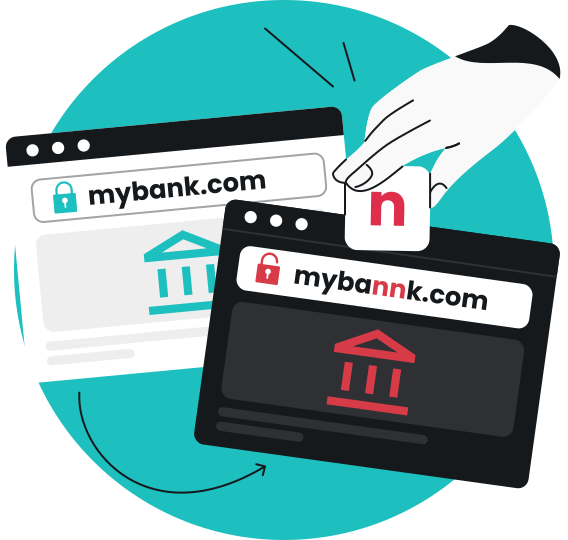
These are typical phishing emails that borrow Best Buy’s branding and communication style, all to make the Geek Squad scam look legitimate and earn your trust.
In 2023 alone, about 52,000 people reported scammers impersonating Geek Squad. That’s more than the 34,000 reports involving Amazon and 10,000 involving PayPal.
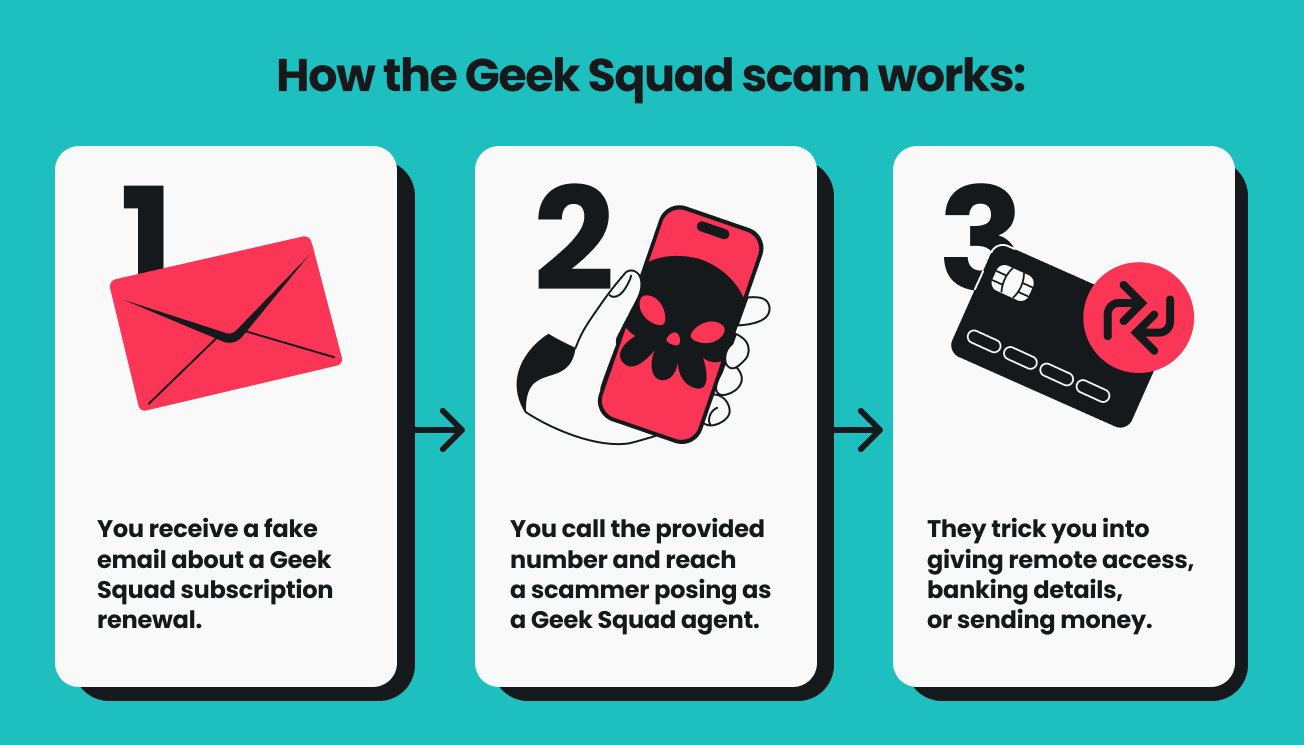
Here’s how the Geek Squad scam typically works.
First, victims receive an email claiming their subscription has been renewed, often for hundreds of dollars. The message usually includes an invoice or receipt and a phone number to call for “refunds” or “cancellations.”
Next, when recipients call, they’re connected to a scammer pretending to be a Geek Squad agent, who might ask for:
- Remote access to your device to “process the refund;”
- Banking or credit card information;
- A money transfer to “reverse the charge.”
In reality, these scammers use fear and urgency to trick you into handing over sensitive information or making payments that go directly to them.
Types of Geek Squad scam emails
Scammers use the Geek Squad name in several ways to trick people into sharing personal or financial information.
Here are the most common versions to watch out for:
Auto-renewal or invoice scams
This is the classic version. You get an email saying your Geek Squad subscription is about to renew — often for $300–$400. It might also include a fake invoice and a phone number to call or a link to click if you want to cancel.
Those links and numbers lead straight to scammers, who ask for personal or bank account details “to verify your account.” Once you share them, your sensitive information can be used for identity theft or fraudulent purchases.
Refund scams
In this version, scammers claim you’re owed a refund for a canceled or duplicate Geek Squad payment.
They might say they accidentally sent you too much money and ask you to send some back — often through wire transfer or gift cards.
The “refund” never existed in the first place, but by the time you realize it, your money is gone.
Tech support scams
Some scammers take it further by pretending to be Geek Squad technicians or tech agents. They claim they’ve found issues with your computer and offer to fix them remotely.
Sometimes, scammers create fake websites that provide fraudulent phone numbers to convince you to call and share personal information.
Once you grant remote access, they can install malware, steal online banking credentials, or demand payment for fake repairs.
Password reset scams
This type of phishing attack usually looks like a security alert from Best Buy or Geek Squad. It typically claims someone tried to access your account. Then, the email urges you to reset your password using a provided link.
The link leads to a fake login page that collects your credentials.
Scammers then use them to access your financial accounts and personal data, leading to identity theft or unauthorized purchases.
Antivirus software scams
These emails use scare tactics, warning that your device is infected with malware. You’re told to click a link to download antivirus software to protect your data.
Surprise, surprise, the software is fake. Once this fake antivirus software is installed, it gives criminals access to your files, passwords, or even your camera.
Pro tip: Geek Squad and Best Buy will never ask for your password, payment details, or remote access through an email or phone call. If something feels off — it probably is. Always go directly to the official Best Buy website or app to check your Geek Squad account.
How can you spot a Geek Squad email scam?
Geek Squad scam emails can look convincing, but there are always clues that give them away. That’s why I made this quick checklist — so you can spot the warning signs before clicking on anything suspicious.
Always check who sent the email
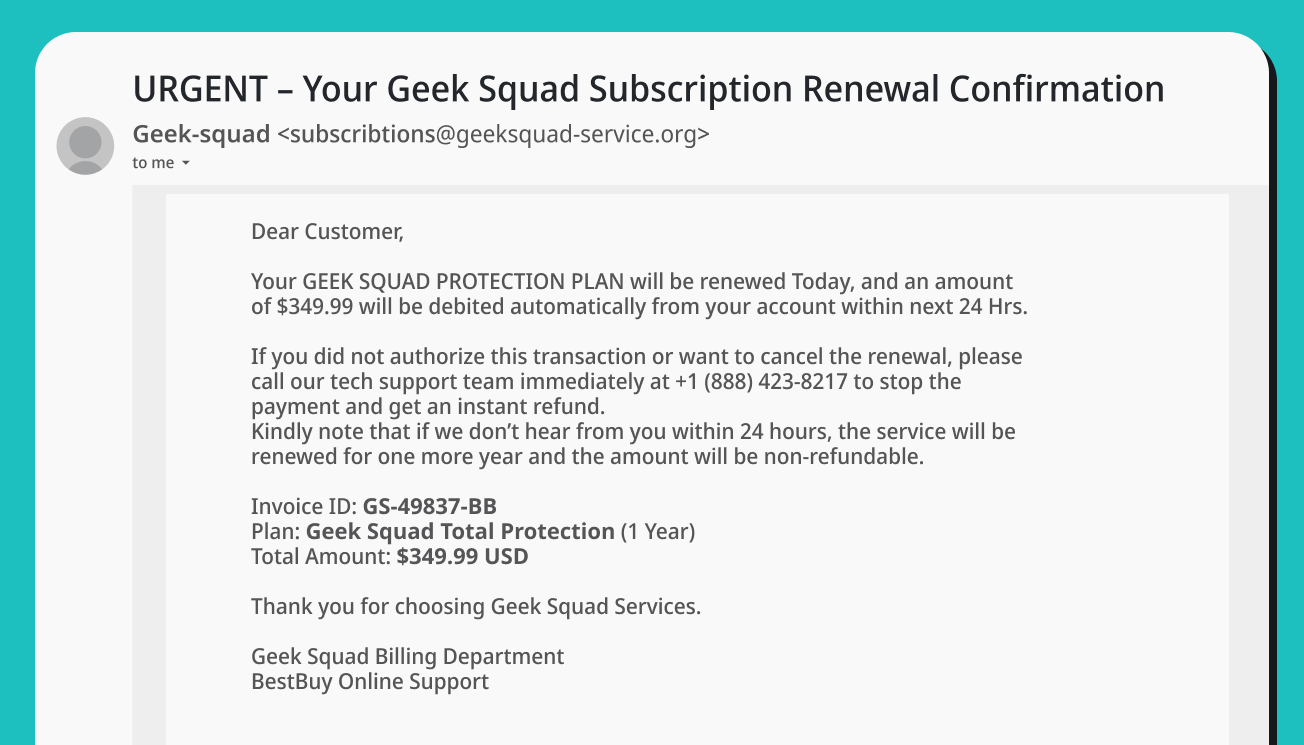
The first giveaway is usually the sender’s email address. Real Geek Squad messages come from @bestbuy.com.
Scammers love close look-alikes like @geeksquadrenewal.com, @bestbuycare.info, or @geeksquad-service.org.
If you notice random numbers, strange symbols, or spelling mistakes in the domain, that’s your first red flag.
Spot grammatical or spelling mistakes
Scam emails often sound a little off. Maybe there’s an extra space before a period, a lowercase i in the middle of a sentence, or strange phrasing like “We kindly asking you to re-confirm.”
Official companies almost never send emails with typos or awkward phrasing — especially in an automated message like a password reset email.
But be cautious — since many scammers now use AI to polish their emails, a mistake-free message isn’t always legitimate.
Notice any artificial urgency
Phishing emails often try to trigger panic and force you to act fast.
You’ll see lines like: “Your subscription will renew today for $349.99 — call immediately to cancel!” or “Your account will be locked unless you verify now.”
That sense of pressure is intentional — real companies don’t rush you to act.
Pay attention to how they address you
Phishing emails are usually sent in bulk, so scammers don’t have your real details.
If the message starts with a generic greeting like “Dear Customer” or “Dear Sir/Madam,” that’s another sign it isn’t from the real Geek Squad.
Be extra careful with remote access requests
A real tech support team will never ask to remotely access your devices out of the blue.
If you receive an email or an unsolicited phone call saying they need to fix your computer remotely, hang up or delete the message.
Question any unexpected invoices or renewals
Getting a renewal notice for a service you never bought? Classic scam move.
Real Geek Squad invoices appear only if you actually have an account or subscription.
Take a closer look at how one of these scam emails might look — packed with fake invoices, bad grammar, and a sense of urgency.
How can you avoid a Geek Squad scam?
You can’t stop Geek Squad scammers from sending fake emails, but you can make sure they never trick you. These small habits and tools can make a big difference.
Never click on links in suspicious emails
The golden rule that will protect you from 9 out of 10 phishing emails — don’t click on any suspicious links.
If you get an unexpected Geek Squad renewal notice, refund request, or a virus alert via email — don’t click anything inside it. Those links often lead to fake websites (aka phishing sites) that steal your financial information or install malware.
Instead, open your browser and go directly to bestbuy.com to check your account or contact Geek Squad directly.
Always verify emails before responding
If an email looks even slightly off, double-check it through official channels. You can forward suspicious messages to reportphishing@apwg.org or visit Best Buy’s official website to confirm whether the email is real.
Remember — Geek Squad and Best Buy will never ask for remote access, your password, or payment details by email.
Protect your connection with a VPN
Scammers often use public Wi-Fi networks to spy on users and intercept data. A VPN (Virtual Private Network) encrypts your connection, keeping your online activity private even on unsecured networks.
With Surfshark VPN, your data travels through a secure, encrypted tunnel — so scammers, hackers, or snoopers can’t see what you’re doing online or access your personal info.
Use antivirus software for an extra layer of safety
Even if you accidentally click on a phishing link, reliable antivirus protection can stop malware before it spreads.
Surfshark Antivirus automatically scans your device, blocks suspicious downloads, and removes hidden threats — keeping your data safe from viruses, spyware, and other cyberattacks.
Trust your instincts
If something feels off — weird grammar, an unusual request, or too much urgency — it probably is.
Pause, double-check, and only act once you’re sure the message is legitimate.
Pro tip: Online scams evolve all the time, so staying cautious is key. Combine smart habits with solid protection tools like Surfshark VPN and Surfshark Antivirus for all-around security.
With a few smart habits, you can stay safe from Geek Squad scams
Geek Squad scams might look convincing, but they all follow the same playbook — urgency, fear, and fake professionalism. Once you know their tricks, they lose their power.
Stay cautious with unexpected emails, double-check anything that looks suspicious, and never share personal details with someone who contacts you out of nowhere.
And for extra peace of mind, protect your devices and online activity with Surfshark One — an all-in-one security suite that includes VPN, Antivirus, and more.
It’ll help protect your data, block threats, and keep Geek Squad scammers from sneaking in through weak spots.
Outsmart every scam attempt
Secure your connection, block cyberthreats, and browse confidently with Surfshark One.
Get Surfshark OneFAQ
Can I verify whether an email from Geek Squad is legitimate?
Yes, the fastest way to verify an email is to check the sender’s email address — real Geek Squad emails come from @bestbuy.com. If you see extra words, random letters, or a different domain, it’s a scam.
You can also hover over any links (without clicking) to see where they lead — if it’s not an official bestbuy.com page, delete the message.
When in doubt, sign in to your Best Buy account directly or contact Geek Squad through their official website instead of using the details in the email.
What happens if I accidentally open a spam email?
Simply opening a spam email usually isn’t dangerous — most email providers block harmful content from loading automatically.
The real risk starts when you click on links, download attachments, or reply to the sender. If you’ve opened a suspicious message, avoid clicking anything inside, close it, and delete it.
To stay safe, run a quick antivirus scan with tools like Surfshark Antivirus to make sure your device hasn’t been affected.
How do I report a fake Geek Squad email?
You can forward the fake Geek Squad email to reportphishing@apwg.org, which helps cybersecurity experts track and shut down phishing campaigns. Then, delete the message from your inbox and trash folder.
If the scam email claims to be from Best Buy or Geek Squad, you can also report suspicious activity directly to Best Buy customer service through their official website.