Comes with a VPN & Alternative ID — essentials for your daily browsing.
- VPN: surf safely online
- Personal data masking: protect your identity
- Ad blocker: block ads & pop-ups
A free trial only works if nothing’s held back. Try Surfshark’s free trial for Android for seven days, with every feature you’d get as a paying subscriber. Cancel anytime before the trial ends, and you won’t be charged a dime.
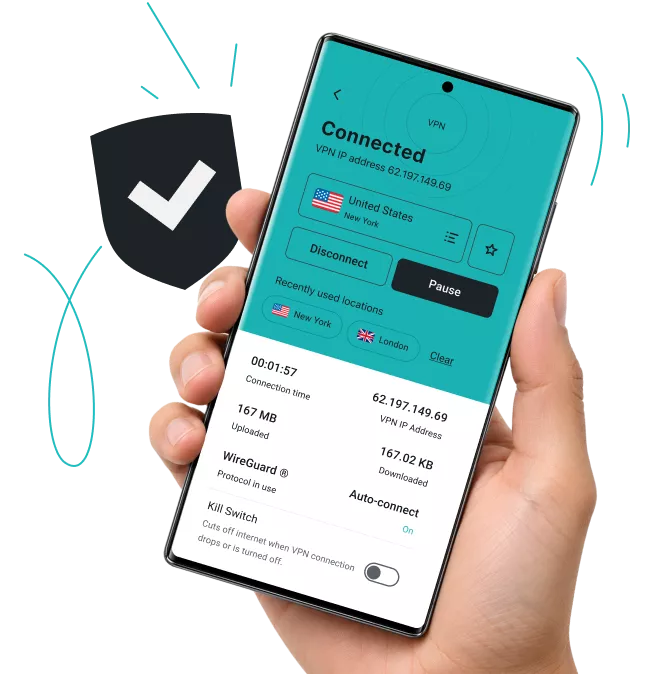
Widely trusted with 40M+ global app downloads, rewarded with 30+ recognition awards
Data as of 2026-03-26
Data as of 2026-03-26
With this trial you get to experience the full privacy and security suite that comes with a subscription:
Surfshark’s independently verified no-logs policy means we don’t track what you do online, while shielding your Android traffic from hackers, ISPs, and advertisers on public Wi-Fi and at home. You also get unlimited bandwidth across our fast servers in 100 countries.
The built in kill switch instantly cuts your internet connection if the VPN drops, while Everlink keeps your connection stable, so your Android traffic is never unencrypted.
Unlike many browser-based ad blockers, Surfshark’s Clean Web blocks ads, trackers, and malicious sites across every app on your Android device, not just your browser.
Surfshark’s mobile VPN app adds Android’s exclusive GPS override, which matches your GPS location to your VPN server, plus Bypasser split tunneling, which lets specific apps, like your banking app, run outside the VPN while everything else stays encrypted.
Multi Hop lets you route Android traffic through two VPN servers instead of one, adding an extra layer of privacy.
During your trial, you can secure your Android device and two others simultaneously. Once you subscribe, you’ll unlock unlimited simultaneous connections for your entire household.
Disclaimer: Please note that using Surfshark services for any illegal activities is strictly forbidden and violates our Terms of Service. Make sure that any use of Surfshark services for your particular activities conforms to all relevant laws and regulations, including those of any service providers and websites you access using Surfshark.
Get started with Surfshark’s free trial:
Enter your email and payment details to confirm you’re a new Surfshark user — you won’t be charged during the trial.

Set up your Surfshark account and choose a plan — Starter, One, or One+. Your trial activates with everything included in that plan.

Get the Surfshark app for Android from Google Play, or follow the Android setup guide if you’d rather install it another way. Log in and connect to a server to start browsing privately.
Note: Our free trial is available on all 12-month and 24-month plans. Accepted payment methods are by credit card, Apple Pay or PayPal. After the 7-day trial, you will be charged according to the chosen plan, and the subscription will renew automatically.
Enjoy overall protection online and offline with our suite for next-level privacy and security, Surfshark One+.
Surfshark VPN encrypts your internet traffic and masks your IP address to offer 24/7 online security. With 4,500+ servers in 100 countries, Surfshark delivers enhanced protection and faster speeds across unlimited devices.
Surfshark’s personal data masking provides you with an alternative email address for online use. You can sign up for websites and mailing lists without worrying about spam emails or giving away your sensitive data.
Surfshark Antivirus shields your device from malware and infected files. It scans downloads and attachments before they’re opened, blocks unauthorized apps from accessing your camera, and protects you without disruptions.
Surfshark’s data leak monitoring notifies you whenever your personal information is leaked online. You’re alerted if your email address, passwords, or ID numbers ever pop up in breached databases, letting you spring into action without delay.
Incogni works around the clock to stop 420+ data brokers from profiling you. From risk-mitigation and recruitment sites to financial, marketing, and people-search databases — Incogni monitors them all to make sure your data stays gone.
Comes with a VPN & Alternative ID — essentials for your daily browsing.
Shields you with all-round security for your browsing, devices, and identity.
Keeps your online activities & devices safe, with extra focus on identity protection.
Android’s app stores host plenty of permanently free VPNs, and it’s a fair question to ask why you’d trial a paid one instead. The short answer is that free VPNs typically fund themselves by limiting what you get, or by monetizing the data they’re supposed to protect in ways Surfshark doesn’t need to. Here’s how the two compare:
|
Surfshark
|
Free VPNs
|
|
Fast speeds and unlimited bandwidth
|
Often have slow speeds and data caps
|
|
Strong encryption of internet traffic
|
Usually have weak encryption
|
|
4,500+ VPN servers in 100 countries
|
Typically have a small server network
|
|
Independently verified no-logs policy
|
Can log or sell user data
|
|
Unlimited simultaneous connections
|
Often restricted to one connection
|
|
Easy-to-use apps for all major devices and platforms
|
Apps typically limited to computers
|
For quality performance and better Android privacy, choose Surfshark and enjoy your risk-free VPN trial.
Check out what users and tech experts around the world have to say about Surfshark.
The reviews highlighted in this section were selected from publicly available posts on social media platforms. They reflect the opinions of individual users at the time of posting and may not represent the full range of our product features and qualities.
The reviews quoted on this page have been published by media outlets associated with Surfshark through affiliate partnerships. Their recommendations are based on their own independent research and insights to ensure value for the readers.
I have been using Surfshark since I got it and I love it!

When I am traveling, I use Surfshark to access the internet quickly and securely, works like a treat in China.

We love Surfshark because it is an easy-to-use app that you can download on all your devices.

The reviews quoted on this page have been published by media outlets associated with Surfshark through affiliate partnerships. Their recommendations are based on their own independent research and insights to ensure value for the readers.
“This is my first year and I absolutely love it. The fact I can have a good antivirus, great VPN, and incognito for like $120 a year is great.”
“I’ve been using Surfshark for 4 years on Android and ChromeOS with zero issues, it’s an absolute bargain”
“I’ve had it for 3 years and just renewed it for the next 2 years. I never have any issues with it and get my full internet speed…”
The reviews highlighted in this section were selected from publicly available posts on social media platforms. They reflect the opinions of individual users at the time of posting and may not represent the full range of our product features and qualities.





Sign up on the Surfshark website, enter your email and payment details to confirm you’re a new user, then choose a plan. Your seven-day trial starts as soon as you download the Surfshark app for Android and log in — you won’t be charged unless you keep the subscription past day seven.
Yes, entering payment details when you sign up confirms you’re eligible for the trial. You won’t be charged during the seven free days, and you can cancel before the trial ends to avoid billing entirely.
Yes. Cancel from your account settings before the seven-day trial ends, and you won’t be charged anything.
Seven days, with full access to every feature in your chosen plan. The one limit during the trial is three simultaneous devices — that becomes unlimited once you subscribe.
Everything in the plan you pick when you sign up. Choose Starter, and your trial covers the VPN, Alternative ID, and Clean Web; choose One or One+, and it also includes Antivirus, Alert, and, on One+, Incogni.
Some VPN apps are free to use long-term, but usually come with data caps, fewer servers, or a single-device limit. Surfshark’s trial is free for seven days with no restrictions, so you can test the full experience before deciding.
Yes. Surfshark works on Android tablets as well as phones — the same app and account cover both.
Yes — during your seven-day trial, you can use up to three devices at once. Once you subscribe, you get unlimited simultaneous connections across every compatible device you own.
Yes, you can install Surfshark from Google Play, or download the Android app file directly from the Surfshark website if you prefer.
If you don’t cancel, your subscription automatically converts to a paid plan, and billing starts using the payment details you provided when you signed up. You can still cancel anytime afterward from your account settings.