• Get Surfshark

Download a VPN Chrome extension: fast, private, and secure

Protect your browser traffic, change your virtual location, and block ads and trackers with Surfshark’s lightweight Chrome extension.

  • One-click installation from the Chrome Web Store
  • Fast, encrypted browsing with no speed caps
  • Quick access to servers in 100 countries
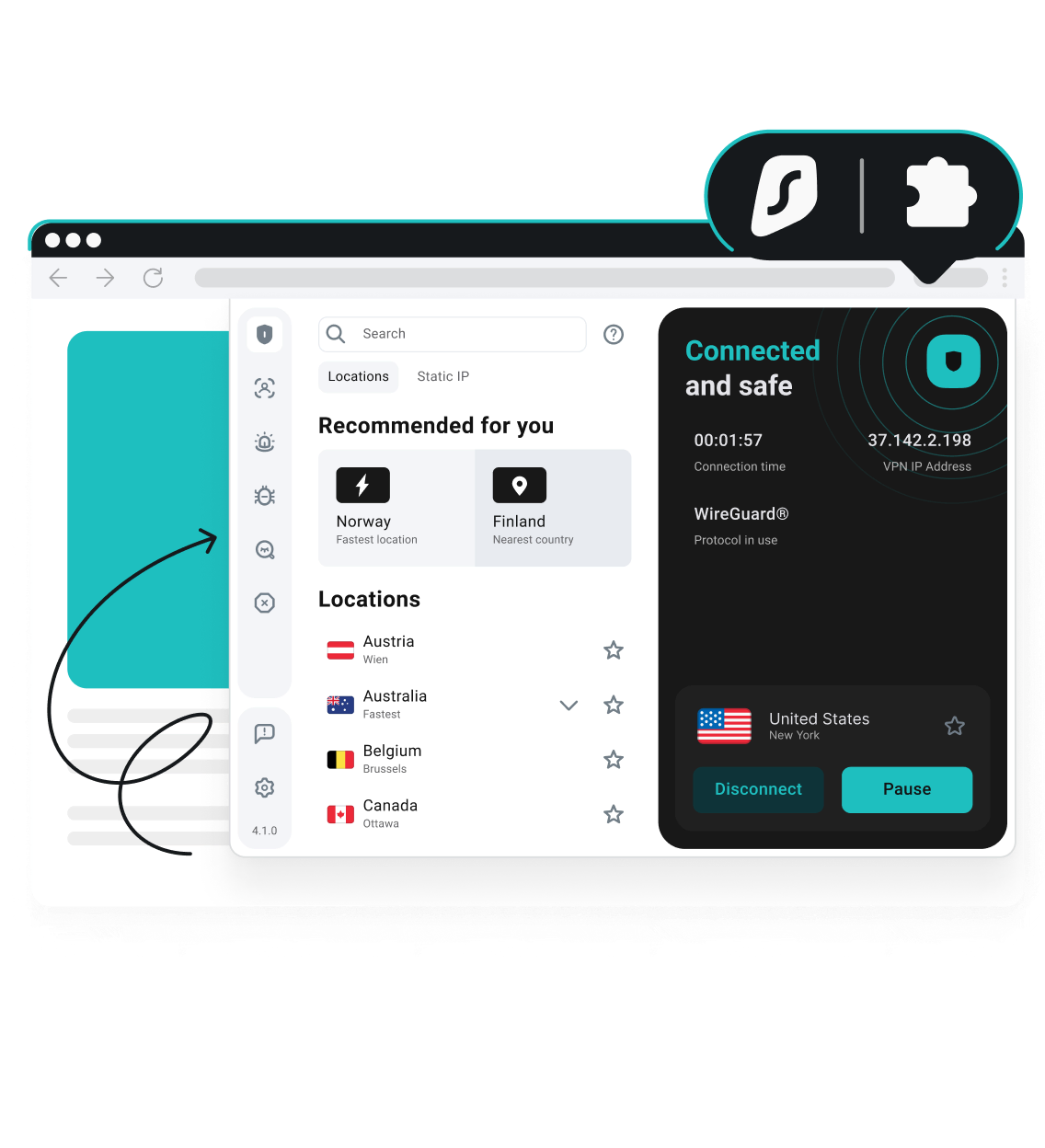
A Surfshark VPN extension in a web browser showing a US connection, with the Surfshark logo and a puzzle piece icon.

Why use a VPN Chrome extension?

A VPN Chrome extension encrypts your browser’s traffic and routes it through a secure server. It replaces your IP (Internet Protocol) address with a shared one, limiting how much websites, advertisers, and network admins can learn about you.

A proxy extension lets you enjoy:

  • More private browsing: your ISP (Internet Service Provider) can’t monitor what you do inside Chrome, and snoops can’t intercept your activity;
  • Safer public Wi-Fi: a VPN for Chrome encrypts every login, search, and form submission inside your browser, so your data stays protected on open networks;
  • Less tracking: a Chrome VPN extension swaps your IP address with one shared by other users, making it harder to build a profile around your browsing habits. 

Unlike a full VPN app that encrypts everything on your device, a browser extension only affects Chrome traffic. It’s faster to set up, lighter on system resources, and ideal when you want browser-only protection.

Why use a VPN for Chrome?

Set up Surfshark’s VPN Chrome extension in 3 steps

Get Surfshark

1. Get Surfshark

Pick the pricing plan that fits your needs and create an account.

Add the extension

2. Add the extension

Find Surfshark in the Chrome Web Store and click Add to Chrome.

Connect and surf

3. Connect and browse

Open the extension, log in, and connect to any of 4,500+ servers in 100 countries with one click.

For a step-by-step walkthrough, check out the full guide on how to set up Surfshark VPN for Chrome.

Enhanced protection from Surfshark’s Chrome extension

Research into mobile browsers found that Google Chrome collects more user data than any other major browser. A VPN can’t stop Chrome from storing or syncing your activity when you’re signed in, but Surfshark’s VPN extension can control what everyone else sees. Whether you’re browsing, shopping, or accessing your local streaming services, this Chrome VPN extension puts a wall between your data and unwanted tracking.

Protect your data

Encrypt your browser traffic

Surfshark’s browser-only encryption makes it significantly harder for hackers, ISPs, and other third parties to intercept your data. Your web traffic and DNS (Domain Name System) lookups are protected, even on public Wi-Fi.

Mask your IP and block leaks

The extension reroutes your Chrome traffic through secure servers, replacing your IP with a shared one. It also blocks WebRTC leaks, a common browser vulnerability that can expose your physical location, even when a VPN is active.

Browse without distractions

Surfshark’s built-in Clean Web feature blocks banner ads, video ads, trackers, and cookie pop-ups. It also helps prevent browser fingerprinting, something advertisers use to target you across sites without relying on cookies.

Get alerts about data leaks

The extension proactively warns you about malware threats and known data leaks on websites you visit. Real-time notifications flag risks as they appear, and potentially unsafe sites are marked directly in your Chrome results before you click.

Stream smoothly at top speed

With one of the fastest VPN services available, you can enjoy HD streaming from your Chrome browser with Surfshark. The lightweight extension architecture connects you to one of 4,500+ servers in 100 countries with minimal impact on performance.

Protect every device with one account

One Surfshark subscription covers unlimited simultaneous connections, so you can use the VPN Chrome extension on every computer in your household. What’s more, you can extend your VPN protection to Edge and Firefox with the same account.

Disclaimer: Please note that using Surfshark services for any illegal activities is strictly forbidden and violates our Terms of Service. Make sure that any use of Surfshark services for your particular activities conforms to all relevant laws and regulations, including those of any service providers and websites you access using Surfshark.

Independently verified Surfshark security:
third-party audits

These independent VPN security audits show that Surfshark’s security claims are backed by evidence. Deloitte provided two assurance reports (in 2023 and again in 2025) verifying that we don’t log user activity, while Cure53 confirmed the security of our server infrastructure. Rather than expecting our users to rely on promises alone, we’ve put our VPN security to the test with the industry’s most respected auditors.

No-logs policy assurance report (2025)

✓ No-activity-logs policy verified

✓ No IP address storage confirmed

✓ Privacy-relevant configuration settings checked

✓ Server infrastructure reviewed

Read the full Deloitte report

(Available only for Surfshark users)

Security assessment (2025)

✓ Web, desktop, and mobile app security validated

✓ Protection against data leaks and unauthorized access verified

✓ Zero critical vulnerabilities found

✓ Browser extension and account security confirmed

Read the full SecuRing report

Infrastructure security penetration test (2025)

✓ No critical vulnerabilities found

✓ No high-risk issues impacting user security identified

✓ Zero tested vulnerabilities leading to serious security threats

✓ Strong infrastructure protection against real-world attack scenarios

Read the full SecuRing report

Surfshark security features

Surfshark vs. free Chrome extensions

Free VPN extensions for Chrome might sound appealing, but they often come with trade-offs that undermine the privacy they promise. Here’s how Surfshark’s Chrome VPN extension compares to free alternatives.

Surfshark for Chrome
Free VPN extensions
Data collection risk
None: Surfshark’s strict no-logs policy has been independently verified (2023 and 2025)* 
High risk: many free VPNs track browsing activity and share data with third parties
Speed and bandwidth
Unlimited: no bandwidth or speed limits
Restricted: throttling and data caps are common
Ads and trackers
Blocked: Clean Web provides built-in ad and tracker blocking
Common: free tools often inject their own ads or allow third-party trackers
Customer support
24/7: live chat and email support are available
Limited: rarely offer live help and often have slow response times
VPN server locations
Hundreds: 4,500+ high-speed servers across 100 countries
Few: frequently have congested servers that slow your connection
Encryption
Strong: AEGIS-256X2, AES-256-GCM, and ChaCha20 encryption
Unreliable: a free VPN for Chrome may lack strong encryption standards
*Most paid VPN apps don’t track what you do online, but the Chrome browser itself can still gather user information.

One Surfshark account protects all your devices

Want more than a VPN Chrome extension? Surfshark offers native apps to protect all your favorite devices.

From the Surfshark Chrome VPN extension to smart TVs and mobile apps, one account covers unlimited simultaneous connections wherever you browse. Devices that don’t natively support VPN connections, like gaming consoles, can still be protected through a VPN router.

See why millions trust Surfshark

Check out what users and tech experts around the world have to say about Surfshark.

The reviews highlighted in this section were selected from publicly available posts on social media platforms. They reflect the opinions of individual users at the time of posting and may not represent the full range of our product features and qualities.

Surfshark is a highly polished and powerful VPN that competes with the very best premium providers, all while offering a seriously tempting price point.

Surfshark is one of the best VPN services, comes crammed with features, runs on almost anything, and has some of the best download speeds around.

Surfshark is an excellent, well-rounded virtual private network that consistently ranks as one of CNET’s best VPNs.

The reviews quoted on this page have been published by media outlets associated with Surfshark through affiliate partnerships. Their recommendations are based on their own independent research and insights to ensure value for the readers.

I have been using Surfshark since I got it and I love it!

MRWHOSETHEBOSS
23M subscribers

When I am traveling, I use Surfshark to access the internet quickly and securely, works like a treat in China.

SAM CHUI
3.91M subscribers

We love Surfshark because it is an easy-to-use app that you can download on all your devices.

MAX & OCCY
326K subscribers

The reviews quoted on this page have been published by media outlets associated with Surfshark through affiliate partnerships. Their recommendations are based on their own independent research and insights to ensure value for the readers.

The reviews highlighted in this section were selected from publicly available posts on social media platforms. They reflect the opinions of individual users at the time of posting and may not represent the full range of our product features and qualities.

PC Mag Best of 2026 Award Badge
FT 1000: Europe's Fastest Growing Companies 2024, 2025, 2026 Badge
CNET Editors’ Choice 2026 Badge
VPN Trust Initiative certification 2026 Badge
Forbes Technology Council member 2026 Badge

Surfshark supports the open internet

We partner with digital rights organizations to promote online freedom and keep the internet safe and accessible to all.

Take Surfshark for a spin — 100% risk-free

Surfshark’s VPN for Chrome places private browsing, greater security, and ad-blocking capabilities at your fingertips. If you’re not convinced that our VPN browser extension is the best for you, cancel within the first 30 days for a full refund.

Get Surfshark
30-day money-back guarantee
Privacy that goes beyond Incognito mode

Frequently asked questions

What is a Chrome VPN extension?

A Chrome VPN extension is a browser add-on that encrypts your Chrome traffic and routes it through a secure server, replacing your real IP address with a shared one. This limits how much websites, advertisers, and network admins can see about your activity.

The Surfshark extension offers advanced features like ad blocking, cookie pop-up blocking, and malware and data leak alerts. However, this extension only safeguards traffic within the Chrome browser. For greater device-wide online privacy, download the Surfshark app.

How do I add a VPN extension in Chrome?

To add a VPN for Chrome, follow these steps:

  1. Find your desired VPN in the Chrome Web Store.
  2. Select the extension and click Add to Chrome.
  3. Run the extension from your browser toolbar and connect to a VPN server.

How can I turn off a VPN extension in Chrome?

To turn off a VPN extension in Chrome, follow these steps:

  1. Click the Extensions icon on your Chrome browser’s toolbar.
  2. Find the VPN extension for Chrome you want to disable and click Manage Extension.
  3. Toggle the top switch to the Off position to deactivate your VPN extension. The extension will no longer be active in your browser.

Does Google Chrome come with a built-in VPN extension?

No, Google Chrome doesn’t include a built-in VPN. To encrypt your browser traffic, you need to install a VPN extension from the Chrome Web Store.

Google previously offered a VPN through Google One, but that service was discontinued in 2024. Even when it was available, it ran as a separate app — not as a Chrome extension — and lacked features like ad blocking, tracker protection, and a cross-platform kill switch.

For browser-level privacy directly inside Chrome, a dedicated VPN Chrome extension like Surfshark gives you one-click encryption, IP masking, and built-in ad blocking without leaving your browser.

Which VPN Chrome extension is best for privacy?

When choosing the best VPN Chrome extension, look for three things: a no-logs policy backed by independent audits, strong encryption, and built-in protection against IP leaks. Extra features like ad and tracker blocking, data leak alerts, and cookie pop-up removal also matter because they reduce the amount of information third parties can collect while you browse.

Free Chrome VPN extensions rarely check these boxes. Most operate on ad-supported or data-harvesting models that work against your privacy rather than protecting it. A paid VPN Chrome extension like Surfshark offers an audited no-logs infrastructure, unlimited speed and bandwidth, and ad-blocking protection.

What’s the difference between the Surfshark VPN app and the Surfshark Chrome extension?

The Surfshark VPN app encrypts all internet traffic on your device — every app, browser, and background process. The Surfshark Chrome extension works only within your browser, encrypting traffic passing through Chrome.

The Chrome extension uses fewer system resources and is a good choice when you only need browser-level privacy. Switching between the app and extension is simple, so you can use the extension for quick browser protection and the full app for device-wide coverage without any hassle.

Is a VPN extension for Chrome safe?

A VPN Chrome extension from a reputable provider is safe to use. Look for independently audited no-logs policies, strong encryption, and a transparent track record. Free VPN extensions may be risky, as many log your activity, inject ads, or sell your data.

Can I use a VPN Chrome extension on other browsers?

Surfshark’s browser extension works on Chrome, Edge, and Firefox. Any Chromium-based browser (like Brave or Opera) can also install the Chrome Web Store version. 

One Surfshark account can cover all your browser extensions with unlimited simultaneous connections.

What is a WebRTC leak?

WebRTC (Web Real-Time Communication) leaks happen when a person tries to make a video or audio call with another person via a browser that uses the WebRTC protocol. The browser reveals your IP, even if a VPN proxy extension is active.

WebRTC allows real-time communication between browsers without an intermediate server. Google developed this technology to enhance video and audio chats.

Surfshark’s Chrome extension has a built-in function that helps prevent WebRTC leaks. To check if it’s turned on, open the extension, click Settings, then VPN Settings, and toggle WebRTC on.

You can learn more about performing a WebRTC leak test here.