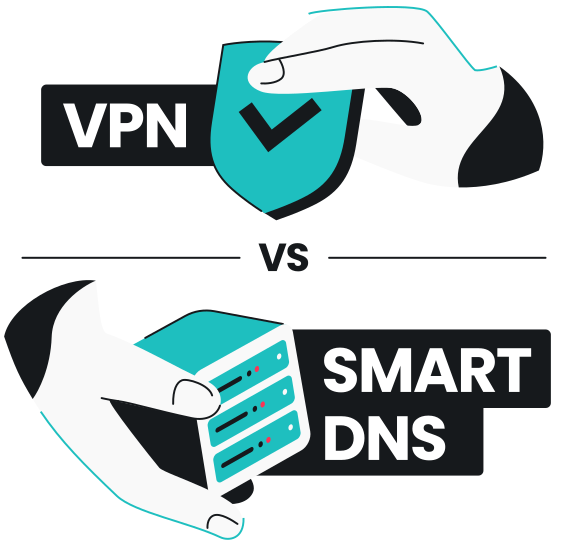
Smart DNS reroutes DNS requests to help you pass location checks if you’re browsing from an unusual location. Besides that, however, it doesn’t mask your IP and offers no encryption or privacy protection. A VPN encrypts all traffic, hides your IP address, and helps protect you from surveillance, data theft, and multiple other cyberthreats.
What is DNS?
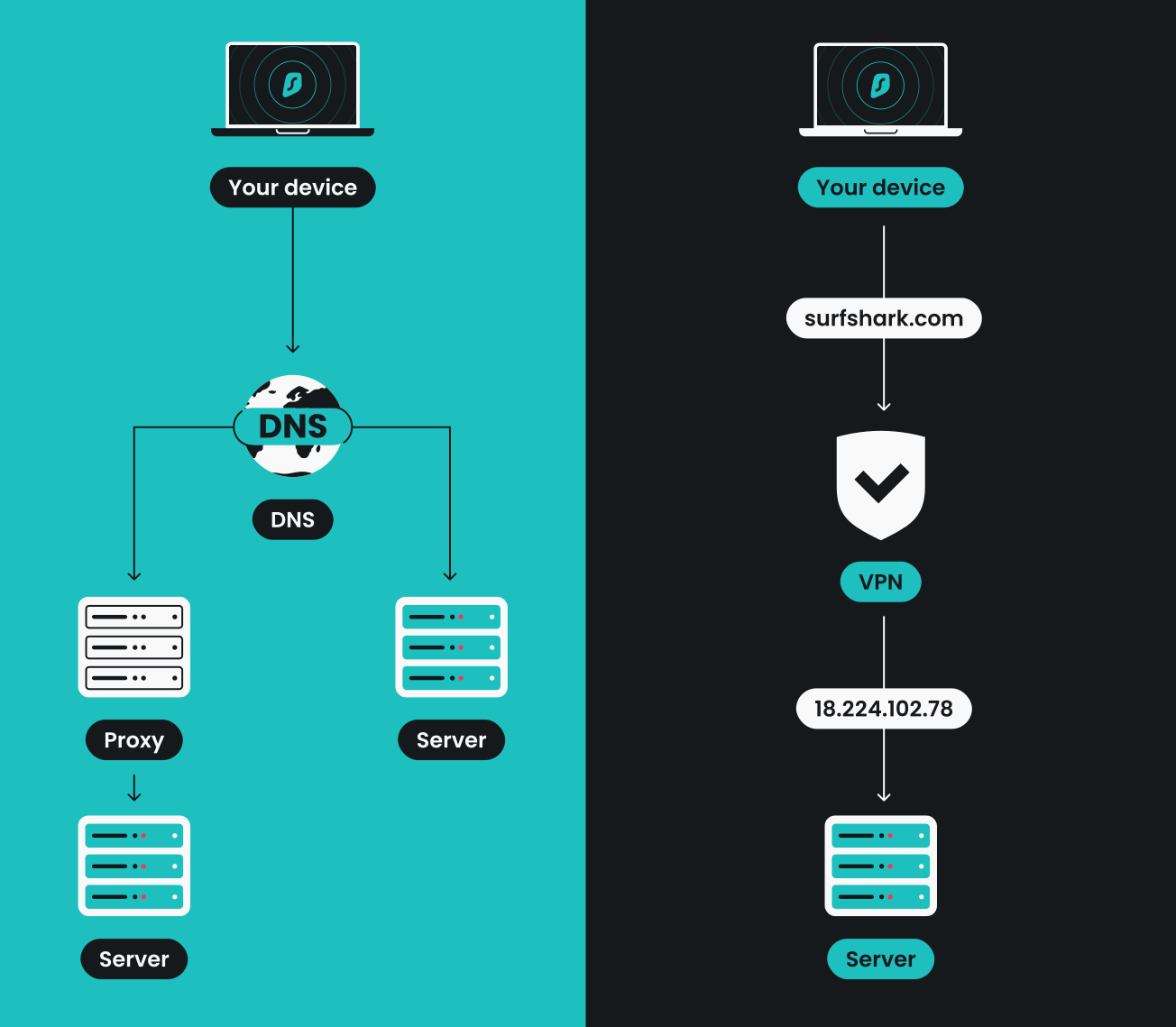
The DNS (Domain Name System) translates website names into IP (Internet Protocol) addresses your device can reach. Instead of remembering strings of numbers, you type surfshark.com, and DNS finds the correct IP address behind the scenes. Think of it as the internet’s phonebook: you look up a name, and it provides the number.
Every time you visit a website, your device sends a DNS request. Unless you change your DNS settings, it is your ISP’s (Internet Service Provider’s) DNS servers that handle this, and that works fine for everyday browsing. DNS is essential for the internet to function — it’s what makes navigating the web simple and intuitive.
What is smart DNS? Why compare it to a VPN?
Smart DNS is a solution designed to reroute specific DNS requests through proxy servers in a different location. This is useful when you want to access services in another country, especially those that employ location restrictions. Smart DNS spots location-checking requests and routes DNS queries through servers in a different country instead.
This is why some might group smart DNS and VPNs (Virtual Private Networks) together: both help mask your location. However, VPNs and smart DNS are fundamentally different: a VPN is designed for security and privacy — it encrypts your data, masks your IP, and helps keep you safe on any network.
Smart DNS, on the other hand, is designed for convenience: it is more lightweight and faster, but doesn’t offer any protection. Ultimately, it serves a single purpose: rerouting DNS requests to make services think you’re at a different location. That said, it’s also much less reliable than a VPN if a service cross-checks multiple signals.
Disclaimer: DNS service shouldn’t be used instead of a VPN and doesn’t provide the same security level.
VPN vs. smart DNS
VPNs and smart DNS take different approaches with different tradeoffs. This comparison helps clarify what each tool actually does and which situations call for one over the other:
|
Feature
|
VPN
|
Smart DNS
|
|
Main function
|
Encrypts all traffic and routes it through secure servers; masks your IP address
|
Reroutes DNS requests through proxy servers to make it look like you’re browsing from a different country
|
|
Privacy
|
Masks your IP and hides your online activity from ISPs and network observers
|
No privacy benefits: your real IP remains visible and your activity can be monitored
|
|
Security
|
Encrypts data, protecting you on public Wi-Fi and unsafe networks
|
No encryption or security features — only alters DNS requests
|
|
Data logging
|
Reputable VPNs follow a strict privacy policy and don’t store users’ browsing activity
|
Smart DNS does not log user activity either, but is also unable to provide privacy protections against your ISP or third parties
|
|
Price
|
Typically part of a subscription service (can be bundled with smart DNS at no extra cost)
|
Often included as a free feature within VPN subscriptions, or available separately at a lower cost
|
|
Speed
|
Encryption adds minimal overhead; modern VPNs maintain fast speeds
|
Doesn’t affect speed
|
|
Reliability
|
VPNs route all traffic through secure servers, covering both IP and DNS checks
|
Smart DNS only reroutes DNS requests, so if a service also checks IP or account region, it may not work
|
When to use a VPN vs. smart DNS
Both VPNs and smart DNS can be useful, but the way they work means they shine in different scenarios. Here are the most common use cases:
Privacy and security
If keeping your data safe is your main concern, a VPN is the clear choice. It encrypts your traffic, hides your IP, and helps protect you on public Wi-Fi networks where snooping and data theft occur frequently. It even includes specialized DNS encryption, which protects your DNS queries from monitoring and manipulation. Smart DNS provides no security layer because it doesn’t encrypt anything — it only reroutes DNS requests.
Speed and everyday browsing
Since it doesn’t use encryption, smart DNS is faster and places no extra load on your connection. This makes it convenient for accessing services from another country. If you’re just trying to access familiar websites with basic restrictions, and you’re not worried about network security, smart DNS can deliver a smoother experience.
Compatibility
Most devices that don’t support VPN apps natively can still use a VPN connection if it’s set up on a router. However, some routers don’t support VPN connections either. In these cases, smart DNS can fill that gap, since it can be configured with simple DNS changes.
Accessing services from another country
When you’re away from home, both tools can be useful, but to a different extent:
- Smart DNS can help you access services from another country;
- VPNs also secure your connection, which helps keep you safe on public or unknown networks. They’re also more reliable than smart DNS, since they reroute all your traffic and mask your IP.
Conclusion: should you use a VPN or smart DNS?
Use a VPN when privacy and security are important. Its encryption protects you on public Wi-Fi, prevents ISP tracking, and hides your browsing activity from network observers. Smart DNS is mainly useful for accessing services from another country, but it’s less effective at the job than a VPN. In practice, it’s only worth using on devices that don’t support VPN apps and don’t need protection.
FAQ
Is smart DNS legal?
Yes, using smart DNS is legal. Smart DNS simply changes how DNS requests are routed and doesn’t involve bypassing security systems.
Can smart DNS leak my real IP?
Yes, smart DNS can leak your IP address, since it leaves it visible to your ISP and anyone monitoring the network.
Does using smart DNS slow my internet?
No, smart DNS doesn’t impact internet speed. It reroutes DNS queries without encrypting traffic, leaving performance unaffected.
Can a VPN help me access more services than smart DNS?
Yes, since VPNs route all your traffic through secure servers, not just DNS requests.
What is a DNS leak?
Having a DNS leak means your requests are still going through your ISP instead of the secure DNS provided by your VPN provider. DNS leaks expose your browsing history to your ISP.
How can I check for DNS leaks?
You can check for DNS leaks by using an online testing tool that shows whether your DNS requests are exposed. Surfshark offers a quick and easy DNS leak test you can run in your browser to make sure your connection is secure.