Stay private on Windows with a fast, easy VPN — minus the limits of free VPNs.

Download a VPN for Windows PC
-
4,500+ high-speed servers for browsing and streaming
-
Independently verified no-logs privacy
-
Trusted by over 4M users
Try Surfshark VPN risk-free with our 30-day money-back guarantee
Windows VPN for Surface Pro and ARM devices
Surfshark stands out from many other VPN (Virtual Private Network) providers because it supports ARM-based devices. This includes integration with devices like the Microsoft Surface Pro, Samsung Galaxy Book, HP Elite Folio, and more.
Download our VPN for Windows and enjoy a secure, flexible app on devices using ARM architecture.

How to set up a VPN on a Windows PC
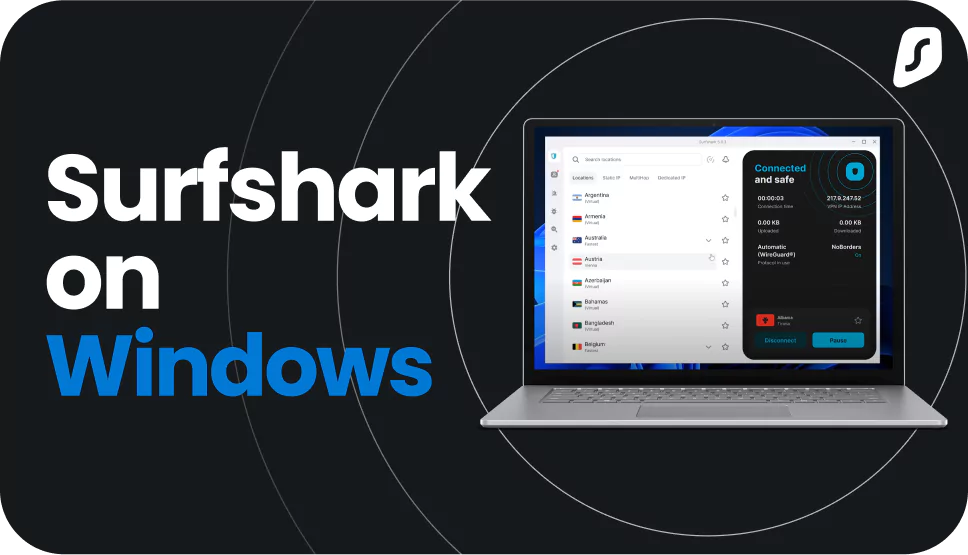
You can install Surfshark’s user-friendly Windows app in just a few moments.

1. Create an account
Choose the pricing plan that works for you.

2. Install the app
Download the VPN app on your favorite devices.

3. Connect and surf!
Log in and connect to your VPN server of choice.
You can find more in-depth instructions for manually setting up your Windows VPN by heading to Surfshark’s help center.

Protect all your devices with one account
Select an icon to visit the dedicated VPN download page.
Whether it’s our app for Windows or our mobile VPN, Surfshark offers a secure connection on your favorite devices. With a VPN router, we’ve also got you covered on smart TVs, gaming consoles, and more.
Surfshark vs. free VPNs
Free VPNs can be useful for basic browsing, but they often come with limits like slower speeds or data caps.
|
|
Free VPNs
|
Surfshark VPN
|
|
Data collection risk
|
High: free options often track your activity and share data with third parties
|
Low: Surfshark’s strict no-logs policy was independently verified by Deloitte in 2023 and 2025
|
|
Speed and bandwidth
|
Restricted: speed throttling and bandwidth limits are common
|
Unlimited: no bandwidth or speed caps are in place
|
|
Ads and trackers
|
Common: free tools may inject ads or allow trackers
|
Blocked: Clean Web offers built-in ad and tracker blocking
|
|
Customer support
|
Limited: often no live help and slow response times
|
24/7: live chat and email support are available
|
|
VPN servers and locations
|
Few: frequently have overloaded servers that slow your connection
|
Thousands: lets you connect to 4,500+ high-speed servers in 100 countries
|
|
Encryption
|
Unreliable: may lack strong encryption standards
|
Strong: AES-256 and ChaCha20 encryption standards for increased data and privacy protection
|
Why should you use Surfshark VPN for Windows?
With Surfshark’s VPN app, you unlock a world of benefits that elevate your browsing experience.
Change your virtual location instantly
Tap into Surfshark’s network of 4,500+ servers in 100 countries to access your favorite content while traveling abroad. With so many locations available, connecting to the fastest server for you is a breeze with our VPN for Windows.
Stay protected if your VPN drops
Our kill switch automatically disconnects you from the internet if your VPN ever drops, ensuring your details stay private. Keep your data secure from leaks and protect sensitive information with a reliable VPN connection on your Windows PC.
Route only your chosen traffic
Choose which apps or sites to protect with your VPN using our Bypasser split tunneling tool. Use your actual IP (Internet Protocol) address for desktop apps that need it while keeping the rest of the internet traffic on your Windows PC encrypted.
Block ads and trackers while you browse
Enjoy distraction-free browsing with built-in ad and tracker blocking from Clean Web. Connect to any of our server locations and turn Clean Web on for smoother surfing without intrusive ads on streaming services and other sites.
Set-and-forget connectivity
Activate auto connect to run Surfshark whenever your device turns on, thanks to our easy integration. Configure your Windows VPN app to launch on startup and protect yourself as soon as you boot — no more tinkering required.
Shield your identity and activity
Connect your Windows PC to a VPN server to boost your internet safety. Encrypt your traffic and mask your IP address with a VPN app to stay hidden from ISPs (Internet Service Providers) and prying eyes.
Disclaimer: Please note that using Surfshark services for any illegal activities is strictly forbidden and violates our Terms of Service. Make sure that any use of Surfshark services for your particular activities conforms to all relevant laws and regulations, including those of any service providers and websites you access using Surfshark.
Surfshark VPN for Windows: technical specs
Here’s a quick overview showing our VPN for PC’s capabilities.
|
Supported protocols
|
WireGuard, OpenVPN, IKEv2
|
|
Devices per account
|
Unlimited
|
|
Advanced features
|
Obfuscated servers, No Borders, kill switch, Bypasser split tunneling feature, Clean Web ad blocker
|
|
Leak protection
|
DNS (Domain Name System), WebRTC, and IPv6 leak protection
|
|
Encryption
|
AES-256-GCM, ChaCha20
|
|
IP addresses
|
Shared IPs, static IPs, Nexus security features like double IP masking (via Multi Hop) and rotating IP, dedicated IP (available as paid add-on)
|
|
Internet speed restrictions
|
No data or speed restrictions are in place; users can enjoy unlimited bandwidth, data, and speed
|
|
Device architecture
|
Surfshark supports all popular Windows versions, including Windows 10 and 11, along with x64 and ARM64 devices (legacy app available for Windows 7, Windows 8, and x86 architecture)
|
4,500+ servers
100 countries
6 continents
All servers

See why millions trust Surfshark
Check out what users and tech experts around the world have to say about Surfshark.



The reviews highlighted in this section were selected from publicly available posts on social media platforms. They reflect the opinions of individual users at the time of posting and may not represent the full range of our product features and qualities.
The reviews quoted on this page have been published by media outlets associated with Surfshark through affiliate partnerships. Their recommendations are based on their own independent research and insights to ensure value for the readers.
I have been using Surfshark since I got it and I love it!

When I am traveling, I use Surfshark to access the internet quickly and securely, works like a treat in China.

We love Surfshark because it is an easy-to-use app that you can download on all your devices.

The reviews quoted on this page have been published by media outlets associated with Surfshark through affiliate partnerships. Their recommendations are based on their own independent research and insights to ensure value for the readers.
“This is my first year and I absolutely love it. The fact I can have a good antivirus, great VPN, and incognito for like $120 a year is great.”
“I’ve been using Surfshark for 4 years on Android and ChromeOS with zero issues, it’s an absolute bargain”
“I’ve had it for 3 years and just renewed it for the next 2 years. I never have any issues with it and get my full internet speed…”
The reviews highlighted in this section were selected from publicly available posts on social media platforms. They reflect the opinions of individual users at the time of posting and may not represent the full range of our product features and qualities.






Frequently asked questions
What is a VPN for Windows?
A VPN for Windows is software that runs on Microsoft’s operating system, which encrypts internet traffic and changes your IP address.
With a VPN for PC, you can:
- Mask your real IP address;
- Surf the internet safely on public Wi-Fi;
- Browse the web with more privacy — and without intrusive ads and trackers;
- Access content from your home country when traveling.
What is a good free VPN for a PC?
There isn’t a good free VPN for PCs. Most free VPNs offer limited security features and slower VPN speeds. To get the best VPN for Windows with enhanced security and unlimited bandwidth, choose a paid PC VPN like Surfshark, which offers a free Windows VPN trial.
How do I change my VPN on a Windows PC?
To change a VPN or connect to a new one on a Windows device:
- Click Start, go to Settings, choose Network & Internet, and hit VPN.
- Click the Connect button next to the VPN you want to use.
- Enter your VPN sign-in info.
How can I check if my system is x64, ARM64, or x86 (32-bit)?
On Windows, you can check what kind of processor you have by going to Settings > System > About. Under System type, you’ll see an option resembling one of the following:
- X64-based processor;
- ARM-based processor;
- 32-bit operating system.
This tells you which processor architecture your PC is using.
Does Windows 10/Windows 11 have a built-in VPN?
Yes, Windows 10 and 11 have built-in support for VPN connections, but you need to create a VPN profile before using one. To use the Windows VPN client, click Start, go to Settings, choose Network & Internet, click VPN, and select Add a VPN connection.
The built-in Windows VPN is less convenient and functional than other VPN software. It’s best used to connect to your work network. However, if you want access to worldwide servers and keep your online privacy, subscribe to a service like Surfshark to get the best VPN experience.
Does Surfshark VPN work on Windows 7?
Surfshark VPN works on Windows 7. However, as Microsoft has stopped supporting Windows 7, Surfshark and other major providers are no longer updating their VPN apps for Windows 7.
Does Surfshark work on Windows 10?
Yes, Surfshark works on Windows 10, offering users a fast connection via a remote server with unlimited bandwidth. If you face any issues, don’t worry — our customer support team is ready to help.
Does Surfshark work on Windows 11?
Yes, Surfshark works on Windows 11. The VPN service — including data encryption, IP address masking, and advanced features like our kill switch — is fully supported to offer users safer internet access and fast connection speeds.
Does Surfshark work on a PC?
Yes, Surfshark works on a PC, so feel free to download our VPN for Windows. We also have it for Android, iOS, macOS, Linux, Apple TV, and FireTV.
If you’re looking for a desktop VPN extension that offers many of the same advanced features, we have one for Chrome, Firefox, and Edge browsers.
What are the system requirements for a Windows VPN?
To use Surfshark or another VPN for Windows, your device must meet these requirements:
- Available on: Windows 7*, Windows 8*, Windows 8.1*, Windows 10, Windows 11;
- Architecture: x64, x86*;
- Free memory: 4 GB (350 MB without AV);
- RAM: at least 4 GB.
*Surfshark has stopped supporting Windows 7, Windows 8, Windows 8.1, and x86 architecture, but you can still install an older Windows version of our app with fewer security features and updates.
