IP rotation replaces your IP address with a new one at set intervals or with each new connection. Your VPN, proxy service, or ISP handles this switch automatically, although some of the tools involved require preconfiguration. IP rotation prevents tracking across sessions and helps avoid IP-based blocks, allowing you to maintain privacy and avoid rate limits during high-usage activities, such as load testing.
What is IP address rotation?
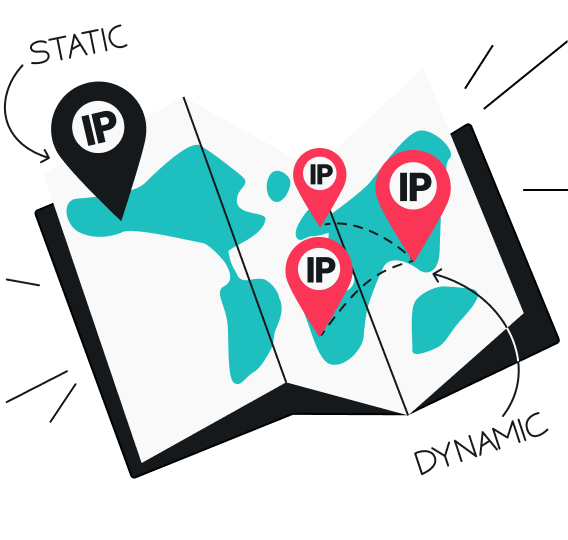
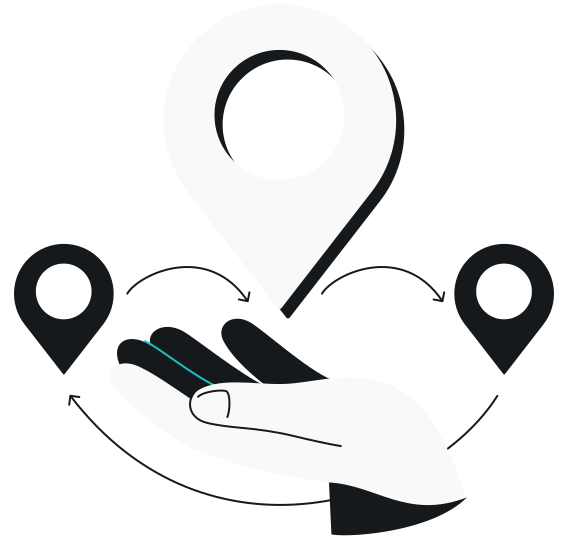
IP address rotation automatically changes the IP (Internet Protocol) address used to connect to the internet at regular intervals or after specific actions are taken. Rather than sending all requests from a single IP address, your connection cycles between several, making it appear as if the requests come from multiple devices or locations.
Put simply, IP rotation ensures that you do not overuse one online identity, helping you maintain privacy, avoid blocks, and distribute traffic more evenly.
Why rotate IP addresses?
Rotating IP addresses is a practical way to strengthen online privacy and reduce the exposure that comes with using a single, static connection.
Your everyday IP reveals more about you than most people realize — including your approximate location, your ISP (Internet Service Provider), and enough technical details for third parties to link your activity across sessions. Advertisers use this information to build behavioral profiles, while malicious actors can exploit it for targeted attacks such as DDoS (Distributed Denial of Service) attempts, phishing, or other intrusive activities.
By cycling through multiple IP addresses, you make it significantly harder for anyone to trace your actions, correlate your browsing habits, or identify you as a target. It limits the amount of data that can be collected about you, disrupts tracking mechanisms, and adds a meaningful layer of anonymity to your web surfing experience.
Pros and cons of IP rotation
IP rotation offers significant advantages for privacy, access, and reliability — but it also comes with trade-offs:
|
Pros
|
Cons
|
|
Improves privacy and anonymity
|
Can interrupt sessions
|
|
Helps avoid rate limits
|
Adds latency
|
|
Allows for geo-specific testing
|
Requires cost investment
|
|
Supports large-scale operations
|
May be misused
|
|
Can improve data accuracy
|
Quality varies by provider
|
Perks of IP rotation
- Improves privacy and anonymity: since your IP address keeps changing, trackers, advertisers, and malicious actors have a harder time trying to build profiles or trace your activity;
- Helps avoid rate limits: spreads requests across different IPs, letting you gather data or perform actions without triggering usage caps;
- Allows for geo-specific testing: simulates traffic from multiple locations for ad verification, SEO tracking, or regional content access;
- Supports large-scale operations: essential for load testing and automation tasks that demand high request volumes;
- Can improve data accuracy: rotating between IP addresses can help you account for personalized marketing or personalized search results.
Cons of IP rotation
- Can interrupt sessions: frequent IP changes may log you out of accounts or break workflows that rely on consistent identification;
- Adds latency: routing through multiple IPs or servers can slow connection speeds and cause occasional drops. That said, this doesn’t happen when VPN rotation is involved;
- Requires cost investment: high-quality proxy pools or VPN networks aren’t free, and costs scale with the number of IPs needed;
- May be misused: can be used unethically to bypass security or violate terms of service, potentially leading to ethical or even legal issues;
- Quality varies by provider: free or low-quality services may expose you to security risks, unreliable connections, or already-blocked IPs.
Disclaimer: Please note that using Surfshark services for any illegal activities is strictly forbidden and violates our Terms of Service. Make sure that any use of Surfshark services for your particular activities conforms to all relevant laws and regulations, including those of any service providers and websites you access using Surfshark.
How to rotate IP addresses
Whether you’re data scraping, testing web performance, or trying to improve your privacy, the right IP rotation method depends on your goals and technical setup.
VPN rotation
VPN rotation changes IP addresses by alternating between the VPN provider’s multiple servers.
Each time you connect to a new server, you get assigned its IP address, masking your regular one. While you can manually switch servers to rotate your IP addresses, some VPNs offer features that automate this process.
Surfshark offers a IP rotation feature as part of its Nexus technology:
- Rotating IP: changes your IP address automatically every five minutes without disconnecting you from the VPN. You can set it to rotate within a specific country, region (like the EU), or globally. This constant rotation makes your online activity harder to trace, even if someone is monitoring the network;
For now, this functionality is available only for macOS users in the Advanced settings of the Surfshark app. It is not enabled by default and are intended for those who require the highest level of online privacy.
For non-macOS users, the rotating IP currently cycles between addresses within the same location only. However, all users can access Multi Hop, our double VPN feature that lets you manually select the entry and exit nodes for your internet traffic. By switching the nodes, you effectively change your IP addresses, making it twice as difficult to trace your connection.
Proxy rotation
A rotating proxy is one of the most common methods for switching between IP addresses. The proxy provides a static entry node — a fixed IP address that serves as the starting point, from which it assigns new IP addresses.
Common approaches include IP rotation software (self-managed tools that switch between proxy addresses), IP rotation services (ready-made rotating proxy pools), or DIY solutions (fully customized setups you configure yourself).
Sticky proxies
Sticky proxies rotate the IP address less often. Instead of changing with each request, the IP remains stickied for a defined duration or until a specific condition is met.
This method is useful when you need to rotate IP addresses while maintaining consistency — for tasks such as managing multiple online accounts or load testing.
Time-based rotation
Time-based rotation changes your IP addresses at predetermined intervals, such as every few minutes, hours, or days. You can customize these and have the service switch IP addresses automatically.
Time-based rotation is commonly used in large-scale load testing projects. Marketing professionals also utilize it to gather unbiased search engine rankings, conduct competitive analysis, and manage email marketing campaigns.
Request-based rotation
Request-based rotation changes your IP addresses after each request or after a certain number of requests. It assigns a new IP after each connection or batch of requests, offering maximum anonymity and reducing the risk of detection.
Request-based rotation is widely used in major load testing operations. It’s also popular for monitoring ad placements and content, so it appears multiple users are accessing the content for more accurate analysis.
Intelligent IP rotation
Intelligent IP rotation uses algorithms to automate the rotation process. It determines the optimal times or conditions for an IP switch based on parameters such as request patterns, traffic volume, and website responses, all of which you are free to configure. What’s more, intelligent IP rotation monitors the behavior of websites — if there are signs of unusual activity or suspected blocks, the IP address gets switched automatically in real-time to prevent detection.
This technique is primarily used in large-scale load testing, but it’s also useful for fraud prevention testing, as it can simulate various attack scenarios.
Best practices for effective IP rotation
Rotating IPs works best when done thoughtfully. Whether you’re using proxies, VPNs, or automated tools, following a few smart habits will help you stay efficient, ethical, and secure.
Combine IP rotation with user-agent rotation
Websites don’t just look at IP addresses — they also track browser fingerprints, such as your user-agent (the software information your browser sends). Rotating both your IP and user-agent together makes your activity appear more natural and diverse. Many automation tools and proxy services can rotate user-agents automatically alongside your IP.
Use reputable proxy or VPN providers
Free or low-quality proxies and VPNs can expose you to malware, data leaks, or unreliable connections. Always choose trusted providers that offer verified IP addresses, encryption, and reliable uptime. Stability and safety are always worth paying for.
Monitor and log your requests
Monitor error rates, response times, and blocked requests. If one IP or region keeps getting flagged, remove it from your rotation pool. Regular monitoring maintains smooth performance and prevents unnecessary downtime.
Respect the terms of service of websites you visit
IP rotation should always be used responsibly. Avoid scraping private data or overloading servers — ethical use keeps the web safer for everyone.
Conclusion: IP rotation is well worth your time
IP rotation is one of the simplest ways to stay secure and efficient online. It helps keep your activity harder to trace, giving you greater confidence and peace of mind as you surf. For anyone who values reliable access and online freedom, it offers clear and meaningful advantages.

Rotate your IP automatically
Stay private with Surfshark’s advanced IP rotation features
Get SurfsharkFAQ
What is IP rotation in email sending?
IP rotation in email sending utilizes multiple IP addresses to send emails, rather than relying on a single IP. This distributes traffic across several IPs, reducing spam filter triggers and blocklisting risk.
What is the most effective method for rotating IP addresses?
The best method depends on your needs. Rotating proxies are favored for detailed configuration options and scalability, while VPN rotation offers enhanced security and ease of use.
How often do crawlers need to rotate their IP addresses?
Crawlers should rotate IPs frequently to avoid blocks — typically every 10-20 requests or every 5-10 minutes. The exact frequency depends on the target website’s anti-crawling defenses and the volume of requests.
Which VPN has a rotating IP?
Surfshark offers rotating IP as part of its Nexus technology. You can use the rotating IP feature to change your IP every 5-10 minutes in your chosen region.