A VPN (Virtual Private Network) will slow down your internet connection. But with a top-tier VPN, that slowdown should be unnoticeable. No matter whether it is paid or free, a VPN will affect your connection speed because it needs some of that bandwidth for encryption purposes. Read on to learn why else a VPN may slow down your internet and find tips on how to avoid it.
Why does a VPN slow down the internet?
Using a VPN slows down your internet speed because it adds extra steps to your connection — it routes your traffic through a VPN server and encrypts your data, both of which require some bandwidth. If you choose a high-quality VPN provider, the impact should be hardly noticeable.
However, distance plays a bigger role than the VPN technology itself. The farther your chosen server is from your physical location, the longer your data takes to travel — and that’s what actually affects your speeds.
In typical consumer use, the performance overhead of a VPN is usually negligible. Modern VPN protocols handle encryption and packet processing efficiently, so the encryption itself typically won’t slow you down. The real impact on speed comes from routing — before reaching its destination, your traffic takes a detour through the VPN server.
If you’re in France and connecting to a site in France, but your VPN server is in Germany, your data travels from France to Germany and then back to France, instead of taking the direct route. That extra distance is what slows things down — not the VPN technology itself.
— Karolis Kačiulis, Leading System Engineer at Surfshark
In short, your ISP (Internet Service Provider) connection speed and your VPN server proximity are the key factors affecting your performance.
What aspects of a VPN slow down the internet?
If your VPN feels slow, it’s usually due to a few predictable factors. Some make a big difference, while others have only a minor impact. Here’s what typically causes VPN slowdowns:
Encryption protocols
VPNs use encryption protocols to wrap your data in a secure, private tunnel. Think of it like driving an armored car: it helps protect you from outside threats.
Does this armor slow you down? Rarely. Modern protocols handle encryption so efficiently that the performance overhead is usually negligible. You typically won’t notice any slowdown from the encryption itself.
Leading VPNs, such as Surfshark, utilize advanced ciphers (like AES-256 and ChaCha20) that are specifically designed to be incredibly fast, ensuring your data remains secure without compromising your experience.
VPN server location
Since modern encryption has a negligible impact on speed, the primary factor affecting your VPN performance is usually simple: distance.
Although the internet feels instantaneous, your data still travels through physical fiber-optic cables and network hardware scattered across the globe. The farther your data has to travel, the longer it takes — just like a regular road trip.
Your ISP also plays an important role. Many internet service providers have stronger, more direct routing and peering agreements within their own country or region, which is why VPN servers located nearby (especially within the same country) often deliver better speeds than those located in distant regions.
So, if you change your online location with a VPN to a different country, your data takes a detour — it travels to that server first before reaching its final destination. That extra physical distance is what reduces your download speeds for activities like browsing, streaming, or file sharing.
This is why choosing a VPN server that’s geographically close to you usually provides the fastest speeds.
VPN server capacity and infrastructure
Server capacity is crucial. If too many users crowd onto a single server with limited bandwidth, everyone slows down.
To prevent this, the best providers upgrade their infrastructure. At Surfshark, we have upgraded our servers to 10Gbps ports (with some reaching 100Gbps). This massive bandwidth capacity acts like a super-wide highway, preventing traffic jams even during peak hours and ensuring that server load rarely impacts your connection speed.
Additionally, we utilize Surfshark Nexus, our proprietary SDN (Software-Defined Networking) technology. Nexus connects our entire server fleet into a single global network, optimizing your traffic’s route to avoid congestion, stabilize your connection, and ensure consistent speed, even if a specific server is under heavy load.
10 tips to avoid VPN internet slowdowns
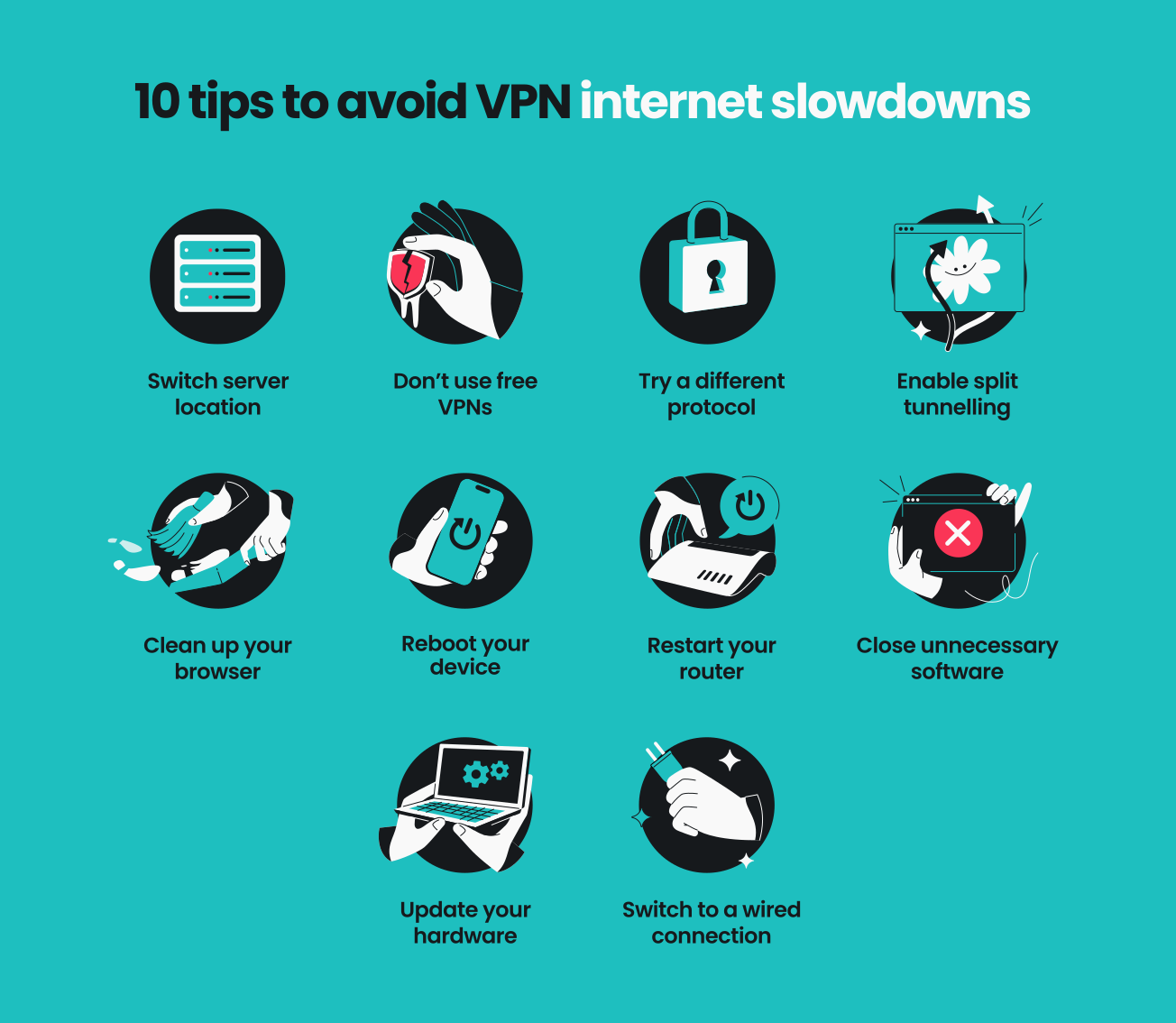
There are several ways to avoid VPN-influenced slower speeds. Try these tips for the best user experience:
1. Switch server location
This is one of the easiest and most effective methods. Since VPN connection speeds are influenced by proximity and load, try switching between nearby servers to find one that isn’t overcrowded.
2. Don’t use free VPNs
Free VPN providers typically have fewer servers than paid services and are often overcrowded. As a result, users often experience slower internet speeds.
Maintaining servers, especially thousands of them, requires resources and money. Free VPN providers often cannot cover the cost. If they do, they usually get funded in other ways — typically by bombarding you with intrusive ads or collecting and selling your data.
3. Try a different protocol
VPN protocols are the set of rules used to create your secure connection. Older protocols can be bulky and slow.
If you’re experiencing slowdowns, switch to the WireGuard protocol. Included with Surfshark, WireGuard is a modern, lightweight protocol that can process encrypted data much faster. This gives you top-tier security without the lag.
4. Enable split tunneling
If your VPN has a split-tunneling feature — picking which apps or websites access the internet directly and which use the VPN connection — consider enabling it. This will allow you to optimize your bandwidth and improve speed for specific services without losing the VPN protection for others.
5. Clean up your browser
Sometimes, the problem might not be the internet or VPN but your browser itself. If you think that might be the case, check out our browser clean-up guide: why is my browser so slow? There, you’ll find tips on how to optimize your browser performance to experience better speeds.
6. Reboot your device
If you’re experiencing slower internet speed, the issue might stem from the device on which you’re running the VPN. Try restarting it — as basic as this advice is, it might actually resolve software problems and improve overall performance.
7. Restart your router
The classic try turning it off and on again advice holds especially true for routers. Restarting your router can solve connectivity problems and improve your internet speeds.
8. Close unnecessary software
Some apps may be consuming your bandwidth without you realizing it. If they’re not crucial, see if closing or even uninstalling a few of these programs helps.
9. Update your hardware
Smartphones, laptops, and routers can become outdated over time, decreasing performance and overall internet experience. As websites and apps are becoming increasingly resource-intensive, it might be time to consider upgrading your devices.
10. Switch to a wired connection
While Wi-Fi is convenient for mobility, it can be slower because it shares multiple channels. In many cases, your internet would be faster and more stable if you used a wired connection. So, if you have the option, consider connecting your device to your router via cable.
For a more in-depth look into these methods, read the Surfshark guide on how to boost VPN speed.
Can a VPN increase your internet speed?
Yes, in certain situations, a VPN can boost your speed.
Some ISPs throttle your connection when they detect bandwidth-intensive activities, such as streaming or file sharing. Although VPNs can’t hide how much bandwidth you’re using, they can hide what you’re using it for. So if your ISP throttles specific activities, a VPN prevents them from detecting and throttling you — potentially giving you an indirect speed boost.
To learn more, watch our video explaining the main factors that affect internet speed, including a speed test demonstration.
Testing how a VPN impacts your internet speed is quick and easy:
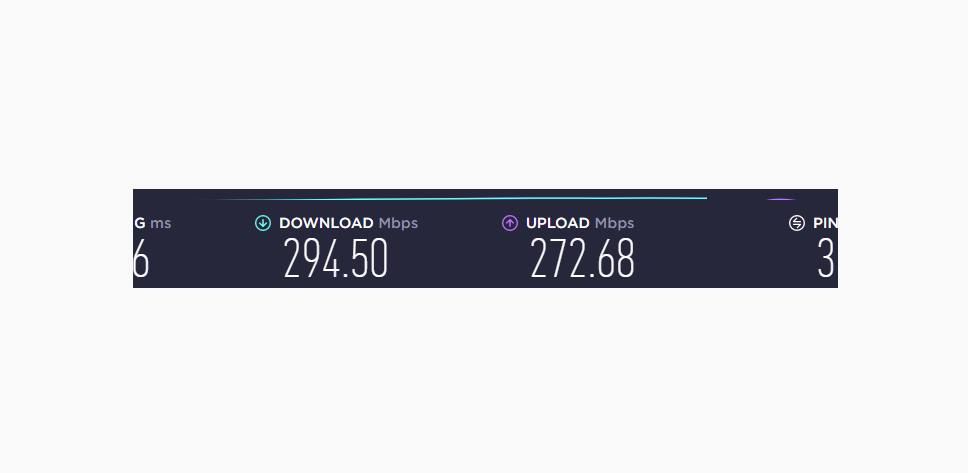
- Run the first test without a VPN. Go to a reliable internet speed test website, like Ookla and run a test without a VPN connection to establish your baseline speed.
Speed test before connecting to a VPN:
- Connect to a VPN server. Open your VPN app and connect to the closest server.
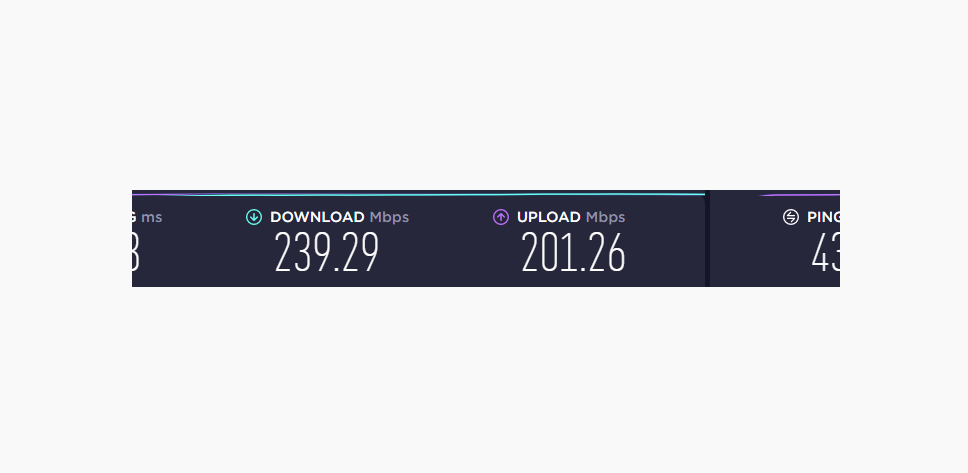
- Rerun the speed test. Perform the same test again. You may notice some speed loss, though it should be minimal.
VPN speed test after connecting to the closest server:
- Run a few more experiments. Try connecting to VPN servers in gradually farther locations. You’ll likely notice a pattern where the remoteness of a server results in bigger speed drops.
Next, check if your ISP is throttling your connection:
Try running Netflix’s Fast.com test while you’re streaming, downloading, or participating in other data-heavy activities — first, without a VPN, and then a second time with your VPN on to see if there’s a difference.
In conclusion: speed and security can coexist
While a VPN connection may add steps to your internet route, modern technology has made the speed difference negligible for most. To ensure optimal performance, you need a VPN that continually innovates.
With high-speed 10Gbps server infrastructure, the lightweight WireGuard protocol, and unique Nexus technology, we designed Surfshark to minimize speed loss. You get the best of both worlds: industry-leading security and a connection fast enough for streaming, gaming, and downloading without interruption.

FAQ
Why is my work VPN slow at home?
Your work VPN might perform slower at home because workplace networks are usually optimized specifically for work VPNs, while your home network isn’t. If it’s slow at home, try changing the settings, upgrading your internet plan, or contacting your IT department for assistance.
You can also explore our guides on how to fix slow connection issues on Android or how to resolve slow connection issues on Windows.
Does a free VPN slow down your internet connection?
Yes, free VPNs often slow down your internet connection quite significantly. Typically, free VPN services have very few servers, limit bandwidth, and experience higher user loads, leading to overcrowding and slow speeds.
Does a VPN slow down your internet on your iPhone?
Yes, using a VPN on your iPhone may slightly slow down your internet speed. The speed drop might be influenced by the VPN’s protocol and server infrastructure, as well as the device itself and your network speed. If your device is running noticeably slower, check out how to fix slow connection issues on iOS.
Does a VPN slow down gaming?
Yes, a VPN can affect gaming speeds, especially if you connect to a far-away and/or congested server. However, a good, reliable VPN can minimize lag and ensure stable ping. To improve performance, choose a speed-optimized protocol and a nearby, uncrowded server.
How do I speed up the internet connection when using a VPN?
To boost the internet connection speed when using a VPN, try the following:
- Switch to WireGuard.
- Choose a nearby server location.
- Restart your device and router.
- Use a wired connection instead of wireless.
Read this guide for more tips on how to boost VPN speeds.
What is a good VPN speed?
A good VPN speed is subjective and depends on your specific activities and internet usage — you should focus on different aspects for streaming, gaming, and general browsing. However, a top-tier VPN will offer enough settings for you to find the best balance of speed and security for your needs.
Overall, VPN speed depends on the following:
- Connection speed;
- Server locations;
- Server capacity;
- Encryption and protocols;
- Internet service provider.
Disclaimer: Please note that using Surfshark services for any illegal activities is strictly forbidden and violates our Terms of Service. Make sure that any use of Surfshark services for your particular activities conforms to all relevant laws and regulations, including those of any service providers and websites you access using Surfshark.