Scam call protection: identify and block suspicious calls
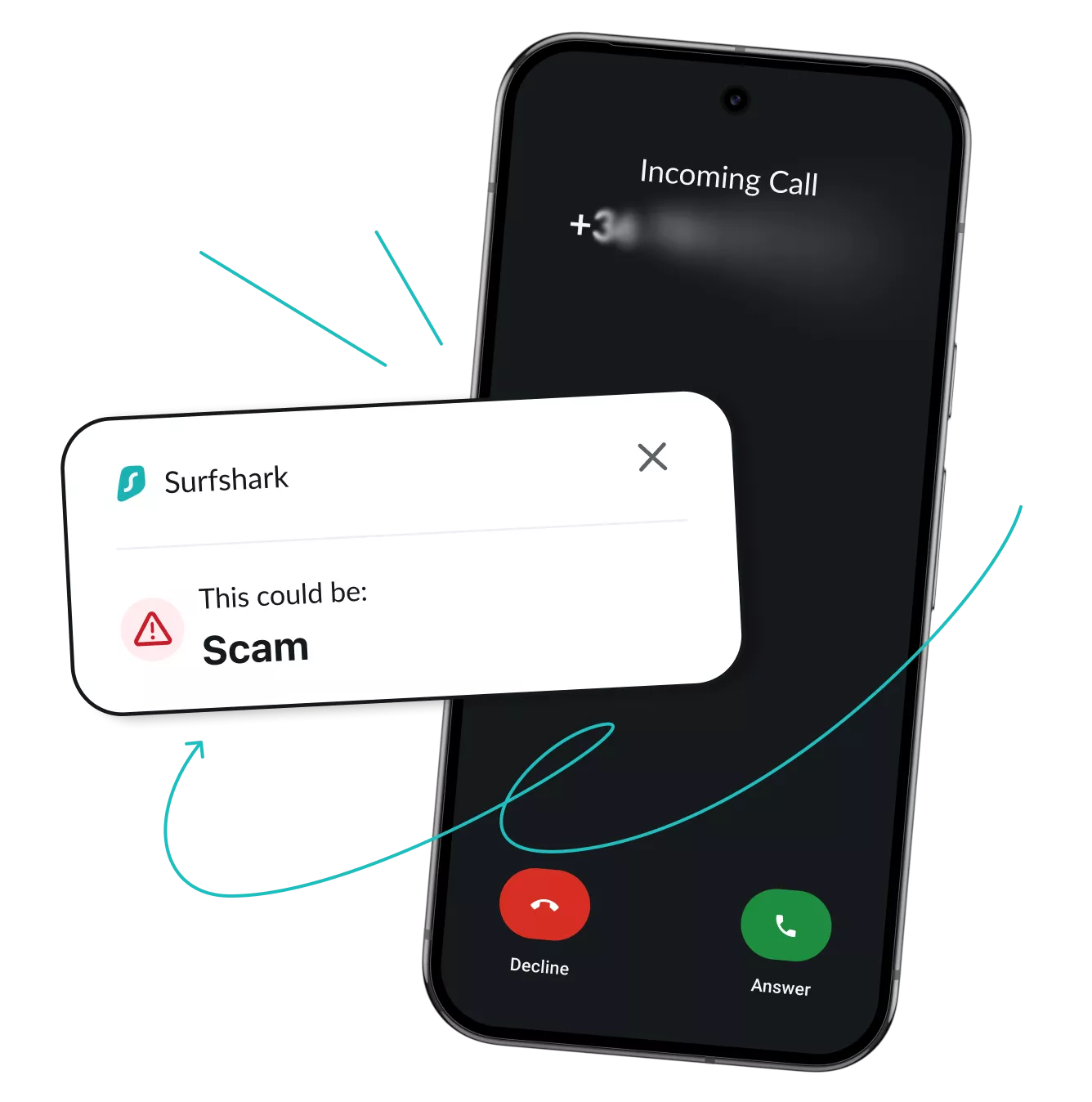
Scammers spoof real numbers, impersonate your bank, and pressure you into handing over money or personal data. Catch unknown calls before they reach you with Surfshark’s scam call blocker.
- Identify suspicious incoming calls before you answer
- Automatically block scam calls so they don’t ring through
- Get real-time alerts on potential scammers and telemarketers
$15.9B
fraud losses reported in 2025
(FTC)
52.5B
number of robocalls that hit Americans in 2025
(PR Newswire)
$3,690
average amount stolen per phone scam victim
(PIRG)
Why use Surfshark’s scam call protection?
Scam calls aren’t just annoying — they’re designed to steal your money and personal data. Scammers spoof real phone numbers, impersonate banks and government agencies, and use AI-generated voices to bypass basic phone protections. The Do Not Call Registry won’t stop illegal scam calls, and built-in phone settings rely on blocklists that scammers can outrun daily.
A dedicated spam call blocker gives you the tools to fight back.
- Detect suspicious calls: get context about potentially dangerous callers before you answer. Surfshark checks incoming calls from unknown numbers for scam and telemarketing signs, helping you make informed decisions without the guesswork;
- Reduce unwanted interruptions: block and filter nuisance calls before they reach your phone. Sales calls and spoofed scam numbers can be automatically blocked or flagged, keeping your phone free for the calls that actually matter;
- Gain control of your incoming calls: customize how Surfshark handles suspicious callers. Choose between automatic blocking or call screen warnings and review flagged calls on your terms.
How does Surfshark’s scam call protection work?
Surfshark checks every incoming call from unknown numbers for signs of scams or telemarketing. Depending on your settings, suspicious incoming calls prompt a call screen warning or are blocked automatically. Here’s how the process works:
1. Detection
When a call comes in from a number not in your contacts list, Surfshark scans it against databases of known scam numbers. This happens instantly — before your phone even rings.
2. Alert or block
Based on your settings, Surfshark either alerts you with a call screen warning or automatically blocks flagged scam and telemarketing calls. You choose the level of protection that fits how you use your cell phone.
3. Call management
With call screen warnings enabled, you can choose to ignore calls or answer them if you recognize the caller. Blocked calls are accompanied by a push notification and logged for your review.
Don’t wait for the next scam call
Get scam call protection before you pick up the wrong number
How to set up scam call protection
1. Get Surfshark
Pick a Surfshark plan to access our full scam protection suite. Scam call protection is available in our Surfshark One and One+ bundles.
2. Enable scam call protection
Open the Surfshark app, find Call protection, and turn it on. The app will walk you through device setup.
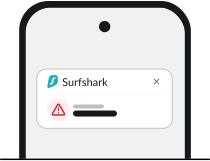
3. Stay protected
Suspicious calls are now flagged or blocked. You can adjust your phone settings or review our call log any time.
Explore Surfshark’s scam protection solutions
See everything that’s included in our scam protection suite.
Spot suspicious text messages before they can mislead you. Scam text protection helps identify SMS phishing attempts, malicious links, and impersonation scams, helping keep your inbox more secure.
Detect scam text messages
Automatically scans incoming SMS patterns to flag smishing attempts before you interact.
Spot malicious links
Flags dangerous URLs hidden inside text messages so you do not open compromised links.
Identify impersonation attempts
Catches urgent messages posing as trusted banks, postal services, or government agencies.
Reduce SMS phishing risks
Minimizes exposure to mobile fraud by filtering high-risk text message sources.
Catch phishing emails with AI. The email scam checker analyzes suspicious emails in your Gmail inbox for phishing signs, malicious links, and impersonation attempts, and alerts you before you click a link or open an attachment.
AI-powered phishing detection
Uses advanced AI algorithms to spot fake emails and subtle phishing signatures instantly.
Suspicious Gmail emails analysis
Integrates smoothly in your browser with your Gmail inbox to evaluate risky emails in real time.
Malicious link and impersonation detection
Identifies deceptive sender domains, urgency language, and harmful links embedded in emails.
Privacy-first scanning
Analyzes incoming messages securely without logging or storing email contents.
Control which websites you or your family members can access by blocking categories associated with risky or unwanted content with the web content blocker.
Category-based website blocking
Restrict entire website categories associated with adult content, phishing, or known malicious domains.
Family-friendly browsing
Filter out inappropriate or adult web content to build a safer browsing space on household devices.
Reduced exposure to harmful content
Prevent accidental visits to unverified, malicious, or deceptive domains before they load.
Customizable protection
Tailor the website categories you block to match your personal security and privacy preferences.
One subscription. Multiple layers of protection.
Secure connection
Browse with greater privacy using Surfshark VPN to encrypt your web traffic, mask your IP address, protect sensitive data on public Wi-Fi, and block ads and malicious domains.

Device protection
Protect your devices from malware, spyware, and other online threats with Surfshark Antivirus — real-time protection, scheduled scans, and more.
Scam detection
Stay one step ahead of scams with our scam text protection, email scam checker, and web content blocker working together to help you spot threats before you interact with them.
Identity protection
Shield your digital identity with personal data masking, monitor for data leaks, reduce your online exposure with Incogni, and get support for identity theft recovery.

One subscription. Multiple layers of protection.
See why millions trust Surfshark
Check out what users and tech experts around the world have to say about Surfshark.



The reviews highlighted in this section were selected from publicly available posts on social media platforms. They reflect the opinions of individual users at the time of posting and may not represent the full range of our product features and qualities.
The reviews quoted on this page have been published by media outlets associated with Surfshark through affiliate partnerships. Their recommendations are based on their own independent research and insights to ensure value for the readers.
I have been using Surfshark since I got it and I love it!

When I am traveling, I use Surfshark to access the internet quickly and securely, works like a treat in China.

We love Surfshark because it is an easy-to-use app that you can download on all your devices.

The reviews quoted on this page have been published by media outlets associated with Surfshark through affiliate partnerships. Their recommendations are based on their own independent research and insights to ensure value for the readers.
“This is my first year and I absolutely love it. The fact I can have a good antivirus, great VPN, and incognito for like $120 a year is great.”
“I’ve been using Surfshark for 4 years on Android and ChromeOS with zero issues, it’s an absolute bargain”
“I’ve had it for 3 years and just renewed it for the next 2 years. I never have any issues with it and get my full internet speed…”
The reviews highlighted in this section were selected from publicly available posts on social media platforms. They reflect the opinions of individual users at the time of posting and may not represent the full range of our product features and qualities.




Every unanswered scam call is money they can’t steal
Block threats before they reach you with scam call protection
Frequently asked questions
What is a spam call blocker?
A spam call blocker is a tool that identifies and manages scam and telemarketing calls before they reach you. These tools work by checking incoming calls against databases of known scam numbers and flagging suspicious callers.
Surfshark’s scam call protection is a spam call blocker built into your Surfshark app when you sign up for a Surfshark One or One+ plan.
How does Surfshark’s scam call protection work?
When you receive an incoming call from a number not in your contacts, Surfshark checks it for scam and telemarketing indicators. Depending on your settings, the app identifies a call and either blocks it or shows a Scam likely notification. You can review blocked and flagged calls anytime in the app.
Can I block spam calls on Android?
Yes, you can automatically block flagged scam and telemarketing calls on your Android device with Surfshark’s scam call protection. You can alternatively choose to let suspicious calls through with a Scam likely notification and adjust your blocking preferences in the app’s settings at any time.
Does scam call protection work on iPhone?
Yes, Surfshark’s scam call protection filters spam and scam calls on your iPhone. It identifies incoming calls from unknown numbers and sorts them into categories like scams and telemarketing, so you know who’s calling before you answer.
To turn it on, select Call protection on the app’s home screen and grant the permissions it asks for. Surfshark’s scam call protection is available on the Surfshark One and Surfshark One+ plans.
Can scam call protection stop every scam call?
No call-blocking tool can guarantee it will catch every suspicious call. Scammers constantly change their tactics, including spoofing new numbers, using AI voices, and rotating through disposable phone numbers.
Surfshark’s scam call protection significantly reduces unwanted calls and gives you better information to decide how to handle unknown callers. It works best as part of a broader security package that includes scam text protection, email scam checking, and more.
How can I stop spam calls on my phone?
To stop spam calls, try the following:
- Turn on built-in phone settings: Android devices and iPhones have native caller ID and spam filtering you can enable. Send unwanted calls straight to voicemail, so you can screen them later;
- Use a spam call blocker app: tools like Surfshark’s scam call protection add an extra layer of filtering beyond what your mobile phone provides;
- Register with the Do Not Call Registry: visit DoNotCall.gov to reduce calls from legitimate telemarketers. It’s free to join but won’t stop illegal calls;
- Don’t engage with unknown callers: never answer bots or press numbers in response to automated calls, as this confirms your number is active. Hang up immediately if someone pressures you for personal information;
- Report illegal calls: file complaints with the FCC or FTC to help enforce the Telephone Consumer Protection Act.
For a more detailed breakdown, check out our full guide on How to stop spam calls.