


• Get Surfshark
  1. Home
  2. Download
  3. VPN for Chromebook
A man in a green jacket holding a laptop with a checkmarked shield floating above it.

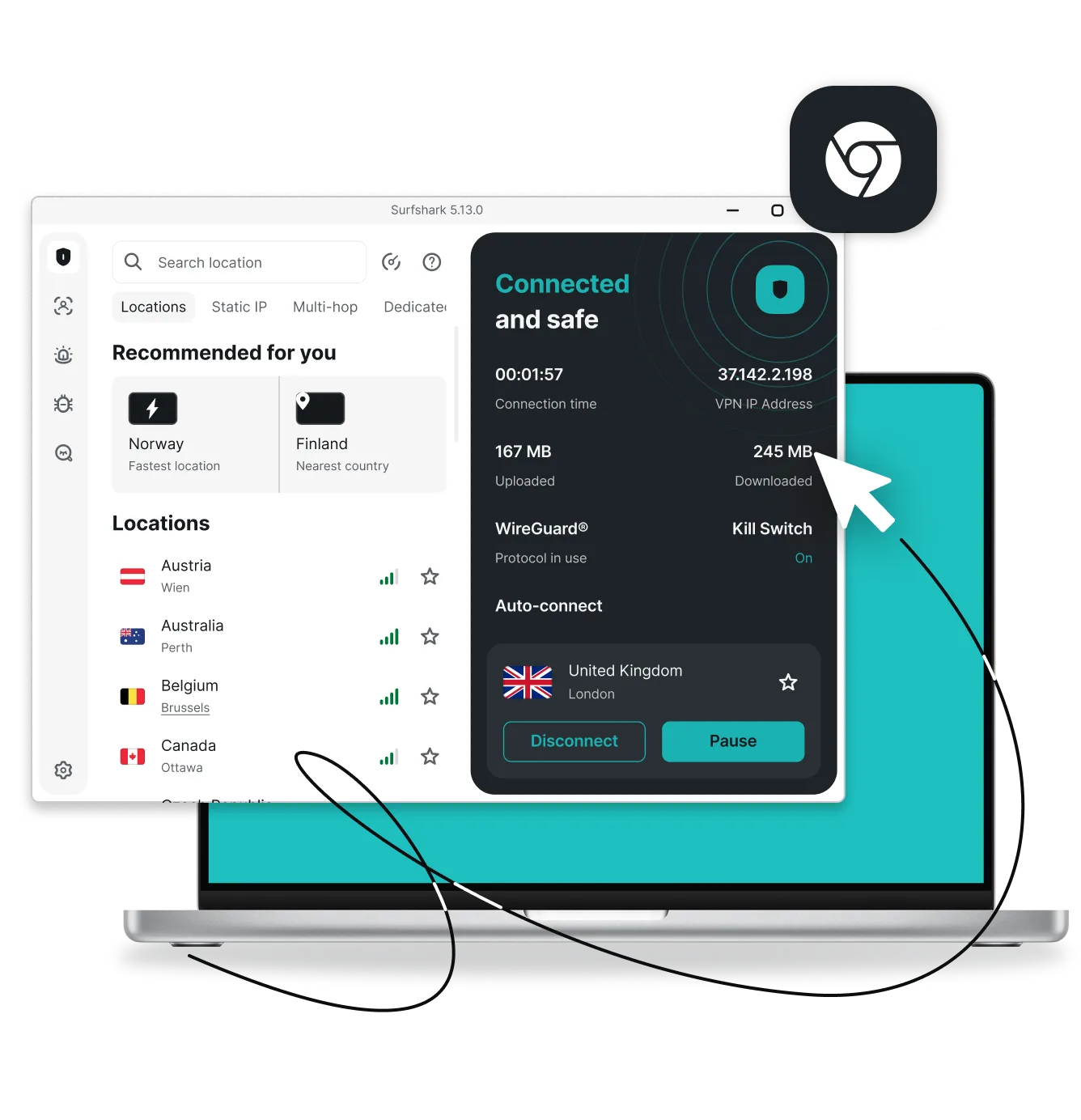
VPN for Chromebook: secure your browsing

  • Connect to over 4,500 lightning-fast servers in 100 countries
  • Enhance your online security and keep sensitive data safe
  • Surf with a private internet connection on Chrome OS
Get Surfshark
30-day money-back guarantee

Try Surfshark VPN for Chromebook and any device you own

How to connect to a VPN app on your Chromebook

With a user-friendly VPN (Virtual Private Network) service like Surfshark, setting up your Chromebook VPN is hassle-free.

Subscribe to Surfshark

1. Subscribe to Surfshark

Select a pricing plan that suits your needs and create an account to begin using a VPN for Chromebooks.

Download the app

2. Download the app

On your Chromebook, download the VPN app from the Google Play Store (or get the installation file from our website).

Connect to a VPN server

3. Connect to a VPN server

Connect to one of our 4,500+ servers worldwide and enjoy a secure VPN connection and more online privacy.

A VPN for all Chromebook devices

Surfshark VPN supports all Chromebooks that run Android apps, including Asus, Acer, Dell, HP, Lenovo, Samsung, and more. To learn more, check out how to set up Surfshark VPN on a Chromebook.

Why choose Surfshark VPN for Chromebook?

Prevent activity tracking

A Chromebook VPN is key to staying safe on the web. Surfshark encrypts your internet connection and masks your IP (Internet Protocol) address, shielding your online activity from prying eyes — even on public Wi-Fi.

Auto-connect to the fastest server

Although we have plenty of servers, you won’t need to waste time searching for the best one — Surfshark’s Auto-connect feature automatically provides the fastest connection, regardless of your location.

Secure all your devices at once

Surfshark VPN for Chromebook offers unlimited simultaneous connections. Stay protected on ChromeOS and all major operating systems at the same time, with minimal impact on your internet speed.

Install with ease

Setting up a VPN on your Chromebook doesn’t have to feel like a chore. Surfshark’s complete security suite is extremely easy to install, giving your online security an instant boost.

Personalize your security with Bypasser

With Surfshark’s Bypasser split-tunneling feature, you can choose which apps or services bypass the VPN connection. This can improve performance, making it easier to access services that don’t require complete VPN protection.

Tap into an expansive server network

Surfshark offers more than 4,500+ dedicated servers in 100 countries. If you ever experience a slowdown, finding a less crowded server is as simple as can be.

Block ads with Clean Web

Surfshark’s Clean Web feature acts as an ad blocker, stopping ads and trackers from compromising your security. This keeps your surfing experience smooth at all times.

Stay safe with kill switch

Surfshark’s kill switch instantly disconnects you from the internet if your VPN connection drops. This prevents accidental data exposure or leaks, keeping your Chromebook secure at all times.

Get double protection with Dynamic MultiHop

Multi Hop, our double VPN feature, routes your data through two VPN servers at once. By using Surfshark on your Chromebook, you double the encryption for enhanced privacy.

Disclaimer: Please note that using Surfshark services for any illegal activities is strictly forbidden and violates our Terms of Service. Make sure that any use of Surfshark services for your particular activities conforms to all relevant laws and regulations, including those of any service providers and websites you access using Surfshark.

Surfshark vs. free VPNs

Free VPNs may compromise on privacy and performance. Surfshark VPN offers a more secure and reliable browsing experience you can trust.

Free VPNs
Surfshark VPN
Data collection risk
High: free options often track your activity and share data with third parties
Low: Surfshark’s strict no-logs policy is independently verified
Speed and bandwidth
Restricted: speed throttling and bandwidth limits are common
Unlimited: no bandwidth or speed caps are in place
Ads and trackers
Common: free tools may inject ads or allow trackers
Blocked: Clean Web offers built-in ad and tracker blocking
Customer support
Limited: often no live help and slow response times
24/7: live chat and email support are available
VPN servers and locations
Few: frequently employ overloaded servers that slow your connection
Thousands: lets you connect to 4,500+ high-speed servers in 100 countries
Encryption
Unreliable: may lack strong encryption standards
Strong: robust encryption for increased data and privacy protection

See why millions trust Surfshark

Check out what users and tech experts around the world have to say about Surfshark.

“Surfshark is a highly polished and powerful VPN that competes with the very best premium providers, all while offering a seriously tempting price point.”
“Surfshark is one of the best VPN services, comes crammed with features, runs on almost anything, and has some of the best download speeds around.”
“Surfshark is an excellent, well-rounded virtual private network that consistently ranks as one of CNET’s best VPNs.”
The reviews quoted on this page have been published by media outlets associated with Surfshark through affiliate partnerships. Their recommendations are based on their own independent research and insights to ensure value for the readers.

I have been using Surfshark since I got it and I love it!

MRWHOSETHEBOSS 20.2M subscribers

When I am traveling, I use Surfshark to access the internet quickly and securely, works like a treat in China.

SAM CHUI 3.61M subscribers

We love Surfshark because it is an easy-to-use app that you can download on all your devices.

MAX & OCCY 265K subscribers
The reviews quoted on this page have been published by media outlets associated with Surfshark through affiliate partnerships. Their recommendations are based on their own independent research and insights to ensure value for the readers.

“This is my first year and I absolutely love it. The fact I can have a good antivirus, great VPN, and incognito for like $120 a year is great.”

Open in Reddit

“I’ve been using Surfshark for 4 years on Android and ChromeOS with zero issues, it’s an absolute bargain”

Open in Reddit

“I’ve had it for 3 years and just renewed it for the next 2 years. I never have any issues with it and get my full internet speed..”

Open in Reddit
The reviews highlighted in this section were selected from publicly available posts on social media platforms. They reflect the opinions of individual users at the time of posting and may not represent the full range of our product features and qualities.
FT 1000: Europe’s Fastest Growing Companies 2024

FT 1000: Europe’s Fastest Growing Companies 2024

Tech Advisor Editors’ Choice 2024

Tech Advisor Editors’ Choice 2024

TechRadar Recommended 2024

TechRadar Recommended 2024

Surfshark Antivirus AV-TEST Top Product 2024

Surfshark Antivirus AV-TEST Top Product 2024

Independent’s Editor’s Choice Best Value VPN 2023

Independent’s Editor’s Choice Best Value VPN 2023

Surfshark supports the open internet

We partner with digital rights organizations to promote online freedom and keep the internet safe and accessible to all.

Try Surfshark VPN worry-free

We offer all our users a 30-day money-back guarantee. If you decide Surfshark isn’t the best Chromebook VPN for you, simply contact our support team within 30 days of purchase and request a full refund.

Try Surfshark
30-day money-back guarantee

Try Surfshark VPN worry-free

FAQ

Yes, you can use a VPN on most Chromebooks either through an Android app, a Chrome extension, or a manual configuration. A VPN helps protect your privacy on public or untrusted networks and allows you to securely access your home content while traveling.

Most major VPN providers support Chromebooks through Android apps or Chrome extensions. Always choose one that offers strong encryption and a clear, transparent privacy policy — just like Surfshark.

You can add a VPN extension by visiting the Chrome Web Store, searching for your provider’s official extension, and selecting Add to Chrome. After installing it, sign in and choose your preferred settings.

The best option depends on what you value most — look for reputable providers that offer strong security, good performance, and dedicated Chromebook support. Avoid free VPNs with unclear data practices, as they may compromise privacy.

School-managed Chromebooks typically restrict installations, so only VPNs approved and enabled by the school’s administrator will function properly. This is to ensure device security and compliance with school policies.

To get a VPN on a school Chromebook, you can download a VPN app like Surfshark from the Google Play Store or install a VPN browser extension from the Chrome Web Store (note that this will only secure your browser traffic). If both options are blocked, you may need to speak with your school’s IT department, as some schools have strict restrictions on VPN usage.