Explore all Surfshark has to offer. If you aren’t fully satisfied, contact us and get a full refund within 30 days of your purchase.
Download Surfshark Antivirus for Windows
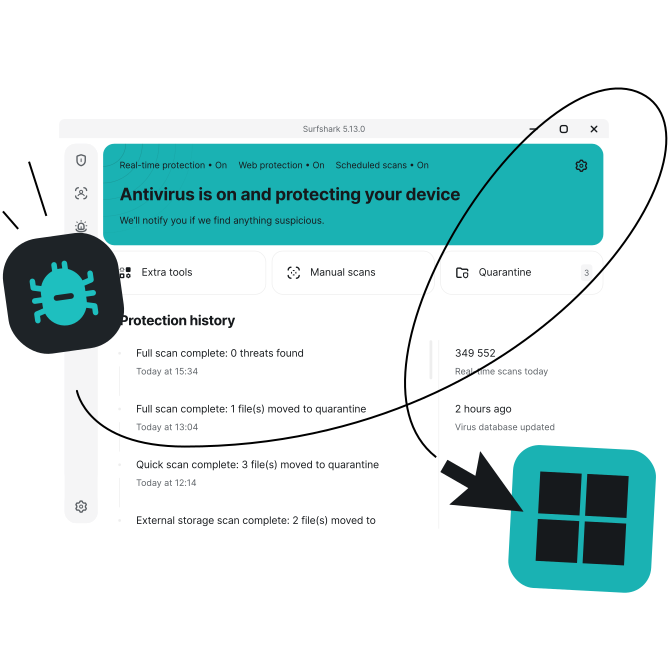
- Strong malware protection for your Windows PC
- Real-time threat detection that won’t slow you down
- Compatible with Windows 10+, including Windows on ARM
How to install Surfshark Antivirus for Windows
Follow these simple steps to protect your Windows computer with Surfshark Antivirus.

1. Get Surfshark
Select the best pricing plan for you. Antivirus is available on our Surfshark One and One+ bundles.
2. Download the app
Download Surfshark for Windows and log in. Select the Antivirus tab and click Install Antivirus.

3. Start scanning
Click Scan device to start your first scan. You can then set up real-time detection, scheduled scans, and other security settings.
For in-depth instructions, check out our Surfshark Antivirus on Windows guide. For other operating systems, we also have guides for Antivirus for macOS and Antivirus for Android.
Why choose Surfshark Antivirus?
Covering up to five devices with a single subscription, Surfshark offers advanced security features to deliver enhanced defense against viruses, malware, and more.
Real-time protection
Antivirus’s real-time protection constantly scans your files behind the scenes. Detect and neutralize viruses before they get on your computer with lightweight 24/7 protection.
On-demand scans
Some antivirus tools only offer one kind of scan. Surfshark lets you start full manual scans to protect your devices from malware and other threats on your terms.
Scheduled scans
Want antivirus software you can set and forget? With our scheduled scans, you can choose when to run routine full or quick scans. Get increased threat protection and greater peace of mind.
Quarantine folders
Boost your Windows security by isolating malware in quarantine folders to stop it from doing further harm. Infected files automatically get deleted after 60 days in quarantine.

Database updates
Antivirus software relies on up-to-date databases to detect and delete emerging threats. Surfshark’s database is updated every three hours, protecting you from the newest malware and viruses.
Web protection
Exclusive to Windows devices, our web protection blocks access to malicious websites and Windows apps. Get added defense against phishing pages that can expose you to data breaches.
Download Antivirus with a Surfshark subscription
Antivirus for Windows is available in our Surfshark One and One+ bundles, which offer a comprehensive suite of cybersecurity tools. Not sure where to start? Try our Antivirus free trial today.
Go beyond antivirus protection with Surfshark
Secure your connection
Surfshark VPN encrypts your internet traffic and masks your IP address to offer greater privacy on public networks. With 4,500+ servers in 100 countries, Surfshark gives boosted protection and faster speeds on unlimited devices.

Get data leak alerts
Surfshark Alert notifies you whenever your personal information is leaked online. You’re alerted if your email addresses, passwords, or ID numbers ever pop up in breached databases, letting you spring into action without delay.

Keep your details private
Surfshark’s Alternative ID provides you with an alternative email address for online use. You can sign up for websites and mailing lists without worrying about spam emails or giving away your sensitive data.

Reclaim your privacy
Incogni works around the clock to stop 420+ data brokers from profiling you. From risk-mitigation and recruitment sites to financial, marketing, and people-search databases — Incogni monitors them all to make sure your data stays gone.