
Have you ever been blocked from a website even though you were using a standard VPN? That’s the main problem a residential VPN aims to solve. It gives you an IP address that looks like it belongs to a regular home user, and not a data center.
But residential VPNs come with trade-offs, starting with the fact that most require you to share your own home IP with strangers on a peer-to-peer network.
This guide breaks down how residential IPs work, when they’re worth it, and when you’d be better off with a different solution.
What is a residential VPN?
A residential VPN is a type of VPN (Virtual Private Network) that routes your internet traffic through residential IP addresses rather than servers housed in data centers.
A regular VPN typically assigns you an IP (Internet Protocol) address from a commercially owned server. In contrast, a residential VPN assigns you an IP address that an ISP (Internet Service Provider) originally gave to someone’s home connection. That means your exit IP makes you look exactly like a real residential user browsing from their couch.
Most residential VPN providers operate on a P2P (Peer-to-Peer) model. Users opt in to share their own residential IPs in exchange for access to other users’ IPs across different physical locations. Every device on the network essentially functions as a mini proxy server, routing connection requests for other users.
The result? Your VPN traffic appears as genuine residential internet traffic. This makes it harder for websites and online services to detect and block your connection.
Why would you use a residential VPN?
Before diving into the technical details, it helps to understand the practical reasons people look into residential VPNs in the first place.
Better compatibility with websites
Some websites and online services detect and block data center IPs. If you’ve ever tried to access a site through a regular VPN and hit a wall, that’s usually because the site recognized your IP as a known VPN server.
A residential IP address has a better IP reputation because it’s assigned by a consumer ISP rather than a data center. Websites treat it like any other home IP, which often means fewer blocks and restrictions.
Reduced likelihood of human verification tests
Data center IPs often trigger verification prompts (aka CAPTCHAs) because they’re shared across hundreds or thousands of users. Target sites frequently treat heavy traffic from the same IP range as suspicious.
Residential IPs rarely have this problem to the same degree. Since each IP is tied to a real ISP and an actual household, the traffic pattern looks normal. As a result, users can spend less time proving they’re not a robot.
Pro tip: You don’t necessarily need a residential VPN to reduce CAPTCHAs. VPN providers like Surfshark offer a dedicated IP that gives you a static IP that’s yours alone. Websites see consistent, single-user traffic instead of the shared IP patterns that can trigger verification prompts.
Greater privacy and online security
Like a regular VPN, a residential VPN encrypts your internet traffic through a VPN tunnel. Your real IP address is hidden, and your online activity is shielded from snooping by ISPs, advertisers, and anyone else on the network.
The added benefit is that your exit IP blends in with ordinary residential traffic, giving you increased privacy without the clearest signs of using a VPN.
Common situations where users consider a residential VPN
People typically look into residential VPNs when they:
- Get blocked by websites or services;
- Want stable access to services sensitive to IP changes or VPN detection;
- Need to manage multiple accounts across platforms that flag data center or known VPN IP ranges;
- Are conducting professional tasks like web scraping, ad verification, or market research that require genuine residential IP addresses.
These are all valid use cases, but as you’ll see below, residential VPNs aren’t always the best solution.
How does a residential VPN work?
Here’s how a residential VPN works step by step:
- You install your chosen residential VPN app and create an account. Most providers ask you to agree to share your own IP address in exchange for network access.
- You connect to the VPN to route your internet traffic through another user’s residential IP address, not a server in a data center.
- Your connection request exits through that user’s home IP, making it look like you’re browsing from their physical location.
- Traffic between your device and the network is encrypted, similar to a regular VPN tunnel.
- The target website responds to the residential IP, usually giving you access. The data is routed back to you through the same encrypted path.
The core difference from a regular VPN is the absence of a centralized server infrastructure. Instead, a large IP pool of peer-owned devices handles the routing. This is why residential VPNs can offer a wide range of IP addresses.
However, this is also why performance can vary significantly when using a residential VPN. Because the network relies on other people’s devices and home connections, you may experience slower speeds, inconsistent bandwidth, and reliability issues compared to VPN providers that own and manage their own server hardware.
Residential VPNs vs. regular VPNs
If you’re wondering if a residential VPN or a regular VPN is better for you, it’s important to first take a look at their main differences.
Key differences
The following table highlights the biggest differences between residential and regular VPNs.
|
Feature
|
Residential VPN
|
Regular VPN
|
|
IP type
|
Residential: household IPs from consumer ISPs
|
Data center: IPs from provider-owned servers
|
|
Speed
|
Variable: depends on peer devices
|
Consistent: reliable providers offer faster speeds thanks to optimized infrastructures
|
|
Encryption
|
Variable: depends on P2P network setup
|
Strong: industry-standard VPN protocols offer better encryption
|
|
Reliability
|
Unpredictable: dependent on P2P network
|
Stable: built on dedicated server network
|
|
Security features
|
Basic: varies by provider
|
Full suite: often comes with kill switch, split tunneling, and more
|
|
Cost
|
Different pricing models: may be more expensive or charge by bandwidth
|
Flat fees: competitive, predictable payment with unlimited bandwidth
|
|
Detection risk
|
Lower: appears as normal home traffic
|
Higher: data center IPs are easier to flag
|
The biggest difference between a regular VPN and a residential VPN is the type of IP address you get and how it’s managed.
Residential VPN services use a P2P network to route traffic through residential IP addresses owned by other users. Regular VPN services, on the other hand, rely on IPs from dedicated servers optimized specifically for VPN traffic.
Which option is better for most users?
For everyday browsing, online security, and privacy, a regular VPN is the stronger choice. Standard VPNs tend to perform better in most categories, including faster speeds, stronger encryption, and more security features at predictable prices.
Residential VPNs have an edge in detection, as their IPs come from real ISPs and are less likely to be flagged by websites. That said, most websites and services still work fine with a regular VPN, making this detection advantage more of a niche benefit than an everyday necessity.
The detection gap is most noticeable with free VPNs. Free providers typically operate a small pool of IP addresses shared across a large number of users, and those IPs rarely rotate or change. Over time, websites can identify and blocklist these ranges.
Paid VPN providers, on the other hand, reduce this problem by maintaining larger server networks, regularly refreshing their IP pools, and investing in infrastructure that keeps connections fast and access consistent across more services and regions.
Residential VPNs vs. residential proxies
Residential VPNs and residential proxies are similar, but they work in slightly different ways.
Key differences
A residential proxy typically accesses a residential IP address directly from a physical device, like a phone or home router. It acts as an intermediary server between you and the website. Residential proxies work at the application level, often inside your browser, and don’t encrypt your full internet traffic.
A residential VPN sources its IPs from a P2P network where users share their device’s IPs. These also wrap all of your device’s internet traffic in encryption, not just what’s going through your browser.
When each option makes sense
A residential proxy is a good idea if you need fast, high-volume access to the web and don’t require encryption for all your traffic. Proxy services are designed for tasks like price comparison at scale.
On the other hand, a residential VPN makes more sense if you want full encryption and an IP that looks residential. Remember, you’ll also get the speed and reliability trade-offs of a P2P network.
For most everyday users, neither is necessary. A regular VPN handles the vast majority of use cases more reliably.
Does Surfshark offer residential IPs?
Like most established VPN providers, Surfshark doesn’t use residential IP addresses. Instead, it routes all VPN traffic through its own infrastructure using the IPs of servers that it directly owns and manages.
However, there’s a solution that combines the benefits of Surfshark with the perks that residential VPNs offer — Surfshark’s dedicated IP.
A dedicated IP lets you connect to a VPN with the same static IP address assigned to you and you alone. Because no one else shares it, your traffic appears more consistent and trustworthy to websites, reducing CAPTCHAs, IP blocks, and access issues tied to IP changes. In short, you get VPN protection while keeping your very own IP address.
Why most VPNs don’t use residential IPs
There are practical reasons why most VPN providers don’t use residential VPNs that rely on peer-owned networks:
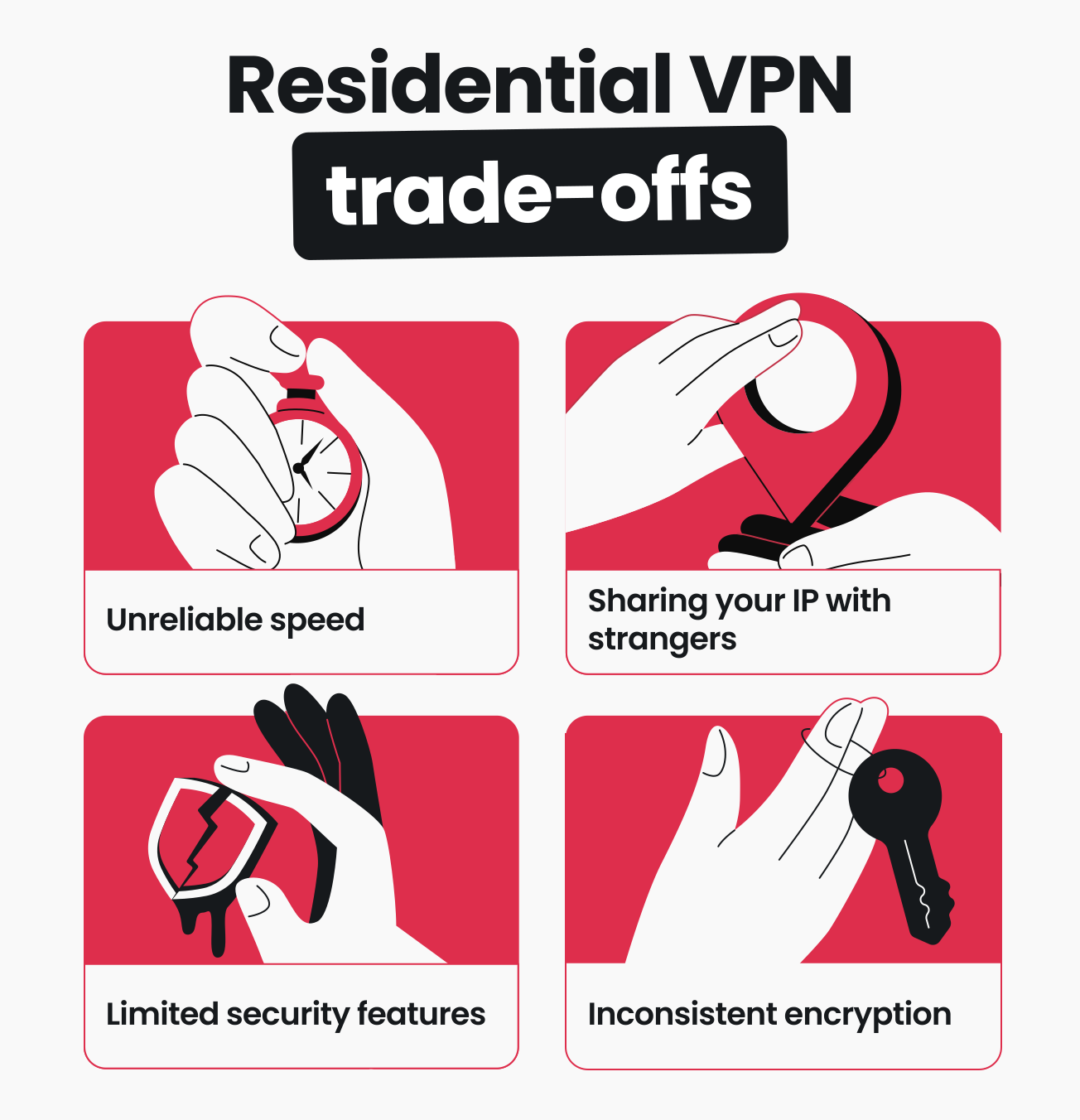
- Speed is unpredictable: your connection is only as fast as the home internet connection of whoever is sharing their IP;
- Trust is a factor: with residential VPNs, you’re sharing your own IP with strangers and can’t control what they do with it. If someone uses your IP address to violate a platform’s terms, you could face consequences on your home network;
- Accountability gaps exist: P2P networks don’t offer the same level of oversight as a VPN provider that owns its infrastructure.
VPN providers with their own servers can offer consistent speeds, enforce strict no-logs policies, and offer a full suite of security features. That’s a level of control and reliability that P2P residential networks generally can’t match.
How Surfshark’s dedicated IP compares
Surfshark’s dedicated IP addresses the same problems that a residential VPN does — without the P2P trade-offs.
A dedicated IP gives you a static IP address that’s assigned only to you. No one else shares it. Your traffic looks consistent and legitimate to websites, reducing CAPTCHAs, IP bans, and access issues.
Here’s how it stacks up:
- Same IP every session: unlike sharing residential IPs, you keep the same IP address every time you connect. This helps with banking, managing online accounts, and using any service that flags IP changes;
- Full VPN protection: you still get Surfshark’s robust encryption and features like a kill switch, DNS (Domain Name System) leak protection, and split tunneling;
- No IP sharing: you don’t share your own IP with anyone else, and no one uses it.
Note: Dedicated IP is a separate paid upgrade that isn’t included in Surfshark subscriptions.
When a dedicated IP is the better choice
A dedicated IP makes more sense than a residential VPN when you:
- Don’t want to participate in a P2P network;
- Want a stable connection with the same IP across sessions;
- Need to avoid CAPTCHAs or IP blocks without sharing your IP;
- Prefer a VPN provider with a clear privacy policy and owned infrastructure.
Should you get a residential VPN?
Residential VPNs fill a specific gap, but they aren’t the right tool for everyone.
Who it may be suitable for
Residential VPNs make sense for:
- Users who need residential IPs: if you’re trying to access services that aggressively block all data center IPs, residential VPNs are designed to solve this issue;
- People comfortable with P2P networks: if you’re OK with sharing your IP, variable speeds, and less predictable reliability, residential VPNs will probably be suitable for you;
- Professionals with niche uses: tasks like large-scale ad verification, web scraping, or market research may benefit from the large IP pools and geographic diversity that residential VPNs offer.
When a regular VPN is enough
For the majority of users, a traditional VPN provides everything you need:
- Strong privacy and encryption: all your internet traffic is encrypted through a VPN tunnel, protecting your online activity from ISPs, hackers, and advertisers;
- Speed and reliability: VPN providers that own their server infrastructure deliver consistently fast speeds and stable connections with unlimited bandwidth;
- Simple setup: you can connect to a standard VPN in a few clicks, with no need to opt into a peer network or read any fine print about IP sharing;
- Full feature set: beyond a different IP address, high-quality VPN services offer multi-device support, ad blocking, advanced VPN protocols, and more.
If you aren’t regularly hitting VPN blocks on the services you use, there’s a strong chance a regular VPN already does everything you need.
Key takeaway: is a residential VPN right for you?
Residential VPNs have the potential for decent speeds with fewer restrictions on internet access, but their P2P nature comes with trade-offs you should carefully consider.
After all, there’s a reason traditional VPNs like Surfshark have their place firmly set at the top of the industry ladder. Robust network security over all your internet activity, vast server infrastructures, and loads of additional features can only be offered by leading VPNs.
For the best VPN experience overall, go with a VPN service like Surfshark that offers a dedicated IP add-on.

Protect your internet activity with a VPN
Enjoy the speed, security, and stability of a trusted VPN provider
FAQ
What is the difference between a residential VPN and a regular VPN?
A residential VPN routes your traffic through residential IP addresses from real ISPs using a peer-to-peer network. A regular VPN routes traffic through data center servers owned and managed by the VPN provider.
Residential VPNs offer IPs that look like genuine residential traffic, but regular VPNs usually offer faster speeds, more consistent reliability, and a broader set of security features.
What is the difference between a residential VPN and a residential proxy?
Both residential VPNs and proxies use residential IPs, but a residential VPN encrypts all of your device’s internet traffic. A proxy, on the other hand, only handles specific app-level requests (usually browser traffic) and typically doesn’t provide encryption.
What is a residential IP address?
A residential IP address is the one assigned to you by your ISP. It’s typically tied to your home or a residential area. For example, if you check your IP address without an active VPN connection, you’ll see the address assigned to you by your ISP. This is your residential IP.
Service providers link your browsing activity to these IPs, so they’re usually seen as legitimate and trustworthy. That’s why when you use a residential VPN, you should be able to freely access websites and services without any issues.
Is a residential VPN legal?
Using a VPN, including a residential VPN, is legal in most countries. That said, using any VPN to violate a platform’s terms of service, engage in fraud, or conduct illegal activity is still against the law.
Can I get a VPN with a residential IP?
Yes, residential VPN providers offer residential IP addresses through decentralized P2P networks. Keep in mind that these services usually require you to share your own IP address in return.
If you want a unique, static IP without sharing yours, a dedicated IP add-on from a VPN provider like Surfshark is an alternative worth considering.
What’s the difference between a residential IP and a dedicated IP?
A residential IP is an IP address assigned by your ISP to your home connection. In the context of VPNs, a residential VPN routes your traffic through someone else’s residential IP via a P2P network.
In contrast, a dedicated IP is a static IP address assigned to you by a VPN service provider. Unlike a residential IP, you don’t share a dedicated IP. It doesn’t require participating in a peer network and comes with full VPN encryption and other provider-level security features.
Should I really use a VPN at home?
Yes, you should use a VPN whenever you’re online, even when a device is connected to your home internet network. The best home VPN can protect you from snooping, data collection, and hacker attacks even while you’re lazing on the couch, so it pays to stay connected to a VPN.