Explore all Surfshark has to offer. If you aren’t fully satisfied, contact us and get a full refund within 30 days of your purchase.
Protect your privacy with the best Instagram VPN
- Connect to Instagram via 4,500+ servers
- Post safely on any Wi-Fi and at any time
- Enjoy online security at an affordable price
How to use a VPN (Virtual Private Network) for Instagram
1. Create an account
Sign up for a Surfshark account by choosing the best subscription for you.
2. Download the app
Download the VPN app on all supported devices. You can also add the Surfshark extension to your browser.
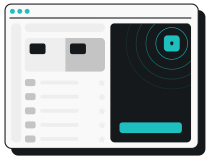
3. Sign in and connect
Sign in to your account, open the app, and connect to any server.
Why can't I get on Instagram?
Instagram may be geo-restricted due to censorship by oppressive governments or network restrictions in schools, universities, and workplaces.
Using Surfshark helps access Instagram safely. Just pick a server and enjoy safe posting.
Why do I need to use a VPN with Instagram?
You should use a VPN on Instagram to keep your sensitive data safe online.
A VPN encrypts all your internet traffic, keeps you safe from online snoops, and hides your real IP address.
Why is Surfshark a top-pick VPN for Instagram?
Surfshark is one of the best VPNs for Instagram because:
- Industry-leading encryption and protocols to keep your privacy intact while you post;
- A set of Surfshark features to ensure secure scrolling;
- 4,500+ servers worldwide so you can share your adventures safely whenever and wherever;
- Unlimited connections with one account so you can access Instagram safely on all your phones, computers, tablets, toasters*, cups*, and fridges*;
- Surfshark works on all major operating systems, so you can scroll on all your devices.
*not yet available. Sadly.
Does Instagram track my location?
Instagram collects information about your location in more ways than one. It gets it from your activity on the platform, including adding location tags to your photos, videos, or posts.
Even if you haven’t enabled Location Services, Instagram can still gather data about your location by looking at your engagement with other users’ content that includes location information.
So, if you’re concerned about how all Meta apps, including Instagram, collect and use your data, you should take control of your online privacy by deactivating unused accounts. If you solely want to use Instagram and are not interested in Threads, you can delete your Threads account to regain more control over your online footprint.
And it’s not just Instagram, and it’s not JUST your location. All Meta’s (Instagram’s parent company) apps gather all the data people input. Meta has also been found tracking users and their activity in and across surprising places.
That’s why it’s important to use a VPN — it will provide you with the privacy you deserve, by blocking third-party tracking.
Get Surfshark for all devices
Watch your favorite reels on whatever device you want. Safely.
You can also download a VPN for your smart TV, get it on Xbox or PlayStation, or even set it up on your router to protect your home network.
Share your adventures
and scroll safely
Frequently asked questions
Do VPNs work on Instagram?
Instagram works with most VPNs. When thinking about getting a VPN, consider a premium one. It will protect your privacy online, whether scrolling Instagram or surfing the internet. If possible, don’t use a free VPN or a free proxy server, since a lot of them share your sensitive information with third parties.
Why doesn’t Instagram work with a VPN?
If you’re having trouble with the app, it may be because of internet connection issues, or you may have chosen a location where Instagram may be restricted. Switch between mobile and Wi-Fi data, restart your device, and change the server on your VPN. Don’t worry — it shouldn’t be an Instagram VPN ban.
How do I change my location on Instagram with a VPN?
First, you’re going to need a GPS spoofing app — a VPN. Secondly, It’s important to log out of and close all Meta apps before you change your location. After that, follow these steps:
- Select a reputable VPN provider (like Surfshark) and create an account;
- Download and install the VPN app;
- Connect to a VPN server you like;
- Log in to your Instagram account and start using the app as usual.
Why isn’t Instagram working?
There could be technical issues interfering with the login process. Here’s what you should try:
- Restart your phone or tablet;
- Check your internet connectivity — try switching between Wi-Fi and mobile data;
- Uninstall Instagram and reinstall it again.
If you still can’t log in, it may be due to a security breach. Send a password reset to your email, change your password, enable 2FA, and remove unrecognized linked accounts.