You can also read our thorough guide that explains how to set up a VPN on an Android TV in detail.
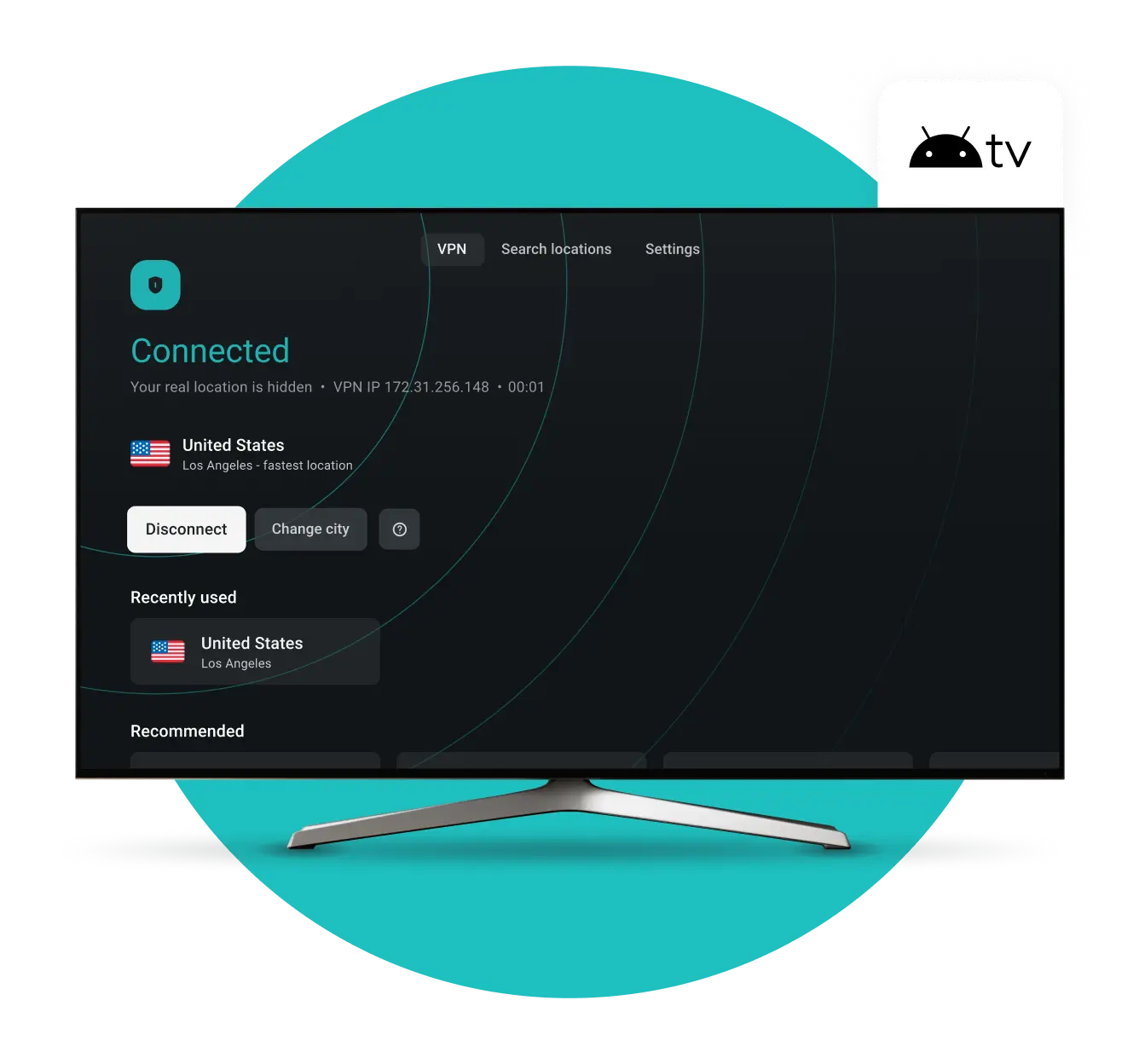
Download Surfshark VPN for Android TV
-
Designed to work seamlessly with your Android TV
-
Simple to install and navigate using only your TV remote
-
Adds an extra layer of privacy to your Android TV streaming
How to set up an Android TV VPN
Create a VPN account
Pick a Surfshark subscription plan that suits your needs best and set up the account.
Download the VPN app
Download the Surfshark VPN app for your Android TV on the Play Store.
Connect to a VPN server
After signing in, connect to your chosen server location, and you’re done.
Explore the Surfshark VPN benefits for your Android TV

Designed specifically for your TV
The native Surfshark app is built for the big screen with simple, clear navigation for your everyday TV use.
Easy remote-only control
No mouse or keyboard required — install directly from Google Play and manage everything easily with your standard TV remote.
One-step privacy for your apps
Get started in just a few clicks to add an extra layer of privacy to your streaming apps and services.
Secure, lag-free streaming
Surfshark VPN is powered by high-speed servers to ensure your Android TV privacy doesn’t come at the cost of buffering or lag.
Uninterrupted privacy and security
The Surfshark app runs quietly in the background, ensuring your connection stays secure so you can focus on your favorite content.
Included protection for all your devices
Use your Surfshark account to secure your Android TV, plus all your phones and computers, under one single subscription.

See why millions trust Surfshark
Check out what users and tech experts around the world have to say about Surfshark.



The reviews highlighted in this section were selected from publicly available posts on social media platforms. They reflect the opinions of individual users at the time of posting and may not represent the full range of our product features and qualities.
The reviews quoted on this page have been published by media outlets associated with Surfshark through affiliate partnerships. Their recommendations are based on their own independent research and insights to ensure value for the readers.
I have been using Surfshark since I got it and I love it!

When I am traveling, I use Surfshark to access the internet quickly and securely, works like a treat in China.

We love Surfshark because it is an easy-to-use app that you can download on all your devices.

The reviews quoted on this page have been published by media outlets associated with Surfshark through affiliate partnerships. Their recommendations are based on their own independent research and insights to ensure value for the readers.
“This is my first year and I absolutely love it. The fact I can have a good antivirus, great VPN, and incognito for like $120 a year is great.”
“I’ve been using Surfshark for 4 years on Android and ChromeOS with zero issues, it’s an absolute bargain”
“I’ve had it for 3 years and just renewed it for the next 2 years. I never have any issues with it and get my full internet speed…”
The reviews highlighted in this section were selected from publicly available posts on social media platforms. They reflect the opinions of individual users at the time of posting and may not represent the full range of our product features and qualities.





Frequently asked questions
Is it safe to use a VPN on a smart TV?
Yes, it is completely safe to use a VPN on an Android TV or Android TV box.
If you are not sure what the difference between the two is, no worries. Android TV is a smart TV running Android OS. An Android TV box is a device that lets your old TV connect to the internet and do everything a smart TV can. Surfshark supports all Android TV boxes with Android 7.0 or newer.
You can visit our guide on how to set up Surfshark on Android TV to learn more.
Will a VPN work on my Android TV?
Yes, Surfshark VPN is compatible with Android, but please note that the Google Play Store version of the app only supports Android 7.0 and newer. If you’re using Android 6.0, you can secure your Android TV by setting up Surfshark on your router or by installing it manually.
For your security and optimal performance, we recommend upgrading your devices to the latest available version of Android.
Do I need an Android TV VPN?
You might need a VPN for Android TV for a few reasons.
Streaming video content uses a lot of internet bandwidth. Your ISP (Internet Service Provider) sees your traffic and may slow your connection. A VPN shields your data from your ISP, allowing you to watch what you want without slowing down your streaming speeds.
Furthermore, streaming devices can be hacked — but when a VPN secures the connection, this becomes much harder.
Is a VPN for Android TV legal?
Yes, there’s nothing illegal about using a VPN to protect your privacy on Android platforms. Some countries, like Russia or China, restrict or heavily regulate VPN use, but it’s not an issue in most of the world. However, it’s safe to say that doing anything against the law with a VPN is still illegal.
Disclaimer: Please note that using Surfshark services for any illegal activities is strictly forbidden and violates our Terms of Service. Make sure that any use of Surfshark services for your particular activities conforms to all relevant laws and regulations, including those of any service providers and websites you access using Surfshark.
Does Netflix work with a VPN for Android TV?
Yes, Netflix works on Android TV with an active VPN connection. Using a VPN may help you overcome activity-based ISP throttling and solve any buffering issues. Simply download the APK for the Surfshark Android TV VPN and try it yourself.
How do I check if my VPN is working on Android TV?
- Go to the VPN app and turn it on. Once connected, you should see a new IP address assigned by the VPN.
- Check your IP with an IP check tool.
- See if the IP addresses match. If your VPN shows the same IP address as the IP check tool, it means your VPN is working.