 Surfshark
We’re thrilled to announce that you can now connect to your dedicated IP using our Linux GUI app. This gives even more control and flexibility over your IP (Internet Protocol) address. Want to get all the details? Read along!
What’s new and what does it mean to you?
While dedicated IP has been a feature of Surfshark for some time now, we’re now extending it to our Linux GUI app users.
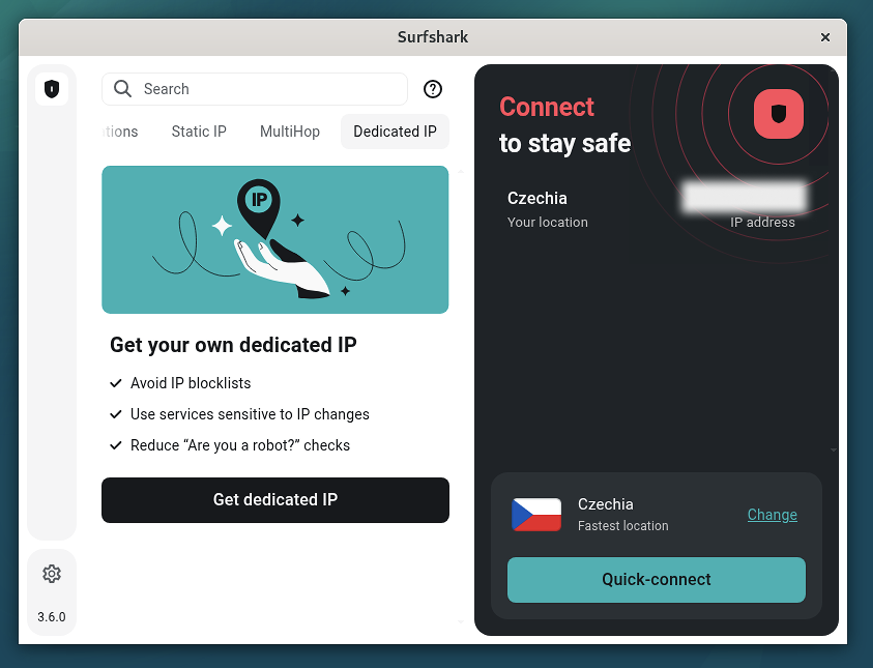
This means Linux enthusiasts can now enjoy the benefits of a dedicated IP directly from the app, adding more flexibility and enhancing their online experience with ease.
What is dedicated IP, and why might you need it?
Think of a dedicated IP as your own permanent address in the online world — a unique identifier that’s exclusively yours.
Unlike shared IPs, which multiple users use, a dedicated IP provides a consistent IP address that’s yours. This is particularly beneficial for accessing services that require a stable connection, such as remote servers or online banking.
With a dedicated IP, you’ll encounter fewer CAPTCHAs (those tedious requests to select a picture to prove you’re not a robot) and verification problems, ensuring a smoother browsing experience.
How to get dedicated IP on Linux
Dedicated IP is a paid add-on to any Surfshark bundle. To get it, you’d need to visit your Surfshark account and go to the Dedicated IP tab. Purchase a dedicated IP, and you’ll be asked to choose one of our dedicated IP locations.
At the moment, we offer these dedicated IP locations:
- The US — Los Angeles
- The US — New York
- The US — Dallas
- The US — San Jose
- The US — Denver
- The US — Las Vegas
- Brazil — São Paulo
- Canada — Toronto
- Australia — Sydney
- The UK — London
- The Netherlands — Amsterdam
- Germany — Frankfurt
- Italy — Milan
- France — Paris
- Poland — Warsaw
- Japan — Tokyo
- Hong Kong — Hong Kong
- Singapore — Singapore
- Turkey — Istanbul
- South Africa — Johannesburg
The number of available dedicated IPs per location is limited, meaning some may not always be available for purchase. But don’t worry — we’ll keep restocking them.
After purchasing, you’ll see your IP in the Dedicated IP tab in your app. Select it to connect.
Final note: check out dedicated IP
With Surfshark’s dedicated IP now available on Linux, Windows, macOS, Android, iOS, Apple TV, and browser extensions, you get even more flexibility! Check it out if you need more control over your IP address.