With web content filtering from Surfshark, you can block website categories and enjoy:
Web content filtering: dodge harmful websites before they load
One wrong click on a fake site can hand scammers your card details, and new ones go live every day. Web content filtering blocks harmful or unwanted websites automatically — by category:
- Slams the door on scam and malware sites
- Covers new scam sites you’ve never heard of
- Locks settings so only you can switch it off
Widely trusted with 40M+ global app downloads, rewarded with 30+ recognition awards
Data as of 2026-03-26
Data as of 2026-03-26

What is web content filtering?
Web content filtering is a way to block access to specific categories of websites: adult content, gambling, malware, or other custom choices, before they load in your browser. Rather than snooping on what someone’s doing online, it works like a gate: certain categories are allowed through, and others aren’t.
That’s the key difference from monitoring: filtering controls access, but it doesn’t track activity. A content filter doesn’t log which sites someone visits or what they do on them — it simply blocks the categories you’ve chosen in advance.
There’s also a difference between blocking individual URLs one by one and filtering by category. URL blocking means adding sites to a list manually, which gets unmanageable fast. Category filtering blocks entire types of content at once, so new scam or adult sites that pop up under a blocked category are covered automatically — no list maintenance required.
Why one wrong click is a real risk
Scammers build thousands of fake pages and only need a few people to click. The latest numbers are hard to ignore.
1,069,681 phishing attacks in one quarter, and climbing
The Anti-Phishing Working Group (APWG) counted 1,069,681 phishing attacks in Q2 2026, up 10.1% from Q1. June alone hit 425,808, the highest monthly total since April 2023.
69% of website scam reports ended in lost money
69% of fraud reports that started on a website or app resulted in financial loss in 2025. In comparison, for email the figure was 14%, and for text messages 9%.
73% of 11- to 17-year-olds saw harmful content in a month
UK’s communications regulator, found that 73% of 11- to 17-year-olds had seen harmful content online in the past month.
More than $3 billion lost by older adults in 2025
Older adults reported losing more than $3 billion to fraud in 2025.
Why should you filter your content?
Greater safety for your family
Secure your loved ones from malicious sites and inappropriate content. Whether you block adult content to protect children or help older relatives avoid sites with scams or malware, you can turn control into care.

Simplified household life
Effortlessly manage what household members can’t access on their browsers. Our category-based website blocker lets you and your family surf the web without worrying about inappropriate content.

Cleaner online experience
Enjoy smoother surfing that doesn’t have the pitfalls of problematic content. Head straight to your favorite sites and take control of your free time, knowing pages from your chosen categories are blocked.
Multidevice protection
From laptops to smartphones, you can guard all the household devices you want. Surfshark’s web filtering lets you control access to sites on the most popular platforms — Windows, macOS, iOS, and Android.

Fewer distractions
Removing unwanted sites from your screens can help boost productivity. Stay focused on what’s important by blocking distracting or intrusive websites that get in the way of all your household users.
Note: Other VPN providers can often only filter content when the VPN is on. With Surfshark’s web content blocker, you can block websites whether the VPN is on or off — the choice is yours.
What is Surfshark’s web content blocker?
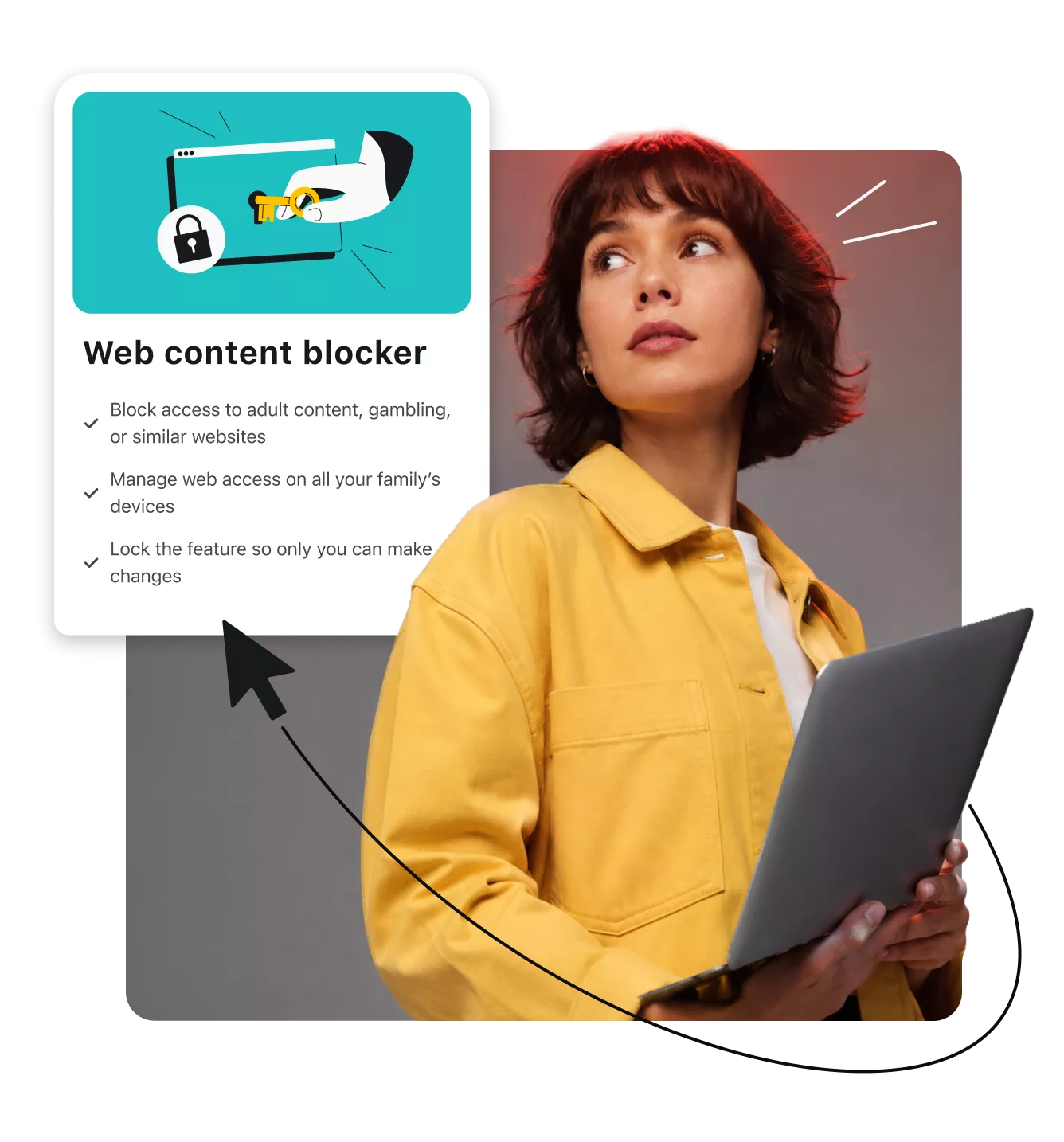
Surfshark’s web content blocker lets you restrict access to specific website categories chosen from a provided list and lock your settings with 2FA (Two-factor Authentication) on supported devices, so only you can change what’s filtered. A filter that anyone can switch off isn’t much of a filter.
Unlike traditional parental controls, it protects household members from malicious content and unwanted categories without monitoring their browsing activity. It works on an unlimited number of Windows, macOS, iOS, and Android devices.
How to filter online content
Rid your screens of unwanted or harmful sites in three easy steps:

1. Subscribe to Surfshark
Get the Surfshark One or Surfshark One+ plan and log in to the Surfshark web app.
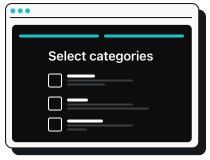
2. Pick your categories
Select the categories you want to block access to, whether it’s risky sites or graphic content.

3. Apply your rules
Choose what to protect — you can block website categories on Windows, macOS, iOS, and Android devices.

Go beyond web content filtering
Blocking harmful sites is a strong start, but scams don’t stop at the browser. Surfshark pairs web content filtering with scam protection, so your household is covered across texts, emails, and the web, not just the sites you’ve chosen to block.
Spot a scam text before it gets the chance to fool you. Scam text protection flags SMS phishing attempts, suspicious links, and impersonations, so you know what to avoid before you open them.

Detects scam text messages
Automatically scans incoming texts for signs of fraud, like suspicious sender numbers, to help you spot scams before you respond.

Spots malicious links
Flags dangerous URLs hidden inside text messages so you’re not tempted to open a compromised link.

Catches impersonation attempts
Flags urgent messages that impersonate trusted senders, like banks or delivery services, using pressuring language and suspicious numbers.

Reduces SMS phishing risk
Minimizes exposure to mobile fraud by screening incoming texts for common scam patterns.
Let AI catch phishing before you do. The email scam checker analyzes suspicious messages in your Gmail inbox for phishing signs, malicious links, and manipulation tactics, so risky emails get flagged before you notice anything.
AI-powered phishing detection
Uses AI trained on real phishing patterns to spot fake or fraudulent emails instantly.

Analyzes suspicious Gmail messages
Scans emails opened in Gmail through the Surfshark browser extension to flag likely scams in real time.

Flags manipulation tactics and harmful links
Identifies pressuring, urgent language and malicious links commonly used in phishing attempts.

Privacy-first scanning
Analyzes messages securely through your browser without logging, storing, or reading your private data.
Decide which websites your household cannot access by blocking entire categories tied to risky or unwanted content — no manual lists required.

Category-based website blocking
Blocks entire categories of sites, from adult content to gambling, instead of managing individual URLs one by one.

Family-friendly browsing
Helps create a safer browsing environment for children and other household members.

Less exposure to harmful content
Reduces the chance of stumbling onto malicious or inappropriate sites.
Fully customizable protection
Lets you choose exactly which categories to block, and on which devices.
One subscription. Multiple layers of protection.
Surfshark wraps privacy, cybersecurity, and identity protection into a single subscription. Whatever the level of protection you need, we’ve got you covered.
Secure connection
Browse with greater privacy using Surfshark VPN to encrypt your connection and help keep your online activity secure.

Device protection
Protect your devices from malware and other online threats with Surfshark Antivirus.
Scam protection
Stay one step ahead of scams with scam text protection, email scam checker, and web content blocker working together to help you avoid threats before you interact with them.

Identity protection
Take control of your digital identity with data leak monitoring, personal data masking, Incogni, and identity theft coverage. Together, these solutions help you monitor data leaks, reduce your online exposure, and recover your data.

Choose your level of protection
Starter
Comes with a VPN & Alternative ID — essentials for your daily browsing.
From
/mo.
- VPN: surf safely online
- Alt ID: protect your identity
- Clean Web: block ads & pop-ups
- Antivirus: armor your devices
- Alert: monitor data breaches
- Identity theft coverage: up to $1M
- Incogni: reclaim your data
We had an issue loading prices
We’re having a technical issue with fetching our prices. Try refreshing this page in a few minutes.
One
Perfect if you seek all-round security for your browsing, devices, and identity.
From
/mo.
- VPN: surf safely online
- Alt ID: protect your identity
- Clean Web: block ads & pop-ups
- Antivirus: armor your devices
- Alert: monitor data breaches
- Identity theft coverage: up to $1M
- Incogni: reclaim your data
We had an issue loading prices
We’re having a technical issue with fetching our prices. Try refreshing this page in a few minutes.
One+
Keeps your online activities & devices safe, with extra focus on identity protection.
From
/mo.
- VPN: surf safely online
- Alt ID: protect your identity
- Clean Web: block ads & pop-ups
- Antivirus: armor your devices
- Alert: monitor data breaches
- Identity theft coverage: up to $1M
- Incogni: reclaim your data
We had an issue loading prices
We’re having a technical issue with fetching our prices. Try refreshing this page in a few minutes.
See why millions trust Surfshark
Check out what users and tech experts around the world have to say about Surfshark.



The reviews highlighted in this section were selected from publicly available posts on social media platforms. They reflect the opinions of individual users at the time of posting and may not represent the full range of our product features and qualities.
The reviews quoted on this page have been published by media outlets associated with Surfshark through affiliate partnerships. Their recommendations are based on their own independent research and insights to ensure value for the readers.
I have been using Surfshark since I got it and I love it!

When I am traveling, I use Surfshark to access the internet quickly and securely, works like a treat in China.

We love Surfshark because it is an easy-to-use app that you can download on all your devices.

The reviews quoted on this page have been published by media outlets associated with Surfshark through affiliate partnerships. Their recommendations are based on their own independent research and insights to ensure value for the readers.
“This is my first year and I absolutely love it. The fact I can have a good antivirus, great VPN, and incognito for like $120 a year is great.”
“I’ve been using Surfshark for 4 years on Android and ChromeOS with zero issues, it’s an absolute bargain”
“I’ve had it for 3 years and just renewed it for the next 2 years. I never have any issues with it and get my full internet speed…”
The reviews highlighted in this section were selected from publicly available posts on social media platforms. They reflect the opinions of individual users at the time of posting and may not represent the full range of our product features and qualities.