





Your email address could already be part of a breach you’ve never heard of. Run it through Surfshark’s free Data Leak Checker and find out in seconds — no signup required.
Dark web monitoring: catch leaked data before criminals use it
Your data may already be on the dark web. Get alerted fast, so you can act quickly.
- Check if your personal info was exposed in data breaches
- Move quickly — stolen data can hit the dark web within hours
- Lock down accounts before a leak turns into a drained account
Widely trusted with 40M+ global app downloads, rewarded with 30+ recognition awards
Data as of 2026-03-26
Data as of 2026-03-26
What is dark web monitoring?
Dark web monitoring works by checking known data breach sources for your personal information, rather than crawling the dark web itself. That’s usually where stolen data surfaces first, before it’s sold on the dark web. You’re notified when your details, like an email address or password, appear in a leak, or when a company you use reports a breach — even before your exact data is confirmed exposed.
What can dark web monitoring detect?
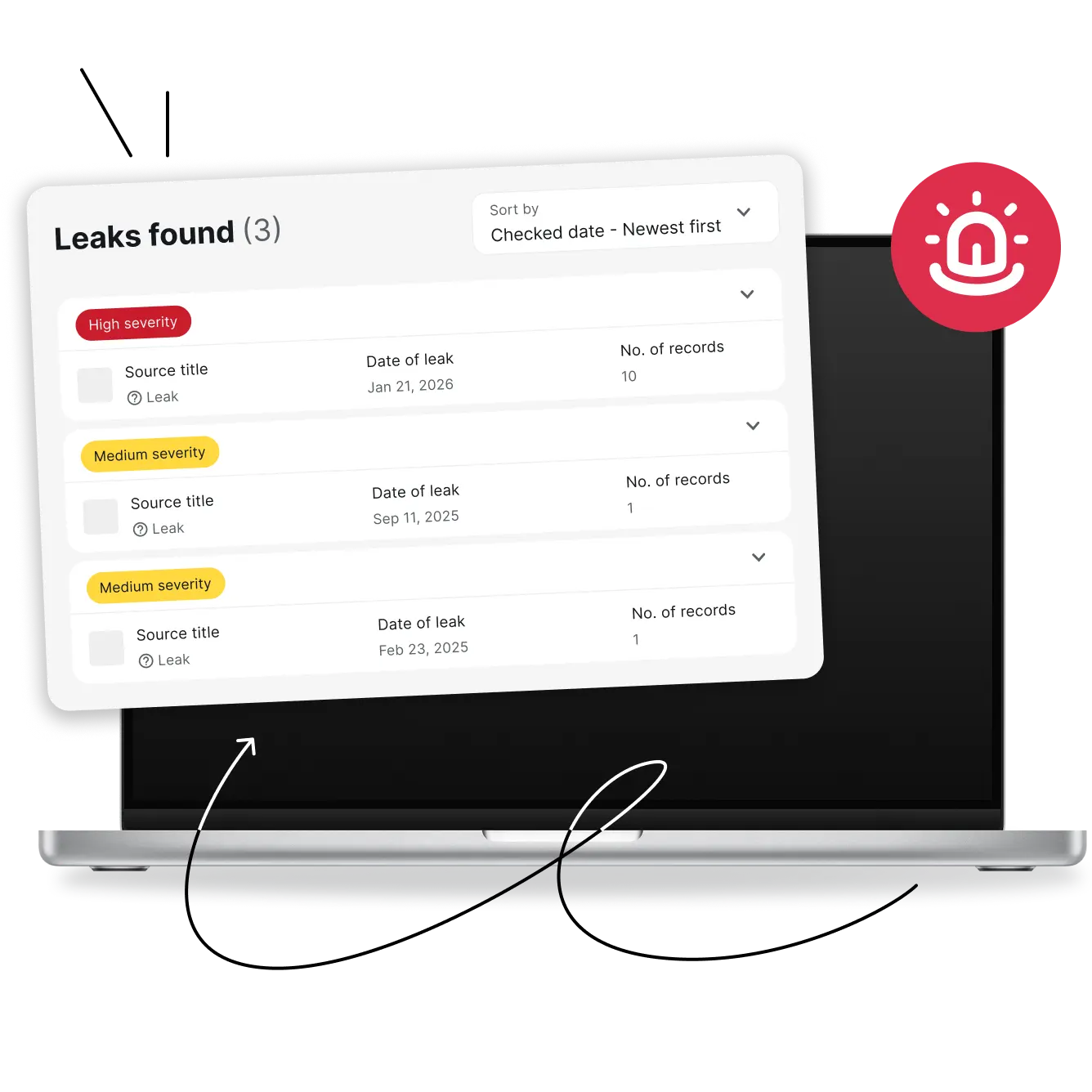
Surfshark Alert keeps an eye on the personal details scammers look for most.
Get dark web monitoring from Surfshark
Receive alerts if your details appear in a data leak. Change passwords, freeze cards, and lock down accounts before anyone can misuse your data.
How does dark web monitoring work?
Getting started with Surfshark Alert takes minutes, and there’s nothing technical to configure.
1. Add your information
Tell Surfshark’s data leak monitoring which details to track, such as your email address, government-issued ID, or credit card number.
2. Surfshark monitors for exposure
Surfshark checks known breach databases and other sources where leaked information tends to surface, continuously and in the background, so you don’t have to check manually.
3. Receive alerts and take action
If your information turns up in a leak, you’ll get a notification with clear next steps to help you secure your accounts, tailored to the type of data found.
Why choose Surfshark for identity protection?
Dark web monitoring is one part of the picture. Here’s how the rest of Surfshark helps protect your identity from theft online.
Protect your identity online
Data leak monitoring checks for your personal information, while Alternative ID helps you limit how much of it you share online in the first place, so there’s less to expose next time.
Secure your connection
Surfshark VPN encrypts your internet traffic, so your data stays private on any Wi-Fi network, even public ones at cafes and airports.
Remove your personal data
Incogni, included in Surfshark One+, requests your removal from data broker databases that sell your information.
Protect your devices
Surfshark Antivirus detects and blocks malware before it can harm your device or compromise your data.
Choose your level of protection
Starter
Comes with a VPN & Alternative ID — essentials for your daily browsing.
From
/mo.
- VPN: surf safely online
- Alt ID: protect your identity
- Clean Web: block ads & pop-ups
- Antivirus: armor your devices
- Alert: monitor data breaches
- Search: browse privately
- Identity theft coverage: up to $1M
- Incogni: reclaim your data
We had an issue loading prices
We’re having a technical issue with fetching our prices. Try refreshing this page in a few minutes.
One
Perfect if you seek all-round security for your browsing, devices, and identity.
From
/mo.
- VPN: surf safely online
- Alt ID: protect your identity
- Clean Web: block ads & pop-ups
- Antivirus: armor your devices
- Alert: monitor data breaches
- Search: browse privately
- Identity theft coverage: up to $1M
- Incogni: reclaim your data
We had an issue loading prices
We’re having a technical issue with fetching our prices. Try refreshing this page in a few minutes.
One+
Keeps your online activities & devices safe, with extra focus on identity protection.
From
/mo.
- VPN: surf safely online
- Alt ID: protect your identity
- Clean Web: block ads & pop-ups
- Antivirus: armor your devices
- Alert: monitor data breaches
- Search: browse privately
- Identity theft coverage: up to $1M
- Incogni: reclaim your data
We had an issue loading prices
We’re having a technical issue with fetching our prices. Try refreshing this page in a few minutes.