

• Get Surfshark

VPN for TikTok: stay private with Surfshark

  • Encrypt your connection on any public Wi-Fi
  • Mask your IP address while you scroll and post
  • Connect to secure servers in 100 countries around the globe
Surfshark plans
30-day money-back guarantee
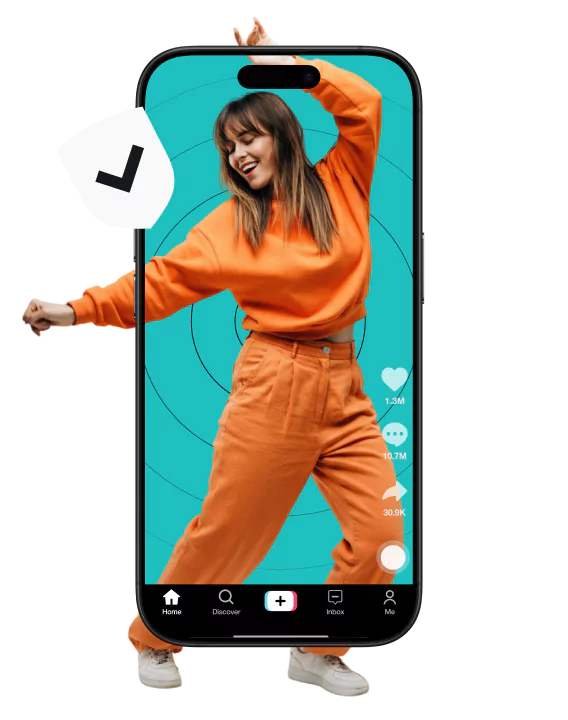
A woman dancing in an orange sweatsuit with her body partially in a smartphone screen that displays a social media interface.
Why can't I access TikTok?

Why can't I access TikTok?

A VPN (Virtual Private Network) encrypts your internet traffic and masks your IP (Internet Protocol) address. Surfshark VPN does both, so you can scroll, upload, and shop on TikTok Shop with a more private connection.

Open TikTok on café, hotel, or airport Wi-Fi, and you’re sharing a network with strangers. Anyone with the right tools may be able to see which apps and sites you’re using, and your IP address (the identifier that points back to your connection) is visible to every app you open.

When using TikTok, it’s important to note that while a VPN can prevent some external snoopers from tracking your activity, it doesn’t protect your privacy from TikTok itself. Additionally, all public information you share on your profile, likes, comments, etc., will still be visible regardless of VPN use.

Why choose Surfshark for TikTok?

How to use Surfshark VPN with TikTok

Don’t scroll TikTok unprotected

Get fast, secure VPN access in just a few clicks

Get Surfshark
30-day money-back guarantee
Don’t scroll TikTok unprotected

Where is TikTok restricted?

Governments approach TikTok differently by country, with some banning the app entirely and others imposing restrictions on its use.

Below is a list of countries* that have chosen to limit access to TikTok:

*Note: According to October 2026 data.

Countries
Current status
Austria, Belgium, Denmark, Estonia, Ireland, Latvia, Malta, the UK, France, the Netherlands, Norway, Australia, Canada, New Zealand, Taiwan, the United States
Banned on government/public servant sector devices
Afghanistan, India, Iran, Jordan, Kyrgyzstan, North Korea, Senegal, Somalia, Uzbekistan
Completely banned
Russia
Users can only see old Russian-uploaded content; new uploads and live streams are restricted
China
International TikTok is not available; a domestic version called Douyin is available
Recent changes
Albania: one-year ban lifted in early 2026.
Gabon: TikTok suspended “until further notice” in February 2026. 
United States: TikTok remains available after its US operations moved to a new joint venture in January 2026. 
Canada: TikTok remains available after a court set aside a shutdown order for its Canadian operations in January 2026.
Age restrictions: Australia (December 2025), Indonesia (March 2026), and Malaysia (June 2026) have introduced under-16 social media rules that apply to TikTok.

Disclaimer: Please note that using Surfshark services for any illegal activities is strictly forbidden and violates our Terms of Service. Make sure that any use of Surfshark services for your particular activities conforms to all relevant laws and regulations, including those of any service providers and websites you access using Surfshark.

Surfshark vs. free VPNs

Free VPNs often compromise on privacy and performance. Surfshark VPN offers a more secure browsing experience you can trust.

Free VPNs
Surfshark VPN
Data collection risk
High: free options often track your activity and share data with third parties
Low: Surfshark’s strict no-logs policy was independently verified by Deloitte in 2023 and 2025
Speed and bandwidth
Restricted: speed throttling and bandwidth limits are common
Unlimited: no bandwidth or speed caps are in place
Ads and trackers
Common: free tools may inject ads or allow trackers
Blocked: Clean Web offers built-in ad and tracker blocking
Customer support
Limited: often no live help and slow response times
24/7: round-the-clock live chat support
VPN servers and locations
Few: frequently have overloaded servers that slow your connection
Thousands: lets you connect to 4,500+ high-speed servers in 100 countries
Encryption
Unreliable: may lack strong encryption standards
Strong: modern AEGIS-256X2 and encryption standards AES-256 and ChaCha20 for increased protection

Get Surfshark for every device you own

Surfshark offers unlimited simultaneous connections, which means you can protect all your compatible devices at the same time. Don’t limit your VPN use — download our app on every device you own and keep your connection more private whenever you scroll.

See why millions trust Surfshark

Check out what users and tech experts around the world have to say about Surfshark.

“Surfshark is a highly polished and powerful VPN that competes with the very best premium providers, all while offering a seriously tempting price point.”
“Surfshark is one of the best VPN services, comes crammed with features, runs on almost anything, and has some of the best download speeds around.”
“Surfshark is an excellent, well-rounded virtual private network that consistently ranks as one of CNET’s best VPNs.”
The reviews quoted on this page have been published by media outlets associated with Surfshark through affiliate partnerships. Their recommendations are based on their own independent research and insights to ensure value for the readers.

I have been using Surfshark since I got it and I love it!

MRWHOSETHEBOSS 20.2M subscribers

When I am traveling, I use Surfshark to access the internet quickly and securely, works like a treat in China.

SAM CHUI 3.61M subscribers

We love Surfshark because it is an easy-to-use app that you can download on all your devices.

MAX & OCCY 265K subscribers
The reviews quoted on this page have been published by media outlets associated with Surfshark through affiliate partnerships. Their recommendations are based on their own independent research and insights to ensure value for the readers.

“This is my first year and I absolutely love it. The fact I can have a good antivirus, great VPN, and incognito for like $120 a year is great.”

Open in Reddit

“I’ve been using Surfshark for 4 years on Android and ChromeOS with zero issues, it’s an absolute bargain”

Open in Reddit

“I’ve had it for 3 years and just renewed it for the next 2 years. I never have any issues with it and get my full internet speed..”

Open in Reddit
The reviews highlighted in this section were selected from publicly available posts on social media platforms. They reflect the opinions of individual users at the time of posting and may not represent the full range of our product features and qualities.
PC Mag Best of 2026 Award Badge
FT 1000: Europe's Fastest Growing Companies 2024, 2025, 2026 Badge
CNET Editors’ Choice 2026 Badge
VPN Trust Initiative certification 2026 Badge
Forbes Technology Council member 2026 Badge

Surfshark supports the open internet

We partner with digital rights organizations to promote online freedom and keep the internet safe and accessible to all.

Try Surfshark VPN risk-free

We’re confident you’ll love Surfshark — so confident, in fact, that we offer all users a 30-day money-back guarantee. Try Surfshark and experience top-tier security without risk.


Get Surfshark
Try Surfshark VPN risk-free

FAQ

Yes, TikTok works with a VPN. Using a VPN with TikTok encrypts your internet connection, helping you protect your activity from unauthorized third parties. It allows you to securely access TikTok, especially on public Wi-Fi, while keeping your online activity private. Keep in mind that all public in-app activity, such as likes and comments, will still be visible to other app users. A VPN also doesn’t change what TikTok itself collects. Where TikTok is restricted, check your local rules first.

To use a VPN with TikTok, download and install Surfshark on your device. Open the app, log in, select a server location, and connect to it. Once connected, you can open TikTok. See the three steps above.

Try these quick fixes: switch between Wi-Fi and mobile data, restart your device, connect to a different VPN server, or reinstall TikTok. Still stuck? Contact Surfshark’s support team.

Yes. Surfshark has apps for both iOS and Android. Install the app, connect to a server, and open TikTok. One account covers unlimited devices, so you can use it on your phone and your other compatible devices.

A VPN masks your IP address, so apps see the VPN server’s location instead of yours. However, TikTok can access your location through your device’s GPS (Global Positioning System) or IP address. A VPN does not alter GPS-based location data unless specifically configured — for example, Surfshark has a GPS override feature for Android devices.

A reliable VPN is a smart way to keep your connection private, especially on public Wi-Fi. TikTok’s terms of service do not explicitly prohibit VPN use, but unusual activity, such as frequent location changes, may raise suspicion. To avoid issues, use a VPN responsibly and ensure your activity complies with TikTok’s guidelines. Think twice before trusting a free VPN with your connection: free VPNs often come with slower speeds, data caps, or weaker security.