Security tools
What is a DNS leak?
A DNS (Domain Name System) leak happens when your DNS queries — requests sent to translate a website's domain name into an IP address — are exposed.
Think of DNS as the internet's phonebook, translating website names into IP (Internet Protocol) addresses. A DNS leak is like someone overhearing every number you dial. Usually, your ISP (Internet Service Provider) handles these translations and, without protection, can see and log your activity.
How to prevent DNS leaks
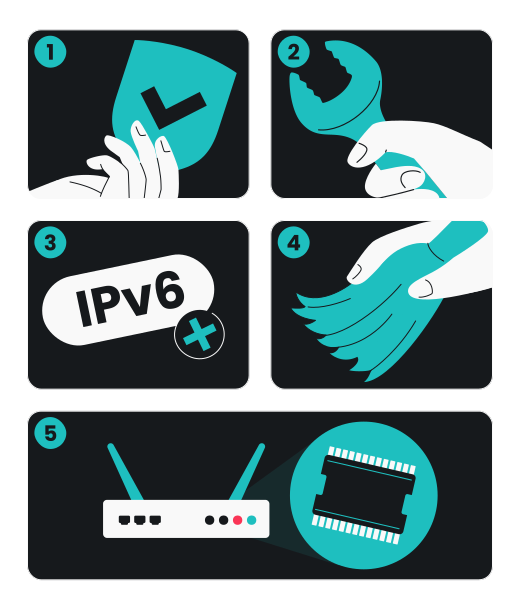
If you've used a DNS leak checker and discovered a leak, don't worry. Here are some steps you can take:
- Use a VPN: use a reliable VPN service with built-in DNS leak protection. This will help route all your DNS requests through the VPN tunnel, preventing leaks;
- Configure your DNS settings: manually set your DNS servers to those provided by your VPN or use a trusted third-party DNS service, like Surfshark’s*;
- Disable IPv6: some VPNs do not support IPv6, which can lead to leaks. Turning off IPv6 on your device can help prevent this issue;
- Clear DNS cache: clear your DNS cache to remove any old or potentially incorrect DNS entries.
- Update your router’s firmware: ensure your router's firmware is up to date to protect against vulnerabilities that could cause DNS leaks.
*Disclaimer: DNS service shouldn't be used instead of a VPN and doesn't provide the same security level.
Don't let DNS leaks expose you
Safeguard your browsing history, location, and personal information from being sold.
Why should I test for DNS leaks?
Because DNS leaks can expose your personal information and online habits, causing many risks:
Revealed browsing history
Exposed ISP and location
Online tracking
Targeted attacks
Profiling
Data selling
How to perform a DNS leak test
You can easily check for DNS leaks by running a DNS leak test using online tools. Here’s how to use Surfshark’s DNS leak test:
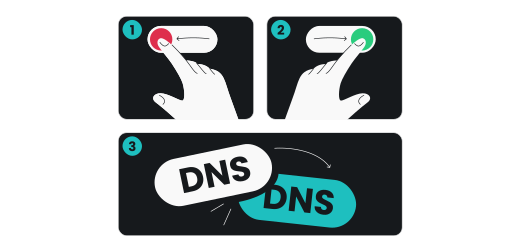
- Turn off your VPN and run the DNS leak test.
- Turn on your VPN and run the same test again.
- See if your DNS changed after connecting to a VPN.
What causes DNS leaks?
Network settings issues
VPN or proxy setup errors
Malware or malicious apps
ISP DNS proxy interference
DNS spoofing
IPv6 leaks
What are the types of DNS leaks?
- Standard DNS leaks: this occurs when your DNS queries are sent to an unintended DNS server, such as an unsafe public server or an untrusted third-party server;
- IPv6 DNS leaks: devices using IPv6 can sometimes bypass VPNs that do not fully support this protocol, leading to potential leaks;
- WebRTC leaks: this type of leak happens when the WebRTC protocol, used by browsers for voice and video calls, exposes your IP address or DNS information;
- Router DNS leaks: if your router is not configured correctly, it might send DNS queries outside of the VPN tunnel, leading to a DNS leak.
Skip the manual fixes
Use a trusted VPN with WebRTC leak protection.
How does Surfshark VPN prevent DNS leaks?
Because Surfshark VPN offers top-notch security and more:

Private encrypted DNS

Queries stay secure

No external DNS providers

Audited no-logs policy
Protection that goes beyond DNS leaks
Unlimited simultaneous devices
24/7 live expert support via chats and emails
Fast and stable 10 Gbps server network
4500+ servers in 100 countries
Integrated ad blocker and ad blocker extension
30-day money-back guarantee
Protect your privacy online
Frequently asked questions
What is a DNS leak?
What is a DNS leak test?
How do I test for DNS leaks?
To test for DNS leaks, you can use an online DNS leak test tool. Simply connect to your VPN and visit a trusted DNS leak test website. The tool will analyze your DNS requests and inform you if any leaks are detected.
You can perform the test with and without the VPN and compare the results to see whether your VPN changes your DNS.